
Cattycam
Cattycam is an interactive tool for viewing and debugging the internals of artificial intelligence models built using Cattykit.
Installation
Install with pip:
pip install cattycam
Quick start
Run a Cattykit model with the CattycamLogger from cattykit.logging:
from cattykit import load_model
from cattykit.logging import CattycamLogger

cattycam_logger = CattycamLogger("history.sqlite", "copycat")

copycat = cattykit.load_model(
    "copycat",
	config={"seed": 1234},
	logger=cattycam_logger
)

copycat.solve("abc -> abd ==> ijk -> ?")
copycat.solve("abc -> abd ==> xyz -> ?")
...
Running the model with a Cattycam logger records the internal processes and intermediate structures in a sqlite database.
To view these in graphical user interface, run Cattycam with the path to the generated database:
cattycam path/to/history.sqlite
The app launches your web browser and gives you access to the logs from each recorded run in the database grouped by input problem. The visualizations generated by Cattycam reproduce the images displayed by Mitchell 1993.
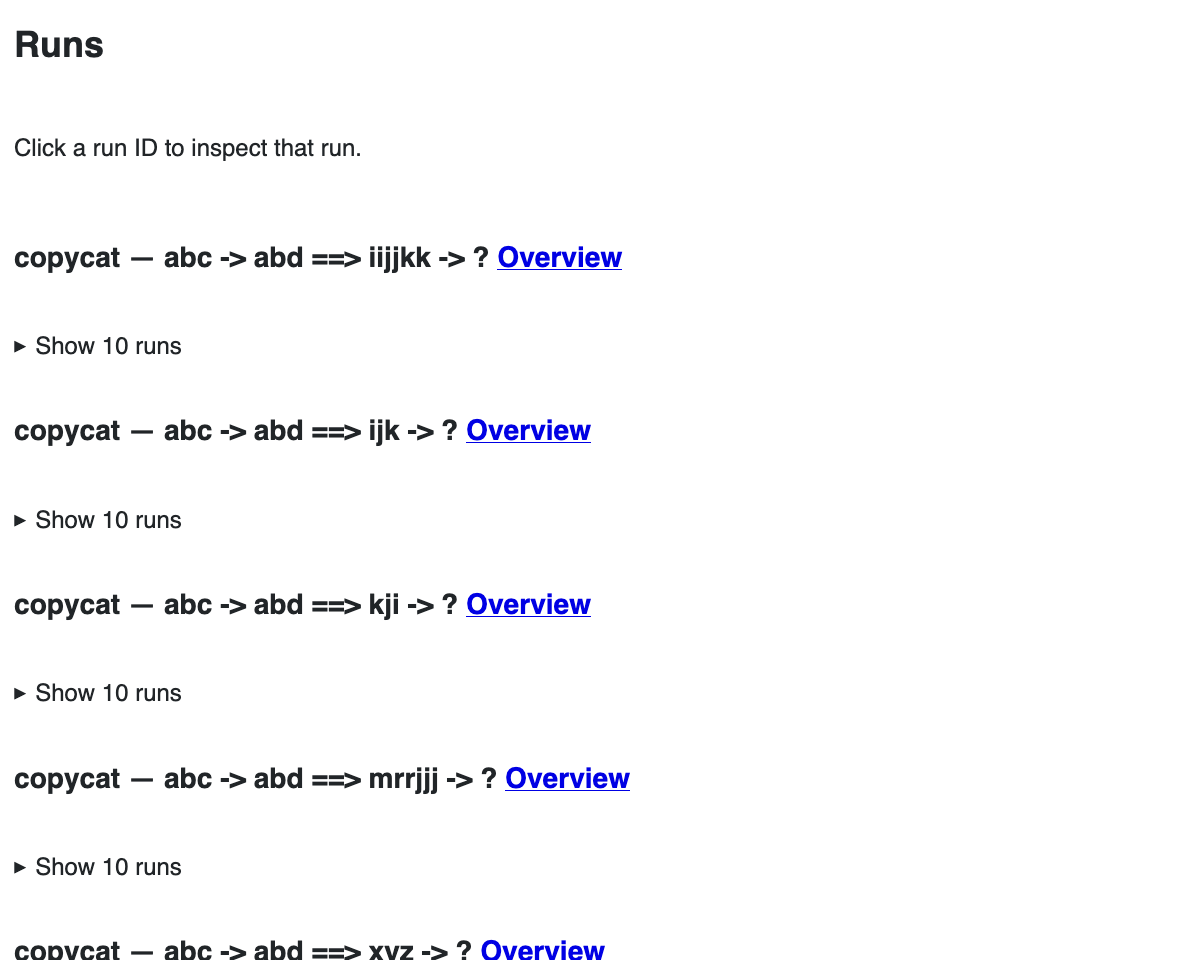
Selecting one problem's overview takes you to a statistical summary of the model when run on the problem (you will have to run the program multiple times with different seeds to get different outputs).
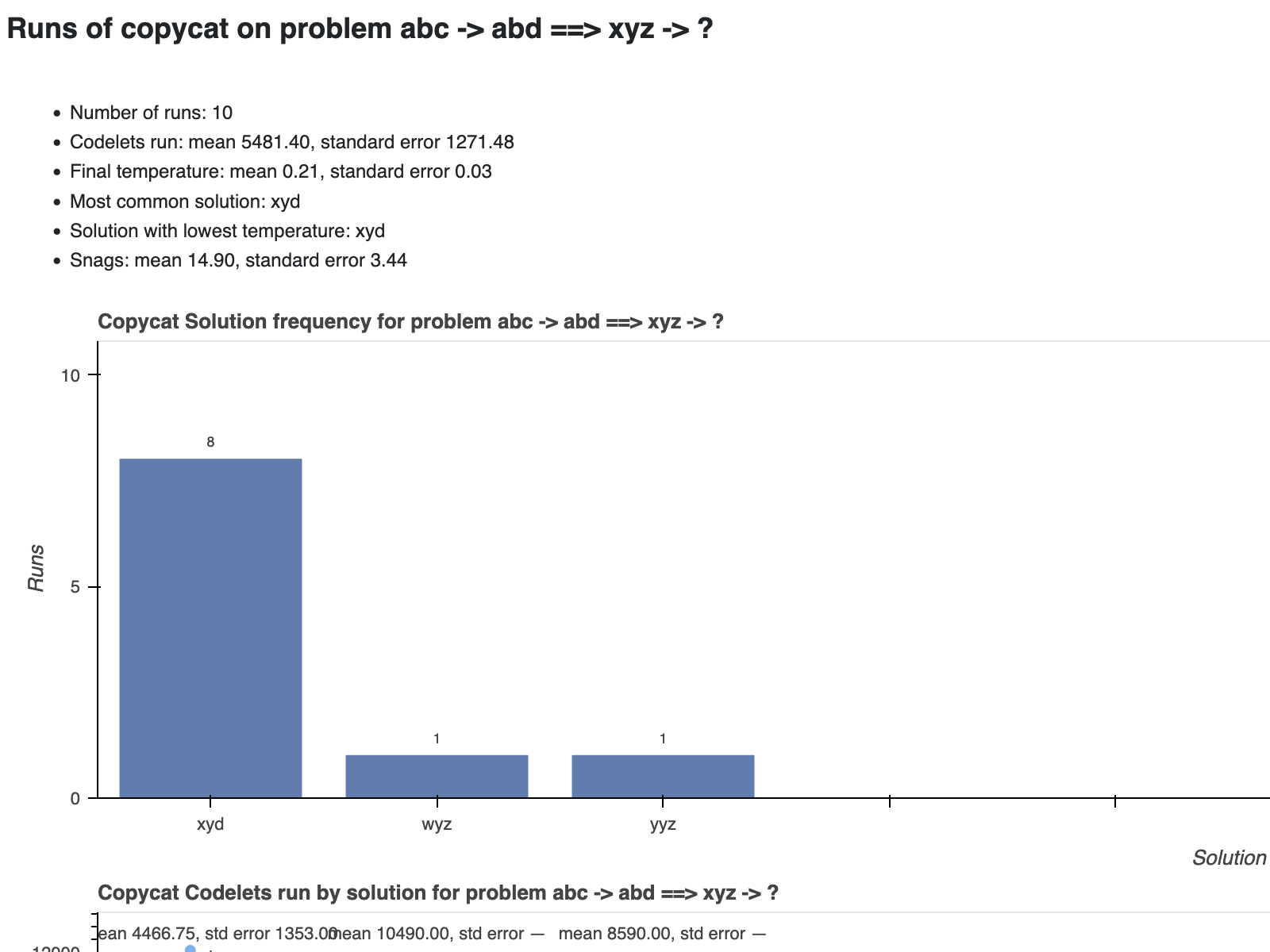
The overview displays charts with distribution of answers, the number of codelets run generating each answer, and the final temperature for each answer. There is also a table at the bottom of the page listing each run. Clicking on the row's view button opens a run page.
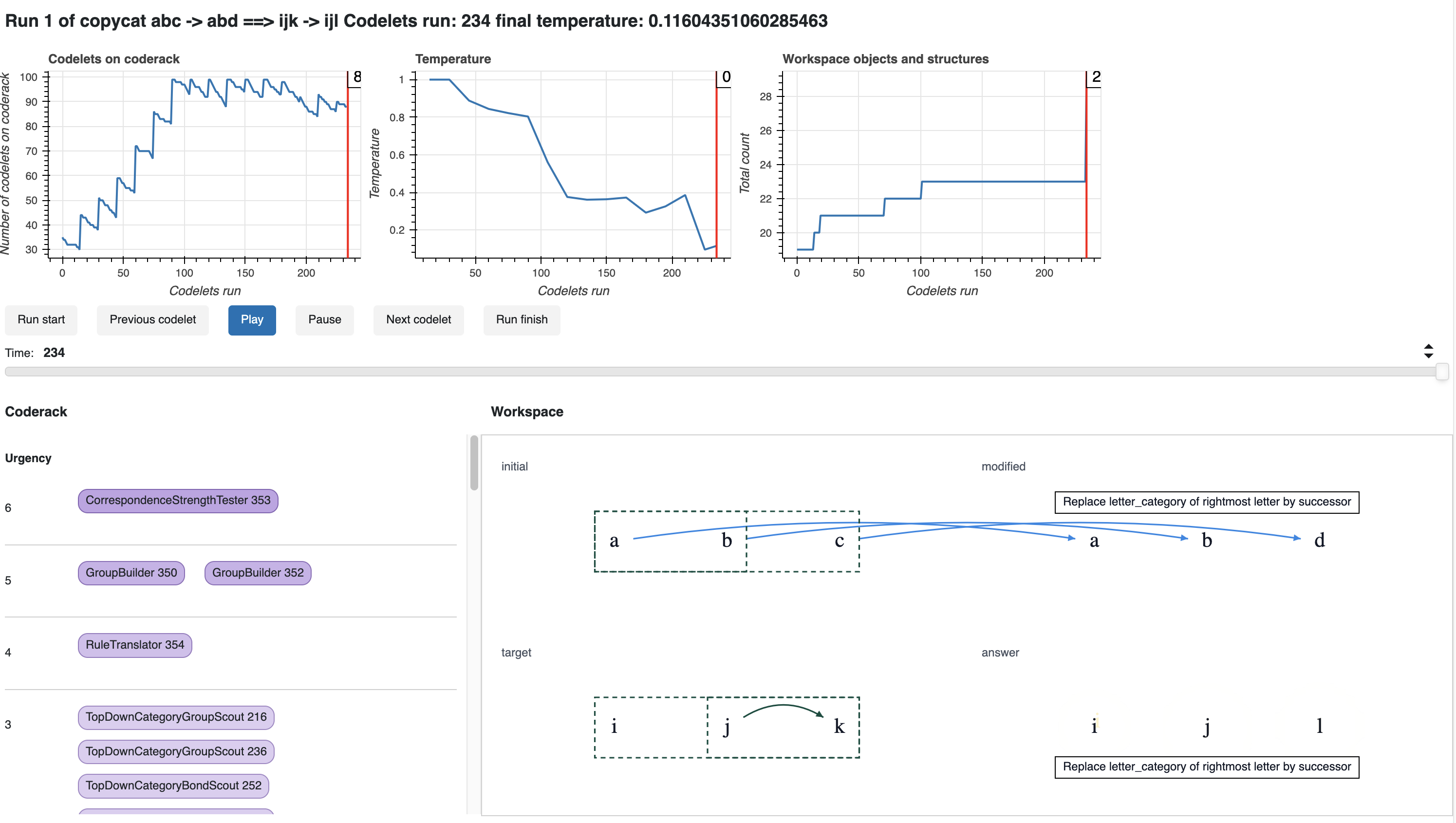
The top of the run page shows a summary of run over time, including the changing population of the coderack and workspace, and the changing temperature of the program.
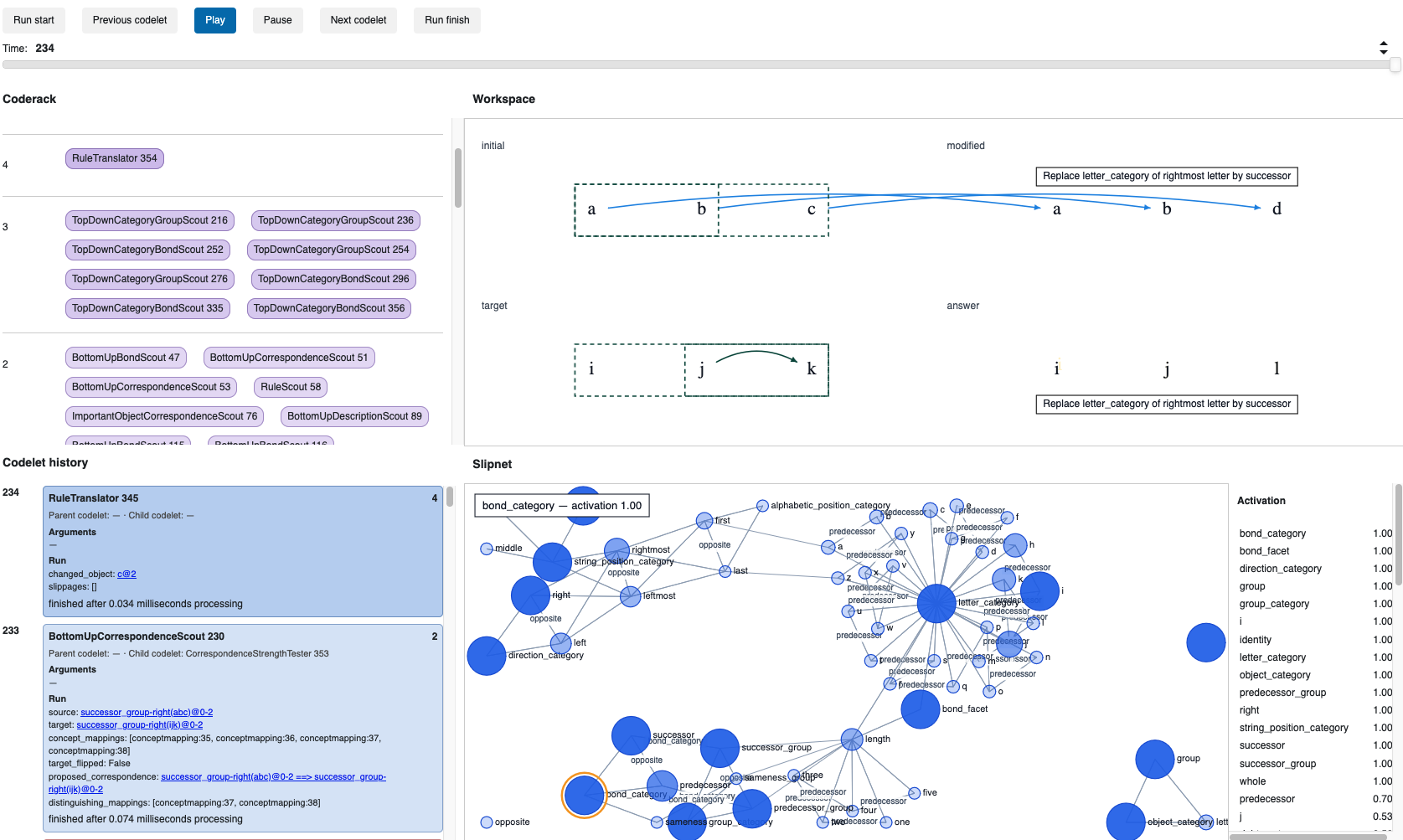
Below this are the coderack, workspace, and slipnet at the time that the program finished. There is also a codelet history showing the codelets that ran up to that point in reverse chronological order.
Use the time slider to view the program at a different point in time and the play buttons above the time slider to see a slow motion playback of the program.
References
- Mitchell, M (1993). Analogy-Making as Perception: A Computer Model. The MIT Press. doi:10.5555/152203
License
Cattycam is licensed under the GNU Affero General Public License v3.0 or later. See LICENSE for details.
1 maintainer

Metadata
1 maintainer
Release files for cattycam 0.1.0
For a detailed explanation of source distributions (sdists) and built distributions (wheels), please see the package formats documentation.
Source distribution (sdist)
| File | Size | Uploaded | Provenance | |
|---|---|---|---|---|
| cattycam-0.1.0.tar.gz | 1.0 MB | With provenance | Details |
Built distribution (wheel)
| File | Interpreter | ABI | Platform | Reset |
|---|---|---|---|---|
| cattycam-0.1.0-py3-none-any.whl | Python 3 | none | any | Details |
Total release size: 1.1 MB
Release files / cattycam-0.1.0.tar.gz
| Download URL | cattycam-0.1.0.tar.gz |
|---|---|
| Size | 1.0 MB |
| Tags | Source |
|
SHA-256 checksum How to use checksums |
2b1c800d9e6cb3683cc9c1dcdcaf66e26652371e5209b85904612cac961f0283
|
|
BLAKE2b-256 checksum How to use checksums |
a633e3bbc886fbc68b461134b921d9f30bdedaeb36702164536d59aafb328a10
|
| Upload date | |
|
Uploaded using Trusted Publishing? What is trusted publishing? |
Yes |
| Uploaded via |
twine/7.0.0 CPython/3.13.14
|
Provenance
Provenance describes where a file came from. On PyPI, provenance is shared via attestations, which provide a verifiable record of the build or publishing details. View details, limitations and caveats.


PyPI Publish Attestation
PyPI verified that this artifact, at this checksum, originated from the publisher listed below.
Signed by GitHub Actions, verified by PyPI on Sep 22, 2026.
Transparency logRelease files / cattycam-0.1.0-py3-none-any.whl
| Download URL | cattycam-0.1.0-py3-none-any.whl |
|---|---|
| Size | 42.4 kB |
| Tags | Python 3 |
|
SHA-256 checksum How to use checksums |
a67f5e38c51b72bccf4d86e76c49b647c617df2a1e8d3a3332436f122e336cf4
|
|
BLAKE2b-256 checksum How to use checksums |
ef17ae556c8d2fdc94bff1cd76c57886e242cb20416a7bf5ad77d393007cb47e
|
| Upload date | |
|
Uploaded using Trusted Publishing? What is trusted publishing? |
Yes |
| Uploaded via |
twine/7.0.0 CPython/3.13.14
|
Provenance
Provenance describes where a file came from. On PyPI, provenance is shared via attestations, which provide a verifiable record of the build or publishing details. View details, limitations and caveats.
PyPI Publish Attestation
PyPI verified that this artifact, at this checksum, originated from the publisher listed below.
Signed by GitHub Actions, verified by PyPI on Sep 22, 2026.
Transparency logSecurity for cattycam 0.1.0
Provenance
Provenance describes where a file came from. On PyPI, provenance is shared via attestations, which provide a verifiable record of the build or publishing details. View details, limitations and caveats.
Full provenance
All 2 files in this release have been uploaded with provenance metadata.
Attestation for cattycam-0.1.0.tar.gz
PyPI Publish Attestation
PyPI verified that this artifact, at this checksum, originated from the publisher listed below.
Signed by GitHub Actions, verified by PyPI on Sep 22, 2026.
Transparency logA note on package security
PyPI is a repository for distributing packages, not a service for auditing them. While third-party security researchers and our staff do their best to detect and remove malicious packages, PyPI cannot guarantee the quality, security or suitability of any given package.
To learn more about protecting yourself from malicious actors, visit our package security documentation.













