
CC-Claw: Autonomous AI Coding Agent for Claude Code






CC-Claw: 让 Claude Code 24/7 自动编程的 AI Agent
CC-Claw is an autonomous AI working companion that turns Claude Code into a tireless coding partner — continuously executing tasks, breaking down goals, and making progress while you sleep.
核心功能 · 快速开始 · 使用示例 · 架构 · FAQ · 资源
什么是 CC-Claw?
CC-Claw 是一个运行在后台的 AI Agent守护进程,让 Claude Code CLI 拥有了自主工作能力。
传统 AI 编程工具需要你时时刻刻指导它工作。CC-Claw 改变了这一点:
- 你设置目标,它自动分解成可执行任务
- 它 24/7 自动执行,无需人工干预
- 遇到 API 限流自动等待,恢复后继续
- 跨会话记忆上下文,工作进度不丢失
"凡 token 消耗,皆有利于我。"
核心功能
| 功能 | 描述 | 关键词 |
|---|---|---|
| 🎯 目标驱动 | 自动分解目标为可执行任务 | goal decomposition, task automation |
| ⚡ 自主执行 | 24/7 自动运行,无需人工干预 | autonomous agent, 24/7 coding |
| 🧠 持久化记忆 | 跨会话记忆上下文和决策 | persistent context, memory |
| 🔄 智能重试 | 指数退避 + 熔断器容错 | exponential backoff, circuit breaker |
| 📊 Token 管理 | 自动规避限流,智能节流 | token management, rate limit |
| 🔒 本地执行 | 所有代码执行在本地完成 | local execution, privacy |
| 🕒 定时任务 | 支持延迟任务调度 | scheduled tasks, cron |
| 📋 任务队列 | 优先级队列,重要任务优先 | priority queue, task queue |
| 🔔 进度通知 | 里程碑完成时主动通知 | notifications, progress |
快速开始
前置要求
- Python 3.9+
- Claude Code CLI (安装指南)
- 网络连接(用于调用 Claude API)
安装(3 步)
# 1. 安装
pip install cc-claw

# 2. 启动(首次运行自动引导配置)
cc-claw start
# → 输入服务器地址 → Telegram /pair 验证码 → 自动启动

# 3. 发消息给机器人设置目标
/goal 完成用户登录功能
后续启动无需任何配置,直接 cc-claw start 即可。
完整命令
| 命令 | 描述 |
|---|---|
cc-claw start |
启动(未配对时自动引导) |
cc-claw install --server-url=<url> |
一键安装 + 配置 + 配对 |
cc-claw status |
查看连接状态 |
cc-claw uninstall --yes |
卸载所有本地数据 |
机器人命令
| 命令 | 描述 |
|---|---|
/goal <目标> |
设置目标并开始执行 |
/progress |
查看进度和 Token 统计 |
/goals |
管理所有目标 |
/pause |
暂停自主执行 |
/resume |
恢复自主执行 |
/reset |
清空数据,重新开始 onboarding |
自行部署服务端
如需自建服务端,请参考 DEPLOY.md。
使用示例
基本命令
cc-claw start        # 启动守护进程
cc-claw status       # 查看连接状态
cc-claw uninstall    # 卸载所有本地数据
机器人命令
| 命令 | 描述 |
|---|---|
/start |
开始使用 + 引导设置 |
/progress |
查看目标进度和 Token 统计 |
/pause |
暂停自主执行 |
/resume |
恢复自主执行 |
/tasks |
查看当前任务队列 |
/goals |
管理目标 |
/setgoal <id> |
切换工作目标 |
/status |
查看连接状态 |
/help |
帮助 |
代码示例:Python API
from cc_claw import CCClawDaemon, ClientConfig

# 配置
config = ClientConfig(
    device_id="your-device-id",
    device_token="your-device-token",
    claude_path="/usr/local/bin/claude"
)

# 启动守护进程
daemon = CCClawDaemon(config)
daemon.run()
使用持久化记忆
from cc_claw import PersistentMemory, ConversationMemory

# 长期记忆
memory = PersistentMemory()
memory.add_context_snapshot(
    task="实现支付模块",
    context="使用 Stripe API",
    result="完成支付流程"
)

# 获取恢复上下文
resume = memory.get_context_for_resume()

# 短期对话历史
conv = ConversationMemory()
conv.add_user("继续上次的工作")
conv.add_assistant("好的,上次你在实现支付模块...")
架构设计
┌─────────────────────────────────────────────────────────────────┐
│                         Internet                                 │
└─────────────────────────────┬───────────────────────────────────┘
                              │
                              ▼
┌─────────────────────────────────────────────────────────────────┐
│                     Cloud Server                                 │
│  ┌─────────────┐  ┌─────────────┐  ┌─────────────────────────┐ │
│  │ Telegram    │  │   API       │  │  WebSocket Server       │ │
│  │ Bot / Lark  │  │   Server   │  │  (persistent connection) │ │
│  └─────────────┘  └─────────────┘  └─────────────────────────┘ │
└─────────────────────────────────────────────────────────────────┘
                              │ WSS
                              ▼
┌─────────────────────────────────────────────────────────────────┐
│                     Your Device (Local)                         │
│  ┌─────────────┐  ┌─────────────┐  ┌─────────────────────────┐ │
│  │ Gateway     │  │ Goal Engine │  │  Claude Code CLI        │ │
│  │ Client      │  │ Task Queue  │  │  (executes tasks)       │ │
│  └─────────────┘  └─────────────┘  └─────────────────────────┘ │
│                                                                  │
│  ┌─────────────┐  ┌─────────────┐  ┌─────────────────────────┐ │
│  │Persistent   │  │Multi-Agent  │  │  Smart Retry           │ │
│  │Memory       │  │Collaboration│  │  (backoff + breaker)   │ │
│  └─────────────┘  └─────────────┘  └─────────────────────────┘ │
└─────────────────────────────────────────────────────────────────┘
核心模块
| 模块 | 路径 | 描述 |
|---|---|---|
| Goal Engine | client/goal_engine.py |
将目标分解为可执行任务 |
| Task Queue | client/task_queue.py |
优先级任务队列 |
| Persistent Memory | client/memory.py |
跨会话上下文持久化 |
| Smart Retry | client/retry.py |
指数退避 + 熔断器 |
| Token Tracker | client/token_tracker.py |
Token 使用量追踪 |
常见问题
Q: CC-Claw 和 GitHub Copilot有什么区别?
| 特性 | GitHub Copilot | CC-Claw |
|---|---|---|
| 交互方式 | IDE 插件,实时补全 | 守护进程,目标驱动 |
| 运行时间 | 仅在你编码时 | 24/7 持续工作 |
| 任务执行 | 单行代码补全 | 完整任务自主执行 |
| 记忆能力 | 无 | 持久化上下文 |
Q: Token 用完会怎样?
CC-Claw 有完善的 Token 管理机制:
- 接近限流时自动减速
- 遇到 429 错误自动等待
- Token 刷新后自动恢复
Q: 本地执行安全吗?
是的。所有代码执行都在你的本地机器上完成,CC-Claw 只是调用 Claude Code CLI,不上传你的代码。
Q: 支持哪些平台?
- macOS ✅
- Linux ✅
- Windows (WSL) ✅
Q: 如何贡献代码?
# Fork 后
git clone https://github.com/your-fork/cc-claw.git
cd cc-claw
pip install -e ".[dev]"
pytest tests/
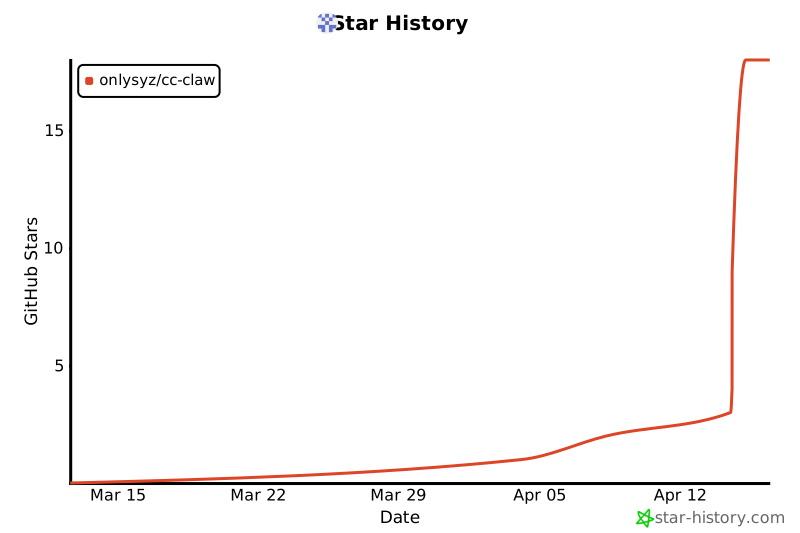
Star 历史
License
MIT License - 详见 LICENSE
如果你觉得 CC-Claw 有用,给个 ⭐ 支持一下!
1 maintainer

Release files for cc-claw 0.1.0
For a detailed explanation of source distributions (sdists) and built distributions (wheels), please see the package formats documentation.
Source distribution (sdist)
| File | Size | Uploaded | |
|---|---|---|---|
| cc_claw-0.1.0.tar.gz | 162.8 kB | Details |
Built distribution (wheel)
| File | Interpreter | ABI | Platform | Reset |
|---|---|---|---|---|
| cc_claw-0.1.0-py3-none-any.whl | Python 3 | none | any | Details |
Total release size: 258.7 kB
Release files / cc_claw-0.1.0.tar.gz
| Download URL | cc_claw-0.1.0.tar.gz |
|---|---|
| Size | 162.8 kB |
| Tags | Source |
|
SHA-256 checksum How to use checksums |
013b917836fcacab1890c362eb3c543652dbd6892e2f47f90a956de1379f4fba
|
|
BLAKE2b-256 checksum How to use checksums |
cd406eedeab36baab1c568824ef7ad727fa283d119cf70b93adb2d3b25b78e57
|
| Upload date | |
|
Uploaded using Trusted Publishing? What is trusted publishing? |
No |
| Uploaded via |
twine/6.1.0 CPython/3.8.10
|
Release files / cc_claw-0.1.0-py3-none-any.whl
| Download URL | cc_claw-0.1.0-py3-none-any.whl |
|---|---|
| Size | 95.9 kB |
| Tags | Python 3 |
|
SHA-256 checksum How to use checksums |
5ca3e318b39c12987360ec9faa6635d209842af62251521166ceb25dfdb0ae39
|
|
BLAKE2b-256 checksum How to use checksums |
b871ce5721e767286052fcb4144901e38ae6760778aadbe32ed07920c7c67b7f
|
| Upload date | |
|
Uploaded using Trusted Publishing? What is trusted publishing? |
No |
| Uploaded via |
twine/6.1.0 CPython/3.8.10
|













