
This release is a pre-release and may not be stable for production use.






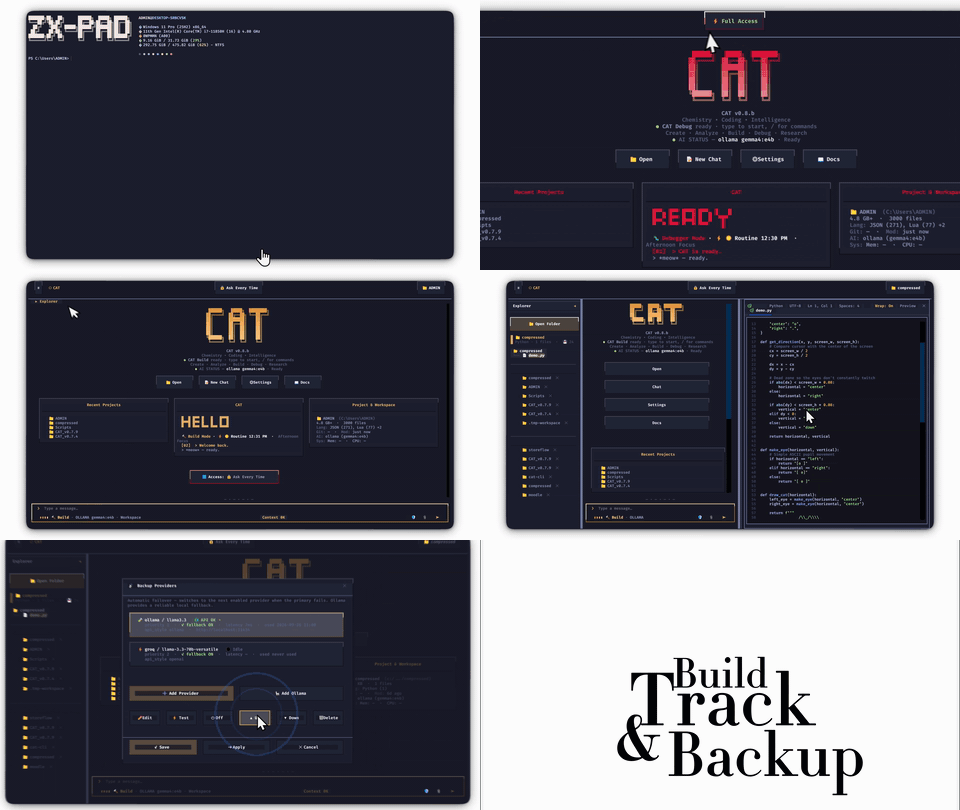
An autonomous AI developer terminal and chemical computation environment styled like OpenCode, Claude Code, and Warp in the Tokyo Night theme.
⚡ Quick Install
CAT is distributed across multiple channels. Choose the method that best fits your workflow:
Option 1: Install from PyPI (Recommended for most users)
Status: Coming after PyPI release — not yet published. The PyPI distribution
cct-cliv0.8.0b1 has been built and validated locally (python -m build,twine check dist/*) but has not been uploaded to PyPI yet. Do not expectpip install cct-clito work until the first successful publish is confirmed. Once published, use:
CAT CLI is distributed as cct-cli on PyPI. The PyPI distribution name and the
terminal command are intentionally different:
PyPI package: cct-cli
CLI command:  cat  (plus aliases catx and cct)
Install from PyPI (after release):
pip install cct-cli
CLI launch (after installation):
cat --version
cat
Notes:
catis the canonical command.catxis provided for Unix systems wherecatcollides with GNU coreutils, and for Windows PowerShell wherecatis a built-in alias forGet-Content(usecat.exeorcatxifcatresolves to the alias in your shell).cctis kept as a historic alias so existing installs and docs keep working.- Branding is CAT everywhere. Never install anything named
cot-ai-ide(typo) — the only official PyPI distribution iscct-cli. - Optional extras:
pip install "cct-cli[web]"(Fatty CAT web server),pip install "cct-cli[science]"(calculator/graph/export features),pip install "cct-cli[browser]"(embedded browser), orpip install "cct-cli[all]"for everything. - Requires Python 3.10 or newer (tested on 3.10–3.13).
Option 2: Windows Installer (Native Windows experience)
Download and run the native installer:
CAT-Setup.exeorcatsetup.exefrom Latest Releases or repository root.- Standalone self-contained Windows executable — installs to
%LOCALAPPDATA%\Programs\CAT(no administrator privileges required). - Automatically adds
cat,catx,cct,cat-curl,cat-brew, andcat-sudoto yourPATHand configures PowerShell aliases cleanly.
Universal One-Line Install (Run from ANY directory in PowerShell):
irm https://raw.githubusercontent.com/kazizillani-oss/CAT_v0.7.9/main/install.ps1 | iex
From the Cloned Repository (Navigate into the repository first):
cd CAT_v0.7.9
powershell -ExecutionPolicy Bypass -File installer/windows/scripts/install.ps1 -Install
# Or run the compiled installer:
.\catsetup.exe
Option 3: Install from Source / Git Clone (Clean & Privacy-Safe)
To install directly from source on any PC:
# 1. Clone the repository
git clone https://github.com/kazizillani-oss/CAT_v0.7.9.git
cd CAT_v0.7.9

# 2. Install CAT CLI into your current Python environment
python -m pip install .

# Or for local development / live editable mode:
python -m pip install -e .

# 3. Verify installation and run CAT CLI
cat --version
cat
🔒 Zero Data Leakage & Clean Device Isolation Guarantee: When you clone CAT CLI onto another computer, no private developer data, cached models, local sqlite databases, chat logs, or session tokens are downloaded or shared.
CAT enforces strict multi-machine privacy and data separation:
- Source repository contains code only: Development caches (
cache/), temporary files, logs, and private keys are strictly git-ignored and excluded from releases and clones.- Isolated OS App-Data directory: Every machine gets its own independent user profile initialized on first run in the standard OS user directory:
- Windows:
%LOCALAPPDATA%\CCT- Linux:
$XDG_CONFIG_HOME/cct(default~/.config/cct)- macOS:
~/Library/Application Support/CCT- Fresh Environment: Each installation creates clean, independent configuration and local storage, ensuring your private workspace files and credentials remain 100% on your machine.
For contributors installing with test/build tooling:
pip install -e ".[web,science]"
pip install build twine pytest
python -m build
python -m twine check dist/*
Option 4: VS Code Extension (v0.8.6)
Install the official CAT — Coding Agent Terminal extension for VS Code:
- Search
CAT CLIorCAT — Coding Agent Terminalin VS Code Extensions (Ctrl+Shift+X). - Marketplace: CAT — Coding Agent Terminal
- Or install the pre-packaged
.vsix:
code --install-extension cat-cli/cat-cli-0.8.6.vsix
Option 5: Quick Install via curl (Method 5: Linux, macOS, Windows)
Install CAT CLI with a single command without manually cloning or configuring directories:
# Linux and macOS (POSIX curl installer):
curl -fsSL https://raw.githubusercontent.com/kazizillani-oss/CAT_v0.7.9/main/install.sh | bash

# Windows PowerShell (Universal One-Liner - Works in all PowerShell versions, memory-safe):
irm https://raw.githubusercontent.com/kazizillani-oss/CAT_v0.7.9/main/install.ps1 | iex

# Windows PowerShell with curl.exe (downloads to %TEMP% to avoid file-lock / write error 23):
curl.exe -fsSL https://raw.githubusercontent.com/kazizillani-oss/CAT_v0.7.9/main/install.ps1 -o "$env:TEMP\cat_install.ps1"; powershell -ExecutionPolicy Bypass -File "$env:TEMP\cat_install.ps1" -Install

# Windows Command Prompt (cmd.exe):
curl.exe -fsSL https://raw.githubusercontent.com/kazizillani-oss/CAT_v0.7.9/main/install.ps1 -o "%TEMP%\cat_install.ps1" && powershell -ExecutionPolicy Bypass -File "%TEMP%\cat_install.ps1" -Install
What the curl installer does automatically:
- Detects Python 3.10+ runtime and system architecture.
- Installs CAT CLI into standard user space (
~/.local/binon POSIX or%LOCALAPPDATA%\Programs\CAT\binon Windows). - Provides instant access to CAT's built-in developer tools (
cat curl,cat brew,cat sudo).
Option 6: Install via brew for macOS & Linux (Method 6: Homebrew)
For macOS and Linux developers using the Homebrew package manager:
# 1. Tap the official CAT repository
brew tap kazizillani-oss/cat

# 2. Install CAT CLI formula
brew install cat-cli

# Or install directly in one step:
brew install kazizillani-oss/cat/cat-cli

# 3. Verify installation
cat --version
cat brew doctor
Universal Package Bridge: CAT CLI includes its own built-in
cat brewcommand that works across macOS, Linux, and Windows, allowing you to search, inspect, and bridge Homebrew formulae and system package managers directly from inside your terminal.
Option 7: System-wide Linux Installation via sudo (Method 7: Linux Admin)
For system administrators and multi-user Linux / Unix servers requiring global system-wide installation:
# 1. System-wide installation with administrative privileges (sudo):
curl -fsSL https://raw.githubusercontent.com/kazizillani-oss/CAT_v0.7.9/main/install.sh | sudo bash

# Or system-wide via pip with sudo (handling PEP 668 managed environments):
sudo python3 -m pip install cct-cli --break-system-packages

# 2. Verify global system availability for all users:
cat --version
catx --version
sudo cat --version
What the sudo installer does:
- Installs CAT CLI globally into
/usr/local/binand system Python paths. - Automatically creates collision-safe aliases (
cat,catx,cct,cat-curl,cat-brew,cat-sudo) accessible to every user on the system. - Pairs seamlessly with CAT's built-in
cat sudotool for privilege elevation.
🚀 CLI Commands & Subcommands
| Command | Purpose | Automation Safety |
|---|---|---|
cat / catx / cct |
Launch the interactive CAT terminal & UI. | Interactive |
cat --version / cct --version |
Display the current installed CAT version. | Read-Only (Safe to automate) |
cat --debug / cct --debug |
Display detailed environment, paths, platform, and runtime debugging information. | Read-Only (Safe to automate) |
cat curl [options] <url> |
Execute HTTP/REST requests (our own built-in curl with colorized JSON). | Read-Only (GET) / State-Changing (POST/PUT/DELETE) |
cat brew <command> |
Cross-platform Homebrew formula manager & universal package bridge (winget/choco/apt). | Read-Only (list/doctor/search) / State-Changing (install/uninstall) |
cat sudo <command> |
Universal cross-platform administrative privilege elevation (Windows 11 sudo / PowerShell / POSIX). | Read-Only (--status/-v) / State-Changing (execution) |
cat update --check / cct update --check |
Check if a newer version is available from GitHub Releases without installing. | Read-Only (Safe to automate) |
cat update / cct update |
State-changing update operation (disabled in public builds; prompts to use update --check). |
State-Changing (Not for unattended scripts) |
cat rollback / cct rollback |
State-changing rollback to previous snapshot (disabled in public builds to prevent accidental loss). | State-Changing (Not for unattended scripts) |
cat repair / cct repair |
State-changing self-heal operation (disabled in public builds; prompts to use cat --doctor). |
State-Changing (Not for unattended scripts) |
cat --doctor / cct --doctor |
Run diagnostic health checks across Python, terminal capabilities, and AI providers. | Interactive / Diagnostic |
Automation Safety Contract: Read-only commands (
--version,--debug,update --check,cat curl <url>,cat brew doctor,cat sudo --status) guarantee zero filesystem, configuration, or state mutations and are safe for CI/CD and automation scripts. State-changing commands (update,rollback,repair,cat brew install,cat sudo <cmd>) require explicit control and will never execute silently or unattended.
⚡ Built-in Developer Tools: curl, brew, and sudo
CAT CLI comes pre-equipped with its own native, cross-platform implementations of three essential developer tools. They can be invoked directly as subcommands (cat <tool>), standalone console scripts (cat-<tool>), or slash commands inside the interactive terminal (/<tool>):
1. cat curl (HTTP & REST Client)
A high-performance HTTP/HTTPS client featuring ANSI colorized JSON responses and download meters:
- Methods:
GET,POST,PUT,DELETE,PATCH,HEAD,OPTIONS(-X/--request). - Headers & Payloads: Custom headers (
-H), raw payload (-d/--data), automatic JSON formatting (--json), and multipart forms (-F). - File Downloads: Direct to file (
-o <file>) or remote file naming (-O). - Inspection & Debugging: Response headers (
-i,-I), verbose trace (-v), SSL bypass (-k), and format metrics (-w).
# Quick API query with formatted JSON highlighting
cat curl https://api.github.com/zen

# POST request with JSON payload and custom headers
cat curl -X POST https://httpbin.org/post --json '{"project": "CAT", "version": "0.8.0"}'

# Download a remote file
cat curl -O https://example.com/archive.zip

# Or standalone console script:
cat-curl https://httpbin.org/get
2. cat brew (Homebrew & Universal Package Bridge)
A unified formula manager that makes Homebrew syntax work everywhere:
- macOS & Linux: Delegates seamlessly to native
brewwhen installed. - Windows: Translates Homebrew formulas (
node,python,git,ffmpeg,ripgrep,neovim,rust,docker,jq,cmake, etc.) directly into native Windows package managers (winget,choco,scoop,pip,npm), tracking everything in the local CAT Cellar (~/.cat/brew/cellar.json). - Audit & Diagnostics:
cat brew doctorinspects package managers, PATH, compilers, and toolchains in one unified report.
# Audit package managers, compilers, and PATH health
cat brew doctor

# Search for software across formulas and native package indices
cat brew search node

# Install tools with cross-platform formula resolution
cat brew install node git ffmpeg ripgrep

# Inspect formula metadata and dependencies
cat brew info ffmpeg

# List installed packages in CAT Cellar
cat brew list

# Or standalone console script:
cat-brew doctor
3. cat sudo (Cross-Platform Administrative Elevation)
Run commands with elevated administrative privileges across Windows, Linux, and macOS:
- Windows: Seamlessly bridges to Windows 11
sudo.exe(System32) or native PowerShell UAC elevation (Start-Process -Verb RunAs) with automatic output capture. - Linux & macOS: Elevates privileges via system
sudo(preserving environment with-E),doas, orpkexec. - Safety: Supports non-interactive mode (
-n) to prevent hanging in headless CI/CD, credential validation (-v), privilege status check (--status), and elevated interactive shell (-s).
# Check current elevation status (returns exit code 0 if admin, 1 if standard)
cat sudo --status

# Validate administrative credentials
cat sudo -v

# Run administrative command with elevated privileges
cat sudo winget install Git.Git
cat sudo apt-get update

# Open an elevated Administrator shell
cat sudo -s

# Or standalone console script:
cat-sudo whoami
Inside the interactive CAT Terminal, you can run /curl, /brew, and /sudo directly from the composer prompt.
🛠️ Key Features
- Built-in Developer Utilities: Full native implementations of
curl,brew, andsudoout of the box — zero external dependencies needed. - Tokyo Night Terminal UI: Rich ASCII styling, 24-bit ANSI colors, split-pane Textual layout, animated spinners, and sound effects.
- Autonomous Development & Workspace Management: Detects git roots, VS Code workspaces, parses manifests, and indexes files with live progress indicators.
- Universal Formula & Science Calculator: 39+ symbolic formulas, 2D/3D animated graphs, and live Bohr/quantum orbital simulations.
- Multi-Provider AI Orchestrator: Supports OpenAI, Anthropic, Gemini, Groq, OpenRouter, and Ollama with automatic failover and tool execution.
- Extensible Architecture:
.catchats store and.catxtextension registry for custom modules and extensions. - Fomoji Server Integration: Optional bundled local web services with automated lifecycle management.
📦 Universal Distribution Architecture
CAT's distribution system decouples lightweight public launchers from private source code:
- Zero Source Leakage: npm and PyPI packages contain strictly minimal launchers (~4 kB) that pull platform-native binaries verified by SHA256 checksums from
release/manifest/releases.json. - Atomic Updates & Rollbacks: Update artifacts are validated against signed manifests before replacing running binaries, with automated snapshotting into
~/.cat/versions/. - Command Collision Prevention: Provides both
catandcatxcommands to prevent collisions with GNU coreutilscaton Unix and handles PowerShell's built-inGet-Contentalias automatically.
For detailed documentation:
🧪 Testing & Verification
Run the test suite locally:
# Verify release isolation, security, and version sync
python scripts/verify_release.py

# Run distribution integration unit tests
python scripts/test_distribution.py

# Test runtime builder in dry-run mode
python scripts/build_runtime.py --dry-run
🔒 Security, Secret Management & Pre-Deployment Checklist
Before deploying CAT or its associated Fomoji identity services to production, ensure all secret hygiene practices are strictly enforced:
1. Zero Secrets in Source Code
- Environment Variables Only: All API keys, tokens, session secrets, and database connection strings must be configured via environment variables. Copy
.env.exampleto.env(which is ignored by Git). - Supabase Keys:
- The
SUPABASE_ANON_KEYis designed for client-side use ONLY IF Row Level Security (RLS) is enabled on every table. Without RLS, the anon key exposes the entire database. - The
SUPABASE_SERVICE_ROLE_KEYmust NEVER appear in client-side code under any circumstance.
- The
- Stripe Keys:
- Only
STRIPE_PUBLISHABLE_KEYmay be used client-side. STRIPE_SECRET_KEYand restricted keys (rk_*) must remain strictly server-side.
- Only
- Database URIs:
- PostgreSQL (
DATABASE_URL), MongoDB (MONGODB_URI), MySQL, and Redis connection URIs containing credentials must never be committed.
- PostgreSQL (
- Frontend Exposure:
- React/Next.js exposes any variable prefixed with
NEXT_PUBLIC_orREACT_APP_to the browser bundle. Ensure no private keys or secrets use these prefixes.
- React/Next.js exposes any variable prefixed with
📄 License
  ██████╗ █████╗ ████████╗
 ██╔════╝██╔══██╗╚══██╔══╝
 ██║     ███████║   ██║
 ██║     ██╔══██║   ██║
 ╚██████╗██║  ██║   ██║
  ╚═════╝╚═╝  ╚═╝   ╚═╝

CODING AGENT TERMINAL · v0.8.0b1 [beta]
MIT © Kazi Zillani
1 maintainer

Metadata
1 maintainer
Release files for cct-cli 0.8.0b1
For a detailed explanation of source distributions (sdists) and built distributions (wheels), please see the package formats documentation.
Source distribution (sdist)
| File | Size | Uploaded | Provenance | Actions |
|---|---|---|---|---|
| cct_cli-0.8.0b1.tar.gz | 10.9 MB | Without provenance | Details for cct_cli-0.8.0b1.tar.gz |
Built distribution (wheel)
| File | Interpreter | ABI | Platform | Actions Reset |
|---|---|---|---|---|
| cct_cli-0.8.0b1-py3-none-any.whl | Python 3 | none | any | Details for cct_cli-0.8.0b1-py3-none-any.whl |
Total release size: 21.8 MB
Release files / cct_cli-0.8.0b1.tar.gz
| Download URL | cct_cli-0.8.0b1.tar.gz |
|---|---|
| Size | 10.9 MB |
| Tags | Source |
|
SHA-256 checksum How to use checksums |
e4d80b7ef8de14e65e2837128cd25ee18565db8697740bba865a1d15df3bd96a
|
|
BLAKE2b-256 checksum How to use checksums |
4c001045e372b7cdad0d117a0f766c7cfbf42ae6fcbdfd5a316dfbe6f98cbff8
|
| Upload date | |
|
Uploaded using Trusted Publishing? What is trusted publishing? |
No |
| Uploaded via |
twine/7.0.0 CPython/3.12.10
|
Release files / cct_cli-0.8.0b1-py3-none-any.whl
| Download URL | cct_cli-0.8.0b1-py3-none-any.whl |
|---|---|
| Size | 10.9 MB |
| Tags | Python 3 |
|
SHA-256 checksum How to use checksums |
e4611e1f95e4d63ddd4357b36e63c0befcc6f26c60415eed01b68400173c6ce7
|
|
BLAKE2b-256 checksum How to use checksums |
9cc47e08dd2e06ca4ef0894dfc0c65b0ccccec16162a8063335fce59bc55fc93
|
| Upload date | |
|
Uploaded using Trusted Publishing? What is trusted publishing? |
No |
| Uploaded via |
twine/7.0.0 CPython/3.12.10
|
Security for cct-cli 0.8.0b1
Provenance
Provenance describes where a file came from. On PyPI, provenance is shared via attestations, which provide a verifiable record of the build or publishing details. View details, limitations and caveats.
No provenance found
None of the files in this release were uploaded with provenance metadata.
A note on package security
PyPI is a repository for distributing packages, not a service for auditing them. While third-party security researchers and our staff do their best to detect and remove malicious packages, PyPI cannot guarantee the quality, security or suitability of any given package.
To learn more about protecting yourself from malicious actors, visit our package security documentation.













