
cedulauy-mrz-scan




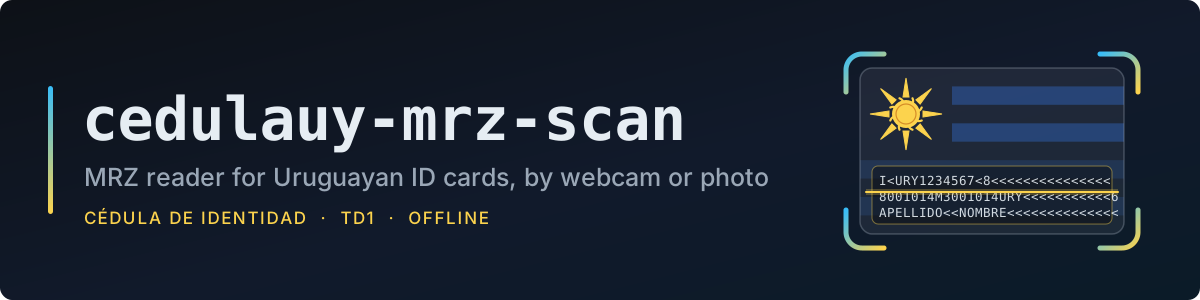
Read the MRZ of Uruguayan identity cards (cédula de identidad) from a webcam or a photo.
Alpha. The API may change between releases.
Install
The package needs Python 3.10+ and the Tesseract OCR engine, which is a separate program.
1. Install Tesseract
| System | Command |
|---|---|
| Debian / Ubuntu | sudo apt install tesseract-ocr |
| Fedora | sudo dnf install tesseract |
| Arch | sudo pacman -S tesseract |
| macOS | brew install tesseract |
| Windows | UB Mannheim installer |
Any language data works: the MRZ model (OCR-B) ships with this package, so no tessdata setup is
needed. On Windows the default install folder (C:\Program Files\Tesseract-OCR) is found even if
it is not on PATH.
Check it with:
tesseract --version
On a minimal Linux install (server, container), OpenCV also needs the OpenGL and GLib libraries:
libgl1 libglib2.0-0 (Debian/Ubuntu), mesa-libGL glib2 (Fedora), mesa glib2 (Arch).
2. Install the package
As a command-line tool, in its own isolated environment:
uv tool install cedulauy-mrz-scan
# or
pipx install cedulauy-mrz-scan
Or try it without installing: uvx cedulauy-mrz-scan --camera 0.
As a library, in your project:
uv add cedulauy-mrz-scan
# or
pip install cedulauy-mrz-scan
Usage
Point a webcam at the back of the card:
cedulauy-mrz-scan --camera 0
A window shows a card-shaped guide and tells you how to hold the card: closer, straighter, still.
When it is well placed, two pictures are taken and the MRZ is printed. Press q or Esc to quit.
From a photo or scan:
cedulauy-mrz-scan --image card.jpg
cedulauy-mrz-scan --image card.jpg -o mrz.txt
| Option | Description |
|---|---|
-c, --camera INDEX |
Scan from a camera (0 is usually the built-in one) |
-i, --image PATH |
Read a photo or scan |
-o, --output FILE |
Write the MRZ to a file instead of printing it |
--lang {en,es} |
Language of the on-screen texts (default: system's) |
--debug |
Show the line detection; s saves the current frame |
From Python:
from cedulauy_mrz_scan import scan_camera, scan_image

mrz = scan_camera(0)          # None if the user quits
mrz = scan_image("card.jpg")  # raises ValueError if unreadable
The result is the raw TD1 MRZ as one 90-character string (3 lines of 30). read_mrz(image)
reads an already cropped image of the code and returns (mrz or None, lines read).
Features
- Guided capture: finds the MRZ lines in the live image and tells the user how to place the card, before any OCR runs.
- Verified: a read is only returned if it passes the check digits.
- Double capture: two pictures must give the same read, which also covers the name (check digits don't).
- OCR-B model: bundled, trained for MRZ text; the default English model misreads
<asK. - Offline: everything runs locally, nothing is sent anywhere.
- Spanish / English: on-screen texts follow the system language.
Tips
- Even light without reflections matters most; a shiny card under a ceiling lamp is the usual failure.
- Hold the card steady once the bar starts filling; moving restarts it.
Development
uv sync            # create .venv and install dev dependencies
uv run pytest      # run tests
uv run ruff check  # lint
uv build           # build sdist and wheel into dist/
License
GPL-3.0-or-later. The bundled OCR-B model (tessdata/mrz.traineddata) is from
DoubangoTelecom/tesseractMRZ, BSD-3-Clause.
1 maintainer

Metadata
1 maintainer
Release files for cedulauy-mrz-scan 0.1.1
For a detailed explanation of source distributions (sdists) and built distributions (wheels), please see the package formats documentation.
Source distribution (sdist)
| File | Size | Uploaded | Provenance | |
|---|---|---|---|---|
| cedulauy_mrz_scan-0.1.1.tar.gz | 10.9 MB | Without provenance | Details |
Built distribution (wheel)
| File | Interpreter | ABI | Platform | Reset |
|---|---|---|---|---|
| cedulauy_mrz_scan-0.1.1-py3-none-any.whl | Python 3 | none | any | Details |
Total release size: 21.9 MB
Release files / cedulauy_mrz_scan-0.1.1.tar.gz
| Download URL | cedulauy_mrz_scan-0.1.1.tar.gz |
|---|---|
| Size | 10.9 MB |
| Tags | Source |
|
SHA-256 checksum How to use checksums |
f2995db2c6c8f3c424435dfe84790d9d416141ec06fdc31756a5892ca79f393a
|
|
BLAKE2b-256 checksum How to use checksums |
3a636816d94cf16598f4244d18d9726ab76f308de3adf94ceac4f250270b80c0
|
| Upload date | |
|
Uploaded using Trusted Publishing? What is trusted publishing? |
Yes |
| Uploaded via |
uv/0.13.5 {"installer":{"name":"uv","version":"0.13.5","subcommand":["publish"]},"python":null,"implementation":{"name":null,"version":null},"distro":{"name":"Ubuntu","version":"24.04","id":"noble","libc":null},"system":{"name":null,"release":null},"cpu":null,"openssl_version":null,"setuptools_version":null,"rustc_version":null,"ci":true}
|
Release files / cedulauy_mrz_scan-0.1.1-py3-none-any.whl
| Download URL | cedulauy_mrz_scan-0.1.1-py3-none-any.whl |
|---|---|
| Size | 10.9 MB |
| Tags | Python 3 |
|
SHA-256 checksum How to use checksums |
22ff460d3df3d37f73c7c856873286499b2ebd0d33c363a6b5bb58ae8b94270e
|
|
BLAKE2b-256 checksum How to use checksums |
f3158575a76e1504c03bcf9c09d6bc748e29d11dfce48b894a3c01fa484a2d3d
|
| Upload date | |
|
Uploaded using Trusted Publishing? What is trusted publishing? |
Yes |
| Uploaded via |
uv/0.13.5 {"installer":{"name":"uv","version":"0.13.5","subcommand":["publish"]},"python":null,"implementation":{"name":null,"version":null},"distro":{"name":"Ubuntu","version":"24.04","id":"noble","libc":null},"system":{"name":null,"release":null},"cpu":null,"openssl_version":null,"setuptools_version":null,"rustc_version":null,"ci":true}
|
Security for cedulauy-mrz-scan 0.1.1
Provenance
Provenance describes where a file came from. On PyPI, provenance is shared via attestations, which provide a verifiable record of the build or publishing details. View details, limitations and caveats.
No provenance found
None of the files in this release were uploaded with provenance metadata.
A note on package security
PyPI is a repository for distributing packages, not a service for auditing them. While third-party security researchers and our staff do their best to detect and remove malicious packages, PyPI cannot guarantee the quality, security or suitability of any given package.














