
🚧 This repository is still under construction. 🚧
Please feel free to explore and contribute, but note that there may be frequent changes.


Real-time inference is performed using Torch/Tensorflow, Dacapo, and bioimage models on local data or any cloud-hosted data.
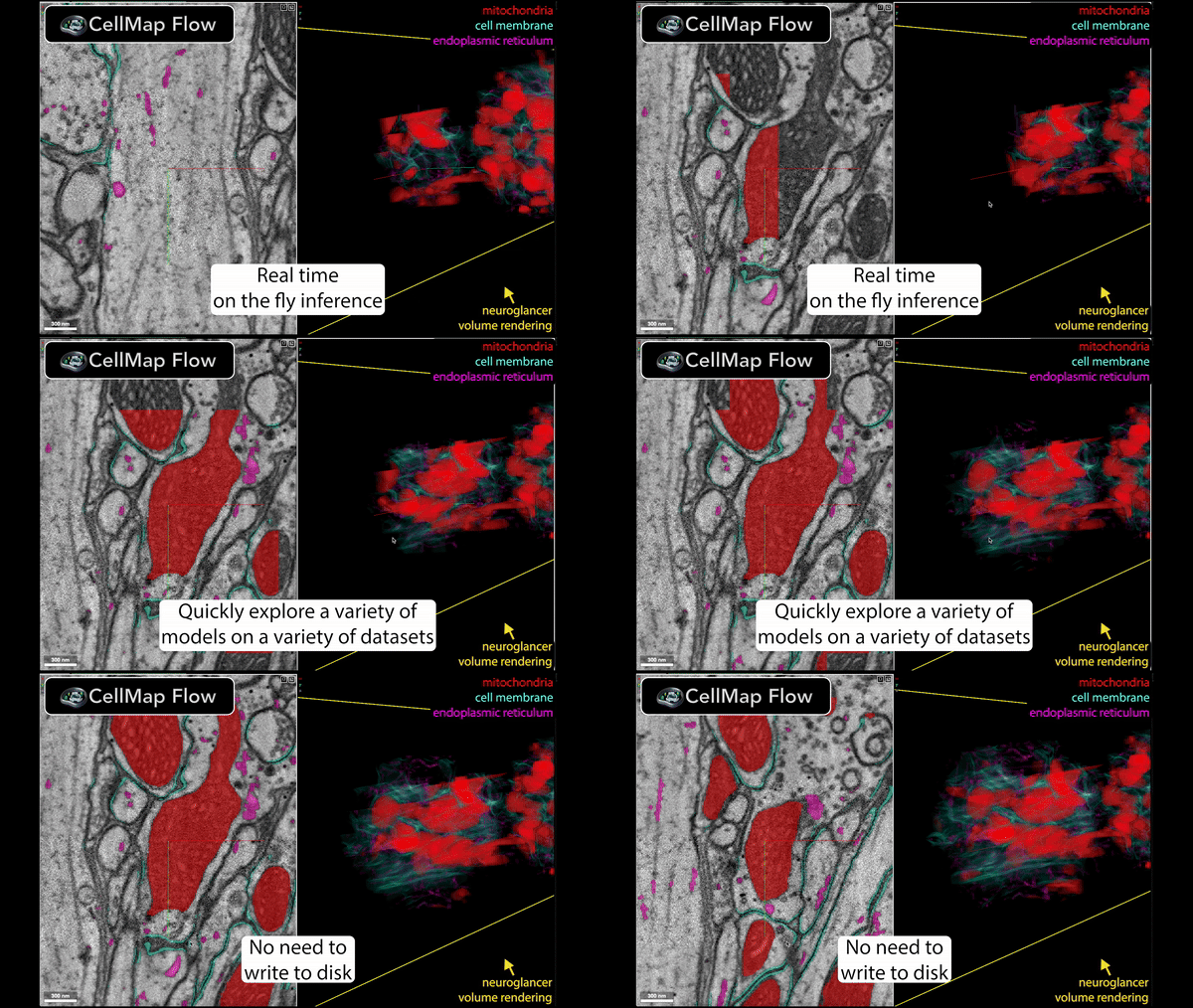
🚀 Speed up your data processing from months to minutes!
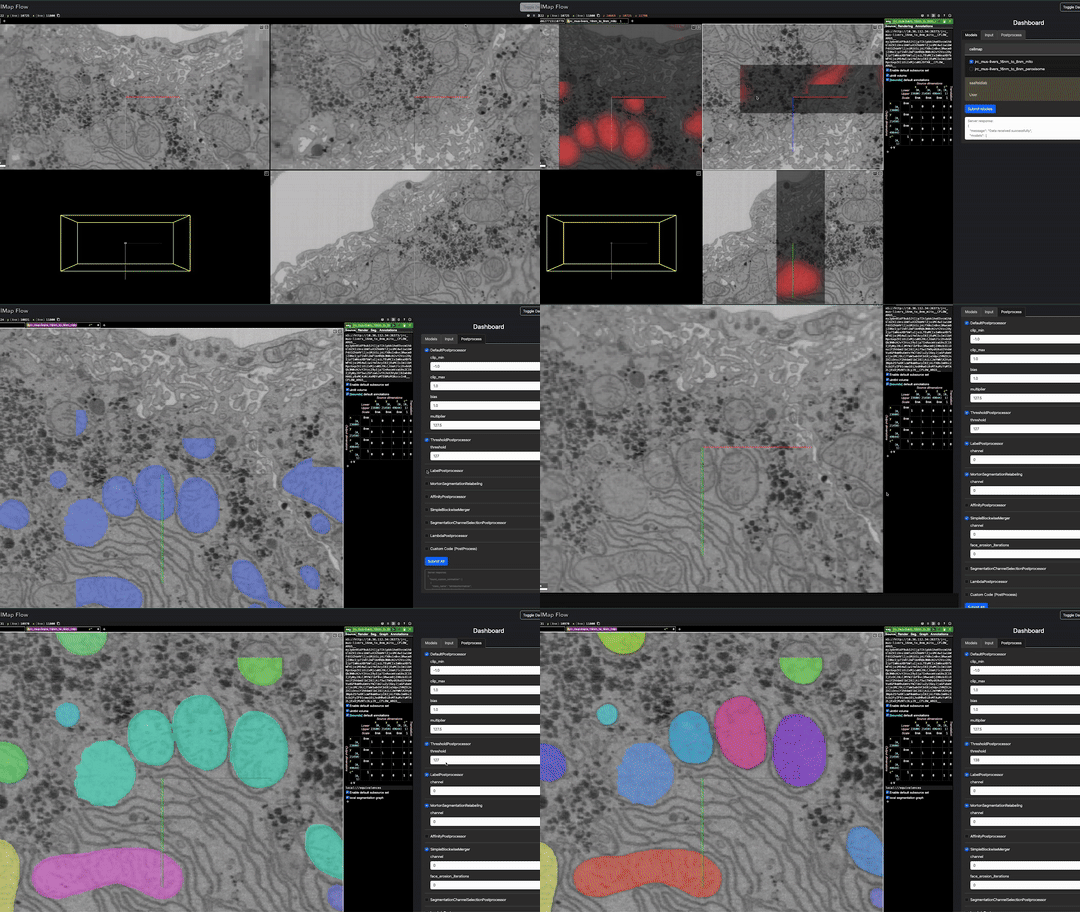
Installation
To install CellMapFlow, you can use pip:
pip install cellmap-flow
Note that the basic installation does not include DaCapo and BioImage.io core dependencies. To install CellMapFlow with DaCapo support, use the following command:
pip install cellmap-flow[dacapo]
To install CellMapFlow with BioImage.io support, use the following command:
pip install cellmap-flow[bioimage]
To install CellMapFlow with both DaCapo and BioImage.io support, use the following command:
pip install cellmap-flow[dacapo,bioimage]
Usage
$ cellmap_flow

Usage: cellmap_flow [OPTIONS] COMMAND [ARGS]...

  Examples:
    To use Dacapo run the following commands:
    cellmap_flow dacapo -r my_run -i iteration -d data_path

    To use custom script
    cellmap_flow script -s script_path -d data_path

    To use bioimage-io model
    cellmap_flow bioimage -m model_path -d data_path


Commands:
  bioimage  Run the CellMapFlow server with a bioimage-io model.
  dacapo    Run the CellMapFlow server with a DaCapo model.
  script    Run the CellMapFlow server with a custom script.
Currently available:
Using custom script:
This enables using any model by providing a script e.g. example/model_spec.py e.g.
cellmap_flow script -s /groups/cellmap/cellmap/zouinkhim/cellmap-flow/example/model_spec.py -d /nrs/cellmap/data/jrc_mus-cerebellum-1/jrc_mus-cerebellum-1.zarr/recon-1/em/fibsem-uint8/s0
Script keywords:
Define these variables in your script (cellmap_flow script -s path/to/your_script.py):
- model: The PyTorch model to be used for inference.
- input_size: The voxel shape of the data to be input to the PyTorch model.
- output_size: The voxel shape of the data in output by the PyTorch model.
- input_voxel_size: The voxel size of the data input to the model.
- output_voxel_size: The voxel size of the data output by the model.
- output_channels: The number of channels in the output of the model.
- process_chunk (optional): (Optional) A function that takes an ImageDataInterface and an ROI and returns the data to be display. This can be used to run a TensorFlow model or do other custom data processing.
Using Dacapo model:
which enable inference using a Dacapo model by providing the run name and iteration number e.g.
cellmap_flow dacapo -r 20241204_finetune_mito_affs_task_datasplit_v3_u21_kidney_mito_default_cache_8_1 -i 700000 -d /nrs/cellmap/data/jrc_ut21-1413-003/jrc_ut21-1413-003.zarr/recon-1/em/fibsem-uint8/s0
Using bioimage-io model:
still in development
Using TensorFlow model:
To run TensorFlow models, we suggest installing TensorFlow via conda: conda install tensorflow-gpu==2.16.1
Run multiple model at once:
cellmap_flow_multiple --script -s /groups/cellmap/cellmap/zouinkhim/cellmap-flow/example/model_spec.py -n script_base --dacapo -r 20241204_finetune_mito_affs_task_datasplit_v3_u21_kidney_mito_default_cache_8_1 -i 700000 -n using_dacapo -d /nrs/cellmap/data/jrc_ut21-1413-003/jrc_ut21-1413-003.zarr/recon-1/em/fibsem-uint8/s0
3 maintainers


Metadata
3 maintainers
Release files for cellmap-flow 0.2.3
For a detailed explanation of source distributions (sdists) and built distributions (wheels), please see the package formats documentation.
Source distribution (sdist)
| File | Size | Uploaded | |
|---|---|---|---|
| cellmap_flow-0.2.3.tar.gz | 238.6 kB | Details |
Built distribution (wheel)
| File | Interpreter | ABI | Platform | Reset |
|---|---|---|---|---|
| cellmap_flow-0.2.3-py3-none-any.whl | Python 3 | none | any | Details |
Total release size: 818.8 kB
Release files / cellmap_flow-0.2.3.tar.gz
| Download URL | cellmap_flow-0.2.3.tar.gz |
|---|---|
| Size | 238.6 kB |
| Tags | Source |
|
SHA-256 checksum How to use checksums |
dc95b170722bcd044d627da3abbfb3d5783be62bec0a0a08d7d18594c54e219f
|
|
BLAKE2b-256 checksum How to use checksums |
3e79e2ae0dfbb7aef47d28e440443cd4fa5c4512058e65ebd71ca9cfd1198061
|
| Upload date | |
|
Uploaded using Trusted Publishing? What is trusted publishing? |
No |
| Uploaded via |
twine/6.2.0 CPython/3.11.14
|
Release files / cellmap_flow-0.2.3-py3-none-any.whl
| Download URL | cellmap_flow-0.2.3-py3-none-any.whl |
|---|---|
| Size | 580.1 kB |
| Tags | Python 3 |
|
SHA-256 checksum How to use checksums |
e5d1249629eeceb10ec21b10f9741f51c4403e592a4a7df6b8b5c565513bcda6
|
|
BLAKE2b-256 checksum How to use checksums |
bc8fe95f3a8f3d471c08a7b95cccd3701acc2d0a6d7ed21be4461b65f6a2f1d2
|
| Upload date | |
|
Uploaded using Trusted Publishing? What is trusted publishing? |
No |
| Uploaded via |
twine/6.2.0 CPython/3.11.14
|














