
Welcome to Cloudflare WAF Custom rules library 👋
Check documentation website · View PyPI package
Wanna use the web interface project instead of CLI? See the Cloudflare-Firewall-Rules-Web project
Previously known as Cloudflare Firewall Rules






A Cloudflare wrapper to bulk add / edit your WAF custom rules using Cloudflare's API.
This library is a wrapper that aims to easily create, modify, delete security rules. It also provides a way to import & export new rules in your domain's firewall.
If you have several rules that you want to duplicate among your domains, this package is made for you!
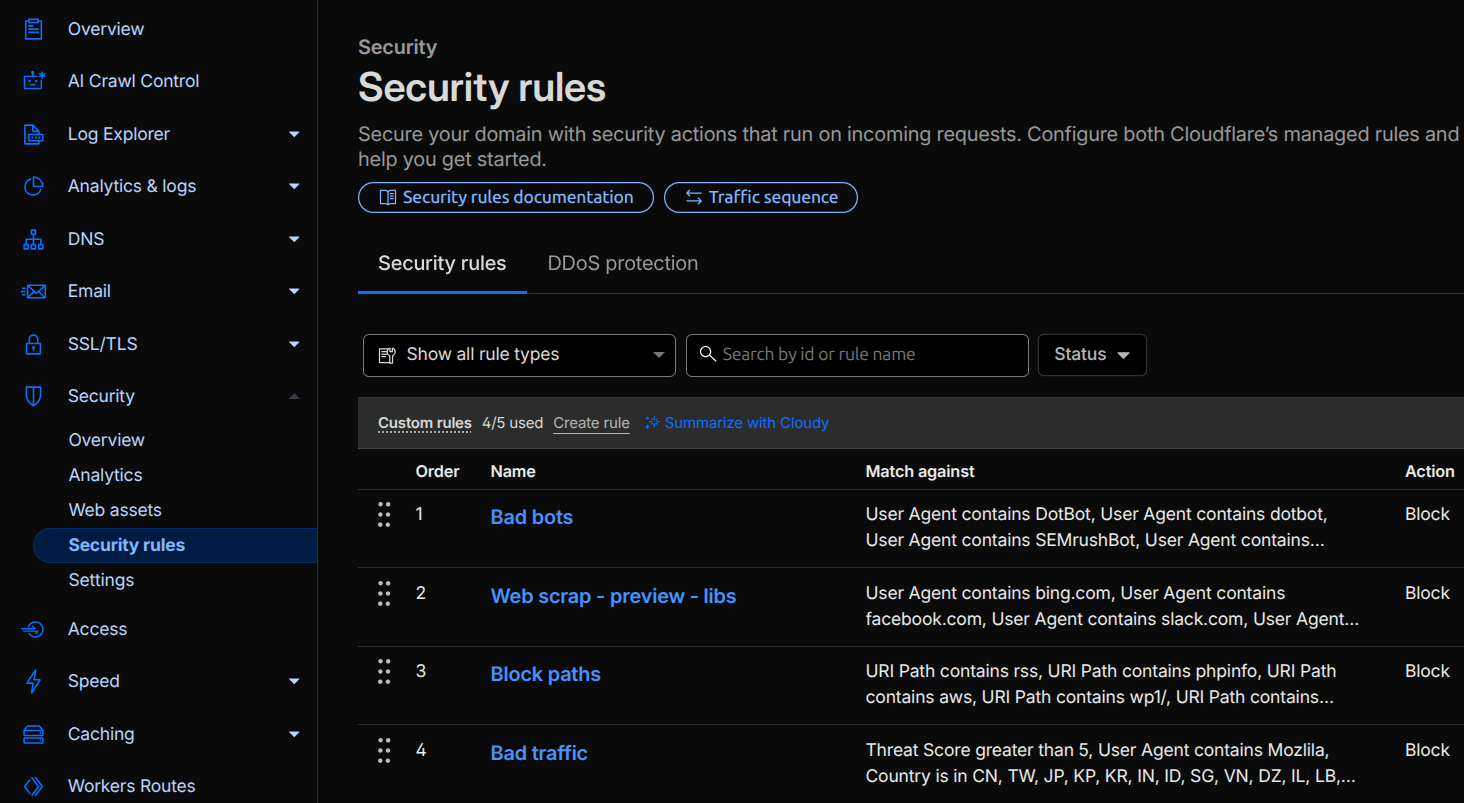
Cloudflare's Security Rules are available in a domain in the Security > Security Rules tab, by default, you have a free plan with 5 custom rules available.
The official documentation is available here: https://developers.cloudflare.com/waf/custom-rules/
📥 Installation
pip install cf_rules

# OR

git clone https://github.com/QuentiumYT/Cloudflare-Firewall-Rules.git
cd Cloudflare-Firewall-Rules/
pip install .
🚀 Usage
You have 2 auth methods available:
A Global API Key or a specific API Token generated from here: https://dash.cloudflare.com/profile/api-tokens
Cloudflare Global API Key
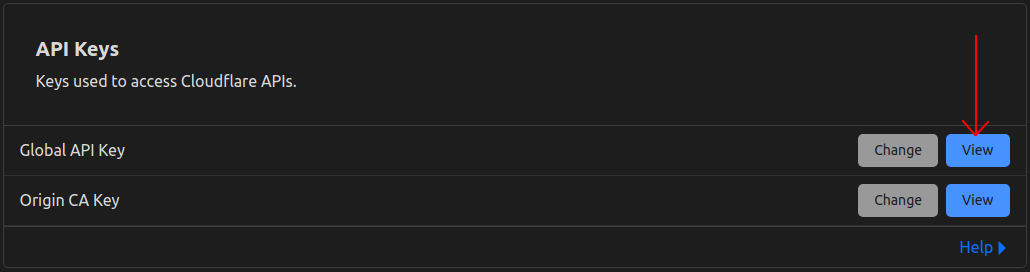
Using a Global API Key, you will have access to everything allowed by a Cloudflare account. It can access all domains from every account you have, this might be overpowered...
Cloudflare API Token
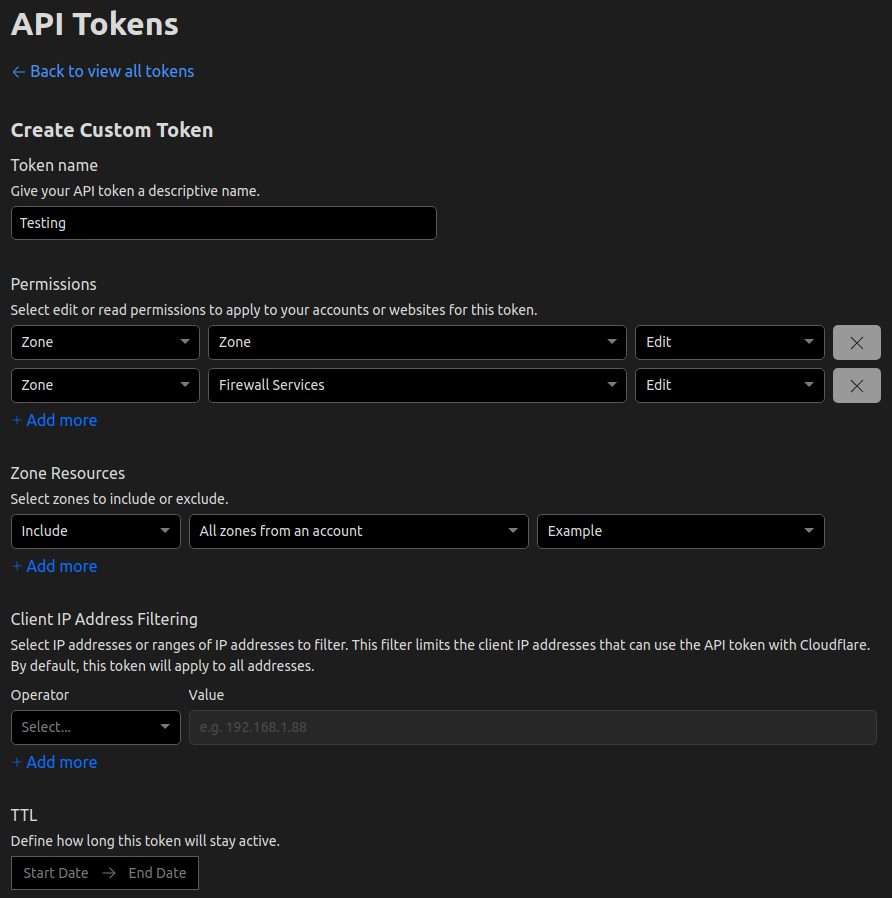
An API token is recommended to keep control of specific domains only. You will need to give the correct permissions for Cloudflare's WAF Custom rules to work.
The required permissions are "Zone.Zone, Zone.Firewall Services"
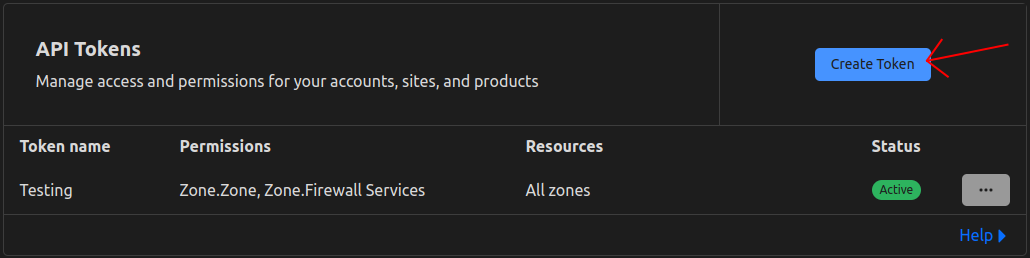
Here is a token creation example:
💨 Quickstart
You can use any example scripts in the examples folder, just create a .env file
I might add more examples in the future, but everything is in the docs :)
Create any Python file in the cloned directory and paste these lines
from cf_rules import Cloudflare

cf = Cloudflare()
cf.auth_key("<your-address@email.com>", "<your-global-api-key>")
# OR
cf.auth_token("<your-specific-bearer-token>")

domains = cf.domains[0].name

print(domains)
# >>> ['example.com']

cf.export_rules("example.com")
# Creates a text file for every rule you have on your domain

cf.create_rule("example.com", "My Bad Bots FW rule", "Bad Bots", "challenge")
# Create a new rule with the content of the "Bad bots.txt" file with the challenge action

cf.update_rule("example.com", "My Bad Bots FW rule", "Bad Bots lib")
# Change the rule's expression to the content of the "Bad bots lib.txt" file
🤝 Contributing
Pull requests are welcome. For major changes, please open an issue first to discuss what you would like to change and join your fork with the modifications.
Please make sure to test your suggestions before committing.
If you don't feel comfortable coding, you can submit your idea about what you would like to see implemented.
Any PR with small code examples or better documentation changes is appreciated :)
👤 Author
Quentin L.
- Website: quentium.fr
- Twitter: @QuentiumYT
- Contact: Mail
Please ✰ this repository if this project helped you!
📖 License
Made with ❤ by QuentiumYT
2 maintainers


Metadata
2 maintainers
Release files for cf-rules 2.2.1
For a detailed explanation of source distributions (sdists) and built distributions (wheels), please see the package formats documentation.
Source distribution (sdist)
| File | Size | Uploaded | Provenance | Actions |
|---|---|---|---|---|
| cf_rules-2.2.1.tar.gz | 20.4 kB | Without provenance | Details for cf_rules-2.2.1.tar.gz |
Built distribution (wheel)
| File | Interpreter | ABI | Platform | Actions Reset |
|---|---|---|---|---|
| cf_rules-2.2.1-py3-none-any.whl | Python 3 | none | any | Details for cf_rules-2.2.1-py3-none-any.whl |
Total release size: 37.6 kB
Release files / cf_rules-2.2.1.tar.gz
| Download URL | cf_rules-2.2.1.tar.gz |
|---|---|
| Size | 20.4 kB |
| Tags | Source |
|
SHA-256 checksum How to use checksums |
d48cec5e40a8628f7c83ba7843beab3134d3b3ba480a84ab24d527eea1e760a1
|
|
BLAKE2b-256 checksum How to use checksums |
0e6f6a66af013a2e000a4083dd431d69e52fb81128b5853f3a48ddeb9e78346b
|
| Upload date | |
|
Uploaded using Trusted Publishing? What is trusted publishing? |
No |
| Uploaded via |
twine/7.0.0 CPython/3.14.6
|
Release files / cf_rules-2.2.1-py3-none-any.whl
| Download URL | cf_rules-2.2.1-py3-none-any.whl |
|---|---|
| Size | 17.2 kB |
| Tags | Python 3 |
|
SHA-256 checksum How to use checksums |
96334141e5afad3c6f79e4c5566eb81eb76fcd1cd4c7e0df7fa367b2581ae69c
|
|
BLAKE2b-256 checksum How to use checksums |
e7cdc08b9a7d4c985649fd1c08f34095845a07c2d8d895e70765962e505538b0
|
| Upload date | |
|
Uploaded using Trusted Publishing? What is trusted publishing? |
No |
| Uploaded via |
twine/7.0.0 CPython/3.14.6
|
Security for cf-rules 2.2.1
Provenance
Provenance describes where a file came from. On PyPI, provenance is shared via attestations, which provide a verifiable record of the build or publishing details. View details, limitations and caveats.
No provenance found
None of the files in this release were uploaded with provenance metadata.
A note on package security
PyPI is a repository for distributing packages, not a service for auditing them. While third-party security researchers and our staff do their best to detect and remove malicious packages, PyPI cannot guarantee the quality, security or suitability of any given package.
To learn more about protecting yourself from malicious actors, visit our package security documentation.














