
cfquant






1、cfquant 是将大QMT转为类miniqmt来使用。它让外部 Python 程序和 Web 控制台可以使用大 QMT 的行情、查询、交易和回调能力,并尽量保持接近 xtquant 的调用方式。
2、支持交易委托,交易回调,全推行情推送,行情查询,数据下载等功能。
3、高兼容miniqmt,几乎不用改您原来的miniqmt策略,还是一样的使用。
3、总之,您可以在部署项目后在您的程序中无感使用miniqmt。
4、部署稍微比较复杂,请您耐心~~~,欢迎提功能与需求,让miniqmt再一次伟大!
5、官网与反馈:www.cfquant.org
快速开始
环境要求
- Windows
- 已安装并登录大 QMT
- Python
3.8-3.12,生产环境优先使用3.10或3.12
启动步骤
-
将项目解压到固定目录,例如
D:\cfquant。 -
在项目目录安装依赖:
cd D:\cfquant
pip install -r requirements.txt
-
运行
启动cfquant.bat。 -
打开 http://127.0.0.1:8765/,按网页中的“新手初始化向导”完成账号、模式和 QMT 目录配置。
-
在 QMT 中加载对应的入口脚本,回到网页验证资金、持仓、委托和行情。
新用户建议先使用通用模式。一个 QMT 加载一个入口脚本即可完成大多数部署。
模式选择
| 模式 | QMT 入口 | 适用场景 |
|---|---|---|
| 通用模式 | CFQUANT_CTYPE_ALL_LOWLAT.py |
默认选择,适合大多数用户和单账号部署 |
| 极致模式 | CFQUANT_LITE.py |
QMT 有白名单限制、无法导入 cfquant 包时使用 |
| 高级模式 | 普通 QMT 加载 CFQUANT.py,极速交易端加载 CFQUANT_TRADE_LOWLAT.py |
需要进一步降低下单、撤单延迟时使用 |
高级模式需要同时打开两个 QMT,不能在同一个 QMT 中同时加载两个入口。
Python 接入
从 PyPI 安装:
pip install cfquant
示例:
from cfquant import xtdata

tick = xtdata.get_full_tick(["000001.SZ"])
print(tick)
cfquant 默认使用 transport=auto,通常不需要手动配置通信通道。完整导入方式、路由规则和特殊部署方式见外部 Python 接入。
Web 控制台
Web 控制台提供账号绑定、资金持仓、委托成交、下单撤单、行情订阅、接口调试、部署教程和更新管理。
常用脚本:
启动cfquant.bat        启动
停止cfquant.bat        停止
重启cfquant.bat        重启
文档
| 需求 | 文档 |
|---|---|
| 通用模式部署 | 通用模式部署指南 |
| 极致模式部署 | 极致模式部署指南 |
| 高级模式部署 | 高级模式部署指南 |
| 账号和 QMT 目录配置 | Web 账号运行配置说明 |
| 从 miniQMT 迁移 | miniQMT 迁移到大 QMT 指南 |
xtdata 兼容性 |
xtdata 平替追踪 |
xttrader 兼容性 |
xttrader 平替追踪 |
| 接口能力范围 | QMT 函数封装能力清单 |
| 日志、更新和回滚 | 运维与更新 |
| 版本变化 | 版本日志 |
更详细的图文教程也可以直接在 Web 控制台的“教程”页面查看。
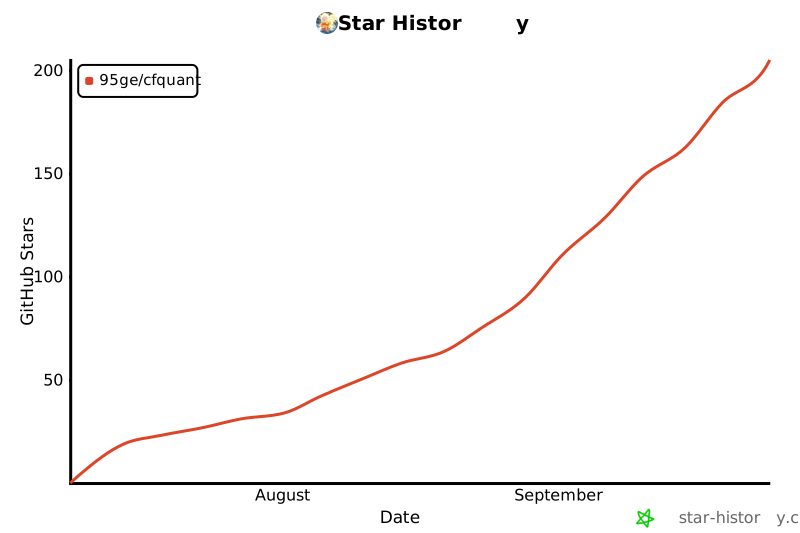
Star History
项目交流群

联系作者
-
地球号:shcfquant,请注明来意
-
邮箱:litaoflyme@163.com
许可证
本项目采用 MIT License 开源。
1 maintainer

Release files for cfquant 0.2.0
For a detailed explanation of source distributions (sdists) and built distributions (wheels), please see the package formats documentation.
Source distribution (sdist)
| File | Size | Uploaded | |
|---|---|---|---|
| cfquant-0.2.0.tar.gz | 8.4 MB | Details |
Built distribution (wheel)
| File | Interpreter | ABI | Platform | Reset |
|---|---|---|---|---|
| cfquant-0.2.0-py3-none-any.whl | Python 3 | none | any | Details |
Total release size: 16.8 MB
Release files / cfquant-0.2.0.tar.gz
| Download URL | cfquant-0.2.0.tar.gz |
|---|---|
| Size | 8.4 MB |
| Tags | Source |
|
SHA-256 checksum How to use checksums |
dabe07807c53959abb0d1bf03543bb492bce3862dc2315b04e1a94171105f3a2
|
|
BLAKE2b-256 checksum How to use checksums |
bbc5e87e7b5c024c0e5b0c2ad7ae2bd43b0f0808b2876545ce081e76dbbb0a4d
|
| Upload date | |
|
Uploaded using Trusted Publishing? What is trusted publishing? |
No |
| Uploaded via |
twine/7.0.0 CPython/3.12.4
|
Release files / cfquant-0.2.0-py3-none-any.whl
| Download URL | cfquant-0.2.0-py3-none-any.whl |
|---|---|
| Size | 8.4 MB |
| Tags | Python 3 |
|
SHA-256 checksum How to use checksums |
46128add609d1e4a692000414e1d7e214386bd366ceadc3972f851bb7cdeaf08
|
|
BLAKE2b-256 checksum How to use checksums |
bd374bb4e997d894fefe6c94a5469900da58f114199e2c9349654b95e0562cb9
|
| Upload date | |
|
Uploaded using Trusted Publishing? What is trusted publishing? |
No |
| Uploaded via |
twine/7.0.0 CPython/3.12.4
|














