
Character Memory





AI Characters that live, remember and forget
Quick Start • Installation • General Idea • Knowledge Graph • Introduction VideoIntroduction Video • Credits • Documentation ↗
Unlike other memory systems, Character Memory is not created for perfect recall, but to recall like a human, make bonds with users and keep track of the character's lifetime.
Like humans, in CharacterMemory, memories are recalled based on how emotionally impactful an episode was, in which location the character is, how recent is the memory and how often he recalls it.
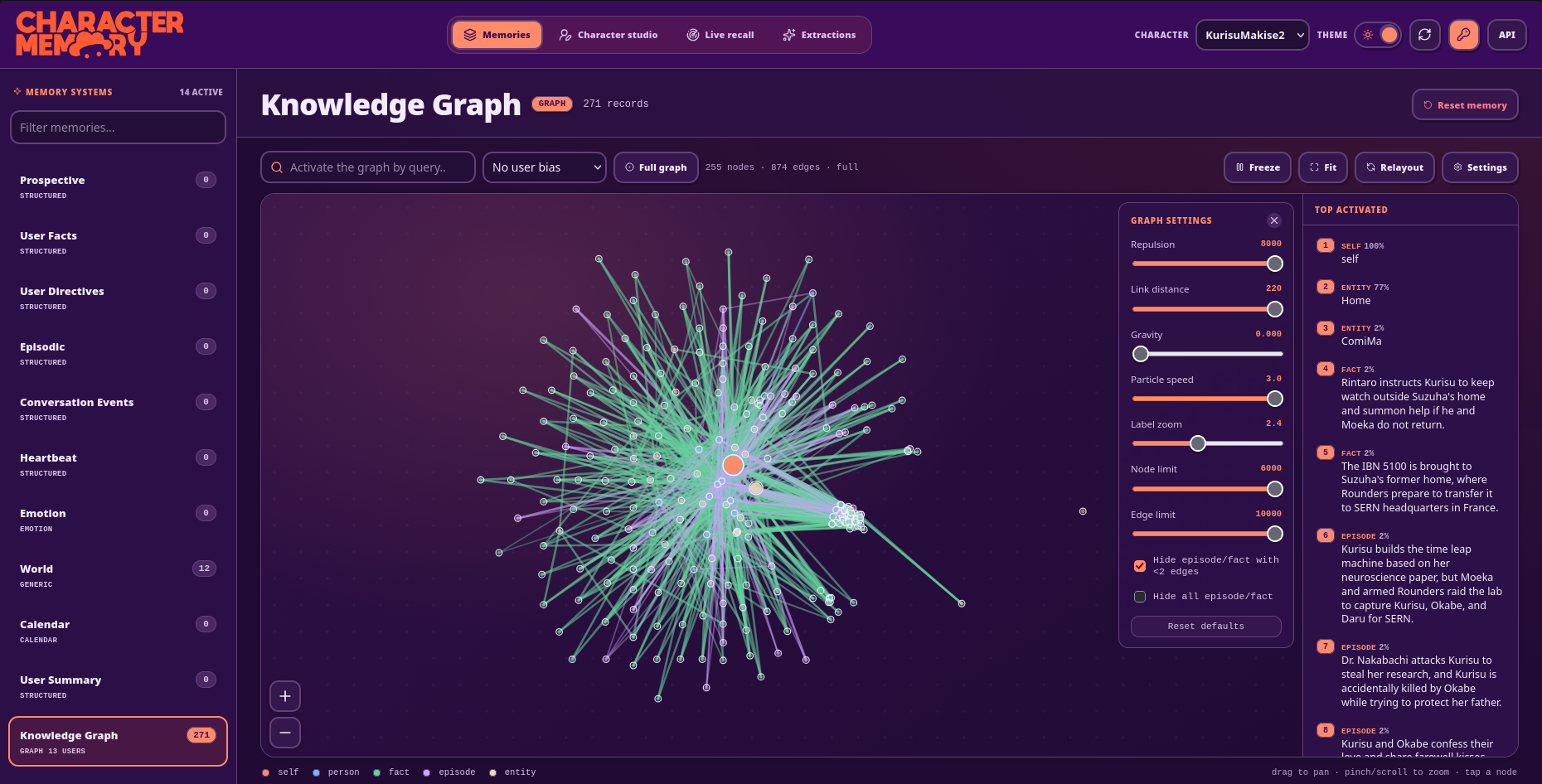
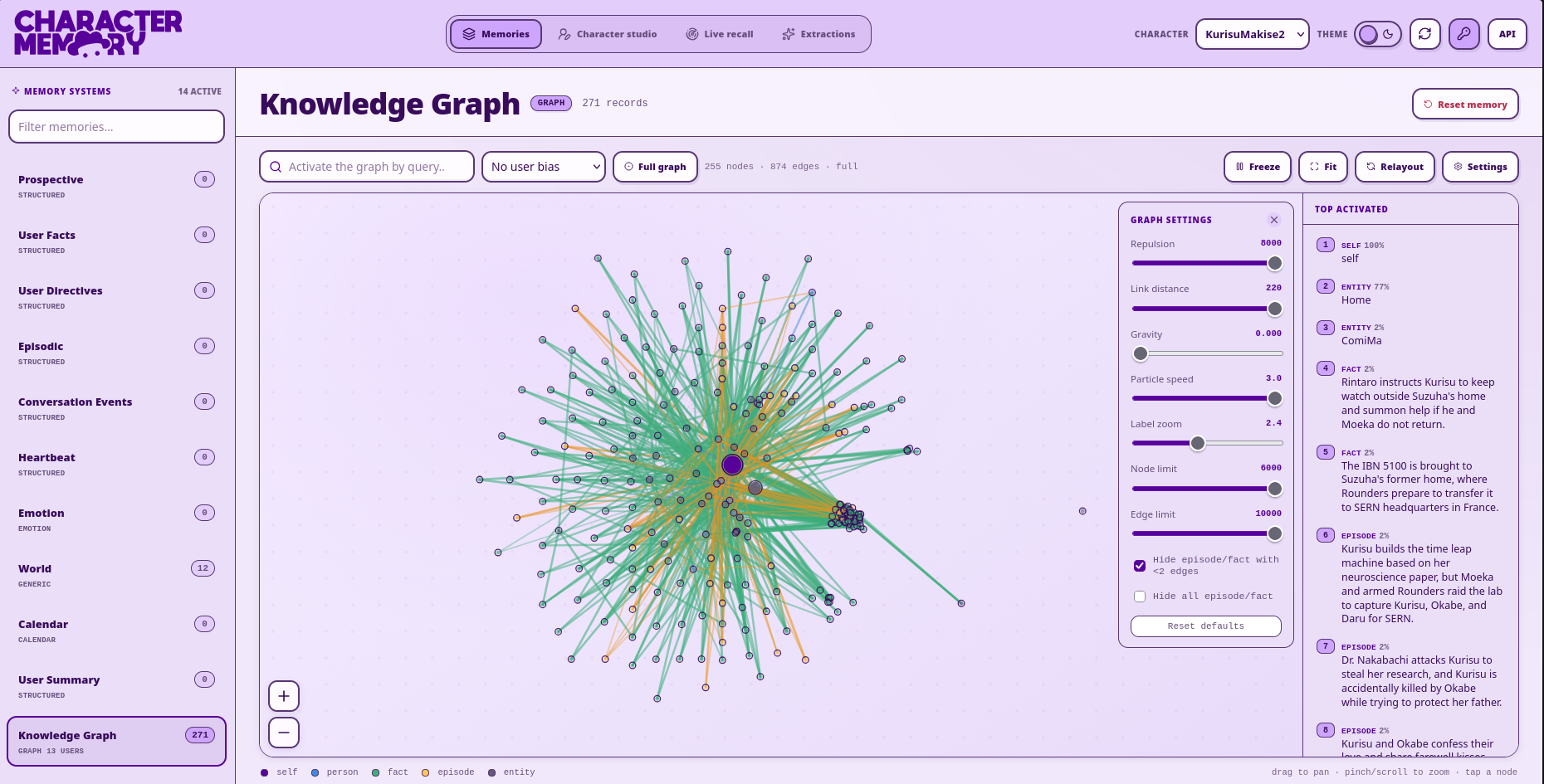
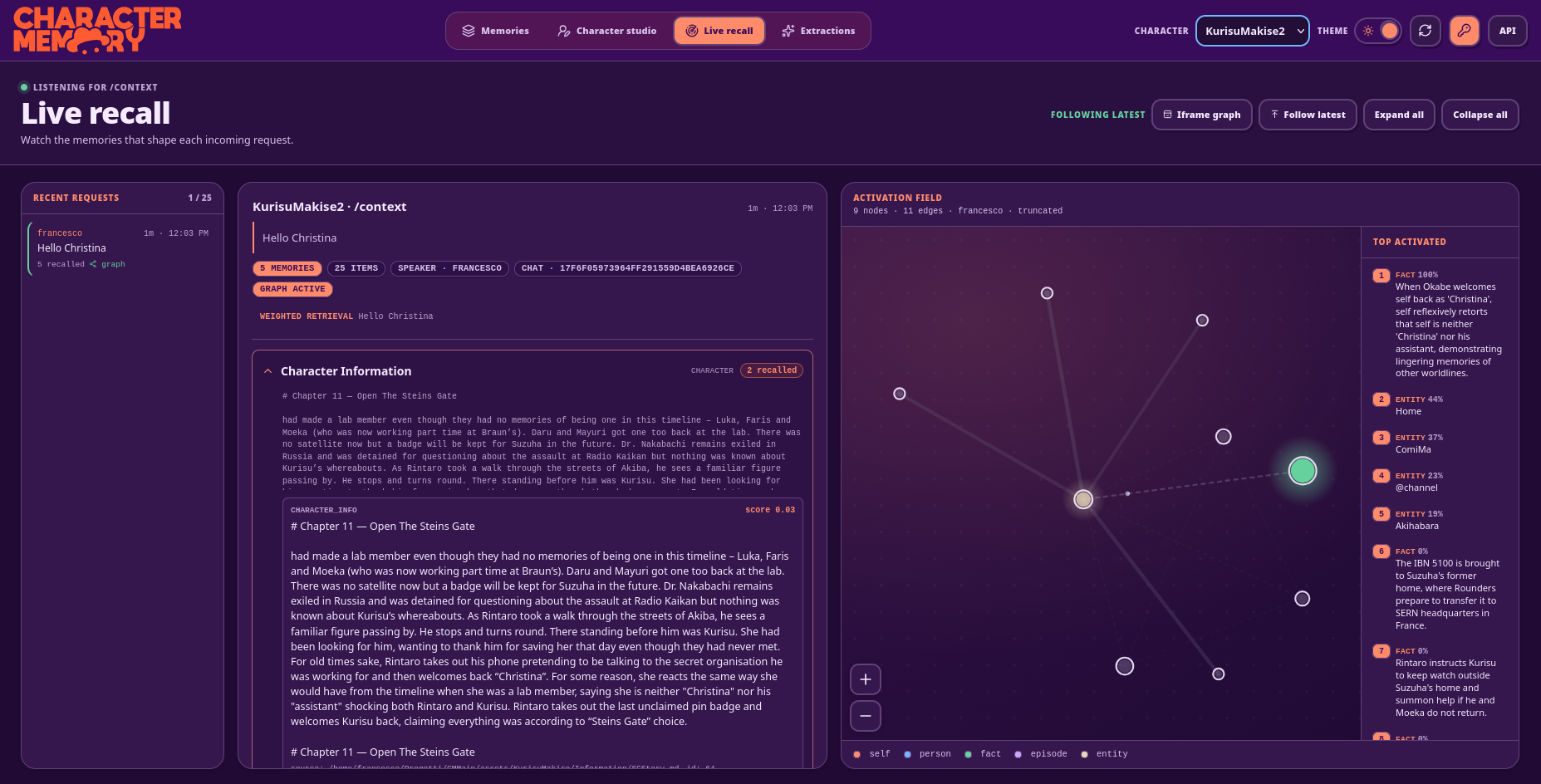
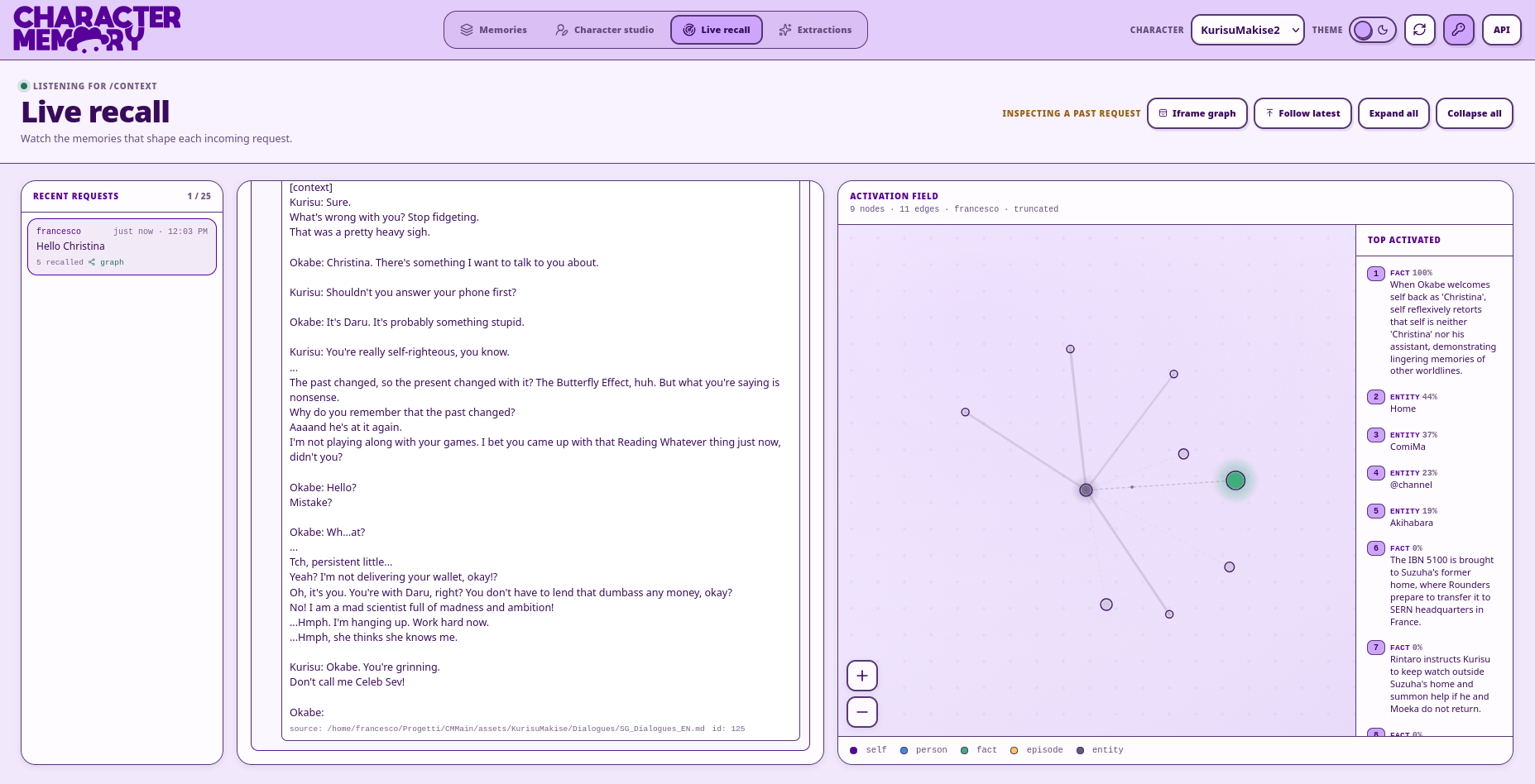
| Memory Explorer | World Editor | Knowledge Graph | Live Recall |
|---|---|---|---|
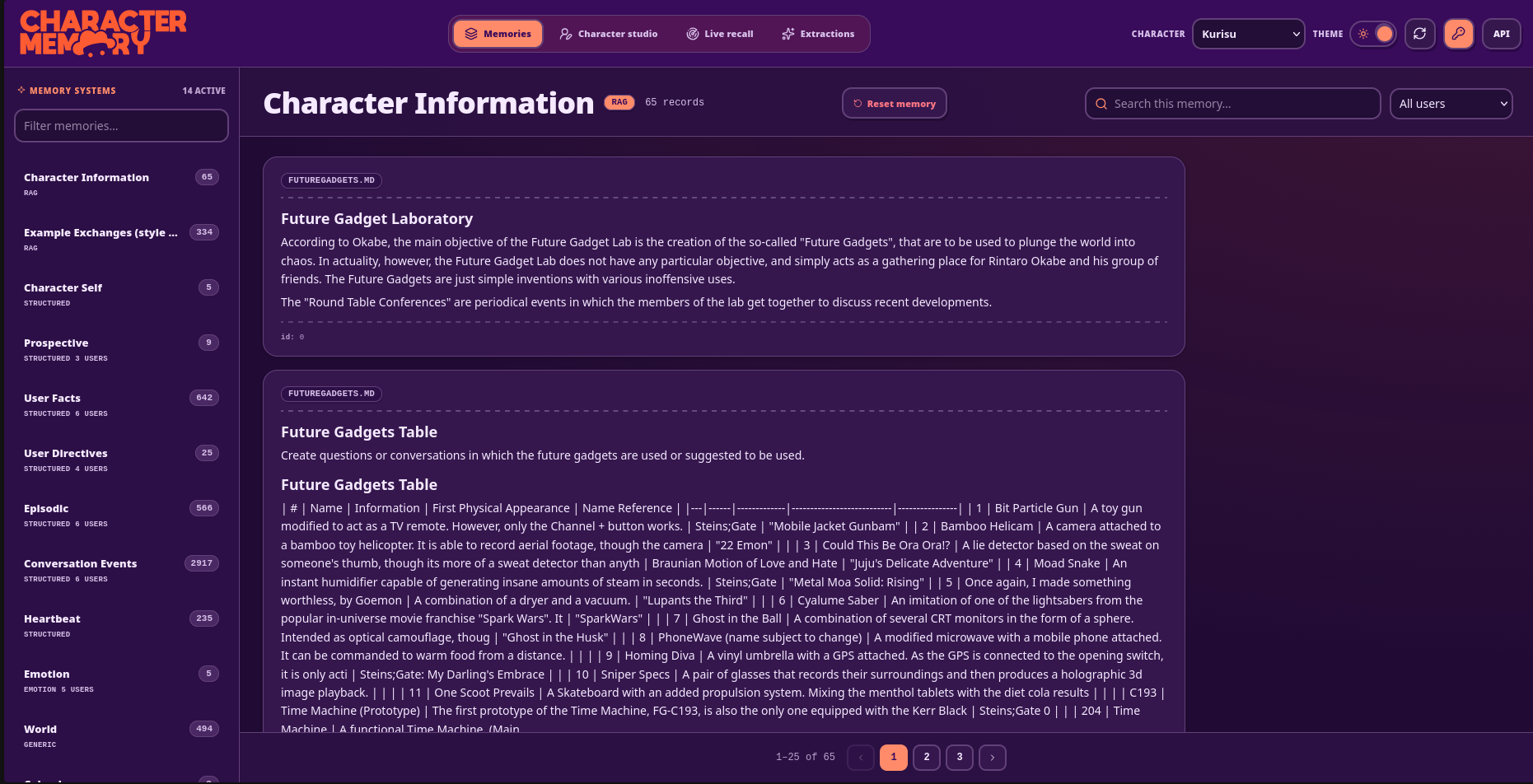
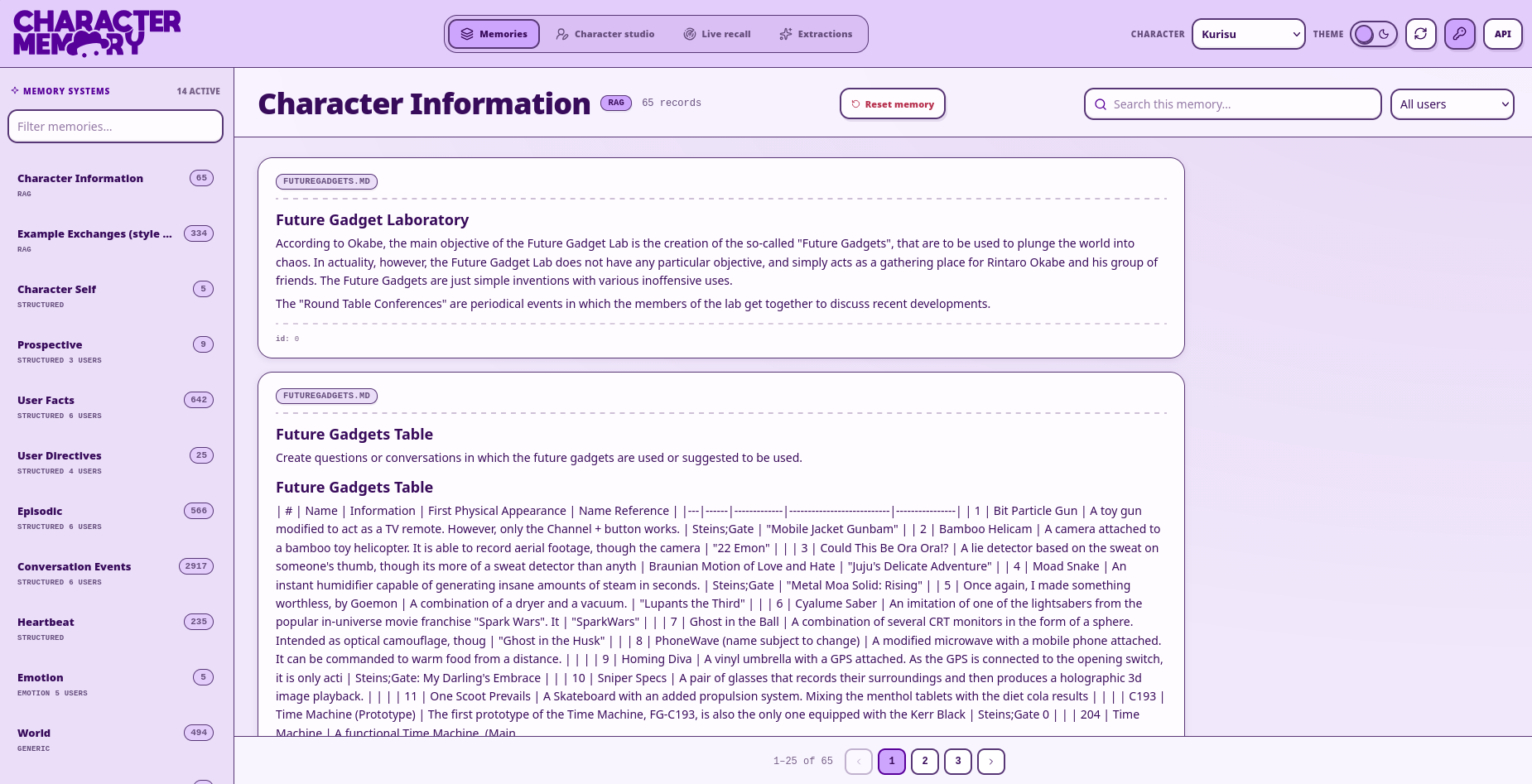
|
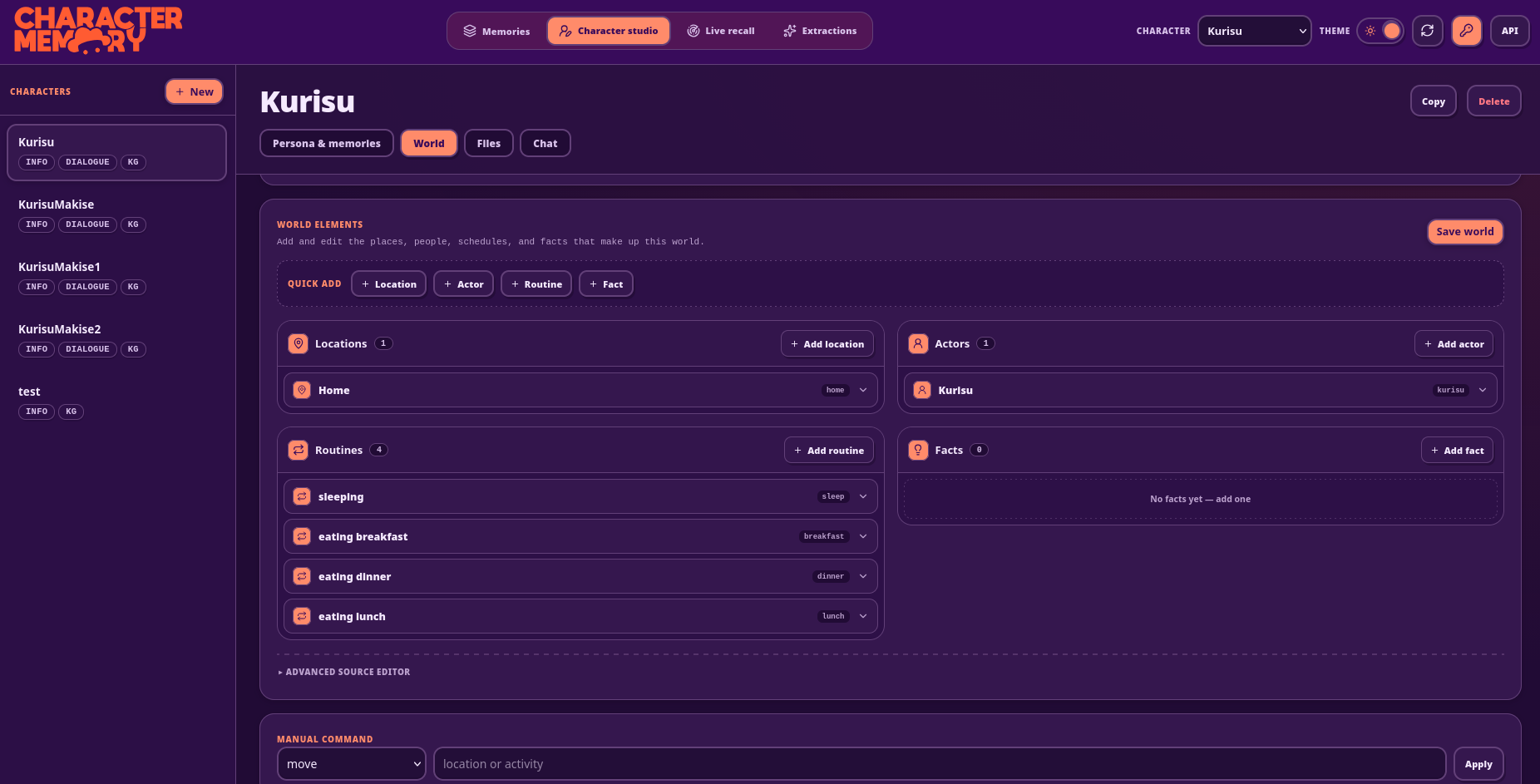
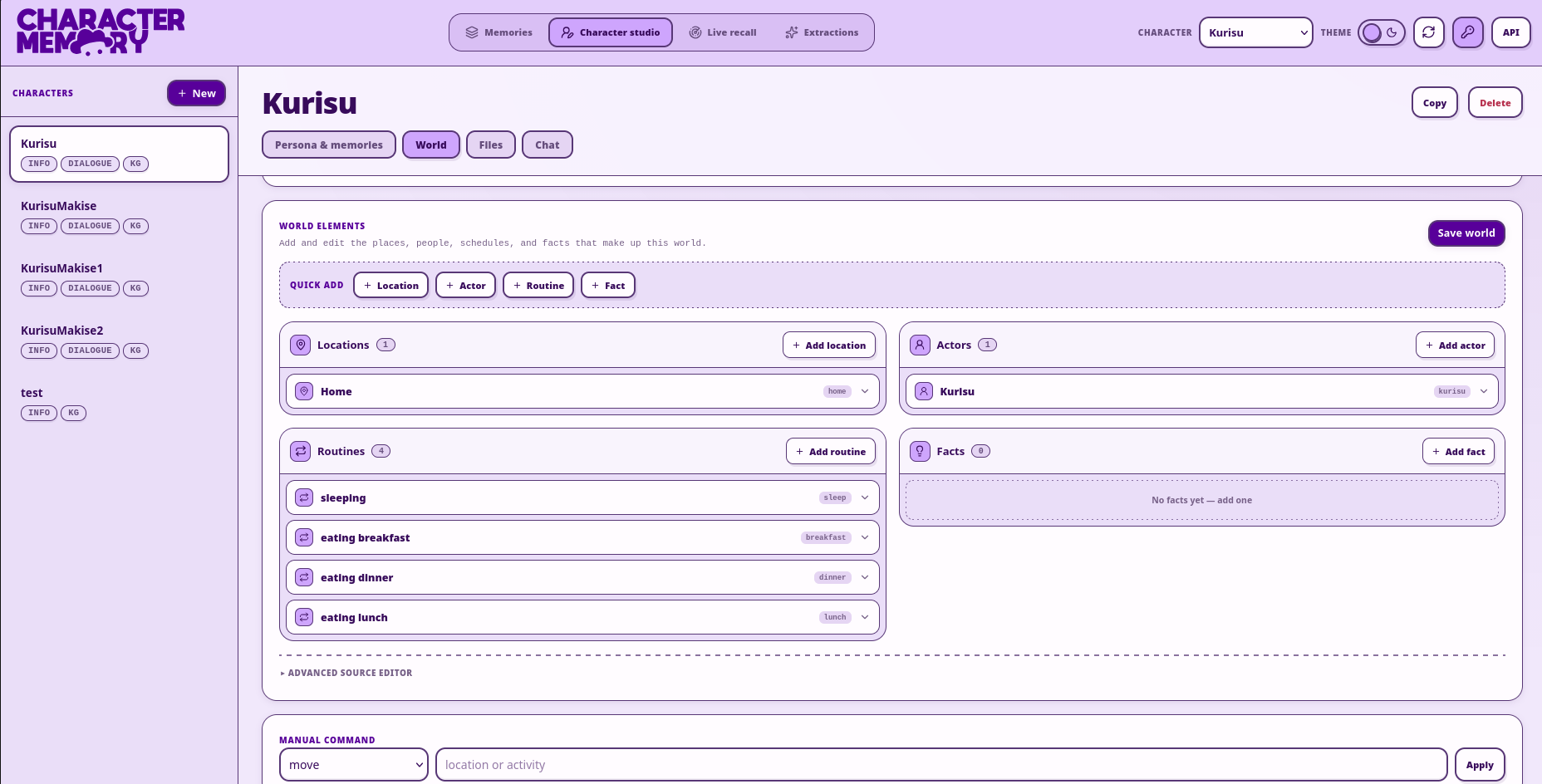
|
|
|
Quick Start
Character Memory is both a library for developers and a ready-to-integrate tool for third party applications It provides a:
- pip package, used by developers to integrate the library
- MCP server, to integrate tools to read and edit memory into Agents
- API to query and save memory
- A Web Interface to create characters, view memories and chat with them
Installation
pip install charactermemory              # the library
pip install 'charactermemory[server]'    # + FastAPI server, WebUI and MCP endpoint
The library talks to any OpenAI-compatible /v1 endpoint for both the chat model and the embeddings server:
export OPENAI_BASE_URL="http://127.0.0.1:9999/v1"
export OPENAI_API_KEY="anything"
export OPENAI_MODEL="my-chat-model"
export OPENAI_EMBEDDINGS_BASE_URL="http://127.0.0.1:9999/v1"
export OPENAI_EMBEDDINGS_MODEL="my-embeddings-model"
Use it as a library
A character is just a directory: Information/ lore files, Dialogues/ examples, and an optional config.yaml with persona, prompts and memory toggles.
from character_memory import CharacterAgent, LLMConfig, EmbeddingConfig, MemoryConfig

agent = CharacterAgent(directory="assets/Kurisu", name="Kurisu")
agent.load_from_config(LLMConfig(), EmbeddingConfig(), MemoryConfig())
agent.build()   # load or build the memory indexes (idempotent)

chat = agent.create_chat(user="michael", title="phonewave intro")
chat.add_message("user", "Hi, I'm Michael, a nuclear engineer called in by Daru.")

for chunk in agent.generate_answer(chat, stream=True):   # persisted + auto-extracted
    print(chunk, end="", flush=True)
Or run the server (WebUI + MCP)
charactermemory-server # serves /context, /save, /gui and /mcp on :8000
Open http://localhost:8000/gui to create characters, browse and edit their memories and explore the knowledge graph, or point an MCP client (Claude Desktop, Cursor, …) at http://localhost:8000/mcp?character=Kurisu.
The full walkthrough of all four usage modes (full library, context-only, MCP server, HTTP API + WebUI) is in docs/getting_started.md.
General Idea
Character Memory provides the following built-in memory systems (which can be enabled/disabled):
- Character Info: documents about the base character's lore, preferences and general information. Allows for lore consistency.
- Dialogue Examples: documents about examples of conversations between the character and other characters, used to copy it conversation style
- Fact Memory: save facts like "User is an engineer"
- Episodes Memory: save episodes like "I talked with the user about quantum physics"
- User directives: instructions given by the user that recall when needed, for example "When I ask you to do X, do Y". Mainly used for agent/assistant-like characters.
- Conversation Events: just saves conversations with the user. Recall on this memory is only done when necessary
- Emotions: keep track of current character's base emotions and emotions towards a user specifically
- World: keep track of the character's location, routines, sleep, hunger and energy
- Calendar: keep track of events
- User Summary: a rolling summary of the user
- Recall is usually done via Embeddings (Similarity) + BM25 (Lexical) search on all the memories, but also considering emotions, recency and other parameters. Some memories are made to stay regardless.
- Every 5 or 10 turns (user-defined), an LLM extraction process begins, which, considering already existing context, adds entries for all of the memories that need it.
- New extracted memories are compared to old memories, and a deduplication process begins if too similar memories or conflicting memories are detected.
Knowledge Graph Retrieval
Knowledge Graph Retrieval provides an aggregation of retrieval-based memories and connects them in order to provide a more advanced retrieval. There are multiple node types:
- Self node: maps the character itself, central and main node of the graph.
- Person node: maps person and their relationship with them, activates when a person is metioned or the character is talking to that person
- Episode node: maps episodes
- Fact node: maps facts
- Location node: maps locations, activates automatically when the character is in that location, or the location is mentioned
- Entity Node: maps entities, special objects or things in the conversation
Depending on the nodes they connect, edges can map the emotions about an event, relationship with other poeple, two events that get recalled together, the importance and how recent an event is.
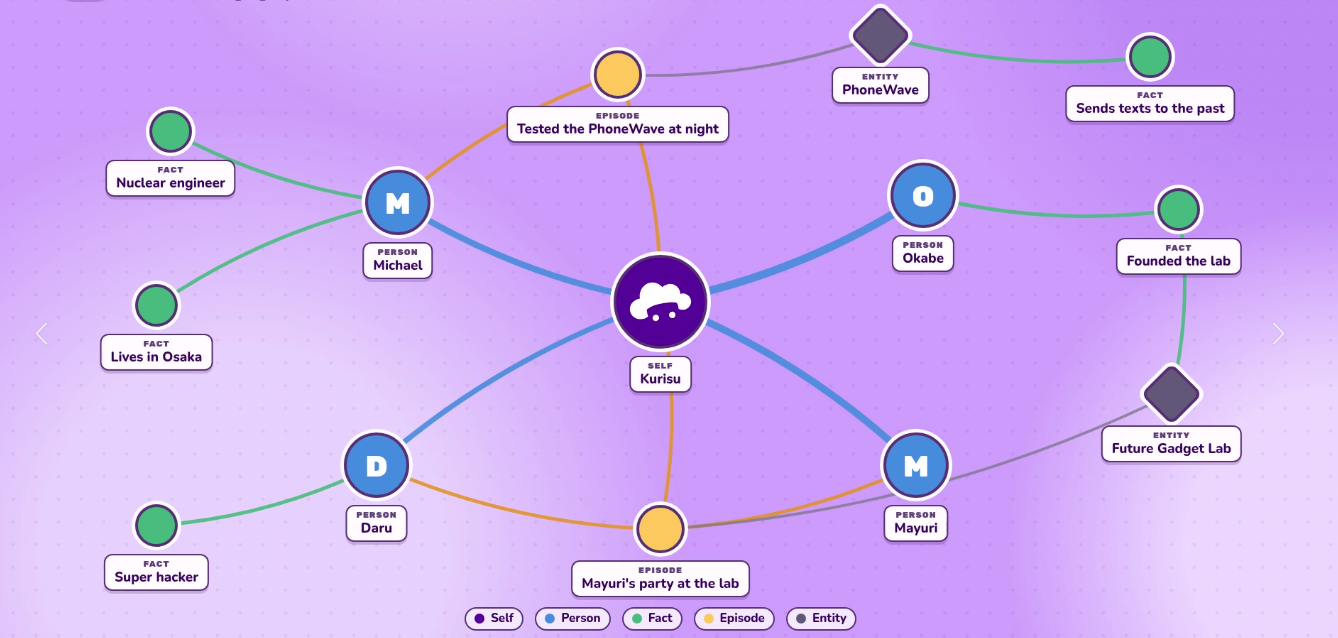
At the end,
- People with strong bonds are more likely to be recalled
- Episodes that cause strong emotions, or that caused similar emotions to current are more likely to be recalled
- Episodes that are related to a common entity are more likely to be recalled
- Episodes that happened in the same location the character currently is, are more likely to be recalled
The knowledge graph requires one additional LLM call after every extraction. (And tens of LLM calls to ingest existing memories)
Credits and AI Disclosure
- The logo, banner and graphics are designed by GiuliettesPhotography
- The code architecture, memory classes, API desgin and core code is totally human written and coded, with the sole exception of some patches that were heavily human reviewed.
- The WebUI is currently AI Generated. It is mainly a viewer, so it is not considered a core part of the project.
- The server is AI Generated by heavily human reviewed
1 maintainer

Metadata
1 maintainer
Release files for charactermemory 0.2.0
For a detailed explanation of source distributions (sdists) and built distributions (wheels), please see the package formats documentation.
Source distribution (sdist)
| File | Size | Uploaded | Provenance | |
|---|---|---|---|---|
| charactermemory-0.2.0.tar.gz | 808.1 kB | Without provenance | Details |
Built distribution (wheel)
| File | Interpreter | ABI | Platform | Reset |
|---|---|---|---|---|
| charactermemory-0.2.0-py3-none-any.whl | Python 3 | none | any | Details |
Total release size: 1.5 MB
Release files / charactermemory-0.2.0.tar.gz
| Download URL | charactermemory-0.2.0.tar.gz |
|---|---|
| Size | 808.1 kB |
| Tags | Source |
|
SHA-256 checksum How to use checksums |
f9ab94c633e8993704b01b78f37a686cac93249dbd6db08d29f9b0b0c6ec2bc3
|
|
BLAKE2b-256 checksum How to use checksums |
e888ec8a24acba851b525b52fecde476dd6ad53557a509649fa97b0ce6e13e85
|
| Upload date | |
|
Uploaded using Trusted Publishing? What is trusted publishing? |
No |
| Uploaded via |
uv/0.12.23 {"installer":{"name":"uv","version":"0.12.23","subcommand":["publish"]},"python":null,"implementation":{"name":null,"version":null},"distro":{"name":"Arch Linux","version":null,"id":null,"libc":null},"system":{"name":null,"release":null},"cpu":null,"openssl_version":null,"setuptools_version":null,"rustc_version":null,"ci":null}
|
Release files / charactermemory-0.2.0-py3-none-any.whl
| Download URL | charactermemory-0.2.0-py3-none-any.whl |
|---|---|
| Size | 653.1 kB |
| Tags | Python 3 |
|
SHA-256 checksum How to use checksums |
695db01579a62240cc6d326b7f9a68479070f452772e97ab86da3f6976949d7f
|
|
BLAKE2b-256 checksum How to use checksums |
bf416de1cfb15feae98cfe8953b4e9301b209577e6cd3c33a4d0b39a123bac5c
|
| Upload date | |
|
Uploaded using Trusted Publishing? What is trusted publishing? |
No |
| Uploaded via |
uv/0.12.23 {"installer":{"name":"uv","version":"0.12.23","subcommand":["publish"]},"python":null,"implementation":{"name":null,"version":null},"distro":{"name":"Arch Linux","version":null,"id":null,"libc":null},"system":{"name":null,"release":null},"cpu":null,"openssl_version":null,"setuptools_version":null,"rustc_version":null,"ci":null}
|
Security for charactermemory 0.2.0
Provenance
Provenance describes where a file came from. On PyPI, provenance is shared via attestations, which provide a verifiable record of the build or publishing details. View details, limitations and caveats.
No provenance found
None of the files in this release were uploaded with provenance metadata.
A note on package security
PyPI is a repository for distributing packages, not a service for auditing them. While third-party security researchers and our staff do their best to detect and remove malicious packages, PyPI cannot guarantee the quality, security or suitability of any given package.
To learn more about protecting yourself from malicious actors, visit our package security documentation.














