
A terminal based chat application that works with language models.

Project description
Charla: Chat with Language Models in a Terminal


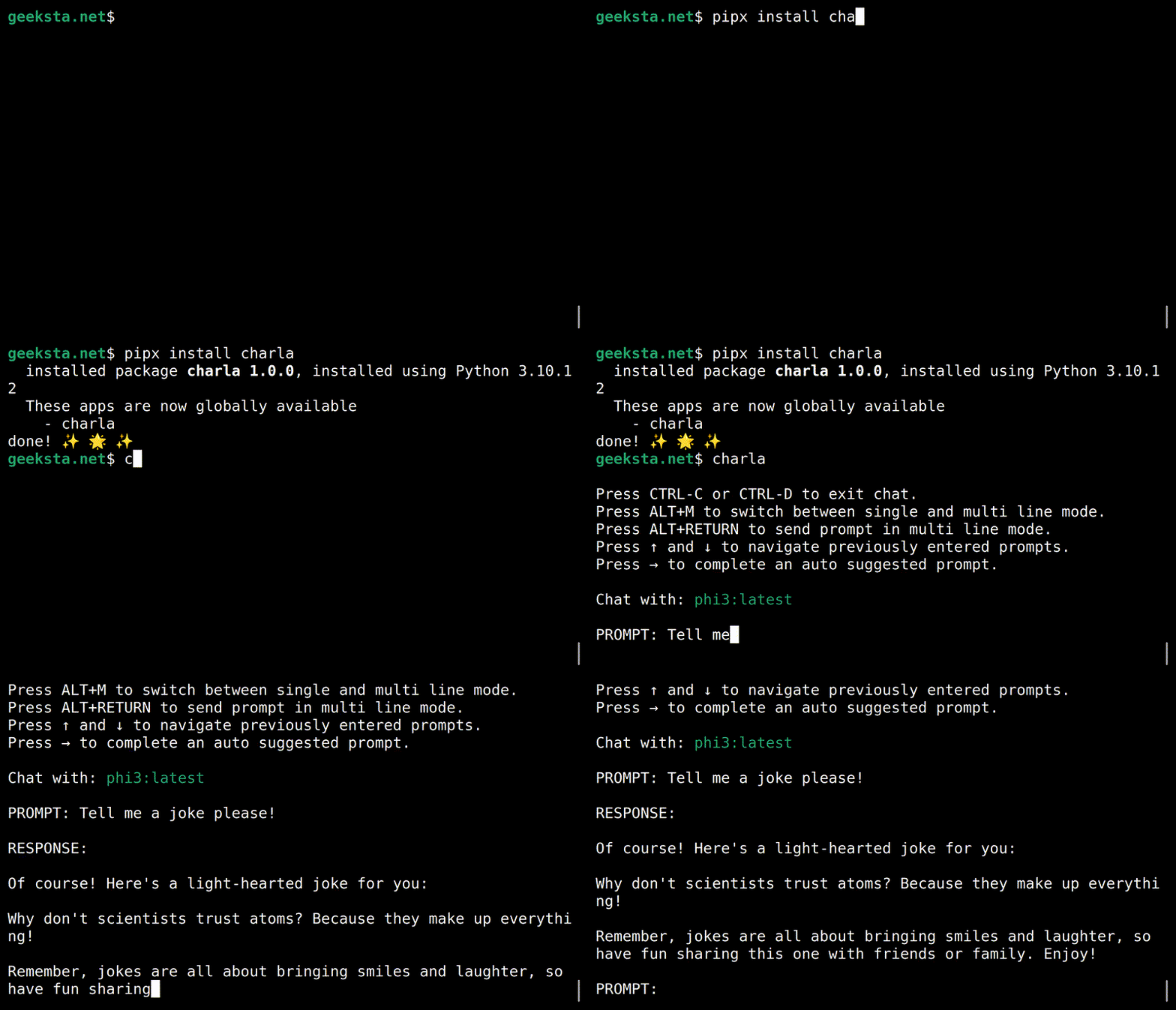
Charla is a terminal based application for chatting with language models. Charla integrates with Ollama and GitHub Models for exchanging messages with model services.
Features
- Terminal-based chat system that supports context aware conversations with language models.
- Support for local and cloud models via Ollama and GitHub Models.
- Chat messages are automatically saved during and at the end of chat sessions.
- Saved chat sessions can be continued.
- Prompt history is saved and previously entered prompts are auto-suggested.
- Switch between single-line and multi-line input modes without interrupting the chat session.
- Store user preferences in user config or current directory settings files.
- Provide a system prompt for a chat session.
- Load content from local files and web pages to append to prompts.
- Markdown in assistant responses and system prompts is rendered in the terminal.
Installation
To use Charla with models on your computer, you need a running installation of the Ollama server and at least one supported language model must be installed. For GitHub Models you need access to the service and a GitHub token. Please refer to the documentation of the service provider you want to use for installation and setup instructions.
Install Charla using pipx:
pipx install charla
For GitHub models, set the environment variable GITHUB_TOKEN to your token. In Bash enter:
export GITHUB_TOKEN=YOUR_GITHUB_TOKEN
Usage
After successful installation and setup you can launch the chat console with the charla command in your terminal.
If you use Charla with Ollama, the default provider, you only need to specify the model to use, e.g.:
charla -m gpt-oss
To use Ollama cloud models, you need to run them once with the ollama command and then you can use them, e.g.:
ollama run gpt-oss:cloud
charla -m gpt-oss:cloud
If you want to use GitHub Models, you have to set the provider:
charla -m gpt-4o --provider github
You can set a default model and change the default provider in your user settings file.
Settings
Settings can be specified as command line arguments and in the settings files. Command line arguments have the highest priority. The location of your user config settings file depends on your operating system. Use the following command to show the location:
charla settings --location
You can also store settings in the current working directory in a file named .charla.json. The settings in this local override the user config settings.
To save the current settings to a .charla.json file in the current directory, use the --save argument:
charla settings --save
Example settings for using OpenAI's GPT-4o model and the GitHub Models service by default.
{
    "model": "gpt-4o",
    "chats_path": "./chats",
    "prompt_history": "./prompt-history.txt",
    "provider": "github",
    "message_limit": 20,
    "multiline": false
}
CLI Help
Output of charla -h with information on all available command line options.
usage: charla [-h] [--model MODEL] [--chats-path CHATS_PATH] [--prompt-history PROMPT_HISTORY]
                             [--provider PROVIDER] [--message-limit MESSAGE_LIMIT] [--multiline] [--system-prompt SYSTEM_PROMPT]
                             [--think {true,false,low,medium,high}] [--version]
                             {settings} ...

Chat with language models.

positional arguments:
  {settings}            Sub Commands
    settings            Show current settings.

options:
  -h, --help            show this help message and exit
  --model MODEL, -m MODEL
                        Name of language model to chat with.
  --chats-path CHATS_PATH
                        Directory to store chats.
  --prompt-history PROMPT_HISTORY
                        File to store prompt history.
  --provider PROVIDER   Name of the provider to use.
  --message-limit MESSAGE_LIMIT
                        Maximum number of messages to use for context.
  --multiline           Use multiline mode.
  --system-prompt SYSTEM_PROMPT, -sp SYSTEM_PROMPT
                        File that contains system prompt to use.
  --think {true,false,low,medium,high}
                        Enable thinking for Ollama models that support it.
  --version             show program's version number and exit
Development
Run the command-line interface directly from the project source without installing the package:
python -m charla.cli
License
Charla is distributed under the terms of the MIT license.
Release history Release notifications | RSS feed


Download files
Download the file for your platform. If you're not sure which to choose, learn more about installing packages.
Source Distribution
Built Distribution
Filter files by name, interpreter, ABI, and platform.
If you're not sure about the file name format, learn more about wheel file names.
Copy a direct link to the current filters
File details
Details for the file charla-3.0.0.tar.gz.
File metadata
- Download URL: charla-3.0.0.tar.gz
- Upload date:
- Size: 16.9 kB
- Tags: Source
- Uploaded using Trusted Publishing? No
- Uploaded via: Hatch/1.16.1 cpython/3.12.3 HTTPX/0.27.2
File hashes
| Algorithm | Hash digest | |
|---|---|---|
| SHA256 |
8b0bcb3d089e674320a63dfcb975a8a3e1d2f0d7c3c1e56fa8b12a9282a800b6
|
|
| MD5 |
ebbe58c1f23116a0158bcba1a222923d
|
|
| BLAKE2b-256 |
0c68e3bf1006902638455cdd17be6c38c00e2ad2056a3a96c56bb473c97b7766
|
File details
Details for the file charla-3.0.0-py3-none-any.whl.
File metadata
- Download URL: charla-3.0.0-py3-none-any.whl
- Upload date:
- Size: 12.8 kB
- Tags: Python 3
- Uploaded using Trusted Publishing? No
- Uploaded via: Hatch/1.16.1 cpython/3.12.3 HTTPX/0.27.2
File hashes
| Algorithm | Hash digest | |
|---|---|---|
| SHA256 |
868329dfdbbc5b146576b60c9ea4e1043adf15b6b9ea0a89eedbe4485807717d
|
|
| MD5 |
4c7b50e67cea7bbfa1f5b8d3cb68ae82
|
|
| BLAKE2b-256 |
affad3cdb7df112e52d3e2d56a2322f830cf5a3e158a5d7fcb31df315b60a019
|






