




An all-in-one Chat Playground using Apple MLX on Apple Silicon Macs.

Features
- Privacy-enhanced AI: Chat with your favourite models and data securely.
- MLX Playground: Your all in one LLM Chat UI for Apple MLX
- Easy Integration: Easy integrate any HuggingFace and MLX Compatible Open-Source Models.
- Default Models: Llama-3, Phi-3, Yi, Qwen, Mistral, Codestral, Mixtral, StableLM (along with Dolphin and Hermes variants)
Installation and Usage
Easy Setup
- Install Pip
- Install:
pip install chat-with-mlx
Manual Pip Installation
git clone https://github.com/qnguyen3/chat-with-mlx.git
cd chat-with-mlx
python -m venv .venv
source .venv/bin/activate
pip install -e .
Manual Conda Installation
git clone https://github.com/qnguyen3/chat-with-mlx.git
cd chat-with-mlx
conda create -n mlx-chat python=3.11
conda activate mlx-chat
pip install -e .
Usage
- Start the app:
chat-with-mlx
Add Your Model
Please checkout the guide HERE
Known Issues
- When the model is downloading by Solution 1, the only way to stop it is to hit
control + Con your Terminal. - If you want to switch the file, you have to manually hit STOP INDEXING. Otherwise, the vector database would add the second document to the current database.
- You have to choose a dataset mode (Document or YouTube) in order for it to work.
- Phi-3-small can't do streaming in completions
Why MLX?
MLX is an array framework for machine learning research on Apple silicon, brought to you by Apple machine learning research.
Some key features of MLX include:
-
Familiar APIs: MLX has a Python API that closely follows NumPy. MLX also has fully featured C++, C, and Swift APIs, which closely mirror the Python API. MLX has higher-level packages like
mlx.nnandmlx.optimizerswith APIs that closely follow PyTorch to simplify building more complex models. -
Composable function transformations: MLX supports composable function transformations for automatic differentiation, automatic vectorization, and computation graph optimization.
-
Lazy computation: Computations in MLX are lazy. Arrays are only materialized when needed.
-
Dynamic graph construction: Computation graphs in MLX are constructed dynamically. Changing the shapes of function arguments does not trigger slow compilations, and debugging is simple and intuitive.
-
Multi-device: Operations can run on any of the supported devices (currently the CPU and the GPU).
-
Unified memory: A notable difference from MLX and other frameworks is the unified memory model. Arrays in MLX live in shared memory. Operations on MLX arrays can be performed on any of the supported device types without transferring data.
Acknowledgement
I would like to send my many thanks to:
- The Apple Machine Learning Research team for the amazing MLX library.
- LangChain and ChromaDB for such easy RAG Implementation
- All contributors
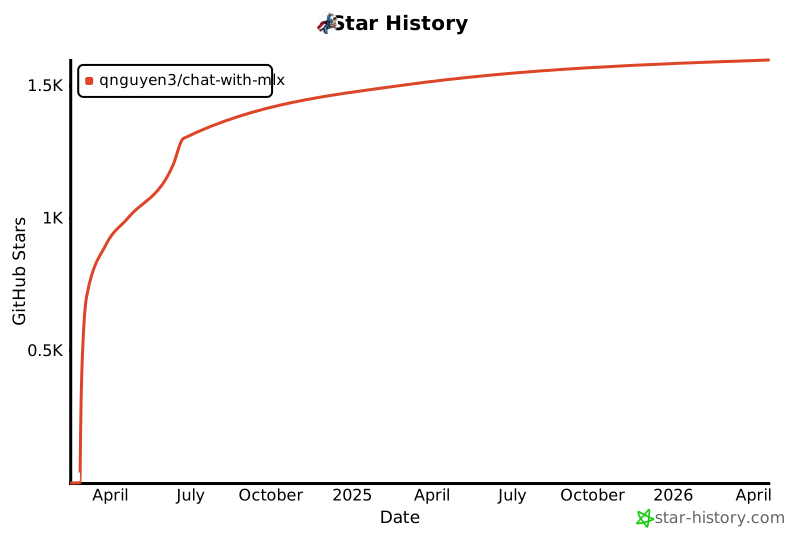
Star History
1 maintainer

Metadata
1 maintainer
Release files for chat-with-mlx 0.2.2
For a detailed explanation of source distributions (sdists) and built distributions (wheels), please see the package formats documentation.
Source distribution (sdist)
| File | Size | Uploaded | Provenance | Actions |
|---|---|---|---|---|
| chat_with_mlx-0.2.2.tar.gz | 98.0 kB | Without provenance | Details for chat_with_mlx-0.2.2.tar.gz |
Built distribution (wheel)
| File | Interpreter | ABI | Platform | Actions Reset |
|---|---|---|---|---|
| chat_with_mlx-0.2.2-py3-none-any.whl | Python 3 | none | any | Details for chat_with_mlx-0.2.2-py3-none-any.whl |
Total release size: 122.3 kB
Release files / chat_with_mlx-0.2.2.tar.gz
| Download URL | chat_with_mlx-0.2.2.tar.gz |
|---|---|
| Size | 98.0 kB |
| Tags | Source |
|
SHA-256 checksum How to use checksums |
1718bceb73bddb3c8fcfb315d6f31cb532e06f9cecea0174a39baea75aaee4d3
|
|
BLAKE2b-256 checksum How to use checksums |
ad0991f59103795fd3335a76d025d53ce2f58c59f6f2da7bb076fb99f8d1ce07
|
| Upload date | |
|
Uploaded using Trusted Publishing? What is trusted publishing? |
No |
| Uploaded via |
twine/5.0.0 CPython/3.12.4
|
Release files / chat_with_mlx-0.2.2-py3-none-any.whl
| Download URL | chat_with_mlx-0.2.2-py3-none-any.whl |
|---|---|
| Size | 24.3 kB |
| Tags | Python 3 |
|
SHA-256 checksum How to use checksums |
2c7404cef8f3d887c008c3d3428c711f76926d21d2618ee6f3c337162c64bba6
|
|
BLAKE2b-256 checksum How to use checksums |
a5a59b6d014a29ae9f0fb7304c4536da9996358595acf04f9e61bec5fb135d36
|
| Upload date | |
|
Uploaded using Trusted Publishing? What is trusted publishing? |
No |
| Uploaded via |
twine/5.0.0 CPython/3.12.4
|
Security for chat-with-mlx 0.2.2
Provenance
Provenance describes where a file came from. On PyPI, provenance is shared via attestations, which provide a verifiable record of the build or publishing details. View details, limitations and caveats.
No provenance found
None of the files in this release were uploaded with provenance metadata.
A note on package security
PyPI is a repository for distributing packages, not a service for auditing them. While third-party security researchers and our staff do their best to detect and remove malicious packages, PyPI cannot guarantee the quality, security or suitability of any given package.
To learn more about protecting yourself from malicious actors, visit our package security documentation.














