
checks
A CLI application for managing tasks for your project while coding them. It is specifically designed for programmers, but anyone can use it ofcourse.
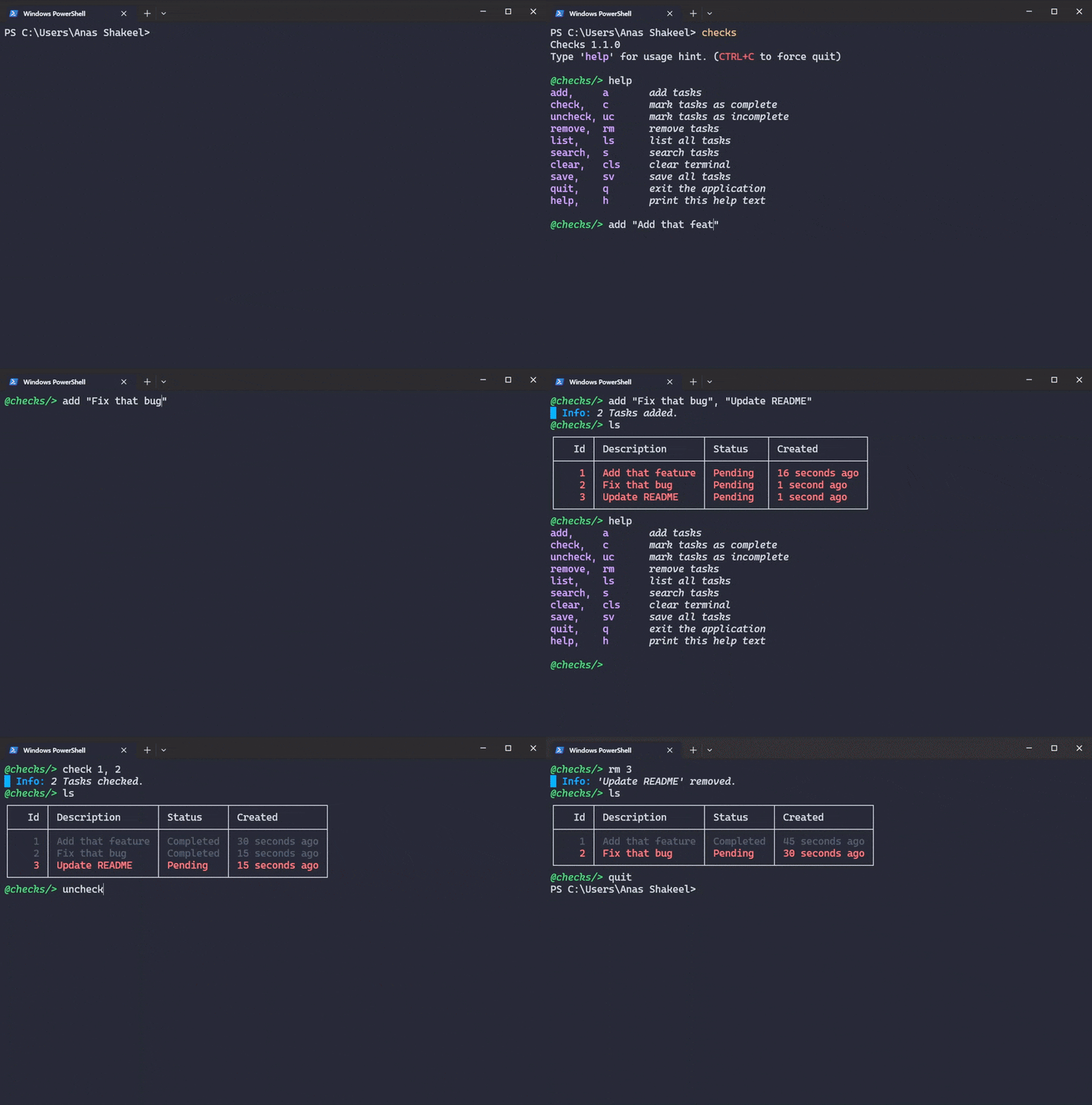
Installation:
checks can easily be installed using pip package manager. (make sure python and pip are installed in your machine)
>> pip install checks-cli
To all non-programmers, you have to install Python to use this application. (well, atleast for now!)
Usage:
Run checks command in the terminal in your project directory (or anywhere)

This will run the checks interactive session, similar to the Python Interactive Shell.
Now you can run commands provided by checks. Run help or h to see available commands.
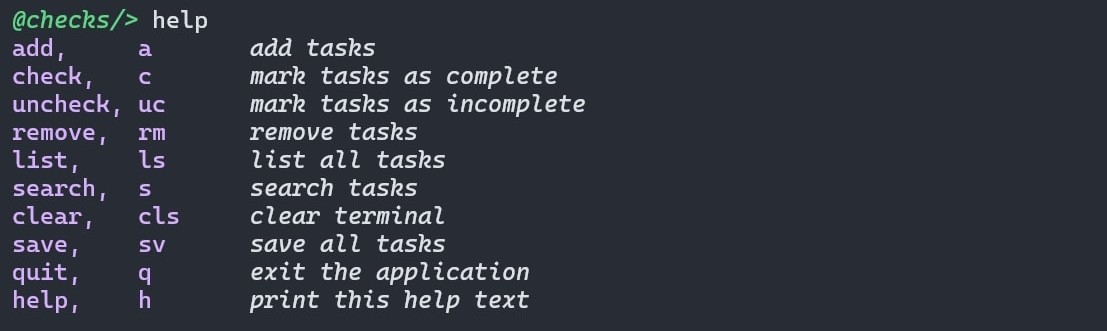
Seems a bit messy but it's really not. There are three columns in there. one for full command, one for alias or a shorter version, one for command description.
Adding Tasks is Database / List:
Tasks can be added into list using add or a (if you prefer less keystrokes).

When run for the first time, it adds a tasks.json in current directory and stores the task in it. After that, whenever you run checks in that directory and if that tasks.json is still there, it automatically loads that file and continues from there.
You can also add multiple tasks in one go.

Listing Tasks:
Now that we've added some tasks in our database, let's take a look at them using list or ls command.
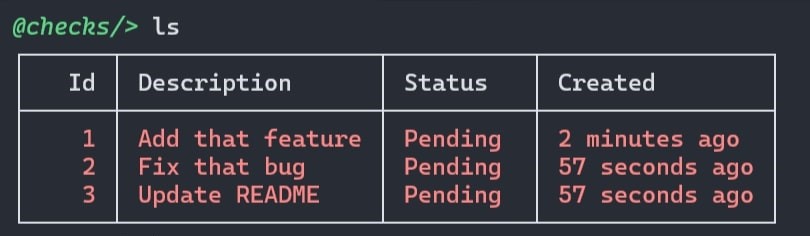
ls alone, shows all tasks and their details. for a more minimal table, use the flag -m or --minimal followed by ls.
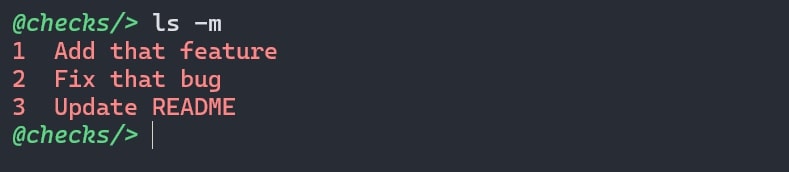
Minimal version just shows the task and it's ID. This is particularly useful in situations where you task spans multiple lines.
Apart from -m flag, ls has two more commands. -c or --completed (which lists only completed tasks) and -p or --pending (which lists only pending tasks).
Checking Tasks:
You can check a task (mark it as complete) using check or c command followed by Task ID.

You can check multiple tasks at once.

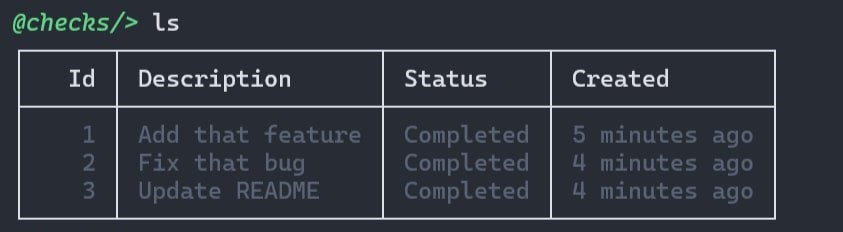
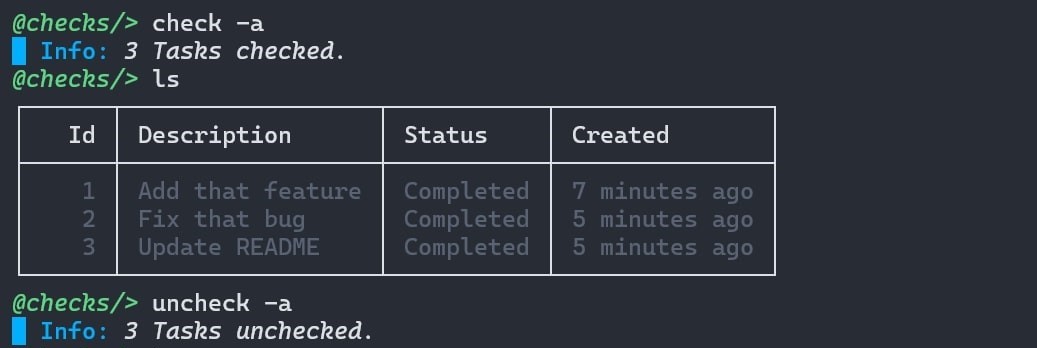
You can also use -a or --all flag which checks all pending tasks and shows how many tasks were checked.
Let's list the tasks now.
Unchecking Tasks:
You can use uncheck or uc command to uncheck a task (mark it as incomplete/pending).

Or uncheck multiple tasks.

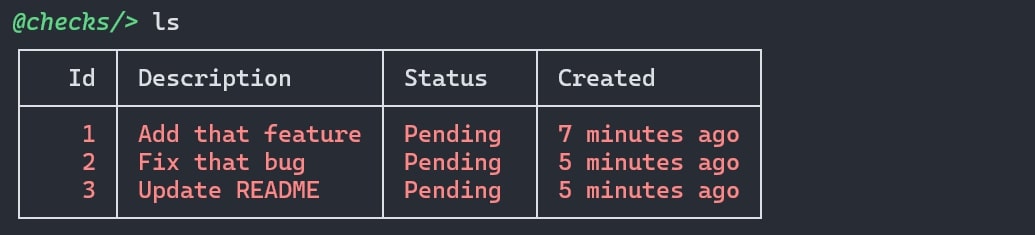
Or uncheck all tasks.
Listing all tasks now.
Removing Tasks:
You can remove tasks using remove or rm command.

Or remove multiple tasks.

Or remove all tasks at once using -a or --all flag, following rm.
Searching Tasks:
Use search or s command to search for tasks using a query/keyword. (I've added some task in database)
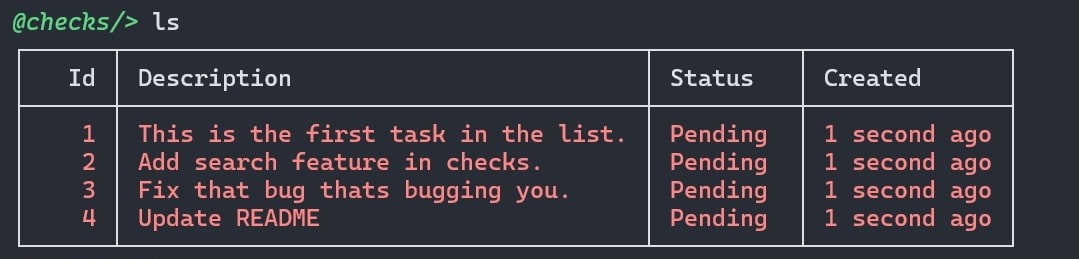
Let's search for a tasks that contain the word feature.

Clearing Terminal:
By now your terminal must have been looking really messy with all the commands and outputs and the TEXT!! Well, you can clear the terminal using clear or cls command.
@checks/> clear
This will clear entire terminal session. Very handy!
Saving Database:
Although checks saves your tasks after each successfull command execution, you can save the database manually just to be on the safe side. Use save or sv to save/write every task from in-memory database to tasks.json.
@checks/> save
█ Info: Database saved.
Exiting Application:
Finally, Use quit or q command to quit the checks session.
@checks/> quit
Or just hit CTRL+C to force quit the session.
That's it. Now you know more checks than me, have fun coding!
1 maintainer

Metadata
1 maintainer
Release files for checks-cli 1.1.0
For a detailed explanation of source distributions (sdists) and built distributions (wheels), please see the package formats documentation.
Source distribution (sdist)
| File | Size | Uploaded | |
|---|---|---|---|
| checks_cli-1.1.0.tar.gz | 12.7 kB | Details |
Built distribution (wheel)
| File | Interpreter | ABI | Platform | Reset |
|---|---|---|---|---|
| checks_cli-1.1.0-py3-none-any.whl | Python 3 | none | any | Details |
Total release size: 25.1 kB
Release files / checks_cli-1.1.0.tar.gz
| Download URL | checks_cli-1.1.0.tar.gz |
|---|---|
| Size | 12.7 kB |
| Tags | Source |
|
SHA-256 checksum How to use checksums |
fc3cf1ac5d20aa9e3e2a13207146360a7ff9a7e071ed2cbdcf9bc028ec100728
|
|
BLAKE2b-256 checksum How to use checksums |
0f48685bc4c36b7644da6afe81cd2ddfc4b31ea0c20ea386325b89e43f551430
|
| Upload date | |
|
Uploaded using Trusted Publishing? What is trusted publishing? |
No |
| Uploaded via |
twine/5.1.1 CPython/3.13.0
|
Release files / checks_cli-1.1.0-py3-none-any.whl
| Download URL | checks_cli-1.1.0-py3-none-any.whl |
|---|---|
| Size | 12.4 kB |
| Tags | Python 3 |
|
SHA-256 checksum How to use checksums |
b2916743a3ce07369711cfe3d78bb7f7e86ea9a4e7cea53b7b329dade77ef332
|
|
BLAKE2b-256 checksum How to use checksums |
cc0e006a630682e8efb5da124cfeedd76e6fe4b907d2cdfa9e082b4fea41c865
|
| Upload date | |
|
Uploaded using Trusted Publishing? What is trusted publishing? |
No |
| Uploaded via |
twine/5.1.1 CPython/3.13.0
|














