
Chickadee
Yet another GeoIP resolution tool.

         _          _
        ('<        >')
       \(_)________( \
        (___________)\\        _____ _     _      _             _
           (     )     \      / ____| |   (_)    | |           | |
            |   |            | |    | |__  _  ___| | ____ _  __| | ___  ___
            |   |            | |    | '_ \| |/ __| |/ / _` |/ _` |/ _ \/ _ \
            |   |            | |____| | | | | (__|   < (_| | (_| |  __/  __/
           _|   |_            \_____|_| |_|_|\___|_|\_\__,_|\__,_|\___|\___|
          (_______)
Supported GeoIP back-ends:
- http://ip-api.com/ - Free to query up to 150 requests per minute. Unlimited API keys available for purchase.
Installation
You may install Chickadee on your platform using pip install chickadee (you
may need to use pip3 depending on your system configuration).
Please ensure you are using Python 3
You may also install via the source code as detailed below.
macOS and Linux
Requirements:
- Python 3+, installed on your path
- Virtualenv (
pip3 install virtualenv)
- Clone the git repo:
git clone https://github.com/chapinb/chickadee.git - Create your virtual environment
virtualenv -p python3 venv3and activate it (source venv3/bin/activate) - Install dependencies:
pip install . - Run
chickadee --helpto get started.
Windows
Requirements:
- Python 3+, installed on your path
- Virtualenv (
pip.exe install virtualenv)
- Clone the git repo:
git clone https://github.com/chapinb/chickadee.git - Create your virtual environment
virtualenv -p python3 venv3and activate it (source venv3/Scripts/activate.bat) - Install dependencies:
pip install . - Run
chickadee --helpto get started.
Usage
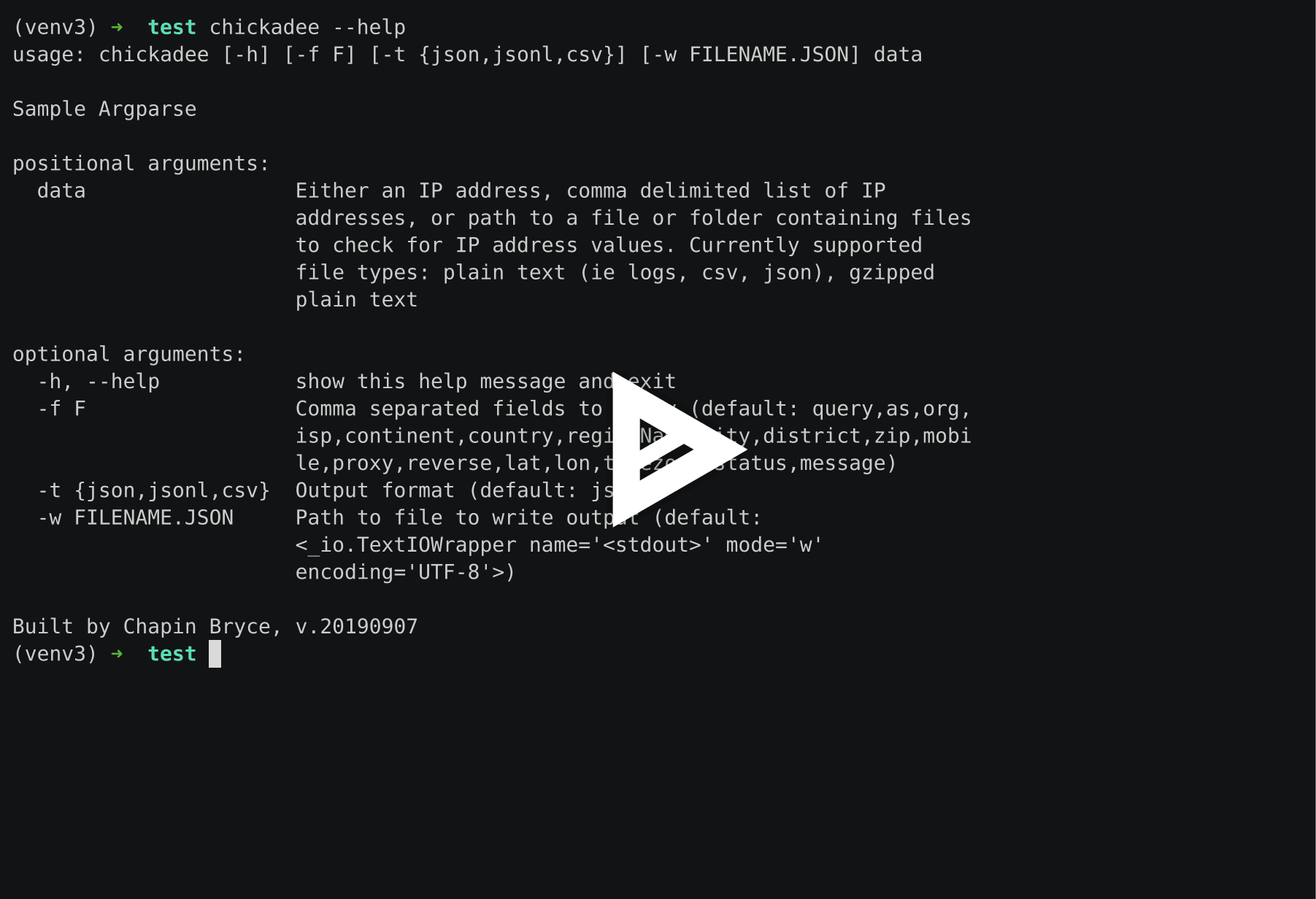
The below shows the help information for using Chickadee. It can accept any of the below formats:
- Loose IP addresses (either a single IP or a comma separated list)
- IPv4 or IPv6
- A path to a plaintext file containing IP addresses (even if they are among other data)
- A path to a gzip'd plaintext file (not an archive of multiple plaintext files)
- A path to a folder containing plaintext or gzip'd plaintext data
$ chickadee --help
usage: chickadee [-h] [-f F] [-t {json,jsonl,csv}] [-w FILENAME.JSON] data

Sample Argparse

positional arguments:
  data                 Either an IP address, comma delimited list of IP
                       addresses, or path to a file or folder containing files
                       to check for IP address values. Currently supported
                       file types: plain text (ie logs, csv, json), gzipped
                       plain text

optional arguments:
  -h, --help           show this help message and exit
  -f F                 Comma separated fields to query (default: query,as,org,
                       ispcontinent,country,regionName,city,district,zip,mobil
                       e,proxy,reverse,lat,lon,timezonestatus,message)
  -t {json,jsonl,csv}  Output format (default: jsonl)
  -w FILENAME.JSON     Path to file to write output (default:
                       <_io.TextIOWrapper name='<stdout>' mode='w'
                       encoding='UTF-8'>)

Built by Chapin Bryce, v.20190907
Example
To resolve 8.8.8.8 and 1.1.1.1. The jq tool isn't a requirement, but is
a great utility for formatting and querying any JSON data.
$ chickadee 8.8.8.8,1.1.1.1 | jq '.'
{
  "as": "AS15169 Google LLC",
  "city": "Ashburn",
  "country": "United States",
  "district": "",
  "lat": 39.0438,
  "lon": -77.4874,
  "mobile": false,
  "org": "Google Inc.",
  "proxy": false,
  "query": "8.8.8.8",
  "regionName": "Virginia",
  "zip": "20149"
}
{
  "as": "AS13335 Cloudflare, Inc.",
  "city": "Sydney",
  "country": "Australia",
  "district": "",
  "lat": -33.8688,
  "lon": 151.209,
  "mobile": false,
  "org": "",
  "proxy": false,
  "query": "1.1.1.1",
  "regionName": "New South Wales",
  "zip": "1001"
}
Example of using the custom fields. Available field names are at: http://ip-api.com/docs/api:json
$ chickadee 8.8.8.8,1.1.1.1 -t jsonl -f as,proxy
{"as": "AS15169 Google LLC", "proxy": false}
{"as": "AS13335 Cloudflare, Inc.", "proxy": false}
Known bugs
Below are a list of known bugs. Please report any new bugs identified or submit a PR to patch any of the below or ones you found on your own. No one is perfect :)
- IPv6 addresses expressed in expanded form in the source document are not properly deduplicated against discovered IPv6 addresses in compressed form.
Contributing
Please create a fork of the repository, make your changes, and submit a pull request for review!
You can always use the issues tab to suggest features and identify bugs.
1 maintainer

Metadata
1 maintainer
Release files for chickadee 20191020
For a detailed explanation of source distributions (sdists) and built distributions (wheels), please see the package formats documentation.
Source distribution (sdist)
| File | Size | Uploaded | Provenance | Actions |
|---|---|---|---|---|
| chickadee-20191020.tar.gz | 12.2 kB | Without provenance | Details for chickadee-20191020.tar.gz |
Built distribution (wheel)
| File | Interpreter | ABI | Platform | Actions Reset |
|---|---|---|---|---|
| chickadee-20191020-py3-none-any.whl | Python 3 | none | any | Details for chickadee-20191020-py3-none-any.whl |
Total release size: 42.2 kB
Release files / chickadee-20191020.tar.gz
| Download URL | chickadee-20191020.tar.gz |
|---|---|
| Size | 12.2 kB |
| Tags | Source |
|
SHA-256 checksum How to use checksums |
2b3451a1c321be158d1491937505b3593bf4fb40387d7be969afd49d2c3e3e36
|
|
BLAKE2b-256 checksum How to use checksums |
bae945d2795142d71b8f04875c656509b19198fc87d7554d5af0668f62cc405a
|
| Upload date | |
|
Uploaded using Trusted Publishing? What is trusted publishing? |
No |
| Uploaded via |
twine/2.0.0 pkginfo/1.5.0.1 requests/2.22.0 setuptools/41.2.0 requests-toolbelt/0.9.1 tqdm/4.36.1 CPython/3.7.4
|
Release files / chickadee-20191020-py3-none-any.whl
| Download URL | chickadee-20191020-py3-none-any.whl |
|---|---|
| Size | 30.0 kB |
| Tags | Python 3 |
|
SHA-256 checksum How to use checksums |
57c2763118c8cd6916971b971019aa39ede57f2d8dc97dff85b18b3411a6e9f1
|
|
BLAKE2b-256 checksum How to use checksums |
e86e937883ff7fd71d1e59574e955f9fda22a94b8d8a0bbba624c2d1eef31f63
|
| Upload date | |
|
Uploaded using Trusted Publishing? What is trusted publishing? |
No |
| Uploaded via |
twine/2.0.0 pkginfo/1.5.0.1 requests/2.22.0 setuptools/41.2.0 requests-toolbelt/0.9.1 tqdm/4.36.1 CPython/3.7.4
|
Security for chickadee 20191020
Provenance
Provenance describes where a file came from. On PyPI, provenance is shared via attestations, which provide a verifiable record of the build or publishing details. View details, limitations and caveats.
No provenance found
None of the files in this release were uploaded with provenance metadata.
A note on package security
PyPI is a repository for distributing packages, not a service for auditing them. While third-party security researchers and our staff do their best to detect and remove malicious packages, PyPI cannot guarantee the quality, security or suitability of any given package.
To learn more about protecting yourself from malicious actors, visit our package security documentation.














