
dstack is an open-source orchestration engine for running AI workloads on any cloud or on-premises.

Project description



dstack is an open-source container orchestration engine designed for AI workloads across any cloud or data center.
The supported cloud providers include AWS, GCP, Azure, Lambda, TensorDock, Vast.ai, CUDO, and RunPod.
You can also use dstack ro run workloads on on-prem servers.
Latest news ✨
- [2024/05] dstack 0.18.2: On-prem clusters, private subnets, and more (Release)
- [2024/04] dstack 0.18.1: On-prem servers, and new example (Release)
- [2024/04] dstack 0.18.0: RunPod, mult-node tasks, and more (Release)
- [2024/03] dstack 0.17.0: Auto-scaling, and other improvements (Release)
- [2024/02] dstack 0.16.0: Pools (Release)
Installation
Before using dstack through CLI or API, set up a dstack server.
Install the server
The easiest way to install the server, is via pip:
pip install "dstack[all]" -U
Configure backends
If you have default AWS, GCP, or Azure credentials on your machine, the dstack server will pick them up automatically.
Otherwise, you need to manually specify the cloud credentials in ~/.dstack/server/config.yml.
See the server/config.yml reference for details on how to configure backends for all supported cloud providers.
Start the server
To start the server, use the dstack server command:
$ dstack server

Applying ~/.dstack/server/config.yml...

The admin token is "bbae0f28-d3dd-4820-bf61-8f4bb40815da"
The server is running at http://127.0.0.1:3000/
Note It's also possible to run the server via Docker.
CLI & API
Once the server is up, you can use either dstack's CLI or API to run workloads.
Below is a live demo of how it works with the CLI.
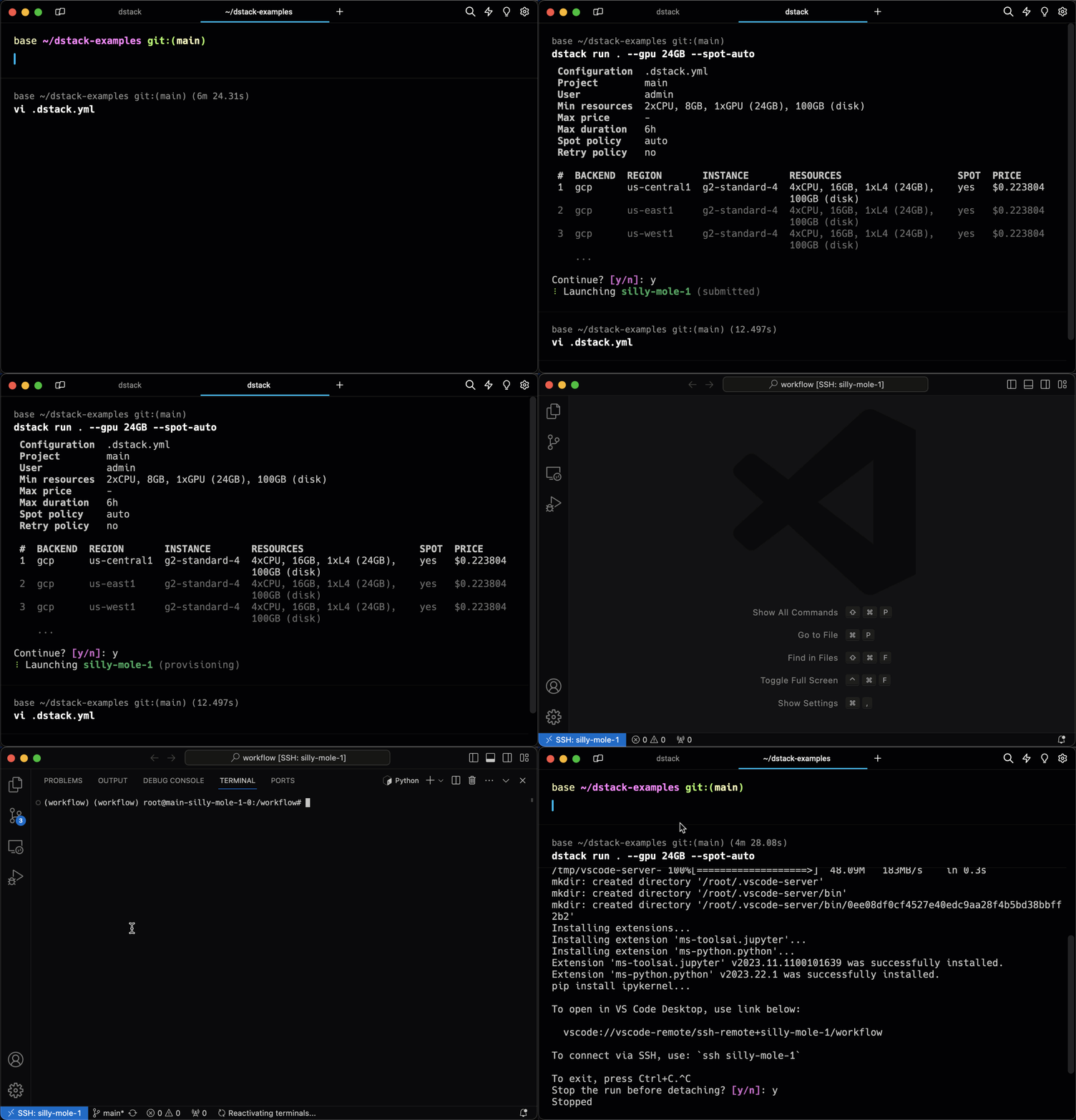
Dev environments
You specify the required environment and resources, then run it. dstack provisions the dev environment in the cloud and enables access via your desktop IDE.
Tasks
Tasks allow for convenient scheduling of any kind of batch jobs, such as training, fine-tuning, or data processing, as well as running web applications.
Specify the environment and resources, then run it. dstack executes the task in the cloud, enabling port forwarding to your local machine for convenient access.

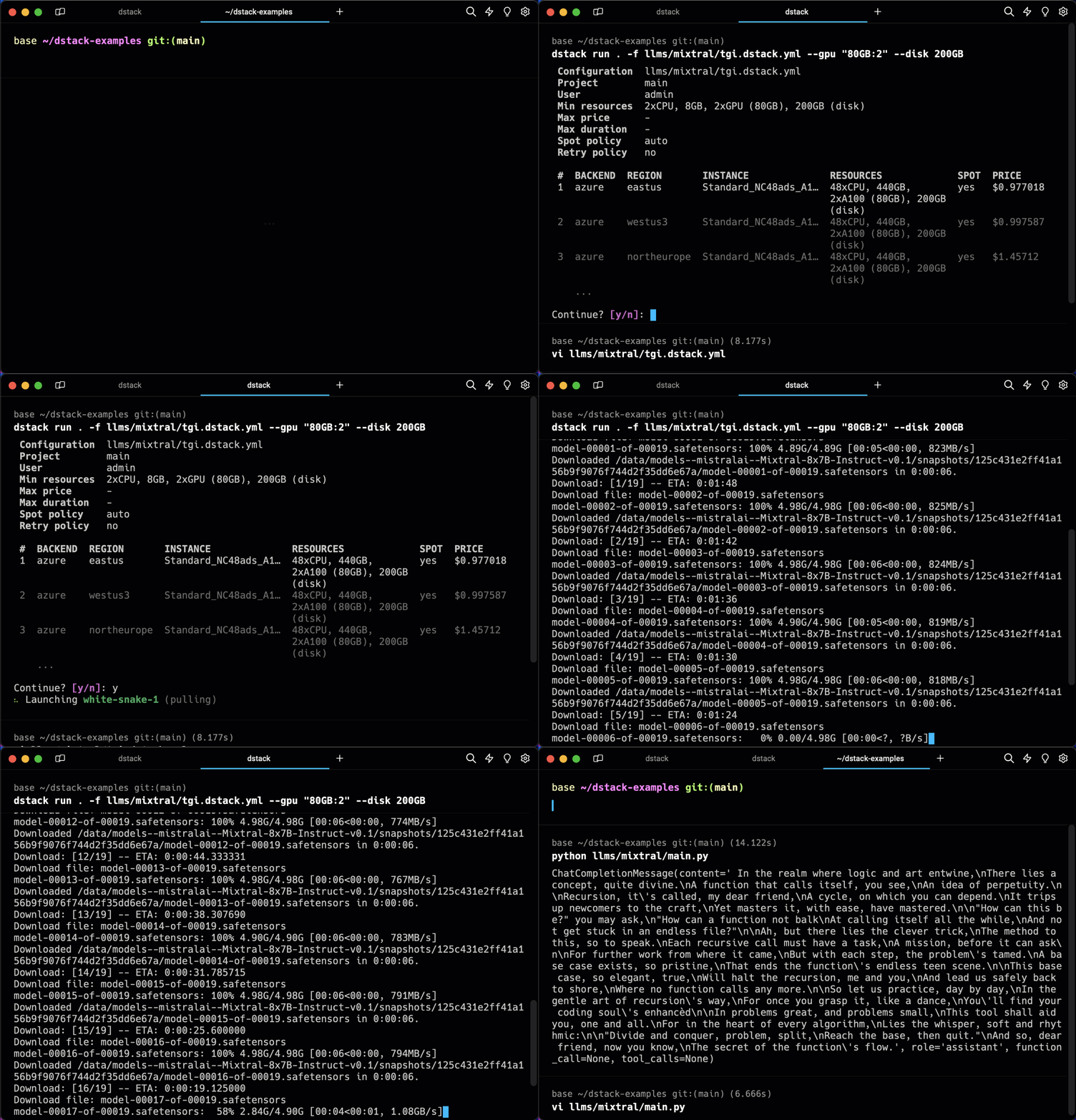
Services
Services make it very easy to deploy any kind of model or web application as public endpoints.
Use any serving frameworks and specify required resources. dstack deploys it in the configured backend, handles authorization, and provides an OpenAI-compatible interface if needed.
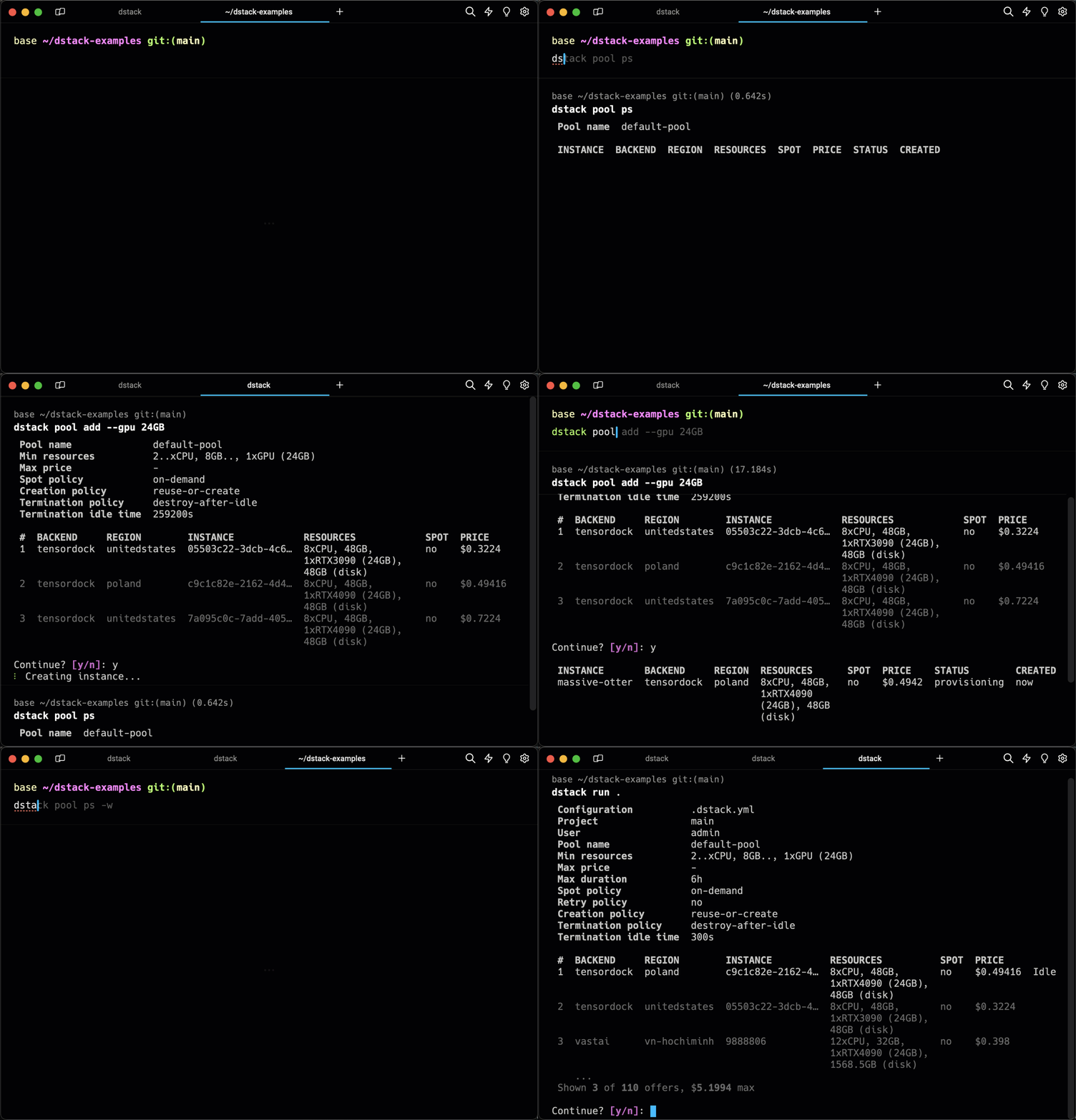
Pools
Pools simplify managing the lifecycle of cloud instances and enable their efficient reuse across runs.
You can have instances provisioned in the cloud automatically, or add them manually, configuring the required resources, idle duration, etc.
Examples
Here are some featured examples:
Browse examples for more examples.
More information
For additional information and examples, see the following links:
Licence
Release history Release notifications | RSS feed


Download files
Download the file for your platform. If you're not sure which to choose, learn more about installing packages.
Source Distribution
Built Distribution
Filter files by name, interpreter, ABI, and platform.
If you're not sure about the file name format, learn more about wheel file names.
Copy a direct link to the current filters
File details
Details for the file chip_wallet_dstack-1.5.tar.gz.
File metadata
- Download URL: chip_wallet_dstack-1.5.tar.gz
- Upload date:
- Size: 273.5 kB
- Tags: Source
- Uploaded using Trusted Publishing? No
- Uploaded via: twine/5.1.1 CPython/3.12.3
File hashes
| Algorithm | Hash digest | |
|---|---|---|
| SHA256 |
7cf98d1be7dcbc8fd95a19f55061892984451f14804b2099bc44997e958f3351
|
|
| MD5 |
6e2470ffd5070dd4f96b0c1c79c05759
|
|
| BLAKE2b-256 |
cbbd9af42739b17863306b8905799404279baf16dc61a3934acbcfa1c2f2fe16
|
File details
Details for the file chip_wallet_dstack-1.5-py3-none-any.whl.
File metadata
- Download URL: chip_wallet_dstack-1.5-py3-none-any.whl
- Upload date:
- Size: 427.0 kB
- Tags: Python 3
- Uploaded using Trusted Publishing? No
- Uploaded via: twine/5.1.1 CPython/3.12.3
File hashes
| Algorithm | Hash digest | |
|---|---|---|
| SHA256 |
b38d91e9322f1ee14f12acc3426d6ef0382bf013393b6e2156d31bc5b714a215
|
|
| MD5 |
12e0a333fb0921db3db3a861060a16f8
|
|
| BLAKE2b-256 |
97db1fbe009ba9e91e8cd6726717b54edf2b33ac16c8ddfb113a7cead3d0e25c
|






