
Christophorus



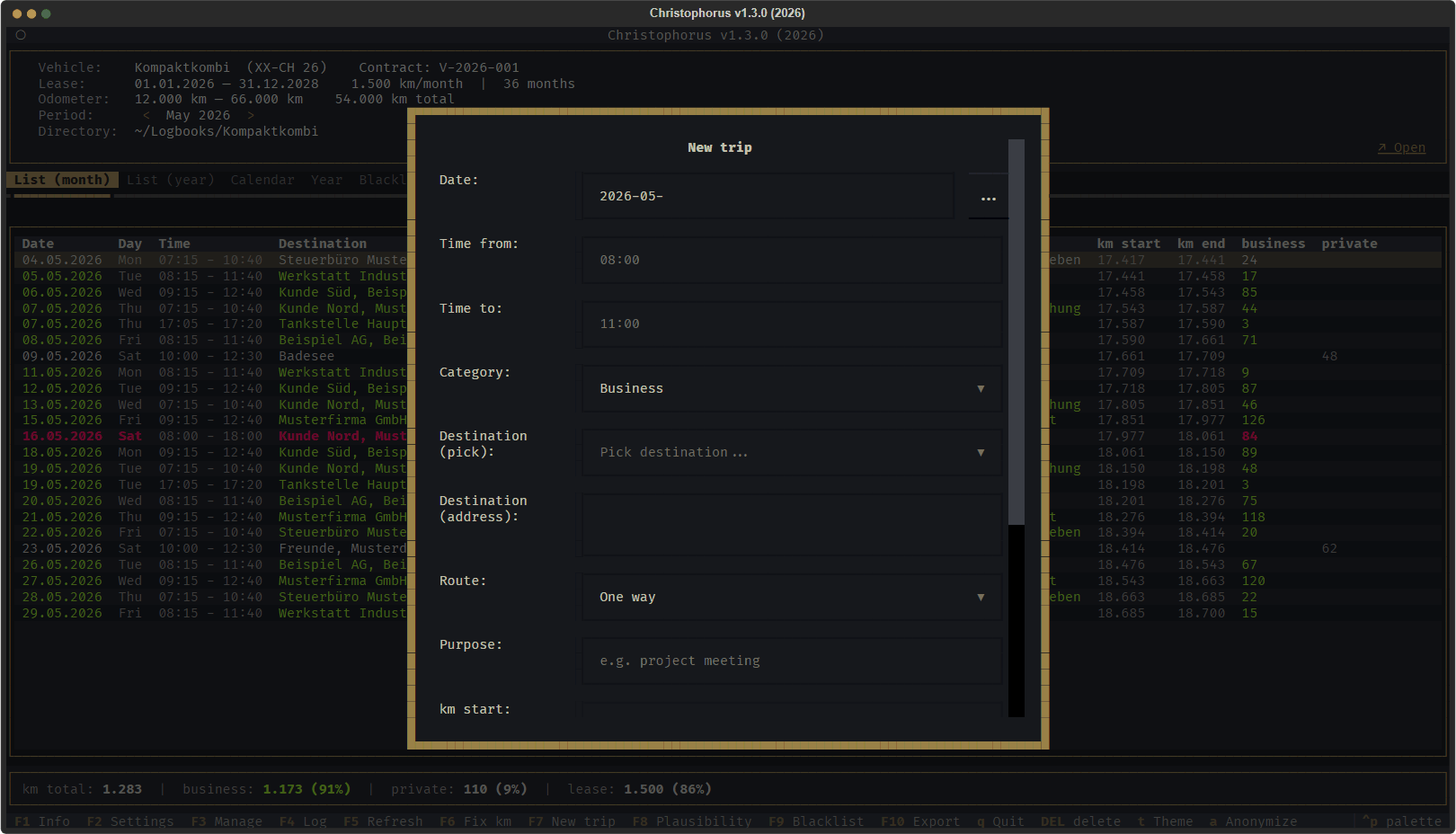
A terminal application for keeping a vehicle logbook (German: Fahrtenbuch), for leased and owned vehicles alike. Christophorus records every trip, keeps the odometer chain consistent, checks the entries for plausibility and exports the logbook as Excel, JSON or Markdown.
The user interface is available in German and English.
Project page: michaelblaess.github.io/christophorus
The name comes from Saint Christopher, the patron saint of travellers and
drivers. In the terminal it is shorter: christo starts the same program.
Up to version 1.2.1 the project was called "Death Proof", before that
"fahrtenbuch". On the first start Christophorus picks up settings and logbooks
stored under the old names on its own.
Note: Whether a logbook is accepted for tax purposes is decided solely by the tax office. Christophorus does not guarantee that acceptance and does not replace tax advice. On first start the program asks you to confirm this notice.
Features
- Trips: date, travel time, destination, purpose, odometer start and end, business and private kilometres, category, round trip, fuel in litres.
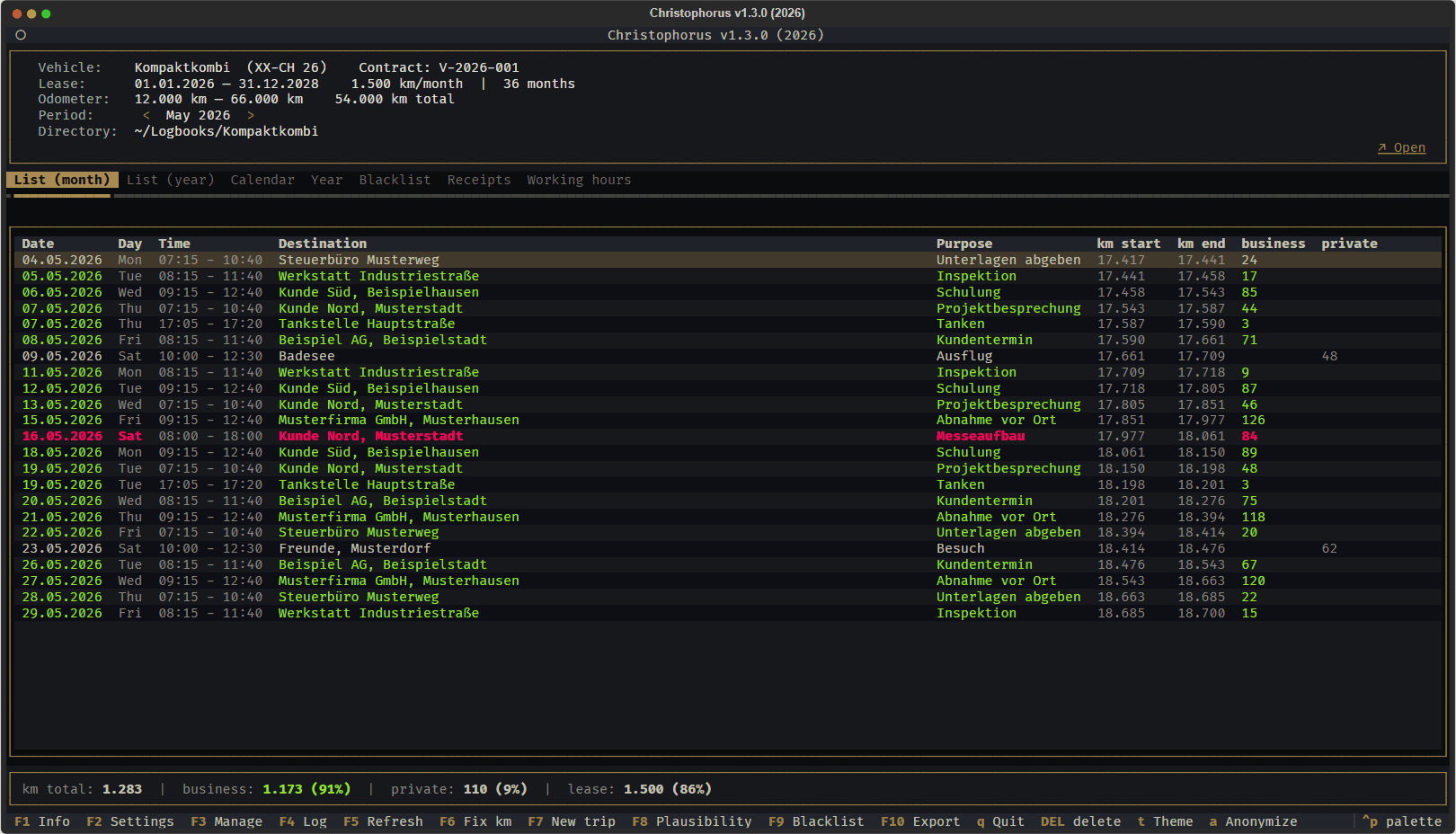
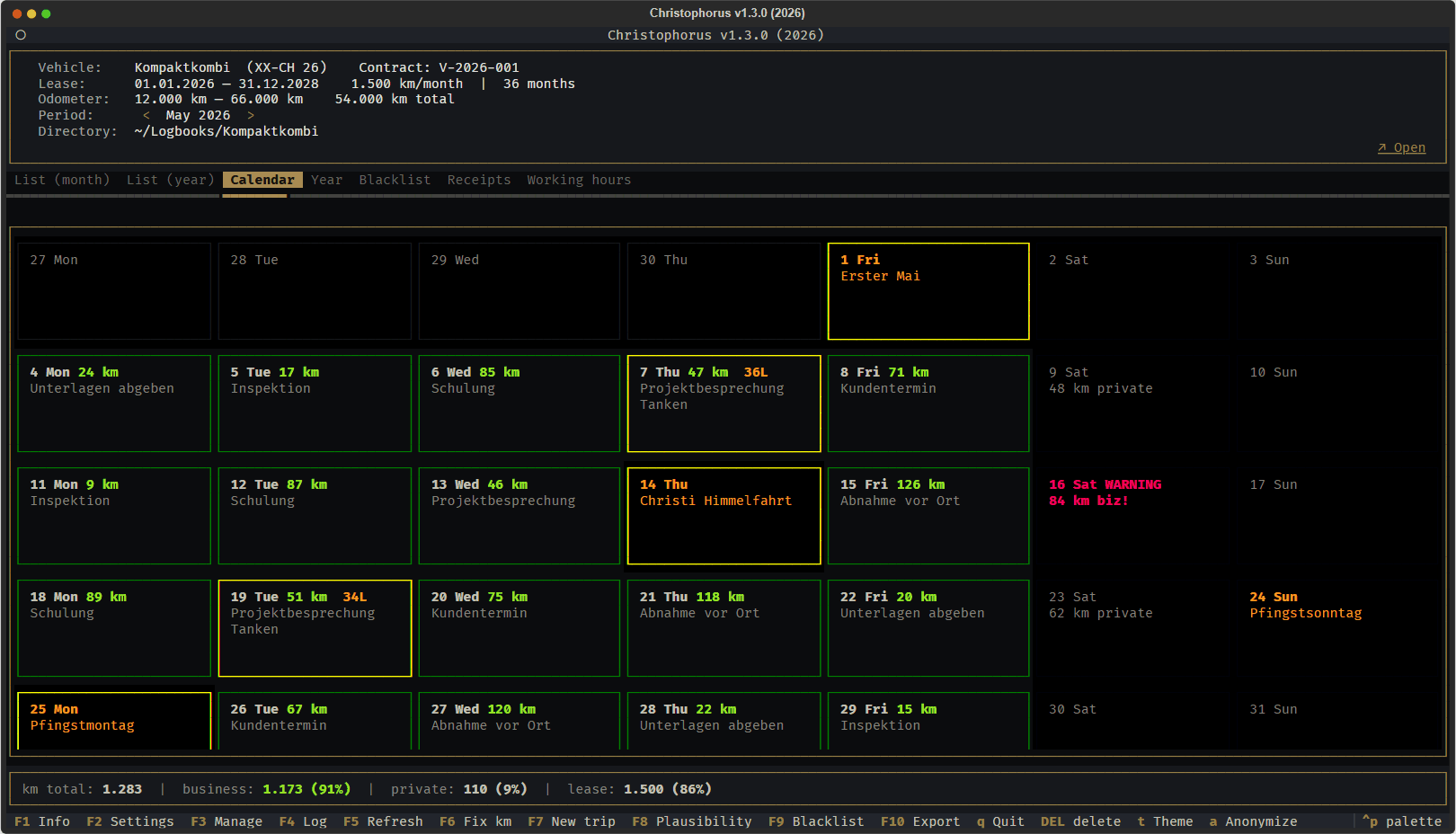
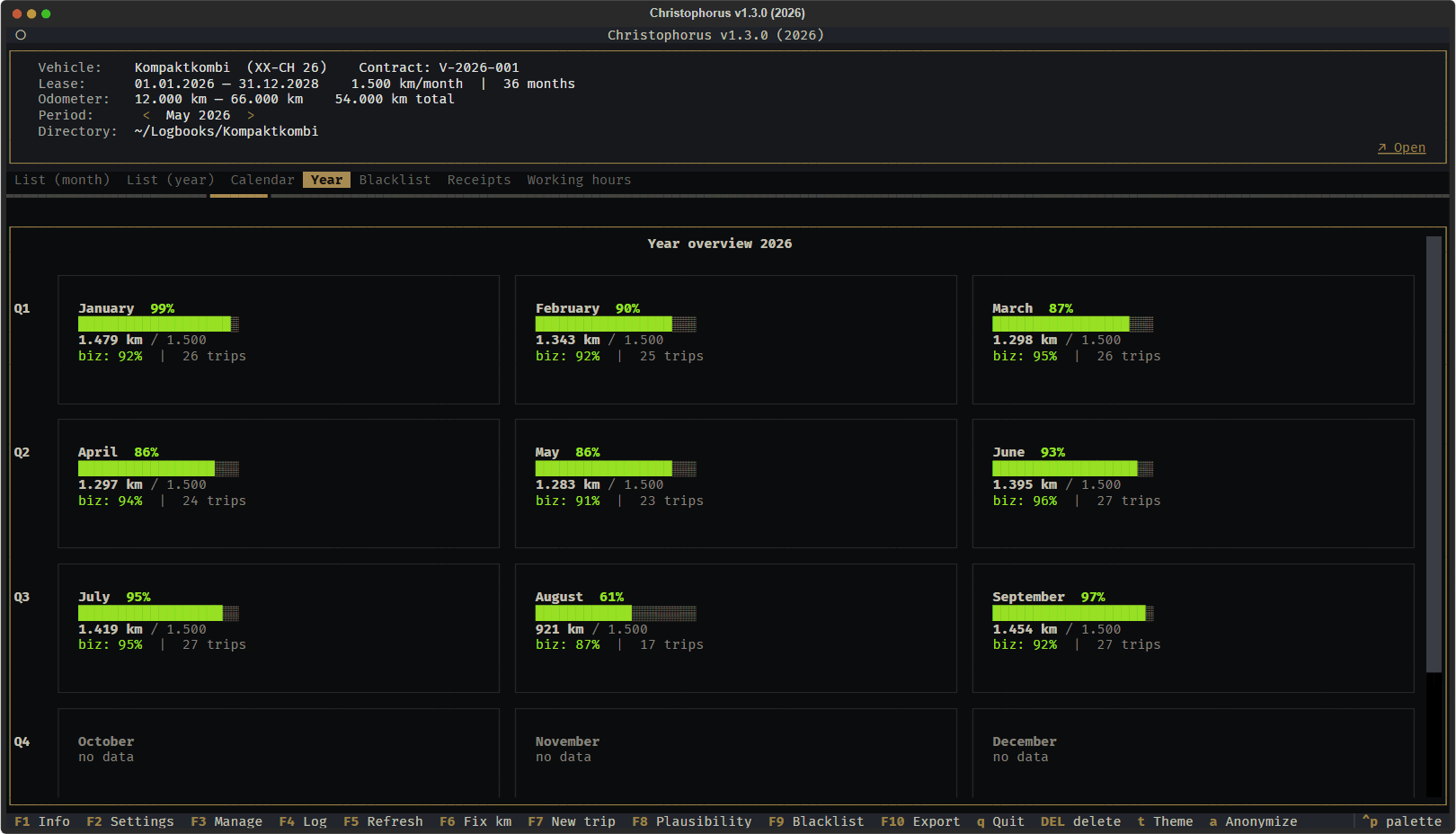
- Views: list per month and per year, calendar, year overview, blocked days (blacklist), receipts and working hours.
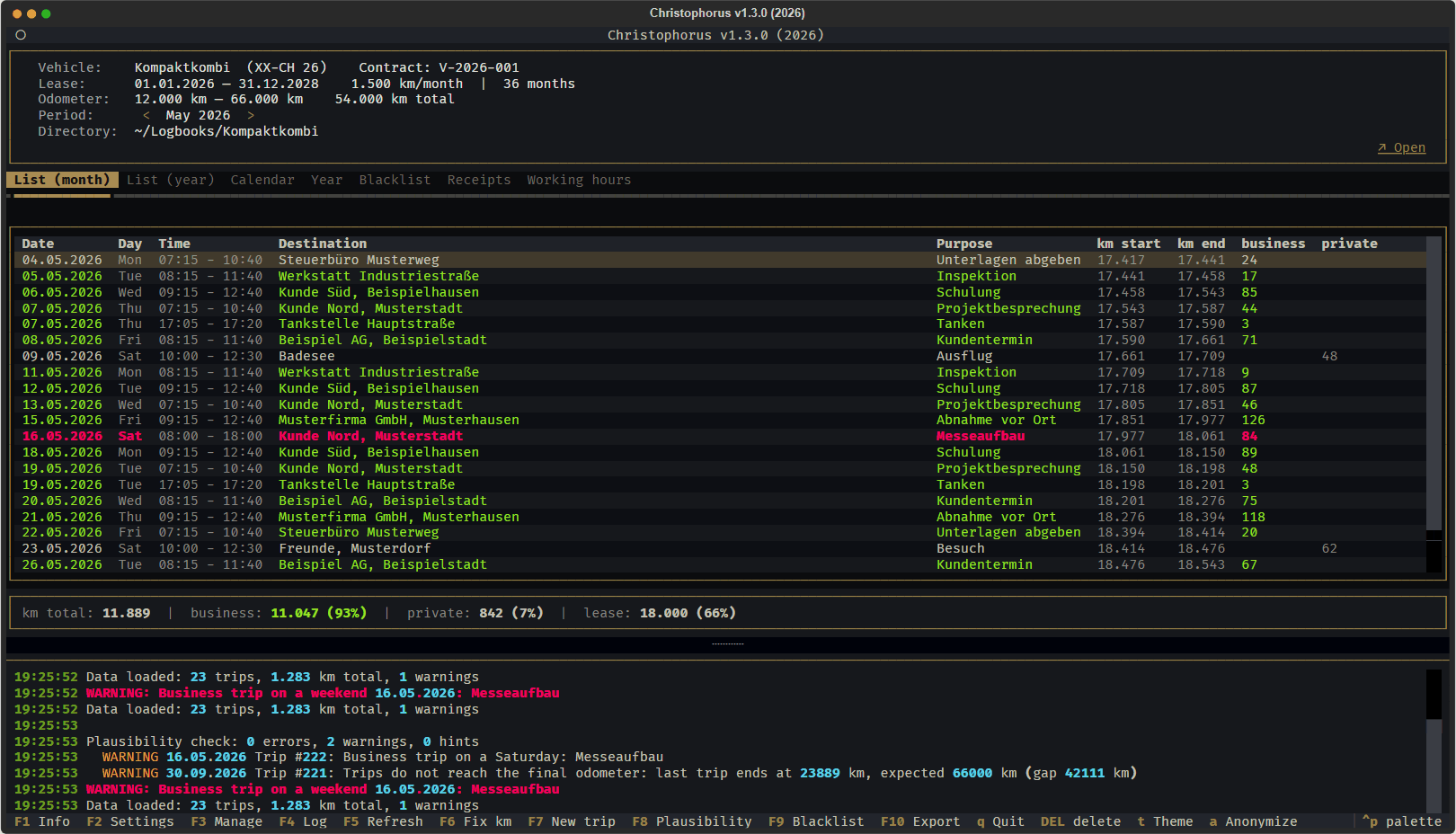
- Plausibility checks: odometer chain, fuel consumption against the vehicle data, business trips on weekends and public holidays, suspected duplicate entries, yearly share of business kilometres.
- Repair the odometer chain: rebuilds start and end values chronologically without changing the distance of any trip.
- Export through a save dialog: Excel with live formulas, JSON with every field, Markdown table. The format follows the file extension.
- Several logbooks: each logbook is a folder with its own SQLite database. Open, create, back up, or copy the settings of an existing logbook.
- Settings: vehicle and lease data, home address, customers, petrol stations, shops, tax adviser, restaurants, categories, federal state for public holidays, SQLite journal mode (safe for Dropbox and OneDrive).
- Keyboard: classic letters or function keys F1 to F10, optional Vim
navigation in tables, overview on
?. - Anonymize for screenshots: destinations, purposes, vehicle, number plate and folder are replaced in the display. Database and export stay untouched, dialogs showing real data are locked while it is on.
- Themes from textual-themes.
Screenshots
All screenshots show made-up data.
| Month list | Calendar |
|---|---|
 |
 |
| Year overview | Plausibility check |
 |
 |
| New trip | |
 |
Installation
One-click install
The installer downloads the prebuilt package of the latest release. No Python and no git required. Running it again updates the program, your settings and logbooks stay untouched.
Windows (PowerShell):
irm https://raw.githubusercontent.com/michaelblaess/christophorus/main/install.ps1 | iex
Linux (x86_64) and macOS (Apple Silicon):
curl -fsSL https://raw.githubusercontent.com/michaelblaess/christophorus/main/install.sh | bash
Afterwards start christophorus or the short form christo. On Windows open a
new terminal first so the updated PATH takes effect.
Download manually
Every release on the Releases page
contains standalone builds for Windows (x64), Linux (x86_64) and macOS (Apple Silicon).
Unpack the archive and start christophorus.
From source
Requires Python 3.12 or newer and uv.
# Windows
.\bootstrap.ps1
.\run.ps1
# Linux / macOS
./bootstrap.sh
./run.sh
Usage
christophorus                 # opens the last logbook, otherwise the start screen
christophorus --year 2024     # start in a specific year
christophorus --lang en       # switch the language (saved for the next start)
christophorus --version
Key bindings
The style is chosen under Settings -> Keyboard. With function keys the letters
stay available, only the log moves from L to F4.
| Action | Classic | With function keys |
|---|---|---|
| Info | I |
F1 |
| Settings | S |
F2 |
| Manage logbooks | V |
F3 |
| Log on/off | L |
F4 / Alt+L |
| Refresh | F5 |
F5 |
| Repair odometer chain | R |
F6 |
| New trip | N |
F7 |
| Plausibility check | P |
F8 |
| Blacklist on/off | B |
F9 |
| Export | E |
F10 |
| Delete trip | DEL |
DEL |
| Next theme | T |
T |
| Anonymize display | A |
A |
| Previous / next month | < / > |
< / > |
| Key overview | ? |
? |
| Quit | Q |
Q |
Custom bindings go into config.json under keymap_custom, for example
{"toggle_log": ["alt+l"]}.
Where the data lives
| What | Where |
|---|---|
| Application settings | ~/.christo/config.json |
| Acceptance of the notice | ~/.christo/disclaimer.json |
| Logbook | a folder of your choice with christo.db and a belege/ folder for receipts |
Web interface (preview)
Besides the TUI there is a web interface, built to try out Tabler, Tabulator and FastHTML. It covers the same ground as the TUI: the trips of a month or a year, a calendar, the year at a glance, blocked days, receipts, working hours, settings and the export to Excel, JSON or Markdown.
uv sync --extra web
uv run python -m christo.web            # last logbook opened in the TUI
uv run python -m christo.web <folder>   # a specific logbook
- It always works on a copy under
~/.christo/web/<name>/. The file the TUI uses is never changed.--neu-kopierenfetches the current state and discards the copy. - Runs on
127.0.0.1:5056only, without login, and loads nothing from the internet. - Colors come from web-themes, the same themes as in the TUI.
- What carried over from building it is written down in docs/WEB-MUSTER.md (German).
Development
uv run poe lint        # ruff
uv run poe typecheck   # mypy strict
uv run poe layers      # import-linter: layer boundaries
uv run poe test        # pytest
The core (services, models) does not import the user interface or Textual.
import-linter enforces this in CI and in the pre-commit hook.
Tech stack
Textual, SQLite, openpyxl, holidays, textual-fspicker, textual-widgets and textual-themes.
License
Author
Michael Blaess
1 maintainer

Metadata
1 maintainer
Release files for christophorus 1.3.2
For a detailed explanation of source distributions (sdists) and built distributions (wheels), please see the package formats documentation.
Source distribution (sdist)
| File | Size | Uploaded | |
|---|---|---|---|
| christophorus-1.3.2.tar.gz | 719.9 kB | Details |
Built distribution (wheel)
| File | Interpreter | ABI | Platform | Reset |
|---|---|---|---|---|
| christophorus-1.3.2-py3-none-any.whl | Python 3 | none | any | Details |
Total release size: 1.4 MB
Release files / christophorus-1.3.2.tar.gz
| Download URL | christophorus-1.3.2.tar.gz |
|---|---|
| Size | 719.9 kB |
| Tags | Source |
|
SHA-256 checksum How to use checksums |
83ec94860392f0f980c16468a756d74048b44bf47b6bfe58b5e5b4633bcf0edd
|
|
BLAKE2b-256 checksum How to use checksums |
f98145bf702de3b096344f69f3c2677b948e72daa679c9394abf2948e912d69b
|
| Upload date | |
|
Uploaded using Trusted Publishing? What is trusted publishing? |
Yes |
| Uploaded via |
twine/7.0.0 CPython/3.13.14
|
Provenance
Provenance describes where a file came from. On PyPI, provenance is shared via attestations, which provide a verifiable record of the build or publishing details. View details, limitations and caveats.


PyPI Publish Attestation
PyPI verified that this artifact, at this checksum, originated from the publisher listed below.
Signed by GitHub Actions, verified by PyPI on Oct 5, 2026.
Transparency logRelease files / christophorus-1.3.2-py3-none-any.whl
| Download URL | christophorus-1.3.2-py3-none-any.whl |
|---|---|
| Size | 710.4 kB |
| Tags | Python 3 |
|
SHA-256 checksum How to use checksums |
63cd1c579612734a7ccc86f59640920507459d1f1670e6ca368ace7321255a77
|
|
BLAKE2b-256 checksum How to use checksums |
be3f94011634a82fbeb647f603e364b079850234bbac8f6b378529420f30bb48
|
| Upload date | |
|
Uploaded using Trusted Publishing? What is trusted publishing? |
Yes |
| Uploaded via |
twine/7.0.0 CPython/3.13.14
|
Provenance
Provenance describes where a file came from. On PyPI, provenance is shared via attestations, which provide a verifiable record of the build or publishing details. View details, limitations and caveats.
PyPI Publish Attestation
PyPI verified that this artifact, at this checksum, originated from the publisher listed below.
Signed by GitHub Actions, verified by PyPI on Oct 5, 2026.
Transparency log












