
This release is a pre-release and may not be stable for production use.
chunkmirage
Spoof chunked array formats over HTTP with on-the-fly processing.
chunkmirage serves virtual datasets that look, to any HTTP-capable viewer or library (Neuroglancer, BigDataViewer/Fiji, vizarr, napari, webKnossos, zarr-python, dask, tensorstore, ...), like ordinary Zarr v2, Zarr v3, N5 or Neuroglancer precomputed volumes. Nothing exists on disk. Each chunk is computed when it is requested: read from a real source (zarr, N5, precomputed, HDF5, GeoTIFF; local, S3, GCS or HTTP) or generated, pushed through a pipeline of ops, encoded in the format the client asked for, and cached per stage, so changing a parameter downstream never recomputes what comes before it.
▶ Try the demos in your browser, nothing to install. Every chunk on screen is computed in the page by chunkmirage's own Python, from public data, as the viewer asks for it.
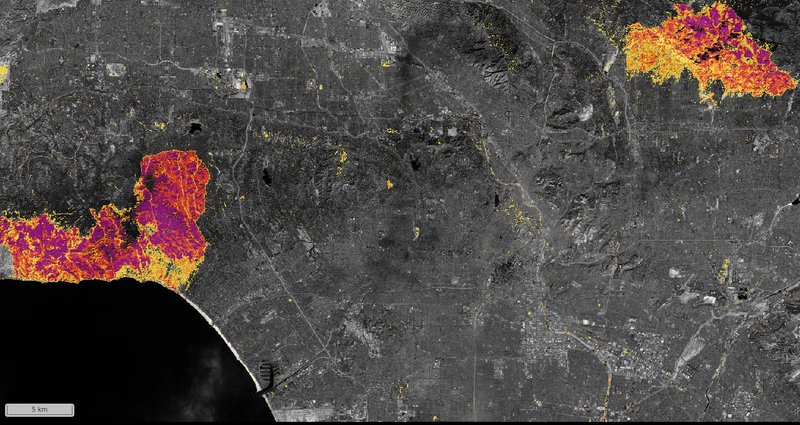
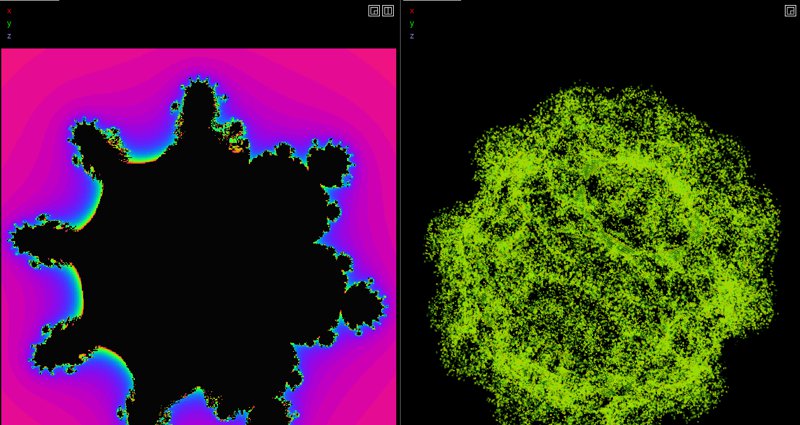
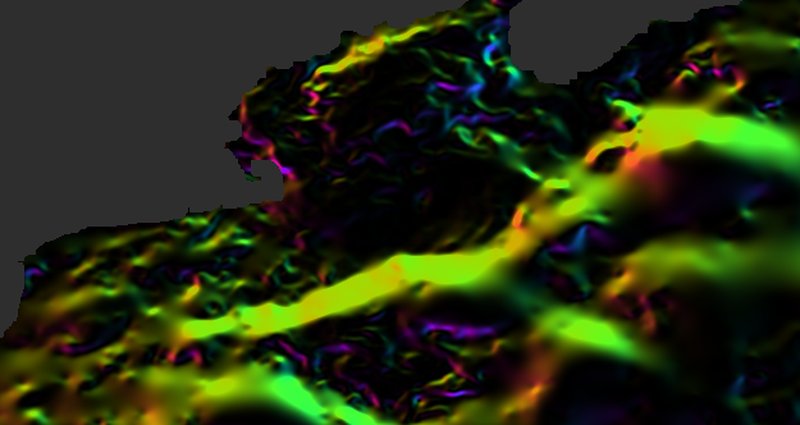
They include burn severity of the Los Angeles fires, the Gulf Stream's fronts and
hurricanes' cold wakes, landing slopes at the Moon's south pole, a 3-D fractal, microscope
tiles stitched by RANSAC, two fly brains registered on your GPU, organelle contact sites,
mRNA spots and nuclei tracked through a colony. Each shows the chunkmirage serve command
that serves the same from Python. The demos page lists them all, with the
Python examples.
How it works
viewer  --HTTP-->  chunkmirage  --tensorstore/h5py-->  real data (zarr/n5/precomputed/hdf5, file/s3/gcs/http)
                      |
                      +-- pipeline: source -> [op, op, ...] -> encoded chunk
                      +-- per-stage chunk cache keyed by pipeline hash
                      +-- frontends: n5 | zarr (v2) | zarr3 | precomputed, all served at once
                      +-- REST API for live pipeline edits, and plugins for ops, sources and routes
It was inspired by example-virtual-n5 and cellmap-flow, which grew out of it, and makes their trick general: any format, any source, any per-chunk computation, any client.
Quick start
uv sync --extra all --group dev            # or: pip install -e ".[all]"
chunkmirage serve /path/to/data.zarr/em/fibsem-uint8 --op threshold:low=120
With no data at all, a generated 4096³ volume, segmented live:
uv run chunkmirage serve "synthetic://blobs+noise?shape=4096,4096,4096" \
    --op gaussian:sigma=1.5 --op threshold:low=110 \
    --op morphology:operation=open,radius=2 --op label:min_size=200 --python-viewer
Open the printed control page (http://<your-ip>:8000/ui) and drag the threshold slider:
only the changed stage recomputes. Or point any viewer at one of these:
| viewer source URL | format |
|---|---|
n5://http://localhost:8000/<name>/n5 |
N5 |
zarr://http://localhost:8000/<name>/zarr |
Zarr v2 (+ OME-NGFF 0.4) |
zarr3://http://localhost:8000/<name>/zarr3 |
Zarr v3 (+ OME-NGFF 0.5) |
precomputed://http://localhost:8000/<name>/precomputed |
Neuroglancer precomputed |
Edit the pipeline without restarting:
curl -X PUT localhost:8000/api/datasets/<name> -H 'content-type: application/json' \
  -d '{"source": "/path/to/data.zarr/em/fibsem-uint8", "ops": [{"op": "threshold", "low": 150}]}'
More in getting started, including viewing from another machine.
As a library
from chunkmirage import Pipeline, open_source, create_app
from chunkmirage.ops import Op, Threshold

class MyModel(Op):
    name = "my_model"
    halo = 16          # voxels of context read on every side
    cache = True       # keep this stage's output chunks

    def apply(self, block):
        return run_my_network(block)

pipe = Pipeline(open_source("s3://bucket/data.zarr/em/s0"), ops=[MyModel(), Threshold(low=120)])
app = create_app({"em": pipe})                   # a Starlette ASGI app
Ops, source schemes and HTTP routes from other packages register through entry points
(chunkmirage.ops, chunkmirage.sources, chunkmirage.routes), and the app can be mounted
inside another one. See pipelines and the
REST API.
What it does today
- Sources: zarr v2/v3, N5, precomputed and HDF5 on file, S3, GCS or HTTP; xarray arrays
and GeoTIFFs; computed
synthetic://volumes,scene://resampling through OME-Zarr 0.6 transformations,register://deformable registration solved on a GPU,stitch://BigStitcher tiles stitched and fused as read, andwarp://,stack://andflip://. - Frontends: N5, Zarr v2, Zarr v3 and precomputed, all at once, and meshes made when fetched.
- Ops: pointwise, filters, morphology, connected components, spots, contacts, downsampling, slope and hillshade, with halos handled for you.
- Serving: per-stage cache, live REST edits, a control page, work ordered by what clients ask for and dropped when they stop waiting.
- In the browser: the same ops run in Pyodide, and registration on WebGPU.
Not yet: GPU ops other than registration, an MCP server. See the roadmap.
Documentation
https://janeliascicomp.github.io/chunkmirage/ (built from docs/; uv run mkdocs serve
locally). the design page explains the architecture and the choices behind
it.
License
BSD 3-Clause, Howard Hughes Medical Institute. Authors: TBD (collaborative project).
1 maintainer

Metadata
1 maintainer
Release files for chunkmirage 0.1.0a1
For a detailed explanation of source distributions (sdists) and built distributions (wheels), please see the package formats documentation.
Source distribution (sdist)
| File | Size | Uploaded | |
|---|---|---|---|
| chunkmirage-0.1.0a1.tar.gz | 1.5 MB | Details |
Built distribution (wheel)
| File | Interpreter | ABI | Platform | Reset |
|---|---|---|---|---|
| chunkmirage-0.1.0a1-py3-none-any.whl | Python 3 | none | any | Details |
Total release size: 1.7 MB
Release files / chunkmirage-0.1.0a1.tar.gz
| Download URL | chunkmirage-0.1.0a1.tar.gz |
|---|---|
| Size | 1.5 MB |
| Tags | Source |
|
SHA-256 checksum How to use checksums |
fab6ffc07a9dfd98be0bfb599c7f7584a2bead350924772cf9deb1a9ae23abf3
|
|
BLAKE2b-256 checksum How to use checksums |
a2c8f3f6c9c709d4a22e83792f6d4b9a13e50c9f98be2d66e9b11a65d46928ed
|
| Upload date | |
|
Uploaded using Trusted Publishing? What is trusted publishing? |
Yes |
| Uploaded via |
twine/7.0.0 CPython/3.13.14
|
Provenance
Provenance describes where a file came from. On PyPI, provenance is shared via attestations, which provide a verifiable record of the build or publishing details. View details, limitations and caveats.


PyPI Publish Attestation
PyPI verified that this artifact, at this checksum, originated from the publisher listed below.
Signed by GitHub Actions, verified by PyPI on Oct 5, 2026.
Transparency logRelease files / chunkmirage-0.1.0a1-py3-none-any.whl
| Download URL | chunkmirage-0.1.0a1-py3-none-any.whl |
|---|---|
| Size | 174.3 kB |
| Tags | Python 3 |
|
SHA-256 checksum How to use checksums |
2eaf7ea77d697948ce7cd93f9289f29c5fdb0a654fbb4d95f21324ea9c1318ac
|
|
BLAKE2b-256 checksum How to use checksums |
f94b88ef89283ac6a2e11c8a6ca825e27c2da83906d2605d572e804ffe3fba59
|
| Upload date | |
|
Uploaded using Trusted Publishing? What is trusted publishing? |
Yes |
| Uploaded via |
twine/7.0.0 CPython/3.13.14
|
Provenance
Provenance describes where a file came from. On PyPI, provenance is shared via attestations, which provide a verifiable record of the build or publishing details. View details, limitations and caveats.
PyPI Publish Attestation
PyPI verified that this artifact, at this checksum, originated from the publisher listed below.
Signed by GitHub Actions, verified by PyPI on Oct 5, 2026.
Transparency log












