
cider-cli
https://pypi.org/project/cider-cli/
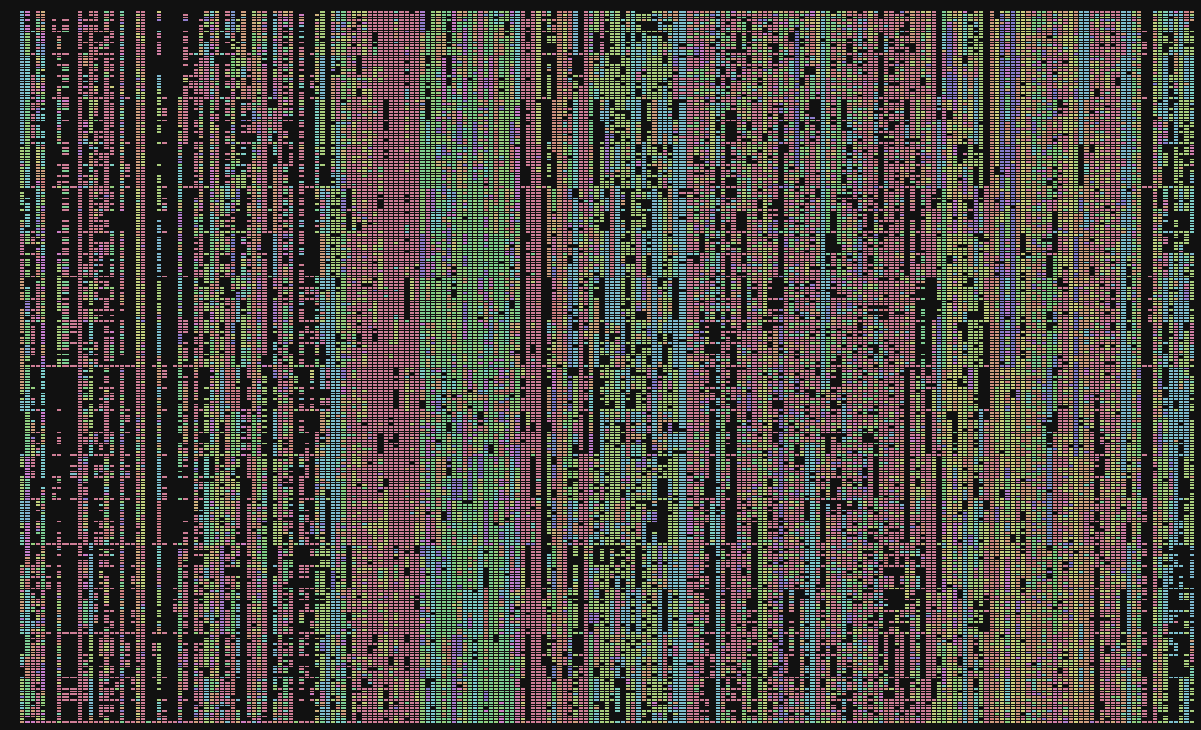
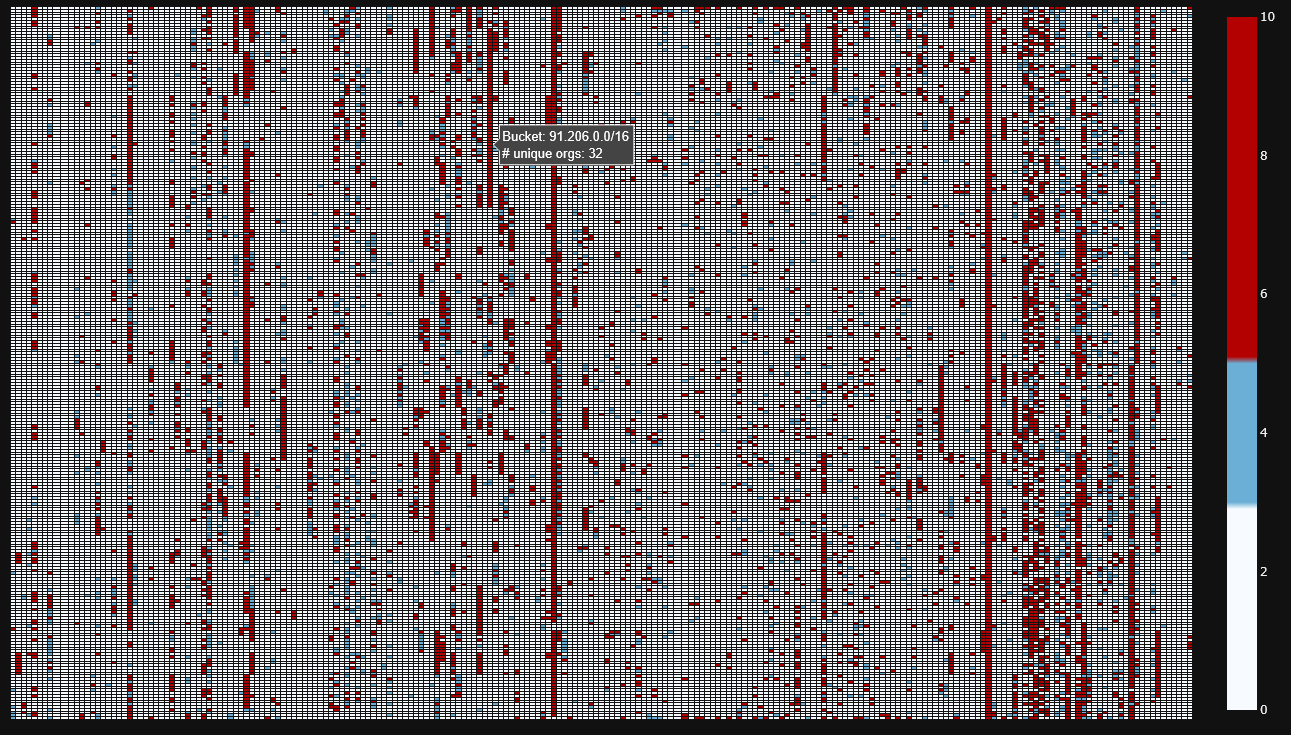
Cider-cli is a cli tool for producing CIDR maps, also known as "ip census maps", "ip maps", or "address space maps". These are very powerful graphs in your developer tool kit for understanding network traffic and visualizing address space in an organized fashion:
Installation
Cider-cli is currently an unpublished tool, but for beta testing purposes you can install via:
Install latest:
pip install cider-cli
Development Installation
git clone https://github.com/lramos0/cider-cli
cd cider-cli
pip install -e .
🧭 How to Use?
You can produce CIDR maps on an input, see supported data sources, using:
cider {input} --kind {geofeed|maxmind|pcap|cider} [options]
📁 Supported Data Sources
1. Formatted CSV (geofeeds, script outputs, etc)
CSV files with lines of the form:
ip_prefix,cc,region,city,...
Run:
cider ripe.csv --kind geofeed -o ripe_map.html
2. MaxMind CSV Snapshot Folder
The input must be the directory containing:
GeoLite2-City-Blocks-IPv4.csv GeoLite2-City-Locations-en.csv
Run:
cider GeoLite2-City-CSV_20250902 --kind maxmind -o maxmind_map.html
3. Packet Capture (.pcap)
You can generate a quick pcap of outbound traffic:
sudo tcpdump -i en0 -w capture.pcap 'tcp[tcpflags] & tcp-syn != 0'
Visualize it:
ipmap map capture.pcap --kind pcap -o pcap_map.html
🎨 Visualization Options
Currently, the formats allow for the following options (default is html output). This can be set with the output tag:
--output result.html
--output result.png --output-format png
📊 Example: Full Command
cider ripe.20250903.geo.csv \
--kind geofeed \
--view /16 \
--mode primary \
--colorscale default \
--output ripe_map.html
🏁 Output
Every visualization is an interactive Plotly map with:
-
Clickable mode toggles
-
Primary org / country count / prefix count views
-
Responsive scaling
-
Exportable HTML or PNG
Further Reading
You can find more details about this project on my official website Logan Ramos
1 maintainer

Metadata
1 maintainer
Release files for cider-cli 0.1.7
For a detailed explanation of source distributions (sdists) and built distributions (wheels), please see the package formats documentation.
Source distribution (sdist)
| File | Size | Uploaded | |
|---|---|---|---|
| cider_cli-0.1.7.tar.gz | 41.8 kB | Details |
Built distribution (wheel)
| File | Interpreter | ABI | Platform | Reset |
|---|---|---|---|---|
| cider_cli-0.1.7-py3-none-any.whl | Python 3 | none | any | Details |
Total release size: 91.0 kB
Release files / cider_cli-0.1.7.tar.gz
| Download URL | cider_cli-0.1.7.tar.gz |
|---|---|
| Size | 41.8 kB |
| Tags | Source |
|
SHA-256 checksum How to use checksums |
9c6ac65eb9724d1c7c8dbfa3eb7b62477936d49618816f4a3bb738f1f9b5a453
|
|
BLAKE2b-256 checksum How to use checksums |
f5d329117fbaed5613a76a53bc42518a32f977dd557215f76710622109033092
|
| Upload date | |
|
Uploaded using Trusted Publishing? What is trusted publishing? |
Yes |
| Uploaded via |
twine/6.1.0 CPython/3.13.7
|
Provenance
Provenance describes where a file came from. On PyPI, provenance is shared via attestations, which provide a verifiable record of the build or publishing details. View details, limitations and caveats.


PyPI Publish Attestation
PyPI verified that this artifact, at this checksum, originated from the publisher listed below.
Signed by GitHub Actions, verified by PyPI on Jan 2, 2026.
Transparency logRelease files / cider_cli-0.1.7-py3-none-any.whl
| Download URL | cider_cli-0.1.7-py3-none-any.whl |
|---|---|
| Size | 49.2 kB |
| Tags | Python 3 |
|
SHA-256 checksum How to use checksums |
5a8b40cbcad4a6345bdb0d8302e2d25d5f7ef3a03d4d50b1ee8d8d69a7fae664
|
|
BLAKE2b-256 checksum How to use checksums |
d2dbbae6130689993b03af699dff0795fd2e4894ae7dd357f260ee88e668d516
|
| Upload date | |
|
Uploaded using Trusted Publishing? What is trusted publishing? |
Yes |
| Uploaded via |
twine/6.1.0 CPython/3.13.7
|
Provenance
Provenance describes where a file came from. On PyPI, provenance is shared via attestations, which provide a verifiable record of the build or publishing details. View details, limitations and caveats.
PyPI Publish Attestation
PyPI verified that this artifact, at this checksum, originated from the publisher listed below.
Signed by GitHub Actions, verified by PyPI on Jan 2, 2026.
Transparency log













