
THIS PROJECT IS IN PRE-ALPHA STAGE
This system has not been properly tested. It is constantly being updated with breaking changes. Do not use this system in a production environment. Only use it for testing and experimenting.
Detailed documentation and instructions coming later.
Feel free to contact @Jegarde on Discord for inquiries.
What is this?
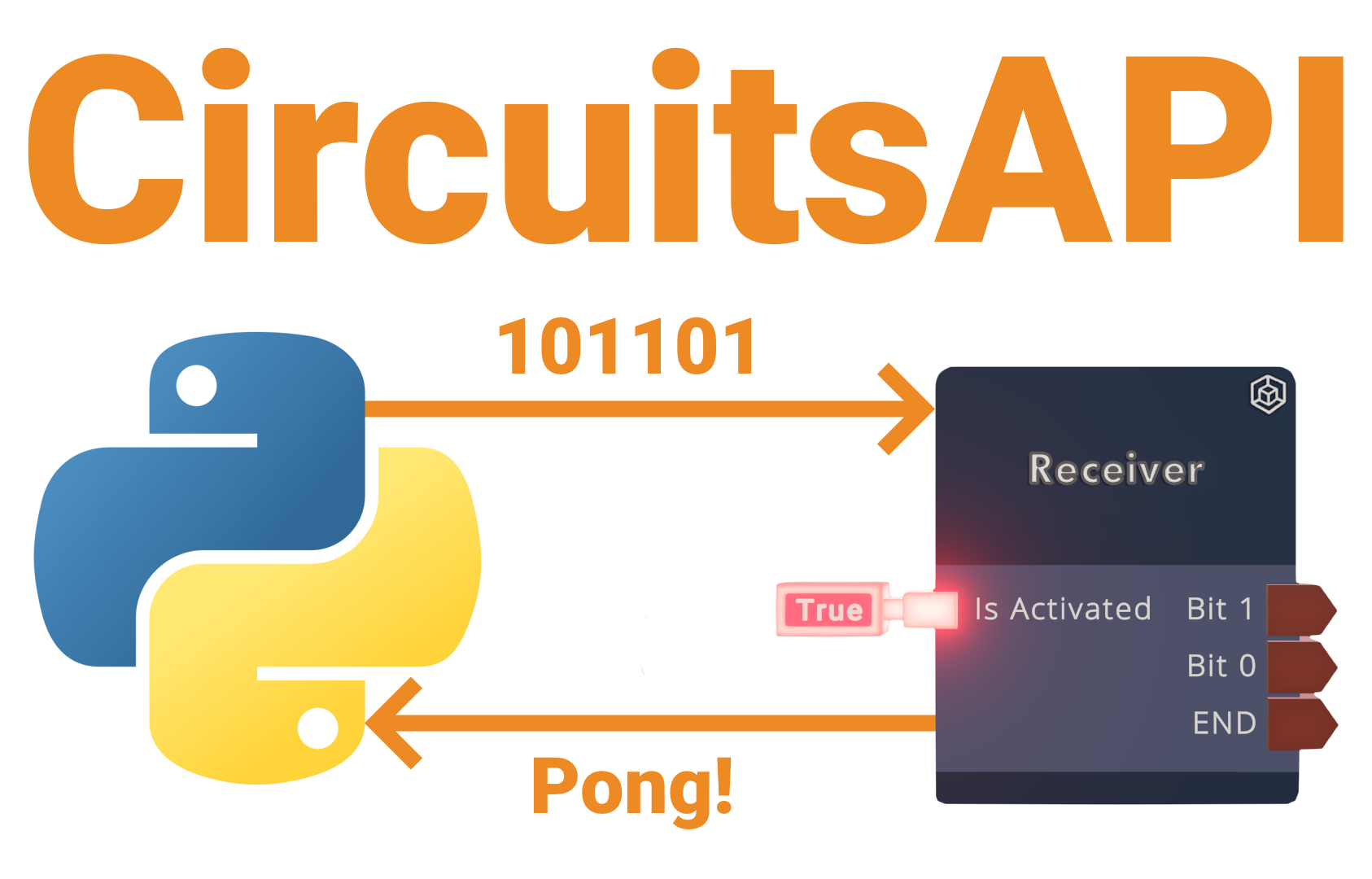
A system to communicate with CV2 using Python.
Limitations
- You must sacrifice the following permission roles: host, moderator & contributor. Co-owner will be the only role you can grant others without triggering the system.
- Room owner & co-owners will not be able to receive data by this system.
- You can only send a single bit at once. This system is not applicable for big data transmissions.
- CV2 pongs require messing with the instance's matchmaking state.
- The circuits are currently made in Rooms v2 to prevent the system being used in existing production rooms due to instability.
- It will be ported over to Rooms v1 once it's stable enough.
Installation
The recommended method is installing via pip.
pip install -U circuitsapi
For instructions on installing Python and pip, see The Hitchhiker's Guide to Python.
Setup
Clone the template room: https://rec.net/room/CircuitsAPI.
Request a developer key from https://devportal.rec.net/. This will be passed as the dev_token argument in the client.
Setup RecNetLogin: https://github.com/Jegarde/RecNet-Login/?tab=readme-ov-file#setup.
Quickstart
Here's the basics of setting up the client:
import circuitsapi
import asyncio

async def main():
    # Let's initialize the CircuitsAPI client!
    # dev_token is the developer key from https://devportal.rec.net/.
    # rr_auth is the RecNet access token. If left empty, CircuitsAPI defaults to RecNetLogin: https://github.com/Jegarde/RecNet-Login/
    async with circuitsapi.Client(dev_token="", rr_auth=None) as client:
        # Connect to a supported room
        room = await client.connect_to_room(room="CircuitsAPI")  # You can also use the room ID

        # Connect to a specific user to send data to
        user = await room.connect_to_user(user="Jegarde")  # You can also use the account ID

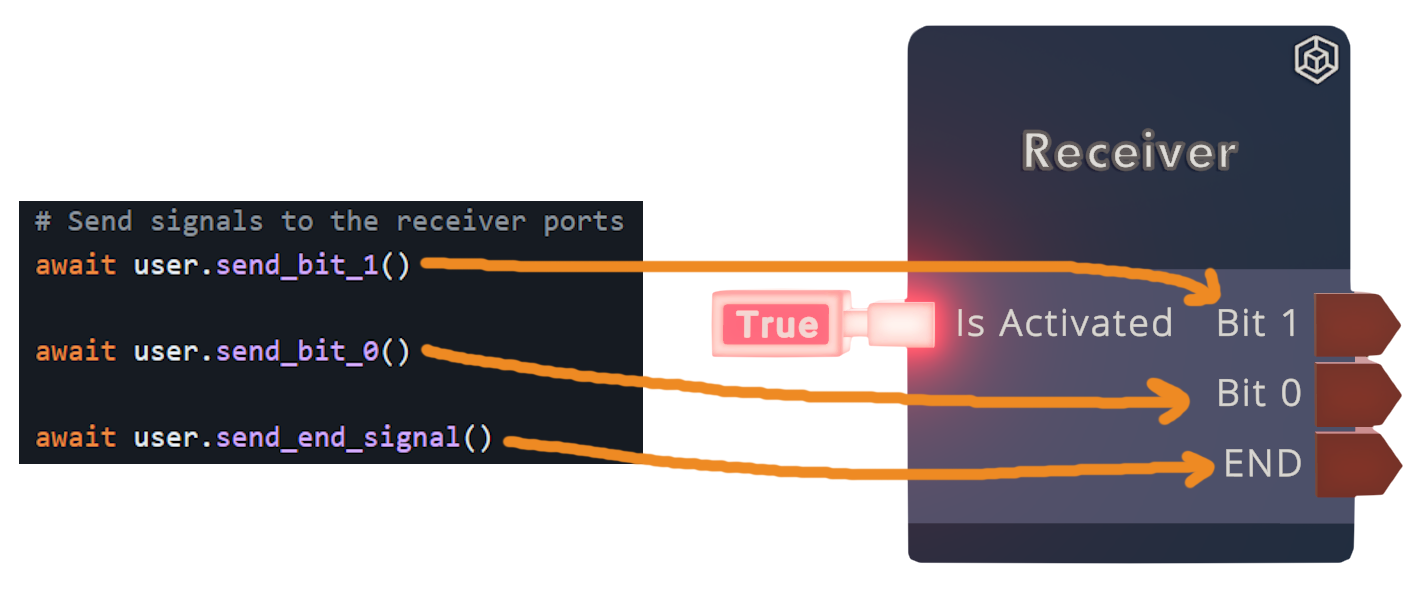
        # Send signals to the receiver ports
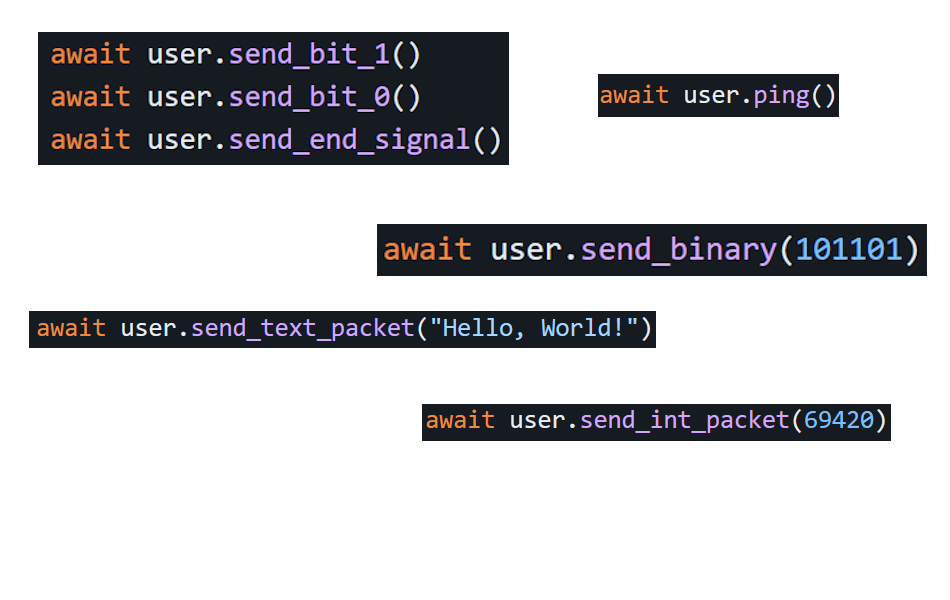
        await user.send_bit_1()
        await user.send_bit_0()
        await user.send_end_signal()

        # Send binary
        await user.send_binary(101101)

asyncio.run(main())
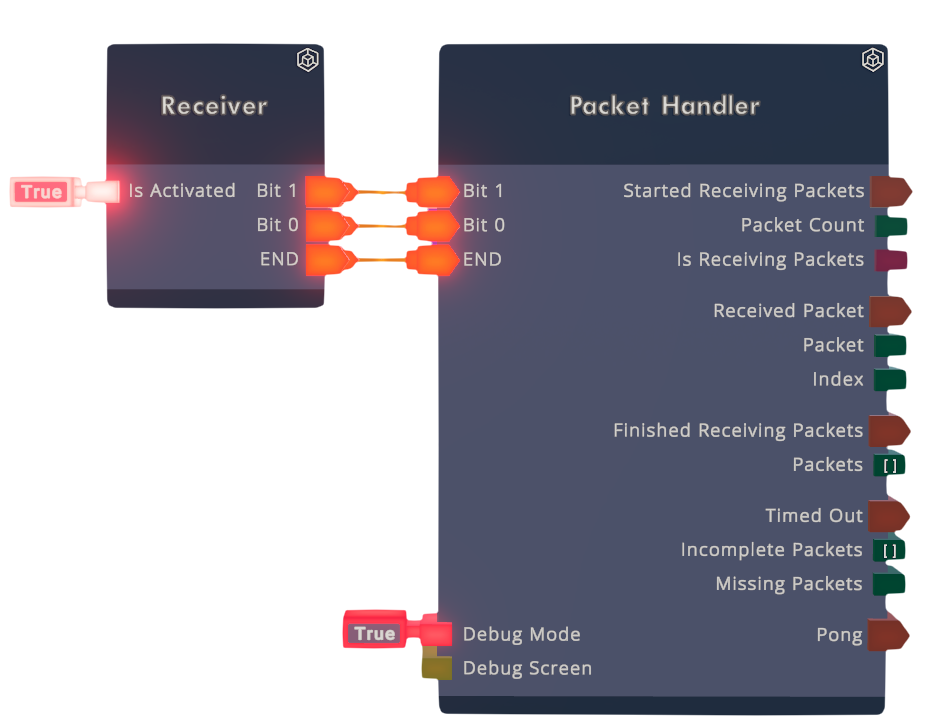
Here's the functions you can use if you hook up the in-game 'Receiver' to the 'Packet Handler':
# Assuming you are connected to an user

# Sending text
await user.send_text_packet("Hello, World!")

# Sending integers
await user.send_int_packet(69420)

# Ping the in-game Packet Handler
await user.ping()
Here's some miscellaneous functions:
# Returns true if the player is in the specified room
# Requires 'rn.match.read' scope in access token.
await user.check_is_player_in_room()

# Returns the player's room instance data
# Requires 'rn.match.read' scope in access token.
await user.get_instance()

# Returns player IDs of those who have taken images in the past 10 minutes
# If you want to connect to users, you can ask them to take pictures and have the server check for those pictures
await room.find_players()
Example Usage
This example script is compatible with the template room.
Experimental Features
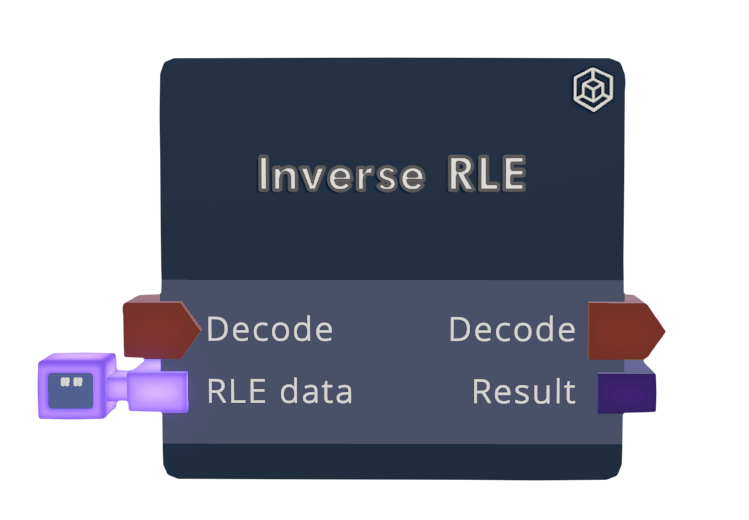
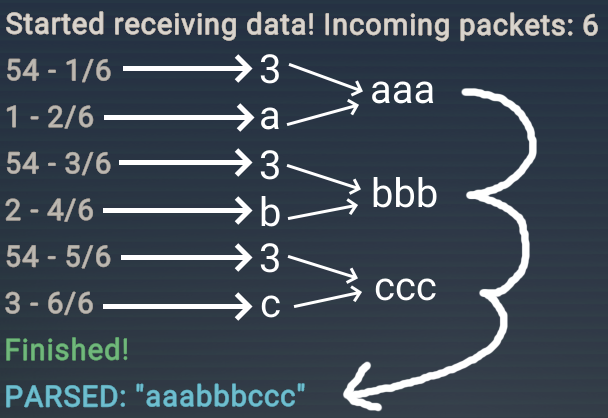
Run-length encoding
You can compress data with run-length encoding.
Ex. "aaabbbceeeeee" -> "3a3b1c6e"
This is only efficient if the data has lots of repetition.
# Shortened code
from circuitsapi import run_length_encoding
await user.send_text_packet(run_length_encoding("aaabbbccc"))  # encodes to 3a3b3c
In-game decoder:
How does this work?
There's CV2 chips for checking if a player is a host, mod or a contributor and you can modify a player's roles through the API. This allows us to send remote signals to the specified player while CV2 is constantly checking for each players' roles.
CircuitsAPI uses the following signals:
Host = Add on bit
Mod = Add off bit
Contributor = Repeat previous bit
No role = End of binary number
So if we wanted to transmit 1011 in binary numbers, the following signals would be sent:
>>> Modify [player] role to Host # Add on bit
>>> Modify [player] role to Mod  # Add off bit
>>> Modify [player] role to Host # Add on bit
>>> Modify [player] role to Contributor # Add on bit (repeat previous bit)
>>> Modify [player] role to None # End of binary number
Modify role request
POST /rooms/{ROOM_ID}/roles/{PLAYER_ID} HTTP/1.1
Host: rooms.rec.net
Authorization: Bearer {ACCESS_TOKEN}
Content-Type: application/x-www-form-urlencoded

role={0 | 10 | 20 | 25}
Requires an access token from an account with owner / co-owner in the specified room.
| Role | ID |
|---|---|
| None | 0 |
| Host | 10 |
| Mod | 20 |
| Contributor | 25 |
| Co-owner | 30 |
1 maintainer

Metadata
1 maintainer
Release files for circuitsapi 0.0.4
For a detailed explanation of source distributions (sdists) and built distributions (wheels), please see the package formats documentation.
Source distribution (sdist)
| File | Size | Uploaded | |
|---|---|---|---|
| circuitsapi-0.0.4.tar.gz | 13.6 kB | Details |
Built distribution (wheel)
| File | Interpreter | ABI | Platform | Reset |
|---|---|---|---|---|
| circuitsapi-0.0.4-py3-none-any.whl | Python 3 | none | any | Details |
Total release size: 26.0 kB
Release files / circuitsapi-0.0.4.tar.gz
| Download URL | circuitsapi-0.0.4.tar.gz |
|---|---|
| Size | 13.6 kB |
| Tags | Source |
|
SHA-256 checksum How to use checksums |
b3147e04f678a7e5a68a864c262fe0153c5e52079ba7dee0aac8372616dd1dfb
|
|
BLAKE2b-256 checksum How to use checksums |
7595f83972860d8cba627a5d885be85c6947fbca188fd99807a6ad84d5dc6b50
|
| Upload date | |
|
Uploaded using Trusted Publishing? What is trusted publishing? |
No |
| Uploaded via |
twine/5.0.0 CPython/3.12.0
|
Release files / circuitsapi-0.0.4-py3-none-any.whl
| Download URL | circuitsapi-0.0.4-py3-none-any.whl |
|---|---|
| Size | 12.3 kB |
| Tags | Python 3 |
|
SHA-256 checksum How to use checksums |
fb38608ed2770e1c1540942c5601db55ca73d0d415043a90f36424bae695f619
|
|
BLAKE2b-256 checksum How to use checksums |
ec80e9cbd003f74c1b0f33307d2e13ec5e3db2d60f709c5f9c8d2842bdd8546c
|
| Upload date | |
|
Uploaded using Trusted Publishing? What is trusted publishing? |
No |
| Uploaded via |
twine/5.0.0 CPython/3.12.0
|














