
This release is a pre-release and may not be stable for production use.
ciscoyoke



Rescue old Cisco hardware from the serial console.
Bought a Catalyst on eBay? Inherited a switch with somebody else's password?
Found one in a store room that nobody has the login for? Got a switch: prompt
and no working IOS? Not even sure which COM port the cable is on?
   unknown / locked / broken                       known-good lab device
            │                                               ▲
            └──── console cable ──►  ciscoyoke  ────────────┘
                                   no IP address needed
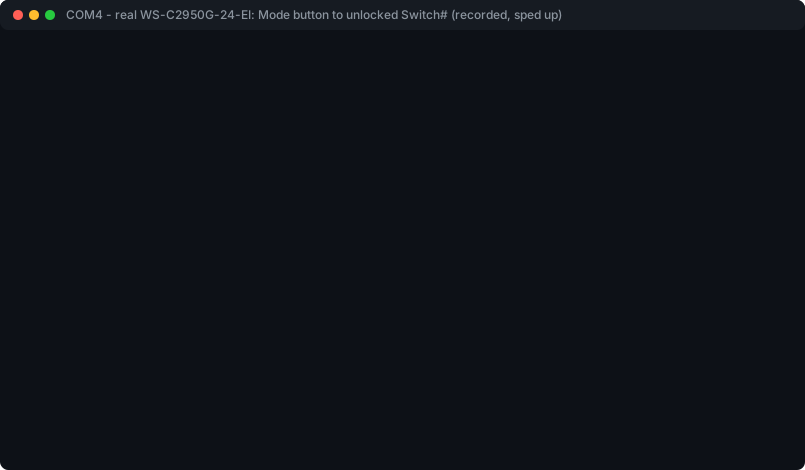
Not a mock-up: a real WS-C2950G-24-EI, replayed from its committed recording with the long silences shortened. Serial numbers and MAC scrubbed.
Early alpha. Run end to end on a real Catalyst 2950; the 2960 family is implemented from Cisco's documentation and wants testers. See hardware.
Try it
pipx install git+https://github.com/Ryan-Clinton/ciscoyoke   # works today
# pipx install ciscoyoke                                      # from PyPI, once 0.1.0a1 is released

ciscoyoke doctor          # is the cable and adapter OK?
ciscoyoke scan            # what is on every serial port?
ciscoyoke rescue COM4     # what is this device, and what does it need?
Most people only need ciscoyoke rescue. It identifies the device, works
out its state, preserves whatever it can read, and tells you the safest next
command — then stops, because everything after that changes the device and is
your decision.
Three real sessions
These are real output from the bench 2950, abridged.
A switch nobody knows anything about
$ ciscoyoke intake COM4

State:        user_exec (observed/high)
Model:        WS-C2950G-24-EI
IOS version:  12.1(9)EA1
Config reg:   0xF

identified from show version
No destructive action taken.
A locked switch, with a previous owner's console login and enable secret:
$ ciscoyoke recover access COM4 --no-restore --confirm

Platform from memory: WS-C2950G-24-EI (seen on this adapter, from intake)

HUMAN ACTION REQUIRED
  Unplug the switch. Hold the MODE button down, plug the power back in,
  and release it when the STAT LED goes out (about 5 seconds).
  ✓ observed: bootloader

  IOS loads config.text (the default); it will be renamed to config.text.ciscoyoke

Access recovered, with the previous configuration left aside as
flash:config.text.ciscoyoke and not loaded. The device is unconfigured and
at a privileged prompt.
Then a clean baseline, with everything it deletes read into an archive first:
$ ciscoyoke reset COM4 --confirm

  ✓ file_backup.cfg        ✓ file_config.old        ✓ file_config.text.ciscoyoke

  ! delete flash:vlan.dat (destroys the VLAN database)
  ! delete flash:backup.cfg (a previous owner's configuration)
  ! delete flash:config.old (a previous owner's configuration)
  ! delete flash:config.text.ciscoyoke (a previous owner's configuration)
    dir flash: (confirm every deletion)

Reset complete.
A fourth, image rescue for a device with no bootable IOS (XMODEM transfer, then proof that IOS actually boots), is implemented but has not met hardware yet.
Where it fits
ciscoyoke doesn't replace network automation. It gets equipment into it.
dead / unknown / locked
         │
         ▼
     ciscoyoke           serial console, no IP required
         │
         ▼
known device with an IP
         │
         ├── Netmiko
         ├── Nornir
         ├── Ansible
         └── scrapli     SSH / telnet, IP required
Every mainstream tool assumes the device already has an address, a reachable management interface and credentials that work. A second-hand box has none of those, and everything between "arrived from eBay" and "automation can reach it" is usually done by hand with a terminal emulator and a Cisco tech note from 2007.
Hardware: tested and wanted
Support is claimed only when it's earned, and every mark says how:
● Hardware verified      run against a real device; the recording is committed
○ Documentation-derived  implemented from Cisco's published procedure, never run
— Not yet attempted
| Device | Identify | Password recovery | Reset | We need |
|---|---|---|---|---|
| Catalyst 2950 | ● | ● | — ¹ | more variants |
| Catalyst 2960 | ○ | ○ | ○ | a tester |
| Catalyst 2960-S / X / Plus | ○ | ○ | ○ | a tester (USB console too) |
| Catalyst 3550 / 3560 / 3750 | — | — | — | a tester, or a profile from Cisco's docs ² |
| Cisco 1700 / 1800 / 1841 routers | — | — | — | a tester |
¹ Reset has run end to end on the 2950, but its only recording held a previous
owner's configuration, so it isn't published and the mark isn't claimed.
² No model-specific profile yet: these get Cisco's general procedure with
longer waits, and destructive commands ask for --accept-unverified.
Per-mark evidence: docs/HARDWARE-TESTING.md.
Got one of these? Run ciscoyoke rescue COM4. If anything goes wrong:
ciscoyoke report     # one zip: the run scrubbed, configuration output removed,
                     # what it expected, what it saw, and your adapter
and attach it to a hardware report. That's the most useful contribution there is, and it needs no Python.
Real sessions become tests
real Cisco hardware
       │
       ▼
serial transcript        recorded by every destructive run
       │
       ▼
scrub secrets            passwords, keys, addresses, serials; config output removed
       │
       ▼
fixture committed        tests/fixtures/hw-*.ytx.pub
       │
       ▼
CI replays it forever    on Windows, macOS and Linux, with nothing plugged in
309 tests passed before the first real switch was connected. It still found defects none of them could — LF-CR line endings, a rename that failed silently, a log message hiding an IOS question — and each now has a test built from what the real switch sent, most of them replaying its recording directly.
Designed not to brick your switch
- Destructive commands are dry runs until you add
--confirm. - Configuration is read into an archive before anything deletes it, and the archive says plainly what it couldn't read.
- Every change is journalled before it's sent, so an interrupted run can be
reconciled against the device (
ciscoyoke resolve). - Renames and deletions are proven from a fresh flash listing, not assumed from the prompt coming back.
- An image rescue isn't a success until IOS boots the image you supplied.
- Recordings stay private until scrubbed; CI refuses a raw one.
More: docs/SAFETY.md · threat model · architecture · specification
Commands
| Look, change nothing | |
|---|---|
ciscoyoke rescue PORT |
start here: identify, preserve, recommend |
ciscoyoke scan |
every serial port: state, model, and what each needs next |
ciscoyoke doctor |
cable, adapter, permissions and driver checks |
ciscoyoke intake PORT / health PORT / archive PORT |
identify / check / preserve one device |
ciscoyoke capture PORT -o F / sweep PORT |
record a boot / find the line speed |
ciscoyoke report |
package the last run for a bug report |
Change the device (dry run unless --confirm) |
|
|---|---|
ciscoyoke recover access PORT |
password recovery, guided through the Mode button or break |
ciscoyoke reset PORT |
erase to a clean lab baseline |
ciscoyoke recover image PORT --image F |
XMODEM rescue for a device with no bootable IOS |
ciscoyoke lab apply LABFILE |
push per-device lab configuration |
Every option is in docs/SAFETY.md and ciscoyoke <command> --help.
Contributing
You don't need to write Python. Testing on hardware you own, sending a
ciscoyoke report, or adding a platform profile from Cisco's documentation are
all real contributions. See CONTRIBUTING.md.
Firmware
ciscoyoke never hosts, mirrors, searches for or redistributes Cisco IOS images, and no feature accepts a URL to fetch one from. It accepts an image you supply and automates transport and verification. Lawful entitlement to any image is your responsibility.
Licence
MIT.
1 maintainer

Metadata
1 maintainer
Release files for ciscoyoke 0.1.0a1
For a detailed explanation of source distributions (sdists) and built distributions (wheels), please see the package formats documentation.
Source distribution (sdist)
| File | Size | Uploaded | |
|---|---|---|---|
| ciscoyoke-0.1.0a1.tar.gz | 243.4 kB | Details |
Built distribution (wheel)
| File | Interpreter | ABI | Platform | Reset |
|---|---|---|---|---|
| ciscoyoke-0.1.0a1-py3-none-any.whl | Python 3 | none | any | Details |
Total release size: 438.6 kB
Release files / ciscoyoke-0.1.0a1.tar.gz
| Download URL | ciscoyoke-0.1.0a1.tar.gz |
|---|---|
| Size | 243.4 kB |
| Tags | Source |
|
SHA-256 checksum How to use checksums |
f1aebfbc70d8d78ec8ac12a38e3e3f348b1dcd8d5e3ffc5d7a97e6bd105257a7
|
|
BLAKE2b-256 checksum How to use checksums |
e4bb12447790b9269c5ed339ff735eadbf5b52e4c536c8d48fae5f227669bd91
|
| Upload date | |
|
Uploaded using Trusted Publishing? What is trusted publishing? |
Yes |
| Uploaded via |
twine/7.0.0 CPython/3.13.14
|
Provenance
Provenance describes where a file came from. On PyPI, provenance is shared via attestations, which provide a verifiable record of the build or publishing details. View details, limitations and caveats.


PyPI Publish Attestation
PyPI verified that this artifact, at this checksum, originated from the publisher listed below.
Signed by GitHub Actions, verified by PyPI on Sep 29, 2026.
Transparency logRelease files / ciscoyoke-0.1.0a1-py3-none-any.whl
| Download URL | ciscoyoke-0.1.0a1-py3-none-any.whl |
|---|---|
| Size | 195.1 kB |
| Tags | Python 3 |
|
SHA-256 checksum How to use checksums |
d9edcc1493860e42609cb3d89f4eb2da0ac8a62c896ebce9748a2df33a771c58
|
|
BLAKE2b-256 checksum How to use checksums |
4670138b72a4fe9f8c0a217c01d4c1255662fb7f4b58f6557cadf28cdec658a1
|
| Upload date | |
|
Uploaded using Trusted Publishing? What is trusted publishing? |
Yes |
| Uploaded via |
twine/7.0.0 CPython/3.13.14
|
Provenance
Provenance describes where a file came from. On PyPI, provenance is shared via attestations, which provide a verifiable record of the build or publishing details. View details, limitations and caveats.
PyPI Publish Attestation
PyPI verified that this artifact, at this checksum, originated from the publisher listed below.
Signed by GitHub Actions, verified by PyPI on Sep 29, 2026.
Transparency log












