
Civyk Repo Index






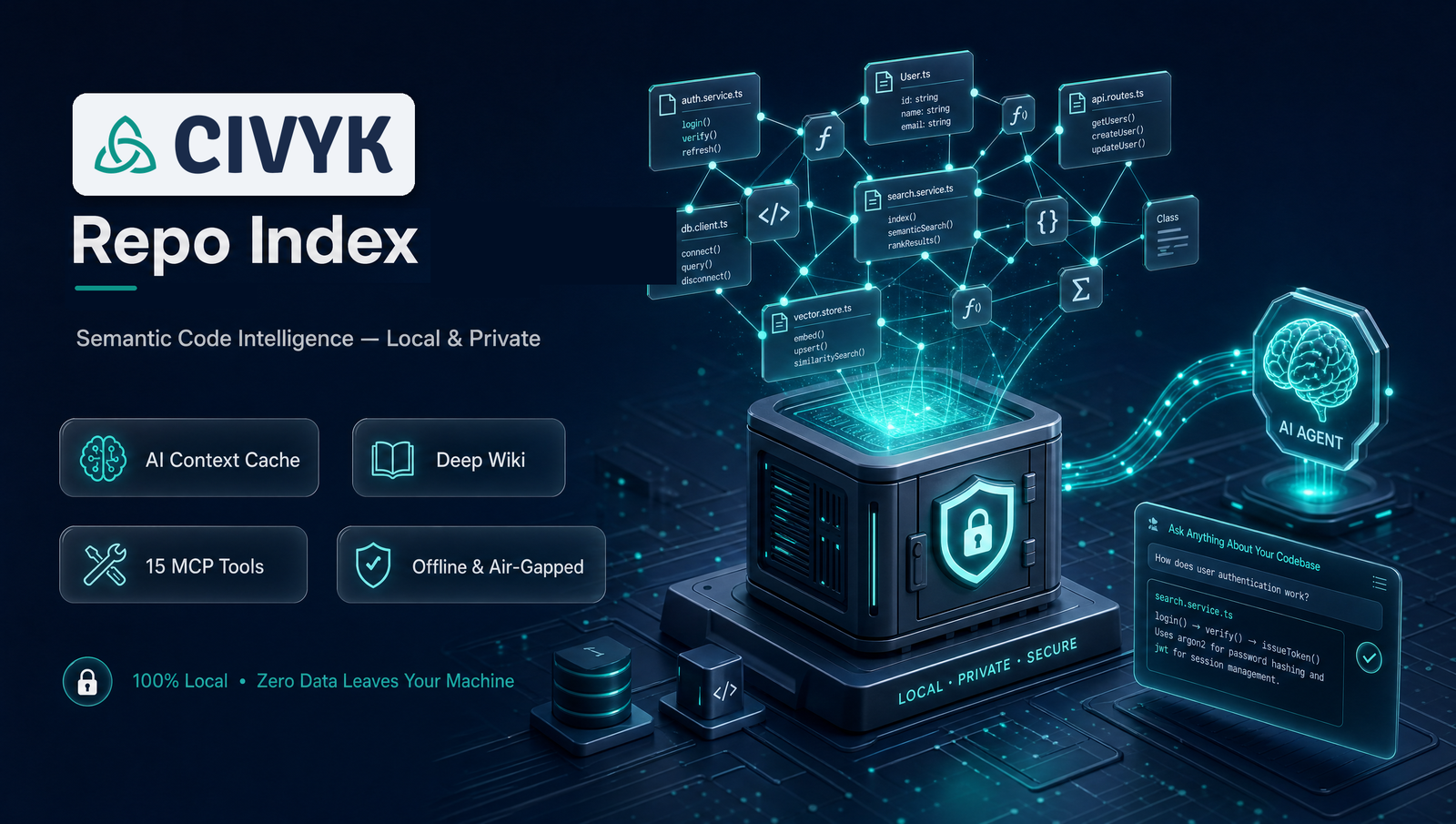
Semantic code intelligence for AI coding agents — Give your AI assistant deep understanding of your codebase through the Model Context Protocol (MCP).
If you find this useful, please consider supporting the project!
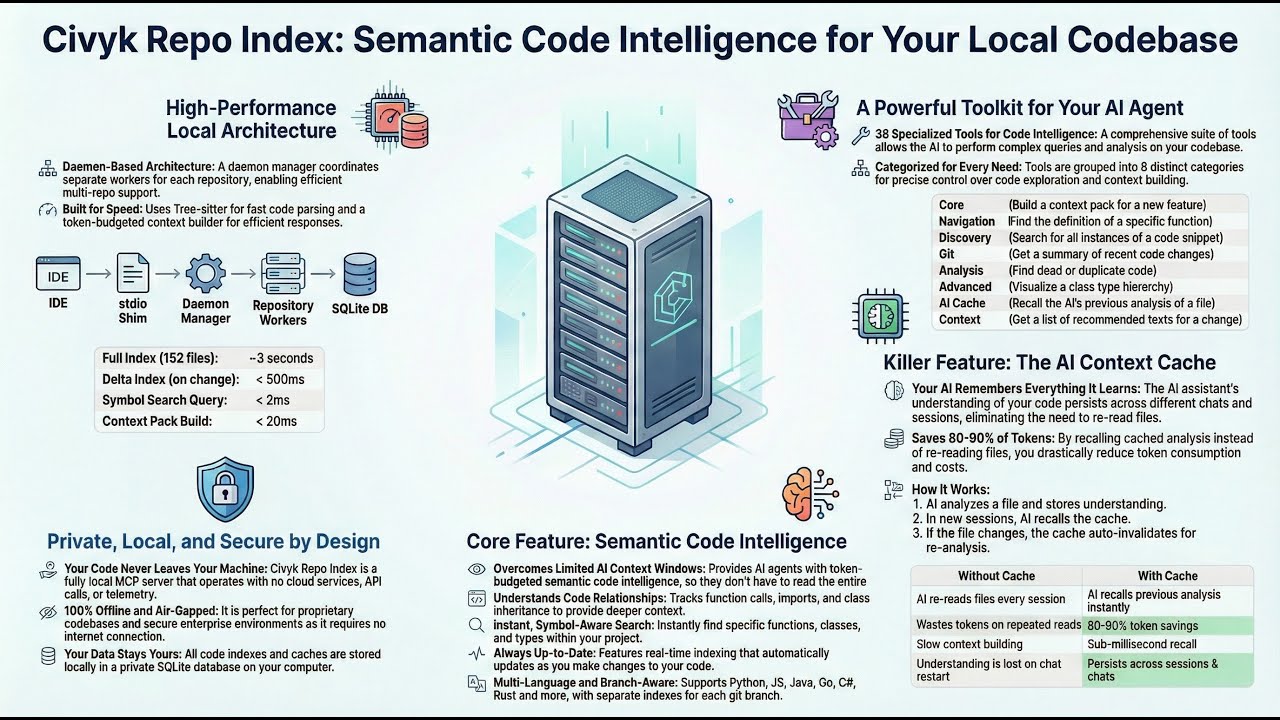
Watch: What is Civyk Repo Index, why use it, and how to set it up
Local-First, Private, Secure
Your code never leaves your machine. Civyk Repo Index is a fully local MCP server:
- 100% offline — No cloud services, no API calls, no telemetry
- Your data stays yours — All indexes and caches stored locally in SQLite
- Works air-gapped — Perfect for proprietary codebases and enterprise environments
- Free binaries — Compiled binaries available via PyPI at no cost
Why Civyk Repo Index?
AI coding assistants have limited context windows. They can't read entire codebases. Civyk Repo Index provides token-budgeted semantic code intelligence:
- Symbol-aware search — Find functions, classes, and types instantly
- Smart context packs — Auto-select relevant code within token budgets
- Relationship tracking — Understand calls, imports, and inheritance
- Real-time indexing — Always up-to-date with your code changes
- Multi-language — Python, TypeScript, JavaScript, Java, Go, C#, Rust, Ruby, PHP
- Branch-aware — Separate indexes per git branch
- Semantic Search — Vector embedding-based symbol search
- Tiered Tool Profiles — Core/extended tiers for right-sized tool surface
Quick Start
Installation
All extras are optional — the base install is fully functional on its own. Pick the combination for the capabilities you want:
# 1) Base — indexing, symbol/semantic search, MCP tools.
#    Semantic search uses a lightweight lexical fallback (TF-IDF); no LLM features.
pip install civyk-repoix

# 2) With embeddings — local vector semantic search (sentence-transformers, offline, free)
pip install "civyk-repoix[embeddings]"

# 3) With LLM — deep-wiki generation & Q&A via an OpenAI-compatible API (OpenAI, Minimax, …).
#    (GitHub Copilot needs no extra — it uses your editor's Copilot sign-in, no SDK.)
pip install "civyk-repoix[llm]"

# 4) With both (recommended for deep-wiki) — semantic retrieval + LLM generation
pip install "civyk-repoix[embeddings,llm]"   # or the shorthand: civyk-repoix[all]
| Install | Adds | Enables |
|---|---|---|
civyk-repoix |
— | Indexing, symbol search, TF-IDF semantic search, all MCP tools |
civyk-repoix[embeddings] |
sentence-transformers, numpy | Local vector semantic search + wiki RAG retrieval |
civyk-repoix[llm] |
openai | Deep-wiki generation + ask via OpenAI-compatible APIs |
civyk-repoix[all] |
both of the above | Full feature set — best deep-wiki quality (RAG + LLM) |
Deep-wiki is opt-in. After installing
[llm](or configuring GitHub Copilot), enable it withwiki.enabled: trueand agenerationprovider. See Deep Wiki.
Setup for Your AI Agent
cd /path/to/your/project

# Interactive init (recommended)
civyk-repoix init

# Or configure specific agents (--agent is accepted as an alias of --ai)
civyk-repoix init --ai claude        # Claude Code
civyk-repoix init --ai cursor-agent  # Cursor
civyk-repoix init --ai windsurf      # Windsurf
civyk-repoix init --ai copilot       # GitHub Copilot
civyk-repoix init --ai opencode      # OpenCode
civyk-repoix init --ai kilocode      # Kilo Code
civyk-repoix init --ai antigravity   # Antigravity

# Configure all supported agents at once
civyk-repoix init --all
Verify
civyk-repoix query status --action check
MCP Tools
14 consolidated tools for code intelligence. Each tool supports multiple actions via an action parameter.
| Tier | Tool | Actions | Purpose |
|---|---|---|---|
| Core | status |
check, reindex, perf_stats, report |
Index health, re-indexing, performance stats, REPORT.md regeneration |
| Core | search |
symbols, code, definition |
Find symbols (substring / A|B OR / LIKE), text patterns, and definitions |
| Core | symbol |
detail, references, callers, hierarchy, similar |
Symbol details, usage sites, call graphs, type hierarchy, similar symbols |
| Core | file |
symbols, imports, related |
Per-file symbol listing, import analysis, related files |
| Core | files |
— | List/filter repository files |
| Core | git |
changes, hotspots, diff |
Recent changes, churn hotspots, branch diffs |
| Core | explore |
— | Multi-strategy deep-dive in one call |
| Core | remember |
— | Cross-session key-value memory |
| Extended | architecture |
components, dependencies, endpoints |
Module graph, dependency analysis, API endpoints |
| Extended | quality |
dead_code, duplicates, circular_deps, impact |
Code health and impact analysis |
| Extended | context |
task, delta, docs, trace |
Token-budgeted context packs |
| Extended | tests |
recommended, for_file, code_for_test |
Test discovery and mapping |
| Extended | wiki |
ask, generate, status, list, read, export, lint, plan, page_context, save_page |
Deep-wiki generation + grounded Q&A; agent-session mode (/repoix-wiki, no API key) via plan/page_context/save_page |
| Extended | config |
list, get, set, reset |
Read and change repoix settings (wiki, embeddings, daemon) without editing files |
Static Repo Report — One Read to Orient
Every index pass regenerates memory/codebase-index/REPORT.md: a pre-digested
structural overview (components and layering — with a directory-map fallback
when component detection covers too little of the repo, component
dependencies, likely entry points, most-referenced and highest fan-out
symbols, a test-suite overview, 30-day change hotspots) inside a ~2-3K token
budget. Both ends of every counted reference must be production code — a test
calling a function is not evidence that the codebase depends on it — so the
rankings reflect the production surface. Any agent — in any client, with no MCP
setup — orients itself with a single file read instead of a grep sweep.
- Graph confidence. References resolve by name, so every edge records how it
was resolved —
local(same file),import(a module this file imports),unique(the only definition of that name), orambiguous(a guess among equals). Only evidence-backed edges rank; the report states the mix, so a guess is never presented as a fact, and a report built on an unresolved graph says so instead of publishing a plausible-looking table. memory/codebase-index/graph.jsonships beside the report: the same file-level dependency graph, machine-readable (nodes = production files withpath,language,symbolsandcomponent; edges = weighted file→file references, one row per resolution, plus aprovenancesummary and a top-levelscopestating what the graph covers) for agents that want to query structure rather than read prose.- Refreshed automatically after full/delta index passes and watcher-indexed changes (atomic writes, coalesced and rate-limited under bursts).
- Regenerate on demand:
status(action="report")(MCP),civyk-repoix report(CLI,--printto stdout), or the/repoix-mapskill (see below). - The header states generation time and index freshness so staleness is always visible.
Deep Wiki — Auto-Generated Docs Your Agent Can Query
A Devin DeepWiki–style knowledge base for your repo — built either by your agent's own
session LLM via the /repoix-wiki skill (no API key needed) or by any OpenAI-compatible
model (OpenAI, Minimax, OpenRouter, local servers, …) — and queryable over MCP/CLI.
New: agent-session generation.
/repoix-wikidriveswiki(action="plan")→page_context→save_page: the tools own page identity (a pinned plan of record — ids never churn between builds), staleness, grounding, and storage; your agent writes and surgically edits the prose. Works withoutwiki.enabled, the[llm]extra, or any API credential. Wikis maintained this way are protected from automatic API-LLM rebuilds.
The wiki tool builds a structured, navigable wiki grounded in your actual code via semantic
retrieval (RAG). Each page type has its own aspect-specific sections (overview, architecture,
getting-started, data models, API/endpoints, and module pages), plus detector-gated pages that
appear only when your repo has them: Configuration, Dependencies, Errors & Exceptions, Key Flows,
and Examples. Overview and architecture are synthesized bottom-up from per-module digests for
consistency. Each page carries [path:Lstart-Lend] citations to real files, relevance-gated
inline Mermaid diagrams, a human README.md landing page (navigation + per-page table) with a
0–100 quality score, and a machine-readable manifest.json. The module page set is planned
dynamically by the LLM from the real source tree, while code guarantees ~100% coverage of the
production surface (every indexed source file except test code — tests ground pages via the
Examples page and each page's "tests covering this code" block, rather than being documented as
subsystems; set wiki.include_tests: true for a repo whose product is a test suite) and prunes
pages that leave the plan.
Inline diagrams (embedded in each page, only when they add meaning — trivial single-node or edgeless graphs and short sequence diagrams are dropped):
- Deterministic, from the symbol/edge graph (no hallucination): component dependencies, a whole-system data-flow with upstream/downstream external systems (CLI, MCP client, LLM API, embeddings, SQLite, git, filesystem), per-module data-flow (providers → module → consumers), and class diagrams.
- LLM-proposed, then validated against the indexed symbols: sequence diagrams for key flows on the architecture and high-importance module pages.
Output is written under your repo at memory/deep-wiki/<branch>/ (pages/*.md, README.md,
manifest.json, plus business-context.json and digests.json caches), branch-aware, primary
branch main/master (configurable). A grounded business-context pre-pass (product purpose,
domain entities, glossary) sharpens the overview/getting-started pages, and a compact glossary
anchor is fed to every page so terminology stays consistent. The page-synthesis prompt keeps an
identical system prefix across all pages so providers can serve it from their prompt-prefix cache.
- Ask the wiki:
wiki(action="ask", query="how does auth work", mode="answer")—rag(sections + citations, no LLM cost),answer(LLM-synthesized), ordeep(multi-step research). - Compounding research notes:
wiki(action="ask", mode="deep", save=true)files the answer as a durable Research Notes page (chunked + embedded), so future asks retrieve it instead of re-deriving the research. Notes survive rebuilds and surface as stale when their cited files change. - Owner steering: an optional
memory/deep-wiki/steering.yamllets the repo owner add context notes, pin custom pages (pages:with path prefixes), emphasize topics per page or globally (emphasis:), and hide paths from the wiki (exclude_paths:). Steering changes automatically mark affected pages stale. - Wiki lint:
wiki(action="lint")runs cross-page health checks — broken/dead links, orphan pages, dead citations, stale pages/notes, dead/unverifiable notes, coverage gaps, deliberately excluded paths, duplicate titles — plus an optional LLM contradiction/duplication pass (wiki.lint_llm). The free structural tier also runs after every changed build and lands in the manifest. - Append-only audit log: every build, filed note, and lint pass appends one grep-able line to
memory/deep-wiki/<branch>/log.md— the wiki's chronological history. - Architecture-aware planning: the LLM planner sees the subsystem dependency graph and entry
points (grouping by wiring, not folder shape); page importance and grounding depth are ranked by
PageRank over the file dependency graph; oversized modules (
wiki.max_files_per_page) decompose into child pages with a digest-grounded parent overview. - Intelligent (re)generation: triggered by a changed-file threshold and/or a schedule —
never on every save. Opt-in — deep-wiki is off by default; set
wiki.enabled: trueand configure agenerationprovider to turn it on. Incremental: only pages whose sources changed are rebuilt. - Graceful degradation: with no LLM configured it still produces structural pages + deterministic
diagrams, and
askreturns retrieval-only results.
Two ways to build the wiki
1. Agent-written (default; no API key, no LLM config). Run /repoix-wiki in your
agent. The session's own model writes the prose; the tools own page identity, staleness,
grounding, citation validation, and storage. Nothing in generation or wiki.enabled is
consulted — those gate only the API-LLM path below. Skills are a cross-agent standard, so
this works in Claude Code, Cursor, Windsurf, and Copilot alike.
pip install "civyk-repoix[embeddings]"   # semantic retrieval; no llm extra needed
civyk-repoix init                        # installs the skills
civyk-repoix rebuild
# then, in Claude Code:  /repoix-wiki
2. API-LLM (headless). Needed when no agent is in the loop — CI/scheduled builds and
the ask answer/deep modes. Point generation at a chat model and opt the wiki in:
# 1. Install with semantic embeddings (sentence-transformers) + the OpenAI SDK
pip install "civyk-repoix[embeddings,llm]"

# 2. Provide the LLM key via env ONLY (never commit it)
export CIVYK_LLM_API_KEY=...

# 3. Initialize the repo (creates memory/codebase-index/config.yaml) and index it
civyk-repoix init
civyk-repoix rebuild                          # builds the semantic index

# 4. In memory/codebase-index/config.yaml set:
#      daemon.embedding_backend: auto          # -> local sentence-transformers when installed
#      generation.provider: minimax            # REQUIRED: any value other than the default
#                                              # `copilot` selects the OpenAI-compatible client
#      generation.base_url: https://api.minimax.io/v1
#      generation.model: MiniMax-M3            # any model that endpoint serves
#      wiki.enabled: true                      # gates the API-LLM/auto path only
#    (`provider` SELECTS the client. While it is `copilot` — the default — base_url and
#     CIVYK_LLM_API_KEY are ignored and every call goes to GitHub Copilot. An LLM counts
#     as configured once a provider+model resolve with a credential — there is no separate
#     generation.enabled switch)
civyk-repoix query wiki --action generate
civyk-repoix query wiki --action ask --query "how does indexing work" --mode answer
Once a wiki is agent-written, automatic API-LLM rebuilds skip it (they would overwrite the
agent's prose); an explicit wiki(action="generate") hands it back to the API path.
Why the embeddings extra matters: without it the embedding backend falls back to tf-idf
(keyword-only), which weakens ask retrieval. With sentence-transformers installed,
embedding_backend: auto uses a local semantic model (all-MiniLM-L6-v2, offline, free) so ask
retrieves by meaning. ask answers are grounded in both the wiki prose and real code
symbols/snippets pulled from the index (wiki.code_context_token_budget), with every citation
validated against the index.
Already wired to DeepWiki's MCP?
read_wiki_structure,read_wiki_contents, andask_questionare exposed as drop-in aliases.
Choosing a model
Deep-wiki generation is grounded synthesis + Q&A — a capable instruction-following model with good
code comprehension and a large context window is the sweet spot. GitHub Copilot with
claude-opus-4.8 is the default (see below, no API key); the table below lists OpenAI-compatible
alternatives if you'd rather use an API key. Reasoning models (e.g. MiniMax-M2.x/M3) emit a
<think>…</think> block that
the client strips automatically, so output stays clean; generation.max_output_tokens defaults to
16000 to leave headroom for the reasoning pass. Set provider/base_url/model in config.yaml
(or via the CIVYK_LLM_* env vars); the API key always comes from CIVYK_LLM_API_KEY.
| Provider | Recommended (balanced) | base_url |
Cheaper ↓ / Stronger ↑ |
|---|---|---|---|
| MiniMax | MiniMax-M3 |
https://api.minimax.io/v1 |
↑ MiniMax-M2 (reasoning) |
| Z.AI (GLM) | glm-4.6 |
https://api.z.ai/api/paas/v4 |
↓ glm-4.5-air |
| OpenAI | gpt-5-mini |
https://api.openai.com/v1 |
↓ gpt-4.1-mini / ↑ gpt-5 |
| Anthropic | claude-sonnet-4-6 |
https://api.anthropic.com/v1 |
↓ claude-haiku-4-5 / ↑ claude-opus-4-8 |
# Switch provider by overriding four values (key always via env). CIVYK_LLM_PROVIDER is
# REQUIRED: it selects the client, and while it stays `copilot` (the default) the base_url
# and the API key below are ignored and the calls still go to GitHub Copilot.
export CIVYK_LLM_PROVIDER=openai   # any value but `copilot` => the OpenAI-compatible client
export CIVYK_LLM_BASE_URL=https://api.z.ai/api/paas/v4
export CIVYK_LLM_MODEL=glm-4.6
export CIVYK_LLM_API_KEY=...
Note (Anthropic): the wiki client sends
temperature.claude-sonnet-4-6accepts it; the Opus 4.7/4.8 and Fable reasoning models reject sampling params over the API — prefer Sonnet for the OpenAI-compatible path. Provider model names/pricing change often — verify on the provider's docs.
Use your GitHub Copilot subscription (the default)
GitHub Copilot is the default LLM provider (generation.provider: copilot,
generation.model: claude-opus-4.8), so it drives the entire deep-wiki pipeline (generation
and ask) with no paid API key. The built-in adapter performs the GitHub→Copilot token
exchange + refresh and sends the editor headers in-process (no separate proxy to run):
# 1. Authorize once — SKIP this if you're already signed in to Copilot in VS Code / Neovim
#    (the adapter reuses the editor's token from ~/.config/github-copilot automatically).
civyk-repoix copilot login

# 2. See which models your plan exposes (claude-*, gemini-*, gpt-5.*, …)
civyk-repoix copilot models

# 3. Generation already defaults to provider=copilot, model=claude-opus-4.8 — best deep-wiki
#    quality in our tests. Prefer speed? Pick the fast model in memory/codebase-index/config.yaml:
#      generation.model: claude-haiku-4.5    # ~6× faster, slightly shallower
#   (any id from `copilot models`; premium models like Opus require them enabled on your plan)

civyk-repoix copilot status              # verify the credential + configured model
Heads-up — the default
claude-opus-4.8is a premium Copilot model. It needs an entitled plan with available premium-request quota; if your plan lacks it (or the quota is exhausted), Copilot returnsmodel_not_supportedand the wiki degrades to structural (LLM-free) pages. For an always-available, fast alternative setgeneration.model: claude-haiku-4.5(≈6× faster builds, no premium quota, zero stubs in our tests) — or any non-premium id fromcivyk-repoix copilot models.
The GitHub credential is resolved (in priority) from CIVYK_COPILOT_GITHUB_TOKEN → a cached
copilot login → the editor's ~/.config/github-copilot/{apps,hosts}.json; it is never written to
config.yaml, and the short-lived Copilot token is refreshed automatically so long builds keep
working. (A self-hosted external Copilot proxy also still works the normal way:
provider=openai + base_url=<proxy>.)
Output length / streaming. Responses are streamed by default (generation.stream: true,
all providers). This matters for Copilot: its non-streaming responses are capped at 16k output
tokens per model (max_non_streaming_output_tokens) and a request that hits that cap comes back
empty — streaming lifts the ceiling to the model's full output limit (e.g. 64k for Claude Sonnet
4.6), so large pages generate completely. Tune generation.max_output_tokens to how long pages
should run and keep generation.timeout_s comfortably above the time to generate that many tokens
(it bounds total wall-clock per streamed call). Copilot also throttles concurrent requests per
token, so a low wiki.concurrency (≈2) builds most reliably. Set
generation.stream: false only for an endpoint that doesn't support SSE.
Agent Setup
civyk-repoix init gives each agent three things: an MCP server entry so the tools are
callable, a rules file so the agent knows they exist, and the agent skills.
| Agent | MCP config | Rules file | Skills read from |
|---|---|---|---|
| Claude Code | .mcp.json |
.claude/rules/civyk-repoix.md |
.claude/skills/ |
| Cursor | .cursor/mcp.json |
.cursor/rules/civyk-repoix.mdc |
.cursor/skills/, .claude/skills/ |
| Windsurf | .windsurf/mcp.json |
.windsurf/rules/civyk-repoix.md |
.windsurf/skills/ |
| GitHub Copilot | .vscode/mcp.json |
.github/copilot-instructions.md |
.github/skills/, .claude/skills/ |
The rules file is written in whatever form the agent actually loads: Cursor ignores a
.cursor/rules file that carries no frontmatter (hence .mdc with alwaysApply: true),
and a Windsurf rule needs an explicit trigger to be always-on.
The civyk block inside that file is managed: re-running init refreshes it in place
(so an upgraded repo stops advertising tools a release removed) and leaves everything you
wrote around it untouched. It is deliberately short — it is injected into every session,
where it competes with your own instructions. The full playbook lives in the repoix
skill, which the agent loads only when a discovery-shaped task actually appears.
Agent skills are a cross-agent standard, so init installs them for every configured
agent whose skills directory is documented (the four above) — not just Claude. An agent
with no published skills directory gets the MCP server and the rules file, and init
says which agents it skipped rather than guessing at a path.
Because several agents read each other's directories, the skills are installed into the
directories that cover each configured agent exactly once — never twice: configure
Claude and Cursor together and both are served from .claude/skills alone; configure
Cursor alone and the skills land in .cursor/skills (its own directory, not a .claude/
one that belongs to an agent you don't use). init prints the resulting directory → agent
map. (Real files, not symlinks: Cursor won't follow a link out of its own tree, VS Code
rejects a linked skills directory, and git cannot commit a junction.)
civyk-repoix init              # MCP + rules file + skills + permission allow
civyk-repoix init --no-skill   # skip the project-scope agent skills
Upgrading from 1.x? The hooks subsystem is gone.
initstrips the stale hook entries from your agent config, and any hook that fires before you re-runinitremoves them itself — so nothing breaks either way. Your own hooks are left alone.
Making Agents Actually Use the Index — Report, Skills, Permissions
Static instructions decay over long sessions, so agents drift back to grep and re-discover the same code every session. Three layers counter that:
-
The static report (
memory/codebase-index/REPORT.md) — orientation via a plain file Read, the one interface every agent already prefers. No tool-selection decision for the model to get wrong. -
Three embedded skills, surfaced at decision time rather than injected up front:
repoix, a playbook (report-first defaults, task→tool routing, CLI fallback, freshness rules) the agent loads when a discovery-shaped task appears;repoix-map(/repoix-map), a user-invoked orientation flow that indexes if needed, refreshes the report, and summarizes it; andrepoix-wiki(/repoix-wiki), which builds the deep wiki with the current session's model — no API key. All three are embedded in the executable and installed together:civyk-repoix skill install # user scope, Claude (~/.claude/skills) civyk-repoix skill install --agent cursor-agent # user scope, Cursor (~/.cursor/skills) civyk-repoix skill install --scope project # this project only (also done by init) civyk-repoix skill status --agent claude,windsurf # installed versions per scope & skill
--agentaccepts a comma-separated list (repeatable) and defaults toclaude; the directories are resolved the same wayinitresolves them. Installs are version-stamped — re-running after an upgrade refreshes the skills.skill statuswarns when a user-scope copy shadows this project's, which Claude Code allows it to do. -
Zero permission friction — setup pre-allows the
mcp__civyk-repoixserver in the project settings, so a semantic call never costs a prompt that a plain grep doesn't.
Language Support
| Tier | Languages |
|---|---|
| Full | Python, TypeScript, JavaScript |
| Standard | Java, Go, C#, Rust, Ruby, PHP |
| SQL | T-SQL, PL/SQL, Standard SQL |
| Docs | Markdown |
Architecture
Daemon-based architecture for multi-repository support with dual interface — MCP protocol for AI agents or CLI for direct use.
graph LR
    IDE[IDE] --> Shim[stdio Shim] --> Daemon[Daemon Manager] --> Workers[Repository Workers] --> DB[(SQLite)]
Key Components:
- Daemon Manager — Coordinates worker lifecycle
- Repository Worker — One per repo, handles indexing and queries
- Indexer — Tree-sitter parsing, symbol extraction
- Context Builder — Token-budgeted context generation
- Embedding Engine — Vector embeddings with 3-backend fallback (sentence-transformers, API, TF-IDF)
- Tool Health Tracker — Auto-disables failing tools, re-enables after cooldown
Dual Interface
| Mode | Usage | Interface |
|---|---|---|
| MCP | AI agents (Claude, Cursor, etc.) | JSON-RPC over stdio |
| CLI | Direct terminal use, scripts | civyk-repoix query <tool> |
Both interfaces use the same underlying daemon and tool implementations — identical functionality, different access methods.
CLI Mode
Use tools directly without MCP protocol:
civyk-repoix query search --action symbols --query "%User%" --kind class
civyk-repoix query context --action task --task "implement auth" --token-budget 1000
civyk-repoix query config --action list  # Show every setting and its effective value
civyk-repoix query --schema  # Get JSON schema of all tools
civyk-repoix skill install   # Install the agent skills (repoix, repoix-map, repoix-wiki)
Tool Name Mapping: MCP uses snake_case (e.g., search), CLI uses kebab-case (e.g., search). Actions are passed via --action.
Configuration
Location (per-repo, auto-created on first daemon run, takes precedence):
<repo>/memory/codebase-index/config.yaml. Falls back to the global default
~/.config/civyk-repoix/config.yaml. Edit the per-repo file to set generation/wiki,
or change settings without touching files via civyk-repoix query config --action set.
index:
  max_file_size_mb: 10
  debounce_ms: 5000

daemon:
  max_workers: 10
  idle_worker_timeout_s: 3600
  embedding_backend: auto  # auto, local, api, tfidf, openai

context:
  default_token_budget: 800
  max_token_budget: 4000

# Deep-wiki generation LLM. Defaults to GitHub Copilot (no API key — uses your
# editor's Copilot sign-in). For an OpenAI-compatible API instead, set provider +
# base_url and put the key in the CIVYK_LLM_API_KEY env var only — never in this file.
generation:
  provider: copilot                     # SELECTS the client: GitHub Copilot adapter, or "openai"/"minimax" for an API
  base_url: https://api.minimax.io/v1   # OpenAI-compatible endpoint (ignored when provider=copilot)
  model: claude-opus-4.8                # PREMIUM Copilot model; claude-haiku-4.5 = always-available + fast
  embedding_model: ""   # optional; enables the "openai" embedding backend

wiki:
  enabled: false              # opt-in: set true AND configure `generation` above to build the wiki
  branches: []                # empty => default branch (main/master) only
  default_branch_only: true   # lock ALL wiki gen to the default branch; ignores `branches` when on
  view: comprehensive         # comprehensive (8-12 pages) or concise (4-6)
  file_change_threshold: 25    # regenerate after N changed source files
  schedule_interval_s: 0       # 0 => disabled; else periodic build cadence (seconds)
  incremental_edits: true      # delta: reuse unchanged prose; minimal LLM edits when changed
  steering: true               # honor memory/deep-wiki/steering.yaml (owner notes/pages/emphasis/excludes)
  lint_llm: false              # wiki lint: also run the LLM contradiction/duplication pass
  max_files_per_page: 40       # split a module page into child pages above this many files
  include_tests: false         # document test code as module pages (see below)
incremental_edits(on by default) keeps delta rebuilds quiet. On a delta build, a page whose grounding (its code snippets + deterministic diagrams) is unchanged reuses its prior prose with no LLM call — so an unrelated edit elsewhere never reword-churns the page; a page whose grounding did change is revised (the model edits the prior page minimally) instead of rewritten from scratch. Citations are re-validated against the index either way.force=truealways does a full re-synthesis. Set it tofalseto re-synthesize every stale page.
default_branch_only(on by default) restricts every wiki build — delta/file-change, scheduled, and manualwiki(action="generate")(includingforce=true) — to the repo's default branch (main/master, git-detected). Auto-triggers on other branches are silently skipped; a manualgenerateon another branch is refused with askippedstatus and a message. Set it tofalseto build on the branches listed inbranches(or to force-build on any branch). Setting this key restarts the repo's worker so it takes effect immediately.
Environment Variables:
| Variable | Default | Description |
|---|---|---|
CIVYK_LOG_LEVEL |
INFO | Log level |
REPOIX_PARSE_WORKERS |
CPU count | Parallel parsing workers |
REPOIX_CACHE_TTL |
60 | Query cache TTL (seconds) |
CIVYK_EMBEDDING_BACKEND |
auto | Embedding backend: auto, local, api, tfidf, openai |
CIVYK_LLM_API_KEY |
— | API key for the OpenAI-compatible LLM (deep wiki). Ignored when the provider is copilot. Secret — env only |
CIVYK_LLM_BASE_URL |
— | Base URL of the OpenAI-compatible endpoint (e.g. Minimax). Ignored when the provider is copilot |
CIVYK_LLM_MODEL |
— | Chat model id used for wiki generation/Q&A |
CIVYK_LLM_PROVIDER |
copilot | Selects the LLM client, not a label: copilot uses the built-in adapter (and ignores CIVYK_LLM_BASE_URL/CIVYK_LLM_API_KEY); any other value (openai, minimax, …) uses the OpenAI-compatible client. Set it whenever you point at an API |
CIVYK_LLM_EMBEDDING_API_KEY |
— | Optional separate key for the openai embedding backend (falls back to CIVYK_LLM_API_KEY) |
CIVYK_LLM_EMBEDDING_MODEL |
— | Embedding model id for the openai backend |
CIVYK_WIKI_ENABLED |
false | Enable deep-wiki generation |
CIVYK_WIKI_FILE_CHANGE_THRESHOLD |
25 | Changed source files before an auto-rebuild |
CIVYK_WIKI_STEERING |
true | Honor memory/deep-wiki/steering.yaml |
CIVYK_WIKI_LINT_LLM |
false | Wiki lint: run the LLM contradiction pass |
CIVYK_WIKI_MAX_FILES_PER_PAGE |
40 | Module-page decomposition threshold |
Performance
Benchmarked on Windows 11 Pro, Python 3.13, AMD Ryzen processor with a codebase of 178 files and 7,677 symbols.
Tool Performance
| Tool | Avg Latency | Throughput | Category |
|---|---|---|---|
status --action check |
0.5ms | 3,700+ req/s | Fast |
symbol --action detail |
0.6ms | 3,600+ req/s | Fast |
search --action definition |
0.6ms | 3,400+ req/s | Fast |
files |
0.7ms | 3,100+ req/s | Fast |
file --action symbols |
0.8ms | 2,800+ req/s | Fast |
search --action symbols |
1.8ms | 600+ req/s | Medium |
symbol --action callers |
2.2ms | 500+ req/s | Medium |
symbol --action references |
2.5ms | 450+ req/s | Medium |
search --action code |
4ms | 280+ req/s | Medium |
architecture --action components |
2ms | 550+ req/s | Medium |
context --action task |
16ms | 60+ req/s | Compute |
quality --action impact |
35ms | 30+ req/s | Compute |
quality --action dead_code |
45ms | 25+ req/s | Compute |
symbol --action similar |
90ms | 12+ req/s | Compute |
Index Performance
| Operation | Performance |
|---|---|
| Full index (178 files) | ~3 seconds |
| Delta index | < 500ms |
| Symbol search | < 2ms |
| Context pack build | < 20ms |
Indexed scope: git-tracked source files with .gitignore respected. Standard build/cache
directories (node_modules, __pycache__, dist, .venv, …) and civyk-repoix's own memory/
workspace (memory/codebase-index, memory/deep-wiki) are skipped.
Support
Help keep this project alive and growing!
If Civyk Repo Index has helped your development workflow, consider supporting its continued development. Your contribution helps with:
- Ongoing maintenance and bug fixes
- New feature development
- Infrastructure costs
50% of all donations go directly to children's charities helping those in need. The remaining funds support project maintenance and feature upgrades.


Every contribution, no matter the size, makes a difference.
Security
All releases are cryptographically signed and include supply chain provenance.
Verify Package Signatures
pip install sigstore
sigstore verify identity \
  --cert-oidc-issuer https://token.actions.githubusercontent.com \
  civyk_repoix-*.whl
Security Features
- Sigstore signing on all releases
- SLSA provenance for supply chain security
- OpenSSF Scorecard for security best practices
- 100% local operation - your code never leaves your machine
See SECURITY.md for our full security policy and vulnerability reporting.
License
Proprietary — see LICENSE
Free to use: Compiled binaries are available via PyPI at no cost for personal and commercial use.
1 maintainer

Metadata
1 maintainer
Release files for civyk-repoix 2.0.0
For a detailed explanation of source distributions (sdists) and built distributions (wheels), please see the package formats documentation.
Built distributions (wheels)
Total release size: 107.5 MB
Release files / civyk_repoix-2.0.0-cp313-cp313-win_amd64.whl
| Download URL | civyk_repoix-2.0.0-cp313-cp313-win_amd64.whl |
|---|---|
| Size | 8.4 MB |
| Tags | CPython 3.13 Windows x86-64 |
|
SHA-256 checksum How to use checksums |
0fb911e043a5851fdd4102fe64aea7a86af7e59201208c10ca6bdf8b7854397b
|
|
BLAKE2b-256 checksum How to use checksums |
c5e6ac2cb0f84381aaba556f95e35ec48785bcaaf575ba6148a5263778c316e6
|
| Upload date | |
|
Uploaded using Trusted Publishing? What is trusted publishing? |
No |
| Uploaded via |
twine/6.1.0 CPython/3.13.12
|
Release files / civyk_repoix-2.0.0-cp313-cp313-manylinux_2_17_x86_64.manylinux2014_x86_64.manylinux_2_28_x86_64.whl
| Download URL | civyk_repoix-2.0.0-cp313-cp313-manylinux_2_17_x86_64.manylinux2014_x86_64.manylinux_2_28_x86_64.whl |
|---|---|
| Size | 10.7 MB |
| Tags | CPython 3.13 Linux glibc 2.17+ x86-64 Linux glibc 2.28+ x86-64 |
|
SHA-256 checksum How to use checksums |
1b92c06cac24427505946b4a6c66e104be15e528c0a8fb6687825951e0321373
|
|
BLAKE2b-256 checksum How to use checksums |
029b908d02e1b3f94055261456cf02a0ac27d8bb39b16a8793e61c96b0457a71
|
| Upload date | |
|
Uploaded using Trusted Publishing? What is trusted publishing? |
No |
| Uploaded via |
twine/6.1.0 CPython/3.13.12
|
Release files / civyk_repoix-2.0.0-cp313-cp313-macosx_11_0_arm64.whl
| Download URL | civyk_repoix-2.0.0-cp313-cp313-macosx_11_0_arm64.whl |
|---|---|
| Size | 8.5 MB |
| Tags | CPython 3.13 macOS 11.0+ ARM64 |
|
SHA-256 checksum How to use checksums |
fbf7fa13bb47ed7bf46587873b52b0b7eb8ce23faf0cbf28546318021c0f0be6
|
|
BLAKE2b-256 checksum How to use checksums |
b38b50b8cf4b9c3d1d0169d20524691aba72e9e08dd127e93a88ecb577a97df1
|
| Upload date | |
|
Uploaded using Trusted Publishing? What is trusted publishing? |
No |
| Uploaded via |
twine/6.1.0 CPython/3.13.12
|
Release files / civyk_repoix-2.0.0-cp312-cp312-win_amd64.whl
| Download URL | civyk_repoix-2.0.0-cp312-cp312-win_amd64.whl |
|---|---|
| Size | 8.5 MB |
| Tags | CPython 3.12 Windows x86-64 |
|
SHA-256 checksum How to use checksums |
e7d18bfba8ceb1515551c33d7fc8f977b6168547056333d78426ef128dafdc99
|
|
BLAKE2b-256 checksum How to use checksums |
f160318cbc228d14045ce03b56c9327f4b2b457ea247e9eb72f7e5268a7a8fa1
|
| Upload date | |
|
Uploaded using Trusted Publishing? What is trusted publishing? |
No |
| Uploaded via |
twine/6.1.0 CPython/3.13.12
|
Release files / civyk_repoix-2.0.0-cp312-cp312-manylinux_2_17_x86_64.manylinux2014_x86_64.manylinux_2_28_x86_64.whl
| Download URL | civyk_repoix-2.0.0-cp312-cp312-manylinux_2_17_x86_64.manylinux2014_x86_64.manylinux_2_28_x86_64.whl |
|---|---|
| Size | 10.7 MB |
| Tags | CPython 3.12 Linux glibc 2.17+ x86-64 Linux glibc 2.28+ x86-64 |
|
SHA-256 checksum How to use checksums |
a1a21570ec4efacb1d9eea390758bcd8d6d35b88dc6b4a509a57009e847f6760
|
|
BLAKE2b-256 checksum How to use checksums |
dc530c2fe5cf5ab9d00fe6dac54b7ac54aa02494808b93165dd6a7dc1278b800
|
| Upload date | |
|
Uploaded using Trusted Publishing? What is trusted publishing? |
No |
| Uploaded via |
twine/6.1.0 CPython/3.13.12
|
Release files / civyk_repoix-2.0.0-cp312-cp312-macosx_11_0_arm64.whl
| Download URL | civyk_repoix-2.0.0-cp312-cp312-macosx_11_0_arm64.whl |
|---|---|
| Size | 8.4 MB |
| Tags | CPython 3.12 macOS 11.0+ ARM64 |
|
SHA-256 checksum How to use checksums |
5eac61558ad920ce908eebc2abf79a58e0bde5ca4cd37e832898b84208d7fda4
|
|
BLAKE2b-256 checksum How to use checksums |
b513c849db43eab7e2c9ba01e5aa957a9980ec0fce77cf7eb6b005e433d8d5ef
|
| Upload date | |
|
Uploaded using Trusted Publishing? What is trusted publishing? |
No |
| Uploaded via |
twine/6.1.0 CPython/3.13.12
|
Release files / civyk_repoix-2.0.0-cp311-cp311-win_amd64.whl
| Download URL | civyk_repoix-2.0.0-cp311-cp311-win_amd64.whl |
|---|---|
| Size | 8.4 MB |
| Tags | CPython 3.11 Windows x86-64 |
|
SHA-256 checksum How to use checksums |
9ca1d21f32220b650f11f3f978a7e21e6d0a914546b713c90cc2e31d91d311da
|
|
BLAKE2b-256 checksum How to use checksums |
856333b79c1601b1d169b551ce11413d33ec3a720de748609f61bebbf6980276
|
| Upload date | |
|
Uploaded using Trusted Publishing? What is trusted publishing? |
No |
| Uploaded via |
twine/6.1.0 CPython/3.13.12
|
Release files / civyk_repoix-2.0.0-cp311-cp311-manylinux_2_17_x86_64.manylinux2014_x86_64.manylinux_2_28_x86_64.whl
| Download URL | civyk_repoix-2.0.0-cp311-cp311-manylinux_2_17_x86_64.manylinux2014_x86_64.manylinux_2_28_x86_64.whl |
|---|---|
| Size | 9.9 MB |
| Tags | CPython 3.11 Linux glibc 2.17+ x86-64 Linux glibc 2.28+ x86-64 |
|
SHA-256 checksum How to use checksums |
bee9ef051f20c547d0f0101f9ee550281f79768edb7ab22a1464c1e35c4f4317
|
|
BLAKE2b-256 checksum How to use checksums |
29ba057c9dc2b594c3b752c1a0902b18687cde8431743b3b6c90f8237c253535
|
| Upload date | |
|
Uploaded using Trusted Publishing? What is trusted publishing? |
No |
| Uploaded via |
twine/6.1.0 CPython/3.13.12
|
Release files / civyk_repoix-2.0.0-cp311-cp311-macosx_11_0_arm64.whl
| Download URL | civyk_repoix-2.0.0-cp311-cp311-macosx_11_0_arm64.whl |
|---|---|
| Size | 8.3 MB |
| Tags | CPython 3.11 macOS 11.0+ ARM64 |
|
SHA-256 checksum How to use checksums |
d950377330731d8e426262a1cce033c8445108e50ea745b8de72c36bd4e330af
|
|
BLAKE2b-256 checksum How to use checksums |
d9559daccc38c4060e92294669ffe6e22b86d4363e58ea5436254de4eb60ede4
|
| Upload date | |
|
Uploaded using Trusted Publishing? What is trusted publishing? |
No |
| Uploaded via |
twine/6.1.0 CPython/3.13.12
|
Release files / civyk_repoix-2.0.0-cp310-cp310-win_amd64.whl
| Download URL | civyk_repoix-2.0.0-cp310-cp310-win_amd64.whl |
|---|---|
| Size | 8.0 MB |
| Tags | CPython 3.10 Windows x86-64 |
|
SHA-256 checksum How to use checksums |
618f94ba4ef23a10af085f8979651093ab88bf38d23cf4da6286d6534649d06f
|
|
BLAKE2b-256 checksum How to use checksums |
0f44b5ca26899ec1ea9be8baf199b1ab1036b3b949adda5006925d799f2e6557
|
| Upload date | |
|
Uploaded using Trusted Publishing? What is trusted publishing? |
No |
| Uploaded via |
twine/6.1.0 CPython/3.13.12
|
Release files / civyk_repoix-2.0.0-cp310-cp310-manylinux_2_17_x86_64.manylinux2014_x86_64.manylinux_2_28_x86_64.whl
| Download URL | civyk_repoix-2.0.0-cp310-cp310-manylinux_2_17_x86_64.manylinux2014_x86_64.manylinux_2_28_x86_64.whl |
|---|---|
| Size | 9.6 MB |
| Tags | CPython 3.10 Linux glibc 2.17+ x86-64 Linux glibc 2.28+ x86-64 |
|
SHA-256 checksum How to use checksums |
4c0aa7629e73065d3d67fa6bf4bc2f258bd3d506964282b60c877e52d7fd4814
|
|
BLAKE2b-256 checksum How to use checksums |
3f73f144862940599bed6909014e57d3dd4d40a15da6b45532688e38e2edd303
|
| Upload date | |
|
Uploaded using Trusted Publishing? What is trusted publishing? |
No |
| Uploaded via |
twine/6.1.0 CPython/3.13.12
|
Release files / civyk_repoix-2.0.0-cp310-cp310-macosx_11_0_arm64.whl
| Download URL | civyk_repoix-2.0.0-cp310-cp310-macosx_11_0_arm64.whl |
|---|---|
| Size | 8.1 MB |
| Tags | CPython 3.10 macOS 11.0+ ARM64 |
|
SHA-256 checksum How to use checksums |
f9e6ac353a7e34452f204c24907e932ba3bdf3c7fa8ae5eda2c39a8d06b5e190
|
|
BLAKE2b-256 checksum How to use checksums |
39e3e951458397e66acd35f9e8c6c0d65697dc17e2af385f4dc454fe0cf8098a
|
| Upload date | |
|
Uploaded using Trusted Publishing? What is trusted publishing? |
No |
| Uploaded via |
twine/6.1.0 CPython/3.13.12
|














