
Adobe Customer Journey Analytics SDR Generator
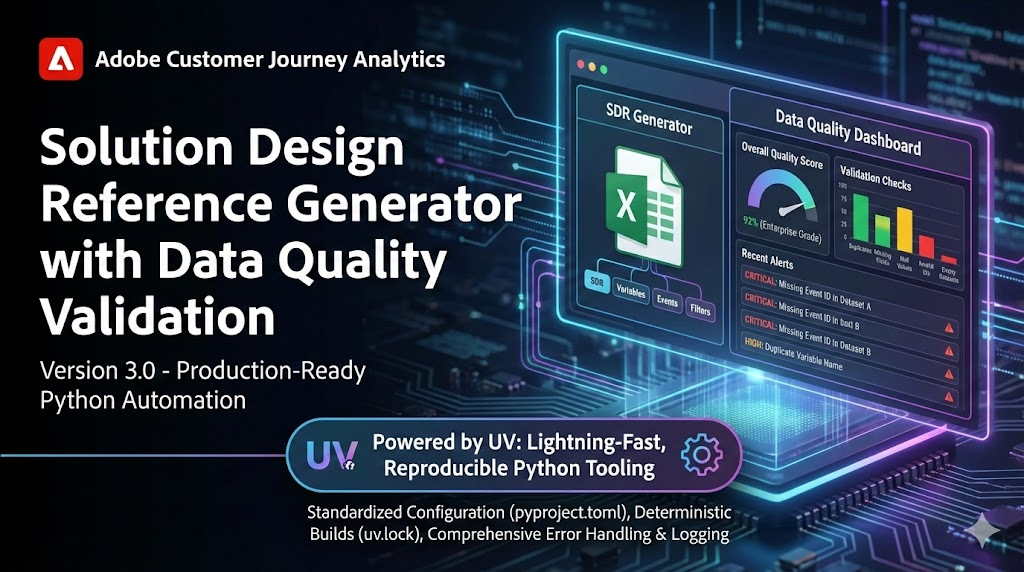






A production-ready Python CLI that automates the creation of Solution Design Reference (SDR) documentation from your Adobe Customer Journey Analytics (CJA) implementation. Read-only against CJA.
Counterpart to aa_auto_sdr; shares UX conventions, does not share code.
Companion projects: sdr-visualizer turns generated JSON snapshots into self-contained visual catalogs, while sdr-grader provides deterministic, rule-based quality grading.
What It Is
A Solution Design Reference is the essential documentation that bridges your business requirements and your analytics implementation. It catalogs every metric and dimension in your CJA Data View, serving as the single source of truth for what data you're collecting and how it's configured.
The Problem: Manually documenting CJA implementations is time-consuming, error-prone, and quickly becomes outdated. Teams waste hours exporting data, formatting spreadsheets, and cross-referencing configurations—only to repeat the process when things change.
The Solution: This tool connects directly to the CJA API, extracts your complete Data View configuration, validates data quality, and generates professionally formatted documentation in seconds. It also tracks changes between Data Views over time with built-in diff comparison and snapshot capabilities.
How It Works
- Connects to your CJA instance via the Adobe API
- Extracts all metrics, dimensions, and configuration from your Data View(s)
- Validates data quality with core automated checks (duplicates, required fields, null values, missing descriptions, empty datasets, invalid IDs)
- Generates formatted documentation with color-coded quality indicators
Key Features
| Category | Feature | Benefit |
|---|---|---|
| Performance | Parallel Batch Processing | Process multiple Data Views simultaneously (3-4x faster) |
| Validation Caching | 50-90% faster on repeated runs with intelligent result caching | |
| Optimized Validation | Single-pass DataFrame scanning (30-50% faster) | |
| Configurable Workers | Scale from 1-256 parallel workers based on your infrastructure | |
| Quality | Core Validation Checks | Detect duplicates, missing fields, null values, invalid IDs, and empty datasets |
| Severity Classification | CRITICAL, HIGH, MEDIUM, LOW with color-coded Excel formatting | |
| Quality Dashboard | Dedicated sheet with filtering, sorting, and actionable insights | |
| Output | Multiple Formats | Excel, CSV, JSON, HTML, Markdown—or generate all at once |
| Professional Excel | Up to 8 formatted sheets with conditional formatting, frozen headers, auto-filtering | |
| Segments Inventory | Document segment filters, complexity, and references with --include-segments (SDR + Snapshot Diff) |
|
| Derived Field Inventory | Document derived field logic, complexity, and dependencies with --include-derived (SDR only) |
|
| Calculated Metrics Inventory | Document calculated metric formulas and references with --include-calculated (SDR + Snapshot Diff) |
|
| Inventory-Only Mode | Generate only inventory sheets without standard SDR with --inventory-only |
|
| Stdout Support | Pipe JSON/CSV output directly to other tools with --output - |
|
| Auto-Open Files | Open generated files immediately with --open flag |
|
| Reliability | Automatic Retry | Exponential backoff with jitter for transient network failures |
| Continue-on-Error | Batch processing continues even if individual Data Views fail | |
| Pre-flight Validation | Validates config and connectivity before processing | |
| Circuit Breaker | Prevent cascading failures with automatic recovery | |
| API Auto-Tuning | Dynamic worker adjustment based on response times | |
| Shared Validation Cache | Cross-process cache sharing for batch operations | |
| Comparison | Data View Diff | Compare two Data Views to identify added, removed, and modified components |
| Snapshot Support | Save and compare against baseline snapshots for change tracking | |
| Snapshot-to-Snapshot | Compare two snapshot files directly without API calls | |
| Auto-Snapshot on Diff | Automatically save timestamped snapshots during comparisons for audit trails | |
| CI/CD Integration | Policy exit codes for automation (2=policy threshold exceeded, 3=diff warn threshold exceeded) | |
| GitHub Actions Step Summary | Automatically writes Markdown summaries to GITHUB_STEP_SUMMARY when available |
|
| Smart Name Resolution | Fuzzy matching suggestions for typos, interactive disambiguation for duplicates | |
| Git Integration | Version-Controlled Snapshots | Save SDR snapshots in Git-friendly format with auto-commit |
| Audit Trail | Full history of every Data View configuration change | |
| Team Collaboration | Share snapshots via Git repositories with PR-based review workflows | |
| Org-Wide Analysis | Component Distribution | Analyze metrics/dimensions across all data views with --org-report |
| Similarity Matrix | Identify duplicate or near-duplicate data views via Jaccard similarity | |
| Data View Clustering | Group related data views using hierarchical clustering | |
| Governance Recommendations | Automated insights for standardization opportunities | |
| CI/CD Exit Codes | Threshold-based exit codes for governance automation | |
| Trending & Drift | Compare reports over time to detect changes | |
| Multi-Org | Profile Management | Switch between Adobe Organizations with --profile client-a |
| Interactive Profile Setup | Create profiles interactively with --profile-add |
|
| Profile Testing | Validate credentials with --profile-test before use |
|
| Developer UX | Quick Stats Mode | Get metrics/dimensions count instantly with --stats (no full report) |
| Connection & Dataset Discovery | --list-connections and --list-datasets for infrastructure inventory |
|
| Discovery Inspection | Drill into a data view's metrics, dimensions, segments, and calculated metrics | |
| Machine-Readable Discovery | --list-dataviews --format json for scripting integration |
|
| Dry-Run Mode | Test configuration without generating reports | |
| Color-Coded Output | Global color controls via --no-color, NO_COLOR, and FORCE_COLOR |
|
| Enhanced Error Messages | Contextual error messages with actionable fix suggestions | |
| Comprehensive Logging | Timestamped logs with rotation for audit trails | |
| Agent & Automation | AGENTS.md Contract | Machine-parseable tool contract for AI agents (Claude Code, LangChain, etc.) |
| Python Orchestrator | Subprocess wrapper for programmatic automation (scripts/orchestrator.py) |
|
| Shell Script Templates | Cron-ready weekly, daily, and quarterly automation examples | |
| GitHub Actions Template | Copy-paste workflow for scheduled SDR auditing | |
| Exit Code Conventions | Structured exit codes (0/1/2/3) for agent decision-making |
Who It's For
- Analytics Teams needing up-to-date implementation documentation
- Consultants managing multiple client implementations
- Data Governance teams requiring audit trails and quality tracking
- DevOps Engineers automating CJA audits in CI/CD pipelines
Quick Start
Install from PyPI (recommended)
The tool is published on PyPI, so most users can install it without cloning. uv is recommended:
uv tool install cja-auto-sdr          # isolated install; puts `cja-auto-sdr` on your PATH
# or run once without installing:
uvx cja-auto-sdr --list-dataviews
# or with plain pip:
pip install cja-auto-sdr
Optional features ship as extras:
uv tool install "cja-auto-sdr[full]" # clustering + env + shell completion + notion
Verify with cja-auto-sdr --version, then skip ahead to Configure Credentials.
To set up a development checkout from source instead, follow the numbered steps below.
1. Clone the Repository
# Clone the repository
git clone https://github.com/brian-a-au/cja_auto_sdr.git
cd cja_auto_sdr
2. Install Dependencies
macOS/Linux:
# Install uv package manager (if not already installed)
curl -LsSf https://astral.sh/uv/install.sh | sh

# Install project dependencies
uv sync
Windows (PowerShell):
# Install uv package manager
powershell -c "irm https://astral.sh/uv/install.ps1 | iex"

# Install project dependencies
uv sync
If uv doesn't work, use native Python instead (recommended for Windows):
python -m venv .venv
.venv\Scripts\activate
pip install -e .
Windows Users: If you encounter issues with
uv runor NumPy import errors on Windows, we recommend using Python directly. See the Windows-Specific Issues section in the troubleshooting guide for detailed solutions.
Running commands: You have two equivalent options:
uv run cja_auto_sdr ...— works immediately on macOS/Linux, may have issues on Windowscja_auto_sdr ...— after activating the venv:source .venv/bin/activate(Unix) or.venv\Scripts\activate(Windows)This guide uses
uv run. Windows users should activate the venv first (pip install -e .makes the command available). The Common Use Cases table omits the prefix for brevity.
3. Configure Credentials
Get your credentials from Adobe Developer Console (see QUICKSTART_GUIDE for detailed steps).
⚠ Important: Your Adobe Developer Console project must have both the CJA API and the AEP (Experience Platform) API added. The AEP API associates your service account with an Experience Platform product profile, which is required for CJA API authentication. See the Quickstart Guide for setup instructions.
Option A: Configuration File (Quickest)
Create a config.json file with your Adobe credentials:
# Copy the example template
cp config.json.example config.json

# Or generate a template (creates config.sample.json)
uv run cja_auto_sdr --sample-config

# Edit config.json with your credentials
Note: By default, the tool reads
./config.jsonfrom your current working directory. Use--config-file /path/to/config.jsonto load a file from a different location or filename.
{
  "org_id": "YOUR_ORG_ID@AdobeOrg",
  "client_id": "YOUR_CLIENT_ID",
  "secret": "YOUR_CLIENT_SECRET",
  "scopes": "your_scopes_from_developer_console"
}
Option B: Environment Variables (Recommended for CI/CD)
Use a .env file (copy from .env.example) or export directly:
ORG_ID=your_org_id@AdobeOrg
CLIENT_ID=your_client_id
SECRET=your_client_secret
SCOPES=your_scopes_from_developer_console
Note: Environment variables take precedence over
config.json.
4. Verify Setup & Run
Interactive Mode (Recommended for First-Time Users):
# Launch interactive mode - walks through all options step by step
uv run cja_auto_sdr --interactive
Interactive mode guides you through data view selection, output format, and inventory options.
macOS/Linux (Direct Commands):
# Verify configuration and list available data views
uv run cja_auto_sdr --validate-config
uv run cja_auto_sdr --list-dataviews

# Generate SDR for a data view (by ID)
uv run cja_auto_sdr dv_YOUR_DATA_VIEW_ID

# Or by name (quotes recommended for names with spaces)
uv run cja_auto_sdr "Production Analytics"
Windows (if uv run doesn't work):
# Activate virtual environment first
.venv\Scripts\activate

# Verify configuration and list available data views
cja_auto_sdr --validate-config
cja_auto_sdr --list-dataviews

# Generate SDR for a data view (by ID or name)
cja_auto_sdr dv_YOUR_DATA_VIEW_ID
cja_auto_sdr "Production Analytics"
Tip: You can specify Data Views by name in addition to ID. If multiple Data Views share the same name, all matching views will be processed.
5. Review Output
- Generated Excel file:
CJA_DataView_[Name]_[ID]_SDR.xlsx - Logs:
logs/directory
Common Use Cases
Note: Commands below omit the uv run prefix for brevity:
- macOS/Linux: Add
uv runbefore each command (e.g.,uv run cja_auto_sdr dv_12345) - Windows: Activate the venv first (
.venv\Scripts\activate), then run commands directly
| Task | Command |
|---|---|
| Getting Started | |
| Interactive mode (guided) | cja_auto_sdr --interactive |
| List available data views | cja_auto_sdr --list-dataviews |
| SDR Generation | |
| Single Data View (by ID) | cja_auto_sdr dv_12345 |
| Single Data View (by name) | cja_auto_sdr "Production Analytics" |
| Generate and open file | cja_auto_sdr dv_12345 --open |
| Batch processing | cja_auto_sdr dv_1 dv_2 dv_3 |
| Custom output location | cja_auto_sdr dv_12345 --output-dir ./reports |
| Skip validation (faster) | cja_auto_sdr dv_12345 --skip-validation |
| Metrics-only SDR output (skip dimensions) | cja_auto_sdr dv_12345 --metrics-only |
| Dimensions-only SDR output (skip metrics) | cja_auto_sdr dv_12345 --dimensions-only |
| Include segments inventory | cja_auto_sdr dv_12345 --include-segments |
| Include derived fields (SDR only) | cja_auto_sdr dv_12345 --include-derived |
| Include calculated metrics | cja_auto_sdr dv_12345 --include-calculated |
| Include all inventories | cja_auto_sdr dv_12345 --include-all-inventory |
| Inventory-only output | cja_auto_sdr dv_12345 --include-segments --inventory-only |
| Quick inventory stats | cja_auto_sdr dv_12345 --include-all-inventory --inventory-summary |
| Fail on quality issues >= HIGH | cja_auto_sdr dv_12345 --fail-on-quality HIGH |
| Standalone quality report | cja_auto_sdr dv_12345 --quality-report json --output - |
| Output Formats | |
| Export as Excel (default) | cja_auto_sdr dv_12345 --format excel |
| Export as CSV | cja_auto_sdr dv_12345 --format csv |
| Export as JSON | cja_auto_sdr dv_12345 --format json |
| Export as HTML | cja_auto_sdr dv_12345 --format html |
| Export as Markdown | cja_auto_sdr dv_12345 --format markdown |
| Generate all formats | cja_auto_sdr dv_12345 --format all |
| Notion SDR Registry (v3.8.0) | |
| Create registry database (first publish) | cja_auto_sdr dv_12345 --format notion --notion-create-database (optionally --notion-database-title "Name") |
| Publish detail page + registry row | cja_auto_sdr dv_12345 --format notion (with NOTION_DATABASE_ID set) |
| Batch publish with complete rows | cja_auto_sdr --batch dv_1 dv_2 dv_3 --format notion |
| Org-report lightweight catalog | cja_auto_sdr --org-report --format notion --notion-database-id <id> (counts only; no detail pages; needs a registry database) |
| Notion Maintenance (v3.9.0) | |
| Preview orphan pages (dry run) | cja_auto_sdr --notion-prune-orphans --dry-run --output-dir ./out |
| Archive orphan pages (Notion trash) | cja_auto_sdr --notion-prune-orphans --output-dir ./out |
| Notion Registry Repair (v3.10.0) | |
| Print canonical registry schema | cja_auto_sdr --notion-print-database-schema |
| Preview schema repair (dry run) | cja_auto_sdr --notion-repair-database --dry-run --notion-database-id <id> |
| Apply schema repair (add-only) | cja_auto_sdr --notion-repair-database --notion-database-id <id> |
| Quick Stats & Discovery | |
| Quick stats (no full report) | cja_auto_sdr dv_12345 --stats |
| Stats as JSON | cja_auto_sdr dv_12345 --stats --format json |
| List Data Views | cja_auto_sdr --list-dataviews |
| List Connections | cja_auto_sdr --list-connections |
| List Data Views with Datasets | cja_auto_sdr --list-datasets |
| Filter discovery results | cja_auto_sdr --list-dataviews --filter "Prod.*" |
| Sort discovery output | cja_auto_sdr --list-dataviews --sort name |
| List as JSON (for scripting) | cja_auto_sdr --list-dataviews --format json |
| Interactive Data View selection | cja_auto_sdr --interactive |
| Pipe to other tools | cja_auto_sdr --list-dataviews --output - | jq '.dataViews[]' |
| Inspect a data view | cja_auto_sdr --describe-dataview dv_abc123 |
| Inspect by name | cja_auto_sdr --describe-dataview "Production Web Data" |
| List metrics (with filter) | cja_auto_sdr --list-metrics dv_abc123 --filter revenue |
| List dimensions as CSV | cja_auto_sdr --list-dimensions dv_abc123 --format csv --output dims.csv |
| List segments | cja_auto_sdr --list-segments dv_abc123 |
| List calculated metrics | cja_auto_sdr --list-calculated-metrics dv_abc123 --format json |
| Validate config only | cja_auto_sdr --validate-config |
| Diff Comparison (default: console output) | |
| Compare two Data Views | cja_auto_sdr --diff dv_1 dv_2 |
| Compare by name | cja_auto_sdr --diff "Production" "Staging" |
| Diff as Markdown | cja_auto_sdr --diff dv_1 dv_2 --format markdown |
| Diff as JSON | cja_auto_sdr --diff dv_1 dv_2 --format json |
| Diff metrics only | cja_auto_sdr --diff dv_1 dv_2 --metrics-only |
| Diff dimensions only | cja_auto_sdr --diff dv_1 dv_2 --dimensions-only |
| Save snapshot | cja_auto_sdr dv_12345 --snapshot ./baseline.json |
| Compare to snapshot | cja_auto_sdr dv_12345 --diff-snapshot ./baseline.json |
| Compare two snapshots | cja_auto_sdr --compare-snapshots ./old.json ./new.json |
| Auto-save snapshots | cja_auto_sdr --diff dv_1 dv_2 --auto-snapshot |
| With retention policy | cja_auto_sdr --diff dv_1 dv_2 --auto-snapshot --keep-last 10 |
| Auto-prune snapshots (defaults) | cja_auto_sdr --diff dv_1 dv_2 --auto-snapshot --auto-prune |
| List saved snapshots | cja_auto_sdr --list-snapshots |
| Prune snapshots only | cja_auto_sdr --prune-snapshots --keep-last 20 |
| Inventory Diff (same data view over time) | |
| Snapshot with inventory | cja_auto_sdr dv_12345 --snapshot ./baseline.json --include-all-inventory |
| Compare with inventory | cja_auto_sdr dv_12345 --diff-snapshot ./baseline.json --include-calculated |
| Full inventory diff | cja_auto_sdr dv_12345 --diff-snapshot ./baseline.json --include-calculated --include-segments |
| Git Integration | |
| Initialize Git repo | cja_auto_sdr --git-init --git-dir ./sdr-snapshots |
| Generate and commit | cja_auto_sdr dv_12345 --git-commit |
| Commit with custom message | cja_auto_sdr dv_12345 --git-commit --git-message "Weekly audit" |
| Commit and push | cja_auto_sdr dv_12345 --git-commit --git-push |
| Org-Wide Analysis | |
| Analyze all data views | cja_auto_sdr --org-report |
| Filter by name pattern | cja_auto_sdr --org-report --filter "Prod.*" |
| Exclude patterns | cja_auto_sdr --org-report --exclude "Test|Dev" |
| Limit analysis scope | cja_auto_sdr --org-report --limit 10 |
| Include component names | cja_auto_sdr --org-report --include-names |
| Skip similarity matrix | cja_auto_sdr --org-report --skip-similarity |
| Export as Excel | cja_auto_sdr --org-report --format excel |
| Export as HTML | cja_auto_sdr --org-report --format html |
| Export as CSV | cja_auto_sdr --org-report --format csv |
| Export all formats | cja_auto_sdr --org-report --format all |
| Custom thresholds | cja_auto_sdr --org-report --core-threshold 0.7 --overlap-threshold 0.9 |
| Overlap threshold note | Similarity reporting caps the effective threshold at 90% for governance checks (reports show configured vs. effective when higher) |
| Quick stats mode | cja_auto_sdr --org-report --org-stats |
| Cluster data views | cja_auto_sdr --org-report --cluster --format excel |
| CI/CD governance check | cja_auto_sdr --org-report --duplicate-threshold 5 --fail-on-threshold |
| Watch Mode | |
| Watch for changes every hour | cja_auto_sdr --watch dv_12345 --interval 1h |
| Watch multiple data views (6h cycle) | cja_auto_sdr --watch dv_1 dv_2 --interval 6h |
| Heartbeat mode (emit every cycle) | cja_auto_sdr --watch dv_12345 --interval 1d --watch-threshold 0 |
Documentation
| Guide | Description |
|---|---|
| Quick Reference | Single-page command cheat sheet |
| Extended Quick Start | Complete walkthrough from zero to first SDR |
| Installation Guide | Detailed setup instructions, authentication options |
| Configuration Guide | config.json, environment variables, Profile management |
| Notion Setup | Step-by-step Notion integration setup and overview |
| CLI Reference | Complete command-line options and examples |
| Shell Completion | Enable tab-completion for bash/zsh |
| Data Quality | Validation checks, severity levels, understanding issues |
| Inventory Overview | Unified guide to all component inventories |
| Derived Field Inventory | Derived field analysis, complexity scores, logic summaries |
| Segments Inventory | Segment filters, container types, definition summaries |
| Calculated Metrics Inventory | Calculated metric formulas, complexity, references |
| Performance | Optimization options, caching, batch processing |
| Troubleshooting | Common errors and solutions |
| Use Cases & Best Practices | Automation, scheduling, workflows |
| Output Formats | Format specifications and examples |
| Batch Processing | Multi-Data View processing guide |
| Data View Names | Using Data View names instead of IDs |
| Data View Comparison | Compare Data Views, snapshots, CI/CD integration |
| Git Integration | Version-controlled snapshots, audit trails, team collaboration |
| Org-Wide Analysis | Cross-data view component analysis, similarity detection, governance |
| Agent Automation | CI/CD pipelines, AI agent integration, scheduling patterns |
| Testing | Running and writing tests |
Requirements
- Python 3.14+
- Adobe I/O integration with CJA and AEP API access
- Network connectivity to Adobe APIs
Project Structure
High-level overview of the current repository layout (representative, not exhaustive):
cja_auto_sdr/
├── .github/
│   └── workflows/             # CI, lint, version-sync, and release checks
├── src/
│   └── cja_auto_sdr/          # Main package (src-layout)
│       ├── __init__.py        # Package init with version
│       ├── __main__.py        # Installed CLI entry point (`cja_auto_sdr`, `cja-auto-sdr`)
│       ├── generator.py       # Main SDR generation flow and legacy full CLI path
│       ├── api/               # API communication layer
│       │   ├── cache.py       # Validation result caching
│       │   ├── client.py      # CJA client initialization
│       │   ├── fetch.py       # Parallel API data fetching
│       │   ├── quality.py     # Data quality validation
│       │   ├── quality_policy.py # Quality gates and policy helpers
│       │   ├── resilience.py  # Retry, circuit breaker
│       │   ├── tuning.py      # API worker auto-tuning
│       │   └── validation.py  # Config & input validation
│       ├── cli/               # CLI parsing and interactive mode
│       │   ├── commands/      # Subcommand handlers
│       │   ├── execution.py   # Execution-context resolution
│       │   ├── interactive.py # Interactive data view selection
│       │   ├── main.py        # CLI entry orchestration
│       │   ├── mode_scoped_options.py # Option validation by command mode
│       │   ├── option_resolution.py # Shared option normalization
│       │   ├── parser.py      # Argument parser definitions
│       │   └── standalone_policy.py # Standalone command policy rules
│       ├── core/              # Shared core utilities
│       │   ├── colors.py      # ANSI color helpers
│       │   ├── config.py      # Configuration dataclasses
│       │   ├── config_validation.py # Config validation helpers
│       │   ├── constants.py   # Global constants
│       │   ├── credentials.py # Credential loading
│       │   ├── discovery_*.py # Discovery normalization/payload helpers
│       │   ├── error_policies.py # Error-handling policy helpers
│       │   ├── exceptions.py  # Custom exception hierarchy
│       │   ├── exit_codes.py  # Stable exit-code definitions
│       │   ├── json_io.py     # JSON read/write helpers
│       │   ├── lazy.py        # Lazy-loading helpers
│       │   ├── logging.py     # Log setup and formatting
│       │   ├── perf.py        # Lightweight performance helpers
│       │   ├── profiles.py    # Multi-org profile management
│       │   └── version.py     # Single-source version string
│       ├── data/              # Shared data package hooks
│       ├── diff/              # Data view comparison
│       │   ├── cli.py         # Diff CLI dispatch helpers
│       │   ├── commands.py    # Diff command orchestration
│       │   ├── comparator.py  # Diff logic and change detection
│       │   ├── git.py         # Git snapshot integration
│       │   ├── models.py      # Snapshot and diff data models
│       │   ├── snapshot.py    # Snapshot save/load/prune
│       │   └── writers.py     # Diff output formatters
│       ├── git/               # Git package compatibility surface
│       ├── inventory/         # Component inventory modules
│       │   ├── calculated_metrics.py
│       │   ├── derived_fields.py
│       │   ├── segments.py
│       │   ├── summary.py     # Inventory summary stats
│       │   └── utils.py       # Shared inventory helpers
│       ├── org/               # Org-wide analysis
│       │   ├── analyzer.py    # OrgComponentAnalyzer
│       │   ├── cache.py       # Report caching
│       │   ├── identifiers.py # Org/data-view identifier helpers
│       │   ├── models.py      # Data classes for org analysis
│       │   ├── snapshot_utils.py # Org snapshot helpers
│       │   ├── trending.py    # Historical trend analysis
│       │   └── writers/       # Org-report writers
│       ├── output/            # Output generation
│       │   ├── diff/          # Diff output implementations
│       │   ├── excel.py       # Excel formatting
│       │   ├── inventory/     # Inventory summary output helpers
│       │   ├── protocols.py   # OutputWriter protocol
│       │   ├── registry.py    # Format registry
│       │   ├── run_summary.py # Run summary output helpers
│       │   ├── sdr/           # SDR output assembly
│       │   └── writers/       # CSV, HTML, JSON, Markdown writers
│       └── pipeline/          # Processing pipeline
│           ├── batch.py       # Batch processor
│           ├── dry_run.py     # Dry-run mode
│           ├── models.py      # Pipeline data models
│           ├── single.py      # Single data view processing
│           └── workers.py     # Worker coordination
├── docs/                      # Documentation (20+ guides)
│   ├── QUICKSTART_GUIDE.md    # Getting started guide
│   ├── CONFIGURATION.md       # Profiles, config.json & env vars
│   ├── CLI_REFERENCE.md       # Command-line reference
│   ├── INVENTORY_OVERVIEW.md  # Unified inventory guide
│   ├── DIFF_COMPARISON.md     # Data view comparison guide
│   ├── GIT_INTEGRATION.md     # Git integration guide
│   ├── ORG_WIDE_ANALYSIS.md   # Org-wide report guide
│   └── ...                    # Additional guides
├── examples/                  # Automation and GitHub Actions examples
├── scripts/                   # Utility scripts
├── tests/                     # Test suite (8,612+ tests)
│   ├── category_rules.py      # File-based test-category rules
│   ├── conftest.py            # Pytest fixtures and auto-marking
│   ├── README.md              # Test inventory and execution guide
│   └── test_*.py              # 114 collected test modules
├── sample_outputs/            # Example output files
│   ├── excel/                 # Sample Excel SDR
│   ├── csv/                   # Sample CSV output
│   ├── json/                  # Sample JSON output
│   ├── html/                  # Sample HTML output
│   ├── markdown/              # Sample Markdown output
│   ├── diff/                  # Sample diff comparison outputs
│   └── git-snapshots/         # Sample Git integration snapshots
├── logs/                      # Generated log files
├── snapshots/                 # Saved Data View snapshots
├── sdr-snapshots/             # Additional SDR snapshot artifacts
├── pyproject.toml             # Project configuration and dependencies
├── uv.lock                    # Dependency lock file for reproducible builds
├── README.md                  # This file
├── CHANGELOG.md               # Version history and release notes
├── LICENSE                    # License file
├── config.json.example        # Config file template
├── .env.example               # Environment variable template
└── *.xlsx                     # Generated SDR files
Additional Resources
- CJA API Documentation
- cjapy Library
- uv Package Manager
- Counterpart project:
aa_auto_sdr— Adobe Analytics equivalent
1 maintainer

Metadata
1 maintainer
Release files for cja-auto-sdr 3.12.10
For a detailed explanation of source distributions (sdists) and built distributions (wheels), please see the package formats documentation.
Source distribution (sdist)
| File | Size | Uploaded | |
|---|---|---|---|
| cja_auto_sdr-3.12.10.tar.gz | 422.1 kB | Details |
Built distribution (wheel)
| File | Interpreter | ABI | Platform | Reset |
|---|---|---|---|---|
| cja_auto_sdr-3.12.10-py3-none-any.whl | Python 3 | none | any | Details |
Total release size: 898.1 kB
Release files / cja_auto_sdr-3.12.10.tar.gz
| Download URL | cja_auto_sdr-3.12.10.tar.gz |
|---|---|
| Size | 422.1 kB |
| Tags | Source |
|
SHA-256 checksum How to use checksums |
60dffdf754cb23491c4472cc694b6fac8cae1eb28ebad42951a79e6497905dcc
|
|
BLAKE2b-256 checksum How to use checksums |
5dc6f47e691691859c120655bfc5559c44429eb1f885dae945ab62aa9daf4a65
|
| Upload date | |
|
Uploaded using Trusted Publishing? What is trusted publishing? |
Yes |
| Uploaded via |
twine/7.0.0 CPython/3.13.14
|
Provenance
Provenance describes where a file came from. On PyPI, provenance is shared via attestations, which provide a verifiable record of the build or publishing details. View details, limitations and caveats.


PyPI Publish Attestation
PyPI verified that this artifact, at this checksum, originated from the publisher listed below.
Signed by GitHub Actions, verified by PyPI on Oct 8, 2026.
Transparency logRelease files / cja_auto_sdr-3.12.10-py3-none-any.whl
| Download URL | cja_auto_sdr-3.12.10-py3-none-any.whl |
|---|---|
| Size | 476.0 kB |
| Tags | Python 3 |
|
SHA-256 checksum How to use checksums |
4fa7f0bf0b080a41371b1f03fe61856533527fef6f2dea7ed05a8fa81df965d8
|
|
BLAKE2b-256 checksum How to use checksums |
50bc0b8921eb84dc433005565b168fca866268b44abf6b02ac037e61c2870835
|
| Upload date | |
|
Uploaded using Trusted Publishing? What is trusted publishing? |
Yes |
| Uploaded via |
twine/7.0.0 CPython/3.13.14
|
Provenance
Provenance describes where a file came from. On PyPI, provenance is shared via attestations, which provide a verifiable record of the build or publishing details. View details, limitations and caveats.
PyPI Publish Attestation
PyPI verified that this artifact, at this checksum, originated from the publisher listed below.
Signed by GitHub Actions, verified by PyPI on Oct 8, 2026.
Transparency log













