

ckanext-create_typed_package
Add dataset type selector to the "Add dataset" button.
Installation
To install ckanext-create_typed_package:
-
Install the ckanext-create_typed_package Python package
pip install ckanext-create-typed-package -
Add
create_typed_packageto theckan.pluginssetting in your CKAN config file.
Usage
This plugin adds a widget/page for selecting dataset type when user trying to create the new dataset. Note, the plugin itself does not register any custom dataset types neither it introduces any tools for registering dataset types. It means, you need to create multiple dataset types manually before using this plugin. Check CKAN documentation or ckanext-scheming if you don't know how to create dataset types.
For simplicity, we'll use ckanext-scheming in this guide. Assuming you don't have any custom dataset types, let's create them right now. First, install ckanext-scheming:
pip install ckanext-scheming
Then add scheming_datasets to the list of enabled plugins, alongside with
create_typed_package:
ckan.plugins = scheming_datasets create_typed_package
And now enable in the CKAN config file three custom dataset types that are used by the current extension for tests:
scheming.dataset_schemas =
                         ckanext.create_typed_package.tests:schemas/first.yaml
                         ckanext.create_typed_package.tests:schemas/second.yaml
                         ckanext.create_typed_package.tests:schemas/third.yaml
Restart CKAN. Because of custom dataset types, apart from the standard dataset
listing available at /dataset/, you also have 3 new endpoints, one per custom
dataset type:
-
/first-type -
/second-type -
/third-type
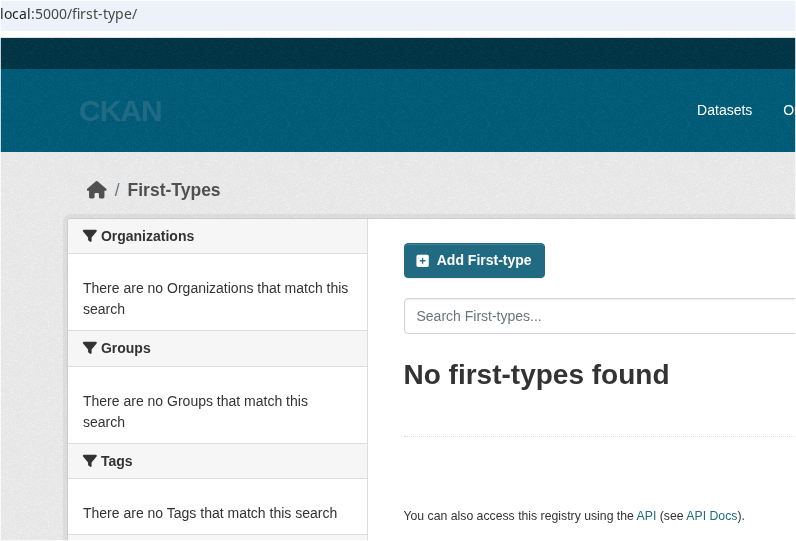
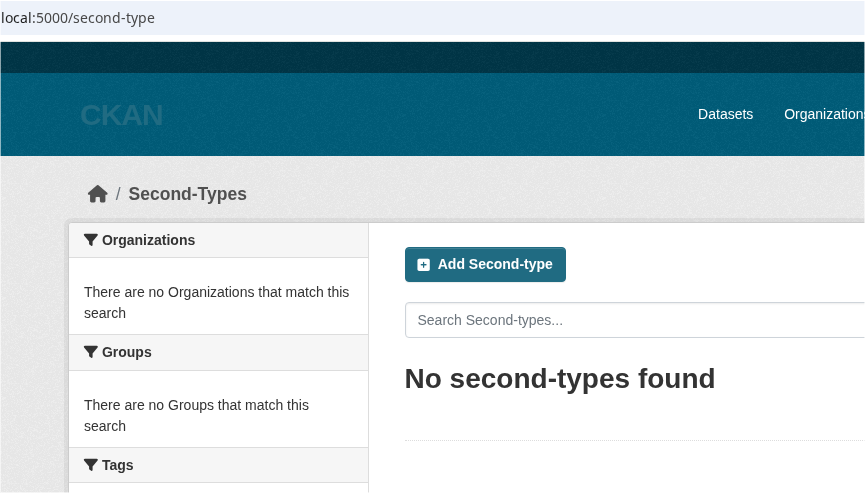
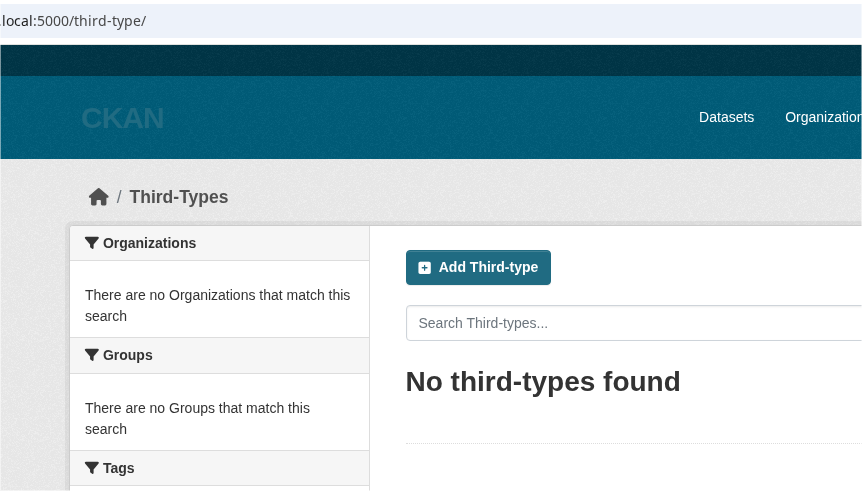
On every custom page you can click Add ???-type and dataset creation form with corresponding metadata fields will be rendered.
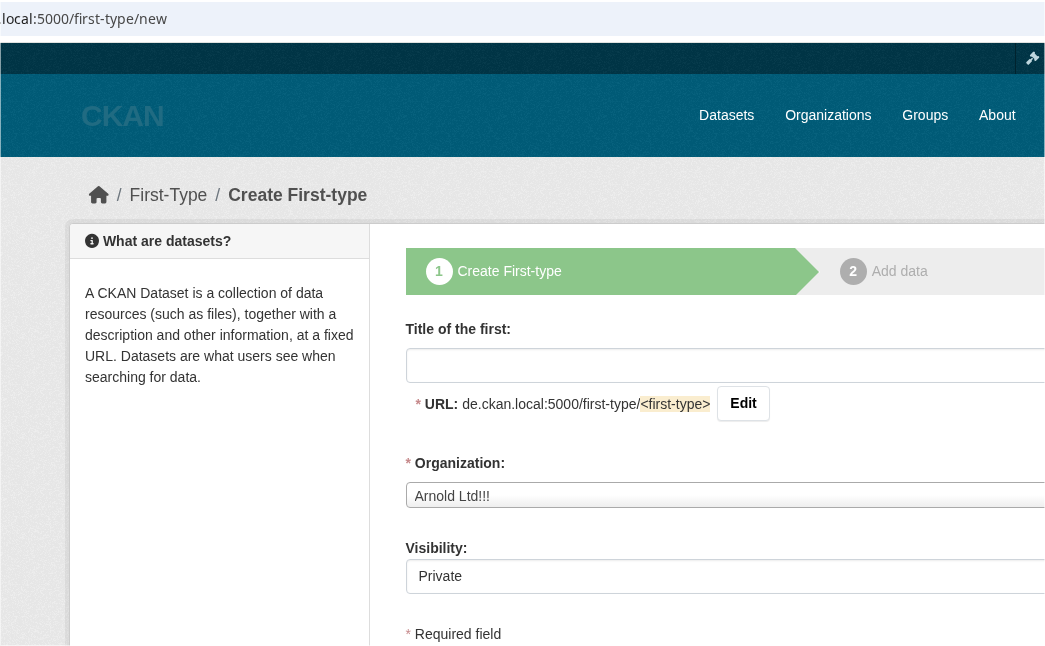
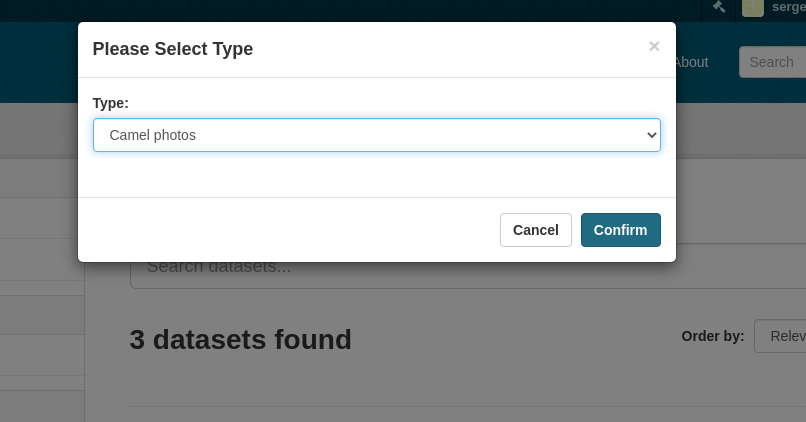
But if you go back to main /dataset page and click Add dataset there,
you'll see the modal where you can select the exact type you want to create:
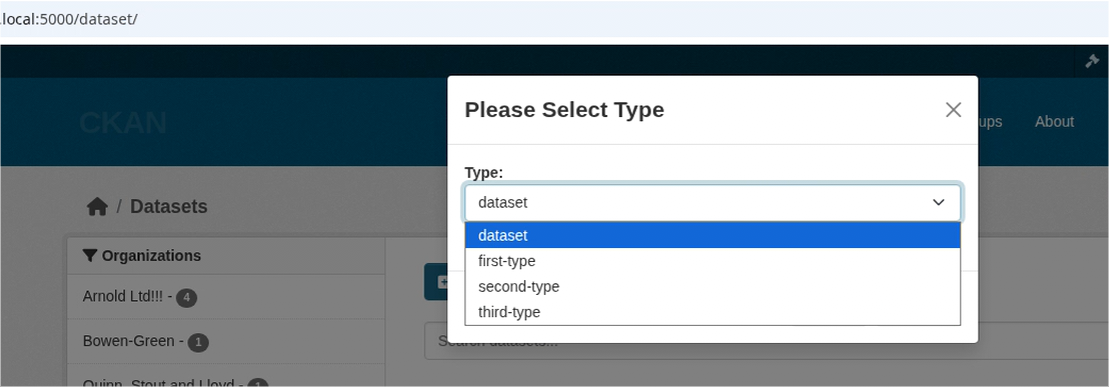
That's the main feature provided by the current plugin.
Note, if you don't see the modal, check the JavaScript console for errors. If you see no errors or cannot fix them, there is an alternative way.
Modify the templates and add link to /dataset/select-type. This page does
not exist yet and in order to fix it, add
create_typed_package.use_separate_route = true to the CKAN config file. Then
reload the application and now you'll see dataset type selector on this new
route.
You can avoid modifications by adding
create_typed_package.replace_dataset_button = true to the CKAN config file:
this option overrides the original Add dataset button. If you don't need
something fancy, prefer this option for simplicity.
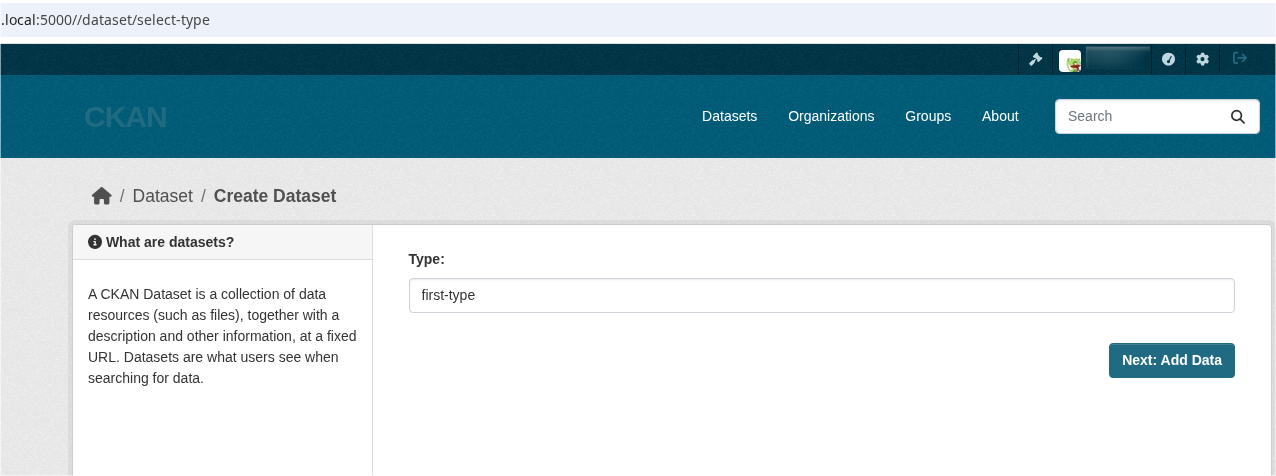
This method is more predictable but it requires modification of templates, that's why modal is chosen as a default.
Dynamic options
If you need to show different options for different pages, for example, only
type A1 and A2 for organization AAA, only type B1 and B2 for organization BBB,
etc, you need to add chained
action
ctp_list_types.
In your own extension that implements
IAction
interface, register action ctp_list_types with the following code:
import ckan.plugins.toolkit as tk
from ckan.types import Context

@tk.chained_action
@tk.side_effect_free
def ctp_list_types(next_action: Any, context: Context, data_dict: dict[str, Any]):

    if tk.get_endpoint() == ("organization", "read"):
        organization_id = tk.request.view_args.id
        allowed_types = ... # compute types depending on organization_id

        return [
            {"name": item.VALUE, "label": item.LABEL}
            for item in allowed_types
        ]

    return next_action(context, data_dict)
Here we check current endpoint using tk.get_endpoint(). If we are on the
organization page, instead of all available types we return only subset of
allowed_types. Note, response must be in format of list that contains
dictionaries with name(actual dataset type) and label(human readable label
for select tag). If action returns more than one item, user sees a modal upon
clicking Add Dataset. If action returns exactly one item, user is
redirected to the corresponding form immediately after the click on Add
Dataset.
Config settings
# Build list of package types using ckanext-scheming API instead of
# internal CKAN's package_type registry
# (optional, default: false).
create_typed_package.use_scheming = true

# Additional types that are not are not automatically added to the
# list for some reason
# (optional, default: []).
create_typed_package.additional_types = custom_type another_type

# Package types that need to be excluded from the list of available
# types
# (optional, default: []).
create_typed_package.exclude_types = custom_type another_type

# After clicking on "Add dataset" button redirect user to special
# page with dataset type selector instead of using in-place modal
# (optional, default: false).
create_typed_package.use_separate_route = true

# Replace "Add Dataset" button with the link to type selection. Works
# only when `create_typed_package.use_separate_route` enabled as well
# (optional, default: false).
create_typed_package.replace_dataset_button = true

# URL where the special page with dataset type selector will be registered.
# (optional, default: /dataset/select-type).
create_typed_package.route_path = /create-package/select-type

# Custom label for dataset type. It will be used by `ctp_list_types`
# action and, as result, by the type-picker UI widget. Labels provided in a
# form `create_typed_package.label_for.<TYPE>`, where machine-name for a type
# is used instead of `<TYPE>`.
# (optional, default: tk._(type_machine_name)).
create_typed_package.label_for.dataset = Publication
2 maintainers


Metadata
2 maintainers
Release files for ckanext-create-typed-package 0.5.2
For a detailed explanation of source distributions (sdists) and built distributions (wheels), please see the package formats documentation.
Source distribution (sdist)
| File | Size | Uploaded | Provenance | |
|---|---|---|---|---|
| ckanext_create_typed_package-0.5.2.tar.gz | 15.9 kB | Without provenance | Details |
Built distribution (wheel)
| File | Interpreter | ABI | Platform | Reset |
|---|---|---|---|---|
| ckanext_create_typed_package-0.5.2-py3-none-any.whl | Python 3 | none | any | Details |
Total release size: 33.1 kB
Release files / ckanext_create_typed_package-0.5.2.tar.gz
| Download URL | ckanext_create_typed_package-0.5.2.tar.gz |
|---|---|
| Size | 15.9 kB |
| Tags | Source |
|
SHA-256 checksum How to use checksums |
b9b3779af389587b2a46d8c1f8260b14969ab6b919b7c36252cc89768652ad23
|
|
BLAKE2b-256 checksum How to use checksums |
73d250becbd5dd56301aa14c79a3d1bc8ffd24f7d6cdaf26db256e1a4b1ea103
|
| Upload date | |
|
Uploaded using Trusted Publishing? What is trusted publishing? |
No |
| Uploaded via |
twine/6.1.0 CPython/3.12.9
|
Release files / ckanext_create_typed_package-0.5.2-py3-none-any.whl
| Download URL | ckanext_create_typed_package-0.5.2-py3-none-any.whl |
|---|---|
| Size | 17.2 kB |
| Tags | Python 3 |
|
SHA-256 checksum How to use checksums |
a34d5197b61af229d788e653e3d626b7871fc33ccfff5658f8e27962768962d6
|
|
BLAKE2b-256 checksum How to use checksums |
9cb653b0144ef2c04bfb3ea7e34cf3035473971f2b0488c2b635b3b5d9364dc4
|
| Upload date | |
|
Uploaded using Trusted Publishing? What is trusted publishing? |
No |
| Uploaded via |
twine/6.1.0 CPython/3.12.9
|
Security for ckanext-create-typed-package 0.5.2
Provenance
Provenance describes where a file came from. On PyPI, provenance is shared via attestations, which provide a verifiable record of the build or publishing details. View details, limitations and caveats.
No provenance found
None of the files in this release were uploaded with provenance metadata.
A note on package security
PyPI is a repository for distributing packages, not a service for auditing them. While third-party security researchers and our staff do their best to detect and remove malicious packages, PyPI cannot guarantee the quality, security or suitability of any given package.














