
ckanext-pygments
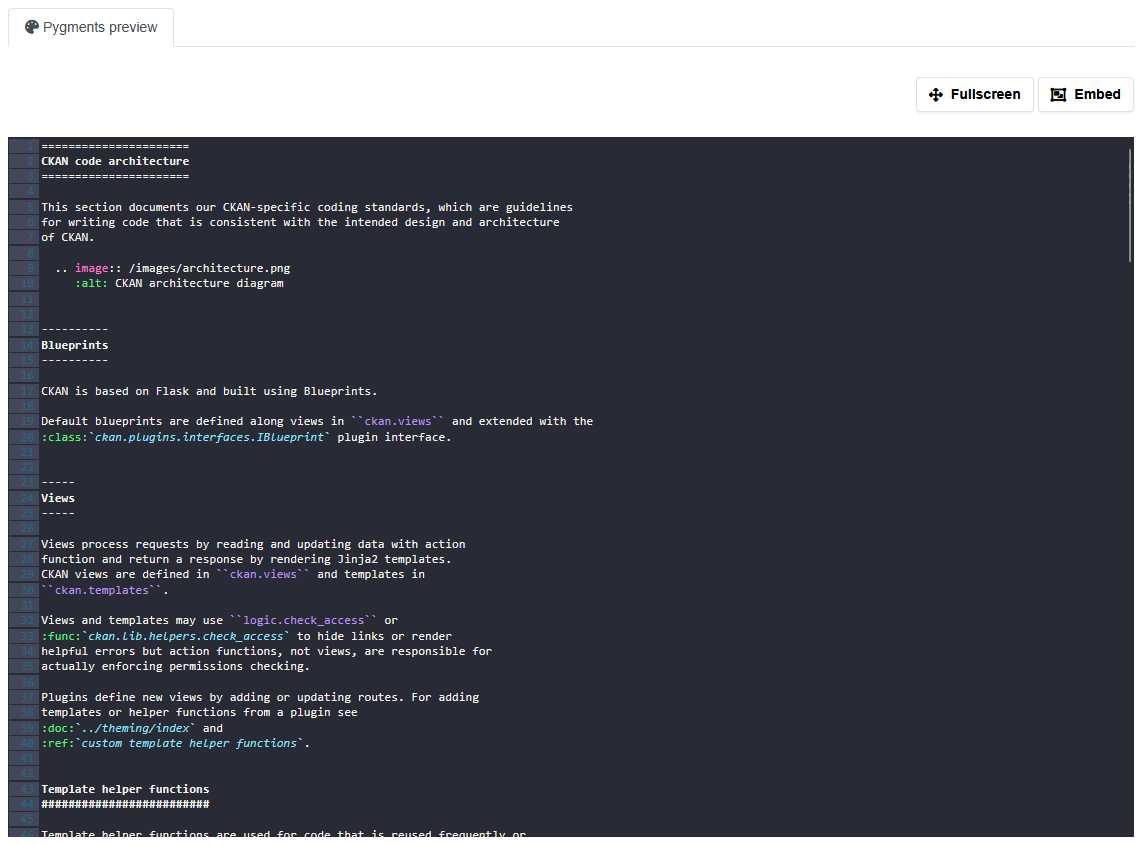
This extension provides a preview with syntax highlight for multiple text resources formats.
Installation
Install from source
pip install -e .
Or use pip
pip install ckanext-pygments
Enable the plugin and the view in your CKAN config file:
ckan.plugins = pygments_view
ckan.views.default_views = pygments_view
Caching
There is a caching mechanism implemented in this extension. It is disabled by default. To enable it, set ckanext.pygments.cache.enable to True. You can also set the time to live for the cache in seconds with ckanext.pygments.cache.ttl. The default is 7200 seconds (2 hours). You can also set the maximum size of the resource to cache in bytes with ckanext.pygments.cache.resouce_max_size. The default is 20MB.
Why cache is disabled by default?
We use Redis for caching and it uses memory. If you have a lot of resources and they are big, you can run out of memory. That's why it is disabled by default. It's still debatable if we need cache at all. Big resource processed with pygments will be even bigger. So we can have a lot of memory usage. But if we have a lot of resources and many users access it, we can save a lot of time on processing.
Admin configuration page
If you're using the ckanext-admin-panel extension, you can configure the pygments settings from the admin panel. Otherwise, you can configure it in the ckan.ini file.
Config settings
Tests
To run the tests, do:
pytest --ckan-ini=test.ini
License
2 maintainers


Metadata
2 maintainers
Release files for ckanext-pygments 1.4.2
For a detailed explanation of source distributions (sdists) and built distributions (wheels), please see the package formats documentation.
Source distribution (sdist)
| File | Size | Uploaded | Provenance | |
|---|---|---|---|---|
| ckanext_pygments-1.4.2.tar.gz | 44.2 kB | Without provenance | Details |
Built distribution (wheel)
| File | Interpreter | ABI | Platform | Reset |
|---|---|---|---|---|
| ckanext_pygments-1.4.2-py3-none-any.whl | Python 3 | none | any | Details |
Total release size: 91.5 kB
Release files / ckanext_pygments-1.4.2.tar.gz
| Download URL | ckanext_pygments-1.4.2.tar.gz |
|---|---|
| Size | 44.2 kB |
| Tags | Source |
|
SHA-256 checksum How to use checksums |
8a30fc79b9a9a1b179ddbeead776b11b7f52fbd26e2cbf17760f0b8fc13ae49a
|
|
BLAKE2b-256 checksum How to use checksums |
ac44ba3dfef7e721c1f8147fcfbefcce7202a76b1c1666a269b80a4978293c5b
|
| Upload date | |
|
Uploaded using Trusted Publishing? What is trusted publishing? |
No |
| Uploaded via |
twine/6.2.0 CPython/3.12.13
|
Release files / ckanext_pygments-1.4.2-py3-none-any.whl
| Download URL | ckanext_pygments-1.4.2-py3-none-any.whl |
|---|---|
| Size | 47.3 kB |
| Tags | Python 3 |
|
SHA-256 checksum How to use checksums |
33b73c12caa1d82171a035ba302aadb4e9aa897c54ee4d90f86e0a1476b85677
|
|
BLAKE2b-256 checksum How to use checksums |
1642c6b66dfc0eb867c583cf00b53f0a8f25e515c43cf02392a9a101338e9098
|
| Upload date | |
|
Uploaded using Trusted Publishing? What is trusted publishing? |
No |
| Uploaded via |
twine/6.2.0 CPython/3.12.13
|
Security for ckanext-pygments 1.4.2
Provenance
Provenance describes where a file came from. On PyPI, provenance is shared via attestations, which provide a verifiable record of the build or publishing details. View details, limitations and caveats.
No provenance found
None of the files in this release were uploaded with provenance metadata.
A note on package security
PyPI is a repository for distributing packages, not a service for auditing them. While third-party security researchers and our staff do their best to detect and remove malicious packages, PyPI cannot guarantee the quality, security or suitability of any given package.














