
CLabel
CLabel is a terminal-based cluster labeling tool that allows you to explore text data interactively and label clusters based on reviewing that data.
Install & Quickstart
pip install clabel
Type clabel to run. Everything should happen in the terminal from there.
Currently clabel can only import CSV files. It expects two columns to be in your csv: a column of text (string) and a column of cluster labels (int). You'll identify these the first time you import a dataset.
The workflow is:
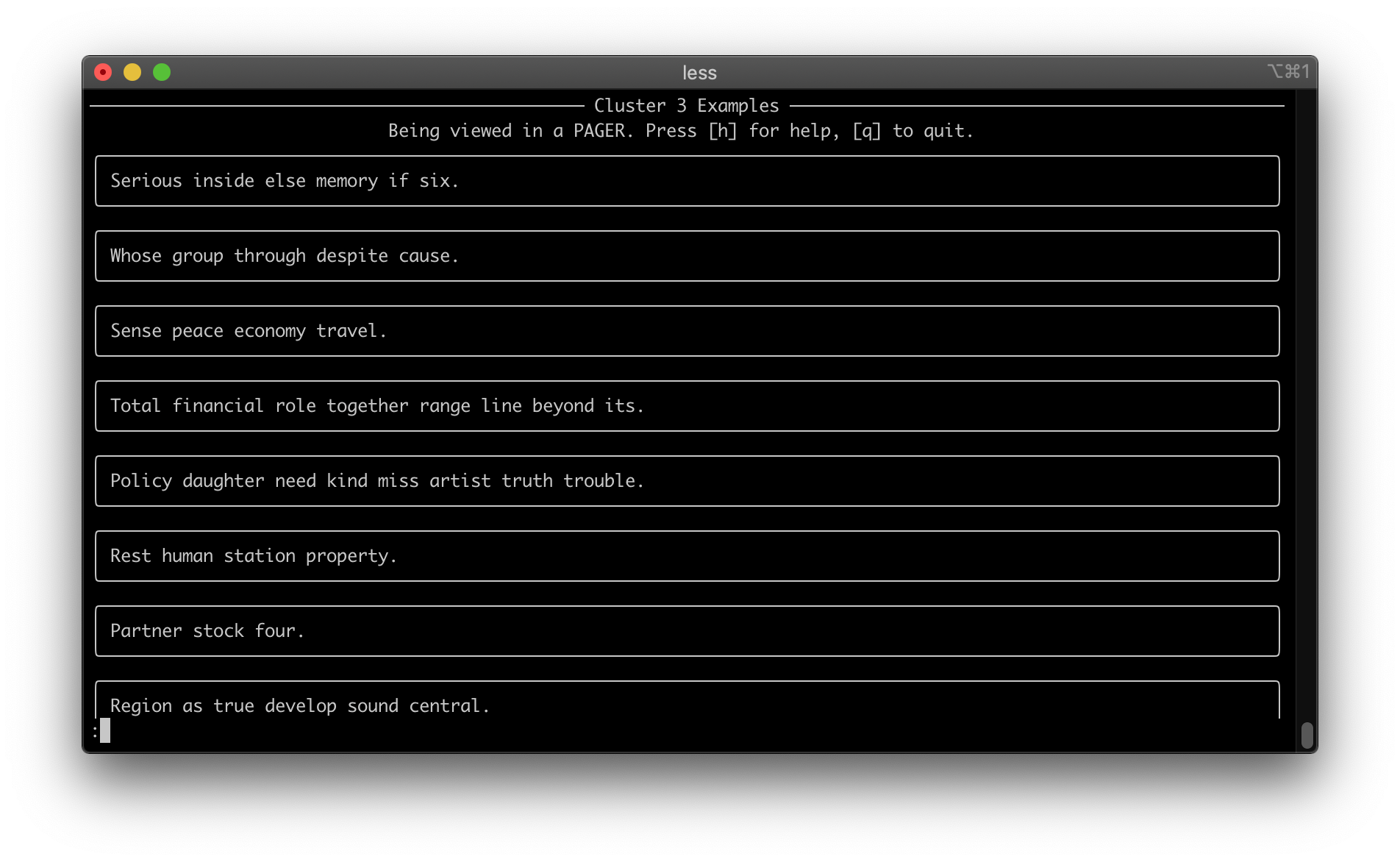
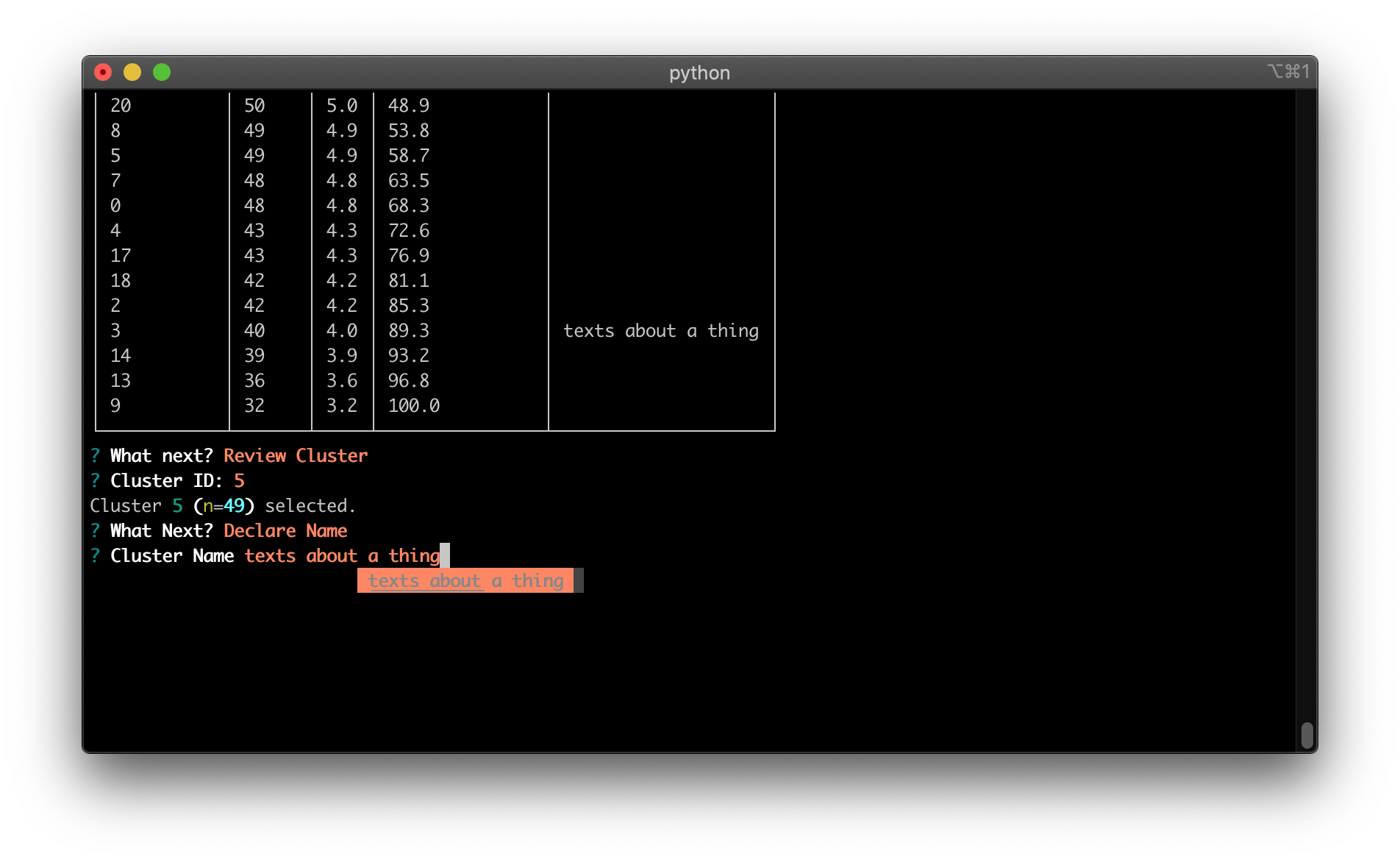
- Pick a cluster to view examples. You'll view this through a pager so you can page through examples.
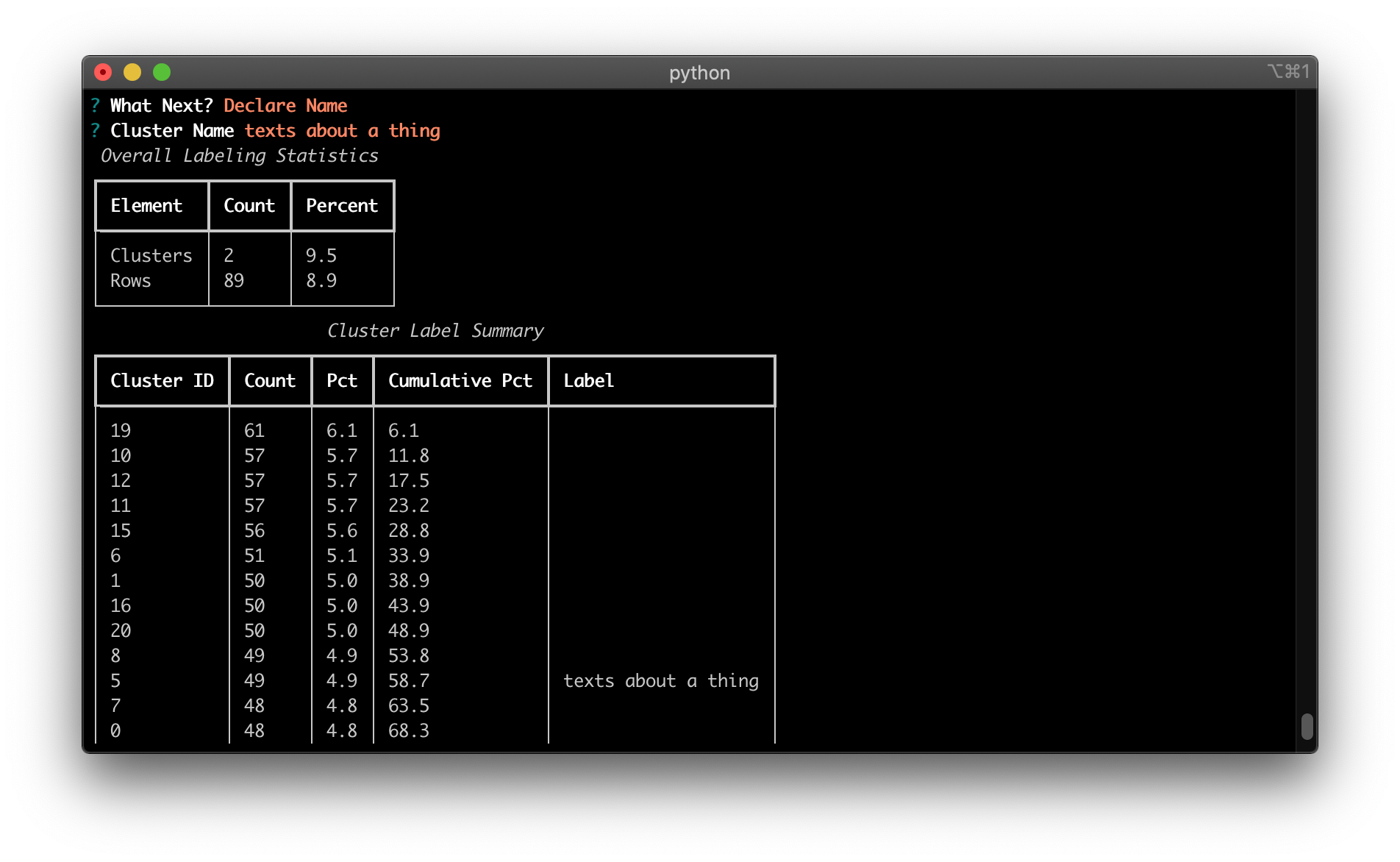
- Come up with a name for that cluster (
Declare Name) - Repeat 1 & 2 until all your clusters have names.
You can persist any cluster labels to a json file when you exit, so you don't have to complete labeling in one session. Then, you can load those labels in the next time you start clabel by selecting that json file and continue labeling.
Screenshots
1 maintainer

Metadata
1 maintainer
Release files for clabel 0.1.2
For a detailed explanation of source distributions (sdists) and built distributions (wheels), please see the package formats documentation.
Source distribution (sdist)
| File | Size | Uploaded | Provenance | |
|---|---|---|---|---|
| clabel-0.1.2.tar.gz | 6.6 kB | Without provenance | Details |
Built distribution (wheel)
| File | Interpreter | ABI | Platform | Reset |
|---|---|---|---|---|
| clabel-0.1.2-py3-none-any.whl | Python 3 | none | any | Details |
Total release size: 14.6 kB
Release files / clabel-0.1.2.tar.gz
| Download URL | clabel-0.1.2.tar.gz |
|---|---|
| Size | 6.6 kB |
| Tags | Source |
|
SHA-256 checksum How to use checksums |
a0ab347fc9c1f2297064b6cddae846f760a55f650e83ceb4affa53c8f66bc045
|
|
BLAKE2b-256 checksum How to use checksums |
fa52dc2aa0649924ba86be544a9073d1073c476e39df70e1ce816f9273799b39
|
| Upload date | |
|
Uploaded using Trusted Publishing? What is trusted publishing? |
No |
| Uploaded via |
poetry/1.1.8 CPython/3.8.11 Darwin/19.6.0
|
Release files / clabel-0.1.2-py3-none-any.whl
| Download URL | clabel-0.1.2-py3-none-any.whl |
|---|---|
| Size | 7.9 kB |
| Tags | Python 3 |
|
SHA-256 checksum How to use checksums |
0046fb86ca86349d96a3420563f61ce2659044de8afcb4d03473ca92dccde65b
|
|
BLAKE2b-256 checksum How to use checksums |
09df0832d68d356faf2ff93ce905dff18e2d4c4be55393f27c7ae1c57bc01268
|
| Upload date | |
|
Uploaded using Trusted Publishing? What is trusted publishing? |
No |
| Uploaded via |
poetry/1.1.8 CPython/3.8.11 Darwin/19.6.0
|
Security for clabel 0.1.2
Provenance
Provenance describes where a file came from. On PyPI, provenance is shared via attestations, which provide a verifiable record of the build or publishing details. View details, limitations and caveats.
No provenance found
None of the files in this release were uploaded with provenance metadata.
A note on package security
PyPI is a repository for distributing packages, not a service for auditing them. While third-party security researchers and our staff do their best to detect and remove malicious packages, PyPI cannot guarantee the quality, security or suitability of any given package.














