
classify-my-dataset
A graphic user interface program to work with labels and images in a classification dataset.
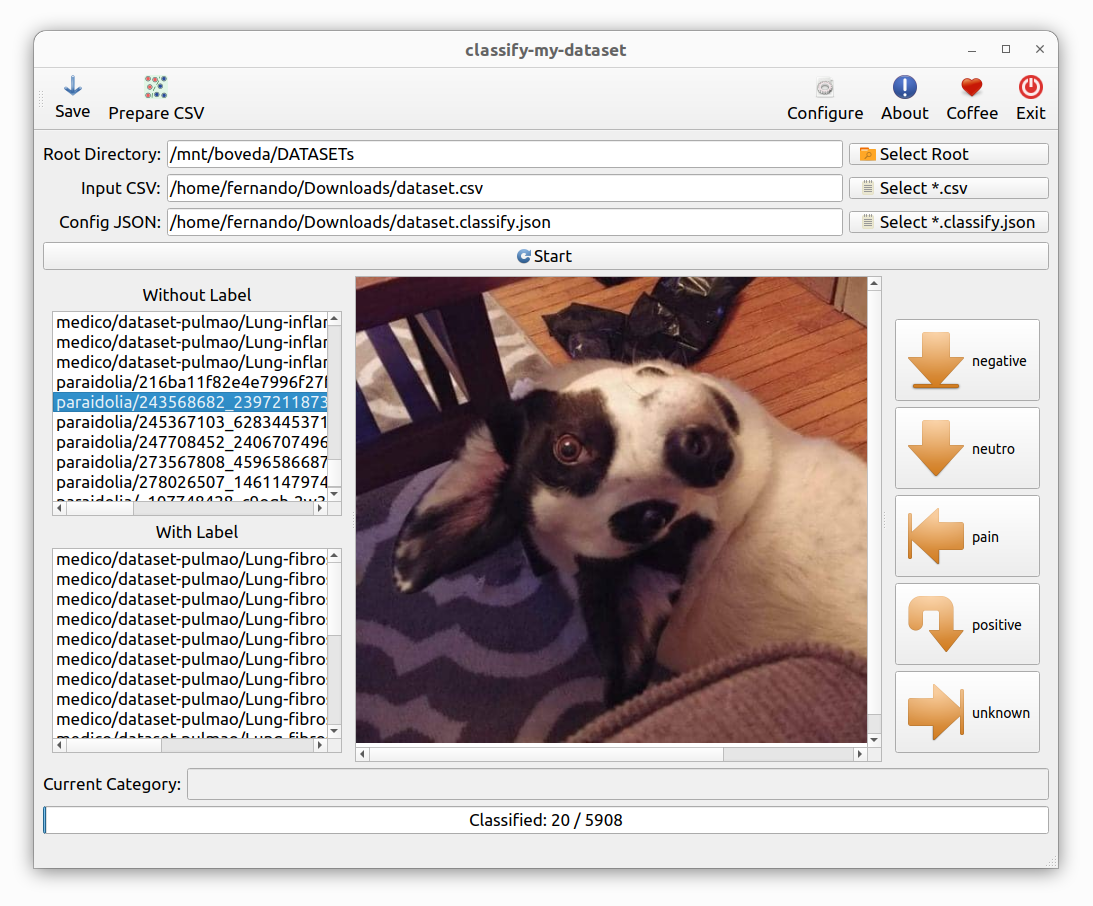
1. Installing
To install the package from PyPI, follow the instructions below:
pip install --upgrade classify_my_dataset
Execute which classify-my-dataset to see where it was installed, probably in /home/USERNAME/.local/bin/classify-my-dataset.
Using
To start, use the command below:
classify-my-dataset
Later:
- Use a
*.classify.jsonfile (ex:somename.classify.json) in the following format to categorize "Happy" and "Sad":
[
    {
        "button_label":"Happy",
    },
    {
        "button_label":"Sad",
    }
]
- Use a
*.csvfile (ex:dataset.csv) in the following format:
filepath, label
relative/path/to/image1.png,
relative/path/to/image2.png,Happy
relative/path/to/image3.png,
relative/path/to/image4.png,
2. More information
If you want more information go to doc directory.
3. Buy me a coffee
If you find this tool useful and would like to support its development, you can buy me a coffee!
Your donations help keep the project running and improve future updates.
4. License
This project is licensed under the GPL license. See the LICENSE file for more details.
1 maintainer

Metadata
1 maintainer
Release files for classify-my-dataset 0.1.0
For a detailed explanation of source distributions (sdists) and built distributions (wheels), please see the package formats documentation.
Source distribution (sdist)
| File | Size | Uploaded | Provenance | |
|---|---|---|---|---|
| classify_my_dataset-0.1.0.tar.gz | 644.0 kB | Without provenance | Details |
Built distribution (wheel)
| File | Interpreter | ABI | Platform | Reset |
|---|---|---|---|---|
| classify_my_dataset-0.1.0-py3-none-any.whl | Python 3 | none | any | Details |
Total release size: 1.3 MB
Release files / classify_my_dataset-0.1.0.tar.gz
| Download URL | classify_my_dataset-0.1.0.tar.gz |
|---|---|
| Size | 644.0 kB |
| Tags | Source |
|
SHA-256 checksum How to use checksums |
160ac62383793db0003f5d22e81446c925e82df06970fb8d40c649d627b7be3b
|
|
BLAKE2b-256 checksum How to use checksums |
009943abc97ca5b37d164e2a280a585cef2b4f2d64de7fc3c8bc2ddd4bfaddd9
|
| Upload date | |
|
Uploaded using Trusted Publishing? What is trusted publishing? |
No |
| Uploaded via |
twine/6.2.0 CPython/3.10.12
|
Release files / classify_my_dataset-0.1.0-py3-none-any.whl
| Download URL | classify_my_dataset-0.1.0-py3-none-any.whl |
|---|---|
| Size | 653.4 kB |
| Tags | Python 3 |
|
SHA-256 checksum How to use checksums |
9be6fd6f617958ecc4625318f3be3d4194398eb86a2e5d014071d61828fa5769
|
|
BLAKE2b-256 checksum How to use checksums |
2f0f0f6549ce827dbc0a3f6f41f4044b98b402586effef37e073b21c41e00ff9
|
| Upload date | |
|
Uploaded using Trusted Publishing? What is trusted publishing? |
No |
| Uploaded via |
twine/6.2.0 CPython/3.10.12
|
Security for classify-my-dataset 0.1.0
Provenance
Provenance describes where a file came from. On PyPI, provenance is shared via attestations, which provide a verifiable record of the build or publishing details. View details, limitations and caveats.
No provenance found
None of the files in this release were uploaded with provenance metadata.
A note on package security
PyPI is a repository for distributing packages, not a service for auditing them. While third-party security researchers and our staff do their best to detect and remove malicious packages, PyPI cannot guarantee the quality, security or suitability of any given package.













