
declaude
Русский · English


Turns a Claude.ai data export into a static HTML archive: browse, search and read all your chats and projects in a browser, offline, with no servers or databases.
Status: personal project, maintained · online version at fe0.ru/declaude
Stack: Python 3.9+ (standard library only) · HTML · CSS · vanilla JS
Features
- A page per chat and project, a home page with stats and recent chats
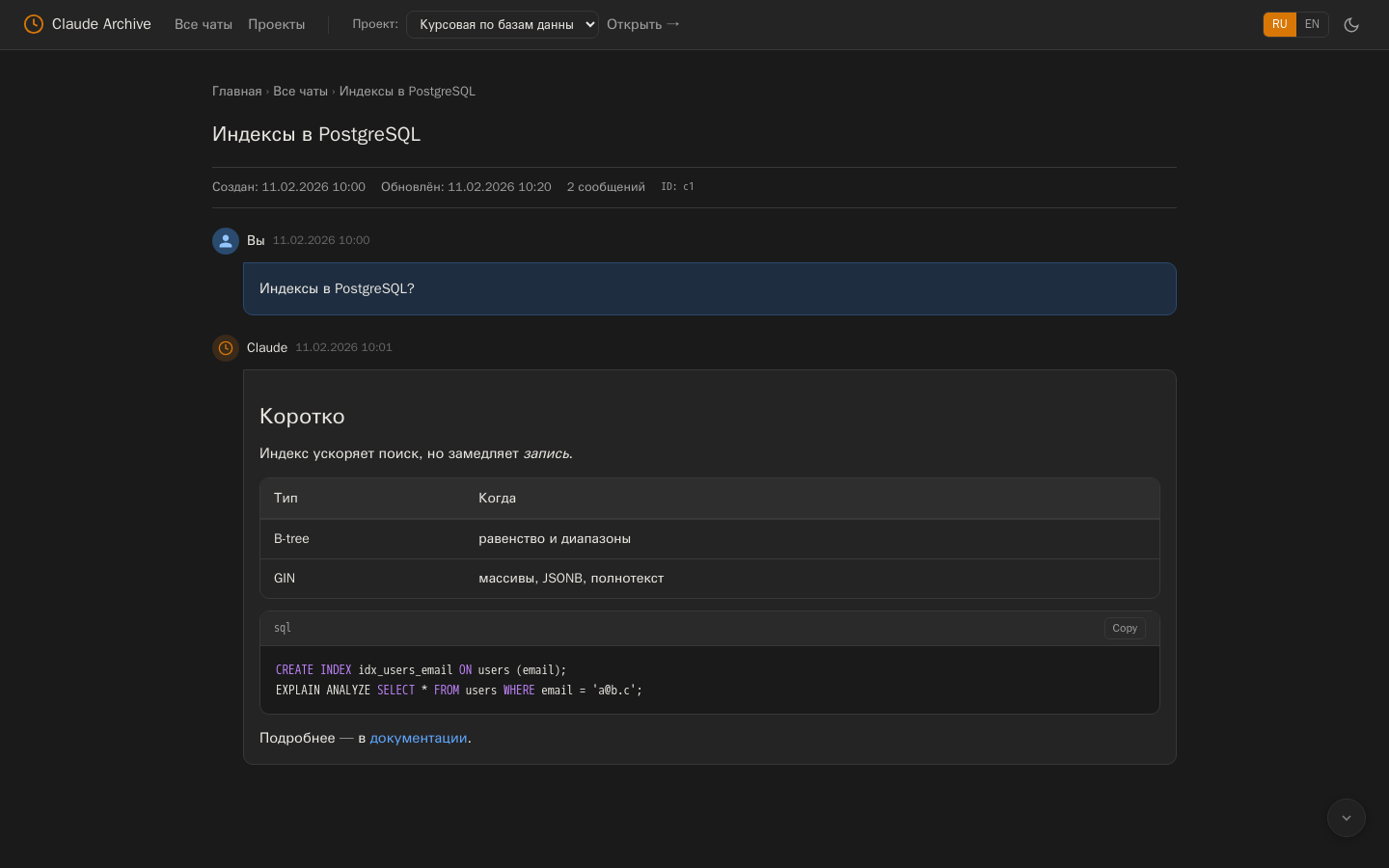
- Markdown: headings, lists, tables, quotes, code with highlighting (Python, JS/TS, SQL, Bash, Go, Rust)
- Search and filter across all chats, light and dark themes, Russian and English UI
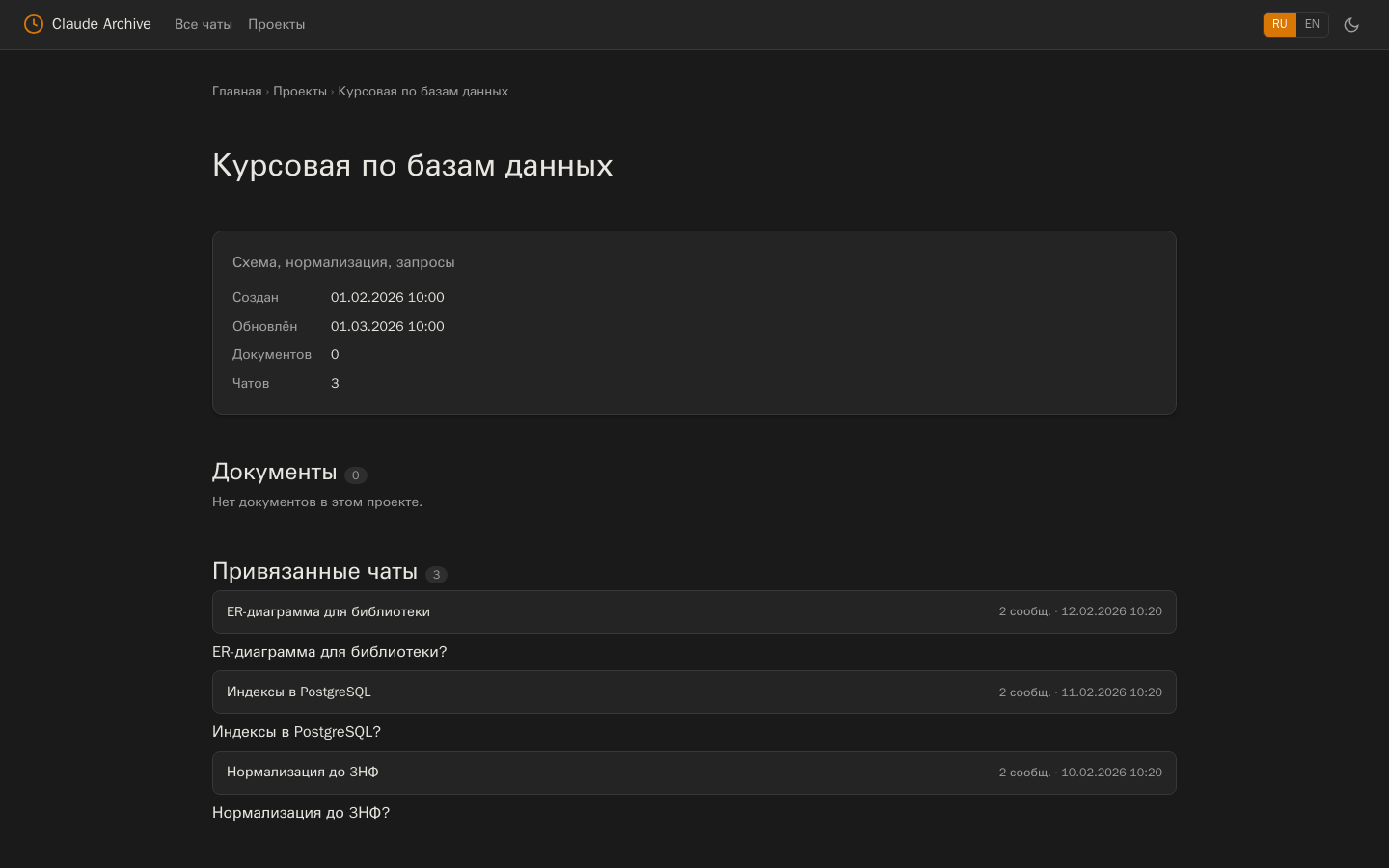
- Assign chats to projects right in the browser and export
mapping.json - Incremental update from a new export: only changed chats are rebuilt
- Links from chats are safe:
javascript:and similar schemes never reach the archive
Installation
pipx install claude-export-html # or: pip install claude-export-html
Don't want to install anything? Upload the zip at fe0.ru/declaude. If privacy matters, run it locally.
Usage
- Claude.ai → Settings → Privacy → Export data, download the zip from the email and unpack it.
- Build the archive and open
claude_archive/index.html:
declaude --build --source ./claude-export
declaude --build --source ./claude-export --output ./my-archive   # custom folder
declaude --update new_export.zip                                  # add a newer export
declaude --map <conversation_uuid> <project_uuid> && declaude --remap
| Option | Purpose |
|---|---|
--build |
full build from an unpacked export |
--source PATH |
export folder (default claude-backup-v1) |
--output PATH |
archive folder (default claude_archive) |
--update ZIP |
add data from a new zip, project assignments are kept |
--map CHAT PROJECT, --remap |
assign a chat to a project and rebuild the home and project pages |
--mapping PATH |
assignments file (default ./mapping.json) |
python -m declaude works as well as the declaude command.
Screenshots
| Chat | Project |
|---|---|
 |
 |
Using from Python
from pathlib import Path
from declaude import DataLoader, MappingManager, SiteBuilder

loader = DataLoader(Path("claude-export")); loader.load()
mapping = MappingManager(Path("mapping.json")); mapping.load()
SiteBuilder(Path("archive"), loader, mapping).build_all()
This is how the web version on fe0.ru uses it; FastAPI integration notes (in Russian): docs/fastapi-integration.md.
Development
pip install -e . -r requirements-dev.txt
ruff check . && pytest
The tests build an archive from a fictional export in tests/fixtures and check pages, Markdown,
escaping and link safety. CI runs them on Python 3.9–3.13; every v* tag publishes the package to PyPI.
License
MIT — see LICENSE.
Author
Egor Deev — GitHub · Telegram · egor@deev.space
Made with ❤️ — deev.space
1 maintainer

Metadata
1 maintainer
Release files for claude-export-html 1.0.0
For a detailed explanation of source distributions (sdists) and built distributions (wheels), please see the package formats documentation.
Source distribution (sdist)
| File | Size | Uploaded | Provenance | Actions |
|---|---|---|---|---|
| claude_export_html-1.0.0.tar.gz | 29.4 kB | Without provenance | Details for claude_export_html-1.0.0.tar.gz |
Built distribution (wheel)
| File | Interpreter | ABI | Platform | Actions Reset |
|---|---|---|---|---|
| claude_export_html-1.0.0-py3-none-any.whl | Python 3 | none | any | Details for claude_export_html-1.0.0-py3-none-any.whl |
Total release size: 57.5 kB
Release files / claude_export_html-1.0.0.tar.gz
| Download URL | claude_export_html-1.0.0.tar.gz |
|---|---|
| Size | 29.4 kB |
| Tags | Source |
|
SHA-256 checksum How to use checksums |
aa66ac9ee31bc66c020ea6cd6192bbb674e157bdd9e7645eb4d77e10e7eca506
|
|
BLAKE2b-256 checksum How to use checksums |
0543aac9cf33f84f6cec0429c1f489aed23a304efa7ee32e607f033fa996a4a0
|
| Upload date | |
|
Uploaded using Trusted Publishing? What is trusted publishing? |
No |
| Uploaded via |
twine/7.0.0 CPython/3.13.14
|
Release files / claude_export_html-1.0.0-py3-none-any.whl
| Download URL | claude_export_html-1.0.0-py3-none-any.whl |
|---|---|
| Size | 28.1 kB |
| Tags | Python 3 |
|
SHA-256 checksum How to use checksums |
c3853027f45cb916780eabfe98bcf4bcb0cff1c3def9d3d5aa315cea037cc7d5
|
|
BLAKE2b-256 checksum How to use checksums |
da37829c0157472a6f23110a09ed1013d3322105d83450b21494c792051fec71
|
| Upload date | |
|
Uploaded using Trusted Publishing? What is trusted publishing? |
No |
| Uploaded via |
twine/7.0.0 CPython/3.13.14
|
Security for claude-export-html 1.0.0
Provenance
Provenance describes where a file came from. On PyPI, provenance is shared via attestations, which provide a verifiable record of the build or publishing details. View details, limitations and caveats.
No provenance found
None of the files in this release were uploaded with provenance metadata.
A note on package security
PyPI is a repository for distributing packages, not a service for auditing them. While third-party security researchers and our staff do their best to detect and remove malicious packages, PyPI cannot guarantee the quality, security or suitability of any given package.
To learn more about protecting yourself from malicious actors, visit our package security documentation.













