
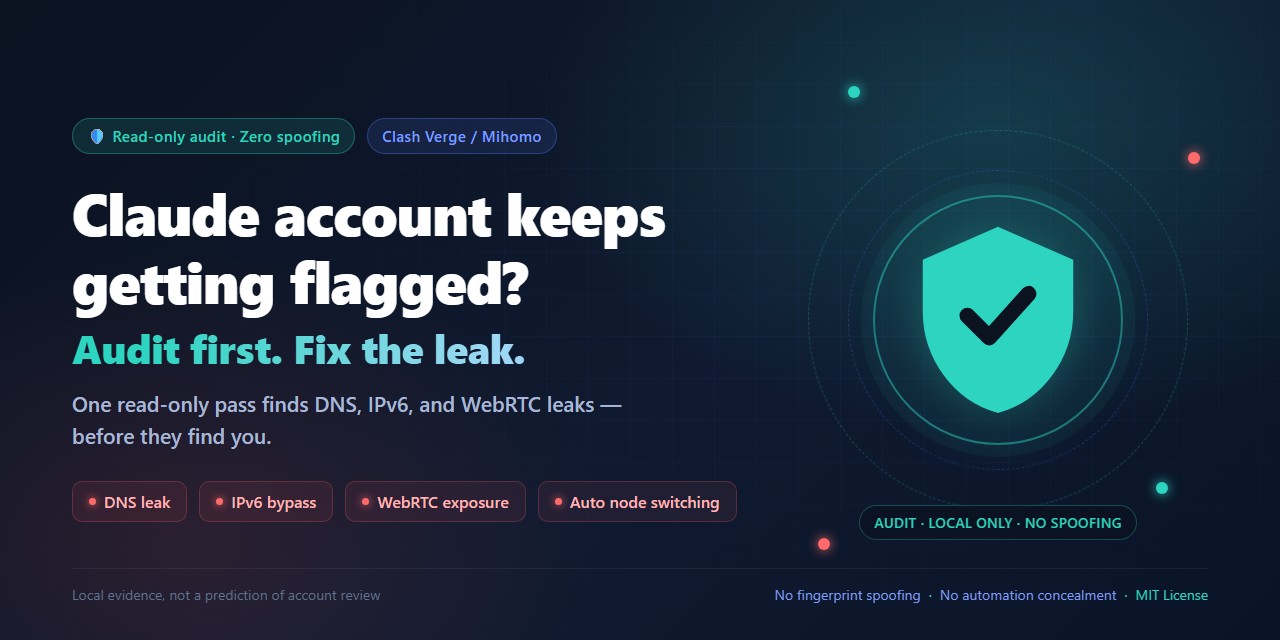
Claude Shield
Local-first privacy and proxy-consistency audit for Claude Code and Agent Skills hosts.





简体中文 · Skill instructions · MIT License
How is your Claude account doing lately?
It's probably not bad luck — it's the road your traffic takes. You think everything goes through your proxy, but actually: DNS quietly falls back to your home broadband, a "backup tunnel" connects directly without the proxy, a small WebRTC backdoor lets websites see your real network address, or your proxy node randomly hops between countries at 3am.
Every one of these leaks tells the platform "something's off." Accounts get flagged, challenged, even banned — often not because of what you say, but because of these details exposing you.
Claude Shield is the tool that checks those details for you — a read-only checkup that touches nothing:
- Network egress: where does your traffic actually leave from, and is anything bypassing the proxy?
- DNS resolution: does a simple lookup secretly detour somewhere it shouldn't?
- Proxy setup: are your nodes auto-hopping, are your rules silently broken?
- System state: do your timezone, language, and privacy toggles contradict each other?
When the checkup finishes, you get a clear report — every item labeled: Must fix (a real problem), Optional consistency (not a risk, but worth aligning), Leave alone (don't touch it).
Then the decision is entirely yours — nothing changes without your explicit approval.
And here's what this tool won't do:
- It won't help you impersonate someone else (no fingerprint spoofing, no hiding automation)
- It won't help you fabricate identity (no fake addresses, billing, or personal info)
- It will never guarantee "this config means you'll never get banned" — anyone who promises that is lying to you.
The "anti-ban" tools teach you to fool the platform. Claude Shield does one thing: show you the truth, and give you back the choice.
Audit first. Decide after. Your account deserves one honest check.
Install
pip install claude-shield
As an agent skill (Codex / Claude Code):
git clone https://github.com/AschoofAlpha/claude-shield.git "$HOME/.codex/skills/claude-shield"
Invoke $claude-shield in Codex. For Claude Code, install the same folder as ~/.claude/skills/claude-shield and invoke /claude-shield.
CLI (1.3)
python -m claude_shield                 # markdown report (offline)
python -m claude_shield --json          # report_dict + summary as JSON
python -m claude_shield --online --timeout 5
python -m claude_shield --online --intended-region US
Online probes (egress, DNS observation, IP reputation, cross-site exits) stay off unless you pass --online.
Library defaults: run_full_audit(include_recommendations=True) returns report_markdown via format_report. Windows collector also reports Firefox WebRTC policy presence when detectable.
What you get
- A full read-only Windows collector for proxy, DNS, IPv6, system, and documented Claude Code privacy settings, plus a limited POSIX environment summary.
- Clash Verge/Mihomo checks for rule mode, system proxy, service/TUN state,
strict-route, fake-IP, DNS hijacking, LAN access, and the actual policy selection when its local controller is available. - Recommendations split into Must fix, Optional consistency, and Leave alone.
- Optional, reversible privacy environment-variable remediation. No automatic DNS, route, firewall, VPN, IPv6-adapter, device-ID, cache, or browser-fingerprint changes.
The audit is local evidence, not a prediction of account approval or suspension.
Run python -m claude_shield for a live markdown report (format_report: evidence table + Must fix / Optional consistency / Leave alone). No staged demo screenshot is shipped.
Read-only collection
Windows PowerShell 7:
pwsh -NoProfile -ExecutionPolicy Bypass -File .\scripts\collect_windows_network.ps1
Windows PowerShell 5.1:
powershell.exe -NoProfile -ExecutionPolicy Bypass -File .\scripts\collect_windows_network.ps1
macOS or Linux:
python ./scripts/collect_posix_network.py
Collector output can contain local identifiers. Keep raw output local and let the Skill redact it before sharing.
Report
The Skill returns a compact evidence table (signal, status, confidence, evidence, action) followed by three short sections: Must fix, Optional consistency, and Leave alone. See SKILL.md for the exact report format and interpretation rules.
Privacy opt-outs
Preview first:
pwsh -NoProfile -File .\scripts\remediate_windows_network.ps1
After explicit approval, apply the documented Claude Code privacy environment variables:
pwsh -NoProfile -File .\scripts\remediate_windows_network.ps1 -Apply
The script writes a backup and prints the exact rollback command. The broad non-essential-traffic opt-out can disable optional Claude Code features, so enable it only when that tradeoff is intended. On POSIX, --apply creates a private environment file and prints the source command; it does not edit shell profiles or network settings.
Safety boundary
- No fingerprint spoofing, automation concealment, CAPTCHA bypass, or multi-account tooling.
- No fabricated identity, residence, billing, tax, or payment information.
- No automatic device-ID deletion, telemetry-cache deletion, or global network modifications.
- No claim that a configuration prevents account review or suspension.
Use current primary documentation for Claude Code privacy controls and rate limits. Treat third-party detector labels as opinions until live routing evidence corroborates them.
If this project finds a real leak or prevents an unnecessary destructive change, a GitHub star helps others discover it.
1 maintainer

Download files
Download the file for your platform. If you're not sure which to choose, learn more about installing packages.
Source Distribution
Built Distribution
Filter files by name, interpreter, ABI, and platform.
If you're not sure about the file name format, learn more about wheel file names.
Copy a direct link to the current filters
File details
Details for the file claude_shield-1.3.2.tar.gz.
File metadata
- Download URL: claude_shield-1.3.2.tar.gz
- Upload date:
- Size: 254.1 kB
- Tags: Source
- Uploaded using Trusted Publishing? Yes
- Uploaded via: twine/7.0.0 CPython/3.13.14
File hashes
| Algorithm | Hash digest | |
|---|---|---|
| SHA256 |
ef7dacc7f179dcf08532cdc89018dce3b077e3a49edeac7d4db9b91662751e53
|
|
| MD5 |
bf42d491a7616655675f50f176d1bfaa
|
|
| BLAKE2b-256 |
5dca183267e7350836b5670565a437dcde5dad491d553c6f85fd880a69edac42
|
Provenance
The following attestation bundles were made for claude_shield-1.3.2.tar.gz:
Publisher:
publish.yml on AschoofAlpha/claude-shield
-
Statement:
-
Statement type:
https://in-toto.io/Statement/v1 -
Predicate type:
https://docs.pypi.org/attestations/publish/v1 -
Subject name:
claude_shield-1.3.2.tar.gz -
Subject digest:
ef7dacc7f179dcf08532cdc89018dce3b077e3a49edeac7d4db9b91662751e53 - Sigstore transparency entry: 2409719662
- Sigstore integration time:
-
Permalink:
AschoofAlpha/claude-shield@1a8cc4e407a58b9c9a489995ce032360ed9d91f1 -
Branch / Tag:
refs/tags/v1.3.2 - Owner: https://github.com/AschoofAlpha
-
Access:
public
-
Token Issuer:
https://token.actions.githubusercontent.com -
Runner Environment:
github-hosted -
Publication workflow:
publish.yml@1a8cc4e407a58b9c9a489995ce032360ed9d91f1 -
Trigger Event:
push
-
Statement type:
File details
Details for the file claude_shield-1.3.2-py3-none-any.whl.
File metadata
- Download URL: claude_shield-1.3.2-py3-none-any.whl
- Upload date:
- Size: 254.8 kB
- Tags: Python 3
- Uploaded using Trusted Publishing? Yes
- Uploaded via: twine/7.0.0 CPython/3.13.14
File hashes
| Algorithm | Hash digest | |
|---|---|---|
| SHA256 |
7e80438053fcfe94343f4a665a2803d25ef8881a4a8ad153eb2749bf03b158fa
|
|
| MD5 |
8fad80c27aeaefed878afe390add6a47
|
|
| BLAKE2b-256 |
34d36bb21d0d5470be3df040c3f235254901f1ce82f25fe9f0ea12a41d31bb03
|
Provenance
The following attestation bundles were made for claude_shield-1.3.2-py3-none-any.whl:
Publisher:
publish.yml on AschoofAlpha/claude-shield
-
Statement:
-
Statement type:
https://in-toto.io/Statement/v1 -
Predicate type:
https://docs.pypi.org/attestations/publish/v1 -
Subject name:
claude_shield-1.3.2-py3-none-any.whl -
Subject digest:
7e80438053fcfe94343f4a665a2803d25ef8881a4a8ad153eb2749bf03b158fa - Sigstore transparency entry: 2409719722
- Sigstore integration time:
-
Permalink:
AschoofAlpha/claude-shield@1a8cc4e407a58b9c9a489995ce032360ed9d91f1 -
Branch / Tag:
refs/tags/v1.3.2 - Owner: https://github.com/AschoofAlpha
-
Access:
public
-
Token Issuer:
https://token.actions.githubusercontent.com -
Runner Environment:
github-hosted -
Publication workflow:
publish.yml@1a8cc4e407a58b9c9a489995ce032360ed9d91f1 -
Trigger Event:
push
-
Statement type:







