
Always-on Telegram bot that drives the real Claude Code binary on your subscription — no API key, no Agent SDK.

Project description
claudebot
An always-on Telegram bot that drives the real Claude Code on your subscription.


claudebot.ve.ke · Install · Commands · Is this allowed? · How it works
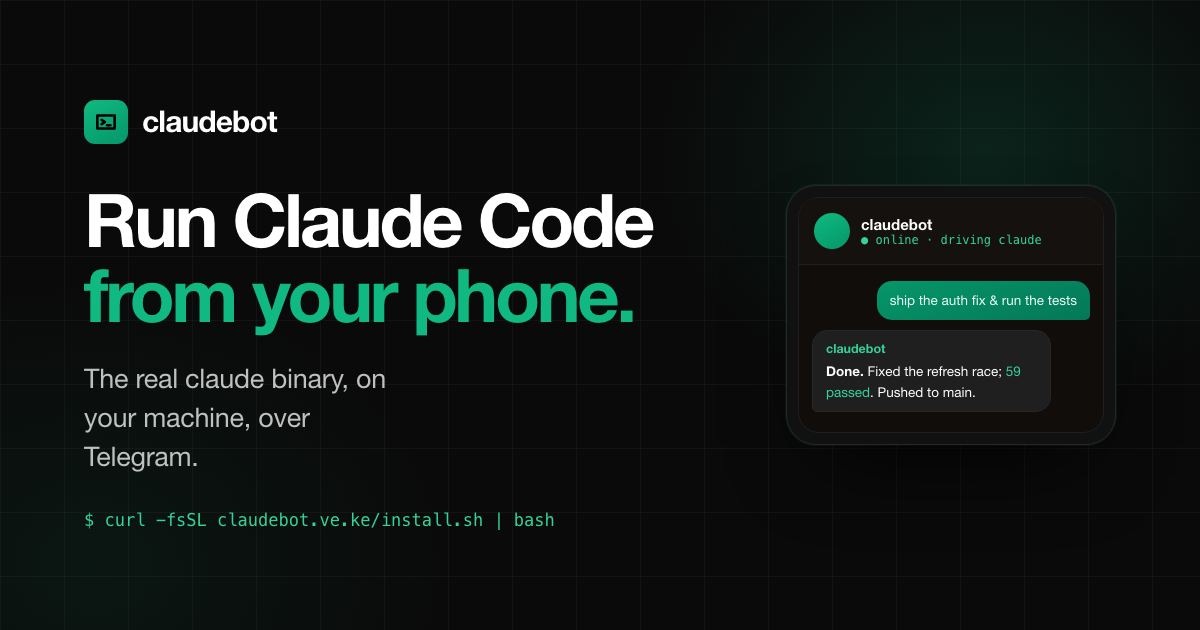
claudebot is a thin, self-hosted Telegram front-end for the genuine claude
binary. It talks to Claude Code over its headless stream-json protocol on your
logged-in Pro/Max subscription — no API key, no Claude Agent SDK, no official
plugin required. Your bot owns the Telegram side completely; Claude Code itself
does the thinking.
Telegram  ──►  claudebot (your code)  ──►  claude -p --output-format stream-json
   ▲                                              │  (real binary, your subscription)
   └──────────────  reply / stream  ◄─────────────┘
Single-user by design. claudebot is a personal assistant: it runs on your Claude subscription and gives whoever you allowlist full tool access (including
Bash) on the host machine. Keep it to your own Telegram ID. Adding other people means (1) sharing your subscription — account sharing, against Anthropic's terms and a ban risk — and (2) handing them a shell on your computer. It is not a public bot, SaaS, or multi-tenant service; that would need per-user credentials, quotas, and isolation, not one shared subscription.
Install
You need four things:
- Claude Code installed and logged in:
claude auth login(Pro/Max/Team/Enterprise). Verify withclaude auth status→loggedIn: true. - Python 3.10+.
- A Telegram bot token from @BotFather.
- Your Telegram numeric user ID from @userinfobot.
One-liner (recommended)
curl -fsSL https://claudebot.ve.ke/install.sh | bash
(or the same script straight from this repo:
curl -fsSL https://raw.githubusercontent.com/samuelkimanikamau/claudebot/main/scripts/install.sh | bash)
The installer creates an isolated venv at ~/.claudebot/venv, links claudebot
into ~/.local/bin, then runs the setup wizard and offers to install the
always-on service.
From source
git clone https://github.com/samuelkimanikamau/claudebot.git
cd claudebot
python3 -m venv .venv && . .venv/bin/activate
pip install -e .
claudebot setup          # interactive wizard, writes ~/.claudebot/.env
claudebot doctor         # verify everything is wired
claudebot run            # start in the foreground (Ctrl-C to stop)
Talking to the bot
Just message it. Slash commands:
| Command | Action |
|---|---|
/start, /help |
Welcome + usage |
/new |
Start a fresh Claude conversation (drops context) |
/status |
Session id, working dir, model, effort, alive/idle |
/config |
Show runtime model, effort, mode, cost, and timeouts |
/model <default|opus|sonnet|haiku|id> |
Set the Claude model and start a fresh session |
/effort <default|low|medium|high|xhigh|max> |
Set thinking effort and start a fresh session |
/mode <bypassPermissions|acceptEdits|default|plan|dontAsk> |
Set permission mode and start a fresh session |
/tools |
Show allowed/disallowed Claude tools |
/cost <on|off> |
Toggle cost footer after replies |
/timeout <seconds> |
Set per-turn timeout (0 disables) |
/idle <seconds> |
Set idle child eviction timeout (0 disables) |
/cd <path> |
Switch the working directory (persists; starts a fresh session there) |
/retry |
Resend your last message |
/stop |
Abort the current turn (kills the child; context resumes next message) |
The bot reacts 👀 the instant it accepts your message. While a reply streams,
an inline 🛑 Stop button rides the message — tap it instead of typing /stop.
Bare /model, /effort, and /mode show tap-to-set keyboards, so you never
have to remember the values.
Send a photo or a document (PDF, code, logs, …) and Claude will read it.
Replies stream in live — head-first into stable message blocks that are
upgraded to Telegram formatting (bold, code, tables → monospace) in place, so
what you watched stream is never replaced or reordered; long replies chunk past
the 4096-char limit. Set CLAUDEBOT_MARKDOWN=false for raw plain text.
Runtime tweaks set in chat (/model, /timeout, /cost, …) are saved
per-chat and survive restarts. /model, /effort, /mode, and /cd start a
fresh conversation (they say so when you run them).
Is this allowed?
Yes — with one bright line. Anthropic's "no third-party harness" rule is a
credential-scope rule: it forbids feeding your subscription OAuth token to
any inference client that is not Claude Code (the Agent SDK, Cline, Cursor,
raw API calls, an LLM gateway). claudebot never touches the token — it only
pipes text into the genuine claude process and reads JSON back, so the token
stays inside Claude Code, exactly as designed. Anthropic actively supports this
path: claude -p/--output-format stream-json on a subscription is documented,
claude setup-token mints a subscription token for scripts, and (from 2026-06-15)
claude -p usage draws on a dedicated subscription Agent-SDK credit.
Stay on the right side of it:
- Single user. Gate the bot to your own Telegram ID (the setup wizard does this). Don't let other people prompt through your subscription — that's account sharing.
- Never extract the token from the keychain /
~/.claude/.credentials.jsonto make your own API calls. Let the binary own its auth. - Don't hammer it 24/7 in a tight loop. Normal interactive-scale chat is fine.
This is policy, not law — Anthropic can tighten it, and channels/headless are still evolving. Use your own judgement.
Always-on
claudebot service install   # systemd --user (Linux) or launchd (macOS)
claudebot service status
claudebot service logs
On Linux the unit is Restart=always; run loginctl enable-linger $USER once so
it survives logout/reboot (the installer reminds you). On macOS it's a launchd
LaunchAgent with KeepAlive + RunAtLoad.
Running more than one bot
Each bot is an instance with its own state, config, lock, and service. Add a
second bot with --instance <name> — the wizard and every command stay interactive:
claudebot --instance work setup            # wizard for a 2nd bot (its own token + allowlist)
claudebot --instance work doctor
claudebot --instance work run              # foreground, or…
claudebot --instance work service install  # …its own always-on service

claudebot instances                        # list all your bots
Your main bot is unchanged (claudebot setup, claudebot run, …). A named
instance lives at ~/.claudebot/instances/<name>/, takes its own poller lock, and
installs as a separate service (claudebot-work / ke.ve.claudebot.work), so the
two never collide. Each instance needs its own BotFather token.
Updating
claudebot update                # git pull (if a repo) + reinstall + restart the service
claudebot update --no-restart   # reinstall only (apply later)
claudebot update --no-pull      # reinstall local changes without pulling
update installs into the service's environment — not whichever venv you ran
it from — so new dependencies land where the bot actually runs. If you only
edited code (an editable install picks it up live) and added no dependencies,
claudebot service restart alone is enough.
Uninstall
Everything lives in two places — removal is complete and leaves nothing behind:
claudebot service uninstall      # remove the service (repeat with --instance <name> per extra bot)
rm -rf ~/.claudebot              # venv, config, session state
rm -f  ~/.local/bin/claudebot
Your Claude Code login is untouched — claudebot never had it.
Configuration
Config lives in ~/.claudebot/.env (written by claudebot setup). Every key is
CLAUDEBOT_<UPPER_SNAKE> and can also come from the environment. See
.env.example. Highlights:
| Key | Default | Meaning |
|---|---|---|
CLAUDEBOT_TELEGRAM_BOT_TOKEN |
— | BotFather token (required) |
CLAUDEBOT_ALLOWED_USER_IDS |
(empty = locked) | CSV of Telegram user IDs allowed in |
CLAUDEBOT_WORKING_DIR |
$HOME |
Where Claude runs |
CLAUDEBOT_MODEL |
(Claude default) | opus / sonnet / full name |
CLAUDEBOT_PERMISSION_MODE |
bypassPermissions |
bypassPermissions never blocks; acceptEdits is safer |
CLAUDEBOT_EFFORT |
— | low…max |
CLAUDEBOT_IDLE_TIMEOUT |
3600 |
Kill an idle child after N s (context resumes on next message) |
⚠️
bypassPermissionslets Claude run any tool (includingBash) without asking. That's the right default for an unattended bot on a machine you trust, but treat the bot like a root shell. Constrain it withCLAUDEBOT_WORKING_DIR,CLAUDEBOT_DISALLOWED_TOOLS, and/or apermissions.denyblock + aPreToolUsehook in your Claudesettings.json.
Security posture
- Single-user, fail-closed. Only
CLAUDEBOT_ALLOWED_USER_IDScan talk to the bot (empty = locked); handlers are scoped to private chats only. Keep it to your own ID — sharing your subscription is account sharing. - Content-injection guard. A default safety preamble (
CLAUDEBOT_SAFETY_PREAMBLE) tells Claude to treat attached/forwarded/fetched content as data, not instructions — since with full tool access an untrusted image or web page is the real attack surface, not your own messages. - Secret hygiene. The bot token never enters the
claudechild's environment (allCLAUDEBOT_*vars are stripped);~/.claudebot/.envandsessions.jsonarechmod 600; errors shown in chat are generic (details go to the log). - No wedging.
CLAUDEBOT_TURN_TIMEOUTbounds every turn; a singleflockguarantees one poller per host; downloaded images are deleted after each turn.
Why this design
There are several ways to put Claude Code behind Telegram. claudebot picks the
one that owns the conversation loop and keeps you on the supported path:
| Approach | Real binary? | No API key? | You own Telegram? | Notes |
|---|---|---|---|---|
Headless stream-json (this repo) |
✅ | ✅ | ✅ totally | Drives claude -p directly; the SDK's own transport, called on the binary. |
Official telegram@claude-plugins-official plugin |
✅ | ✅ | ❌ fixed UX | Great, but you're a peripheral on Anthropic's session loop. |
Claude Agent SDK (claude-agent-sdk) |
⚠️ via SDK | ✅ | ✅ | A separate inference client — the credential-scope problem in Is this allowed?. |
| PTY / TUI scraping | ✅ | ✅ | ✅ | Brittle ANSI parsing. Rejected. |
The full five-architecture evaluation (including one-shot claude -p and
forking the official plugin) is in docs/DECISIONS.md.
How it works
- One persistent
claudechild per chat, kept warm between turns; one Telegram poller fans messages out to the right child (onegetUpdatesconsumer per token — never run two). - Each user message is written to the child's stdin as a
stream-jsonuser envelope; events are read off stdout until the turn'sresult. session_ids are saved to~/.claudebot/sessions.json, so a restart resumes every chat with--resume. Idle children are evicted and respawned on demand.- The child is launched with
ANTHROPIC_API_KEYstripped from its environment, forcing the subscription/OAuth path.
See docs/ and the module docstrings for the gory details.
License
MIT.
Release history Release notifications | RSS feed

Download files
Download the file for your platform. If you're not sure which to choose, learn more about installing packages.
Source Distribution
Built Distribution
Filter files by name, interpreter, ABI, and platform.
If you're not sure about the file name format, learn more about wheel file names.
Copy a direct link to the current filters
File details
Details for the file claudebot-0.1.0.tar.gz.
File metadata
- Download URL: claudebot-0.1.0.tar.gz
- Upload date:
- Size: 43.8 kB
- Tags: Source
- Uploaded using Trusted Publishing? No
- Uploaded via: twine/6.1.0 CPython/3.13.12
File hashes
| Algorithm | Hash digest | |
|---|---|---|
| SHA256 |
2505e6a629a902fc480c27f3909be98447d07bc27f1f9f49a759f2c3902dd2df
|
|
| MD5 |
5283b6fc4e5ecb048da4f4efdc44e812
|
|
| BLAKE2b-256 |
19f7aacbce7ffe3abf1bfab788dd574634b3932086a35d0617e3b1925b96fde0
|
File details
Details for the file claudebot-0.1.0-py3-none-any.whl.
File metadata
- Download URL: claudebot-0.1.0-py3-none-any.whl
- Upload date:
- Size: 48.2 kB
- Tags: Python 3
- Uploaded using Trusted Publishing? No
- Uploaded via: twine/6.1.0 CPython/3.13.12
File hashes
| Algorithm | Hash digest | |
|---|---|---|
| SHA256 |
92eaf65c07a048c344039d677e8268785665e8bd00a6bf4425adc0f42438fb72
|
|
| MD5 |
9aabb7d5e13a4e68e9658ffffaa8ee18
|
|
| BLAKE2b-256 |
fb8e58204e49019c1114ec6eee79c62e4d9d299c3f18ab0eddefdaae2b67713b
|






