

Claude Code Manager — a CLI + TUI for everything Claude Code stores under ~/.claude/projects/.




List projects, browse sessions, view / delete / export them, inspect memory
files, see disk-usage stats — without cd-ing into a directory full of
URL-encoded path names.
Quick start
uv tool install claudecm
ccm                  # launches the TUI
ccm ls               # subcommand mode
ccm stats            # disk-usage dashboard
Requires Python 3.10+ and uv (or
pipx/pipif you prefer). The PyPI distribution is namedclaudecm(the unqualifiedccmwas already taken). The console command staysccm.
Why ccm
~/.claude/projects/ accumulates fast: every Claude Code session writes a
JSONL file, every project keeps its own memory directory, and the folder names
are a one-way path encoding (/home/q/my_projects/foo →
-home-q-my-projects-foo). Going in with ls and rm is painful.
- One pane to navigate them all — projects on the left, sessions on the right, Claude-style spinner up top.
- Subcommands for scripting —
ccm ls --sort size -n 10,ccm export <project> -f md,ccm stats. - Decodes folder names correctly — by reading the real
cwdfrom inside each session's JSONL, not by replacing-with/and hoping. - Knows about memory and PRs — surfaces
memory/*.md, counts messages by type, picks up custom session titles. - No daemon, no config — operates directly on the on-disk layout Claude Code already uses.
Installation
From PyPI (recommended)
uv tool install claudecm     # global, exposes `ccm`
# alternatives:
pipx install claudecm
pip install --user claudecm
Run without installing (one-off)
uvx --from claudecm ccm ls
From source (latest main)
git clone https://github.com/QuocTang/ccm
cd ccm
uv tool install .            # global
# or for dev work:
uv sync --extra dev
uv run ccm --help
From a GitHub commit/branch
uv tool install git+https://github.com/QuocTang/ccm
Usage
ccm                         # launch TUI (default when no args)
ccm ls                      # list projects (sorted by recent activity)
ccm ls -s size -n 10        # sort by size, top 10
ccm show <project>          # detail for one project
ccm sessions <project>      # list sessions of a project
ccm view <project> <sess>   # render messages of a session
ccm rm <project>            # delete a project directory (with confirm)
ccm rm-session <p> <s>      # delete one session
ccm export <p> [<s>] -f md  # export to markdown (or -f json | raw)
ccm memory <project>        # view memory files
ccm memory <p> --show NAME  # print one memory file
ccm memory <p> --rm NAME    # delete one memory file
ccm stats                   # disk usage dashboard
ccm tui                     # launch TUI explicitly
<project> accepts an encoded dir name, the real cwd path, the basename
(e.g. my-project), or any unique substring of either.
<session> accepts the full UUID or a unique prefix (the 8-char head shown
by ccm sessions is usually enough).
TUI keys
| Key | Action |
|---|---|
↑/↓ j/k |
Move cursor |
h/l ←/→ |
Focus projects / sessions pane |
Tab |
Switch panes |
Enter |
Drill in (project → sessions → view) |
m |
Show memory for highlighted project |
d |
Delete focused project / session |
r |
Refresh |
q Ctrl+C |
Quit (or back inside a sub-screen) |
Inside a delete-confirm modal: y / Enter to confirm, n / Esc to cancel.
Architecture
Three layers, deliberately separated so domain code stays UI-agnostic.
flowchart LR
    User([Terminal user])
    subgraph ccm
        direction TB
        CLI["cli/<br/><sub>typer subcommands</sub>"]
        TUI["tui/<br/><sub>textual app</sub>"]
        CORE["core/<br/><sub>projects · sessions · memory · stats · export</sub>"]
        SHARED["palette.py · paths.py<br/><sub>shared theme & path helpers</sub>"]
    end
    Disk[("~/.claude/projects/<br/>JSONL sessions + memory/")]

    User -- "ccm <subcommand>" --> CLI
    User -- "ccm (no args)" --> TUI
    CLI --> CORE
    TUI --> CORE
    CLI -.-> SHARED
    TUI -.-> SHARED
    CORE --> Disk
The lossy folder-name encoding is the one bit that requires care: Claude Code
replaces both / and _ with -, so paths.real_cwd_from_sessions() reads
the actual cwd field from the first session JSONL inside each directory.
The naive - → / replacement is only a fallback for empty projects.
Development
uv sync --extra dev                                           # install + pytest
uv run pytest -q                                              # run all tests
uv run pytest tests/core/test_paths.py -k naive_decode        # one test
uv tool install . --force --reinstall                         # rebuild global `ccm`
See CLAUDE.md for architecture notes and the textual / typer
gotchas we hit (lossy path encoding, Widget._size shadowing, markup escaping,
etc).
Contributing
PRs welcome. Keep the three-layer split (core stays UI-agnostic), run
uv run pytest -q before pushing, and follow the gotchas in CLAUDE.md if you
touch tui/.
Contributors

License
MIT © QuocTang
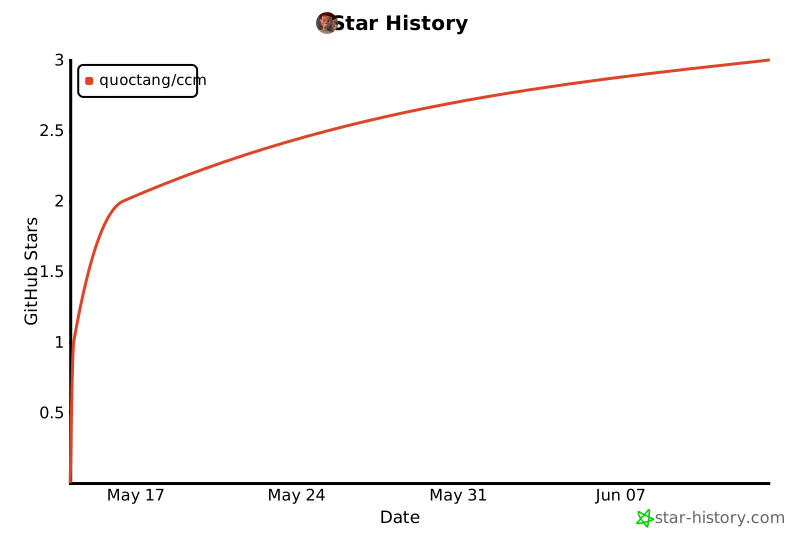
Star history
1 maintainer

Metadata
1 maintainer
Release files for claudecm 0.1.4
For a detailed explanation of source distributions (sdists) and built distributions (wheels), please see the package formats documentation.
Source distribution (sdist)
| File | Size | Uploaded | Provenance | |
|---|---|---|---|---|
| claudecm-0.1.4.tar.gz | 104.0 kB | With provenance | Details |
Built distribution (wheel)
| File | Interpreter | ABI | Platform | Reset |
|---|---|---|---|---|
| claudecm-0.1.4-py3-none-any.whl | Python 3 | none | any | Details |
Total release size: 132.8 kB
Release files / claudecm-0.1.4.tar.gz
| Download URL | claudecm-0.1.4.tar.gz |
|---|---|
| Size | 104.0 kB |
| Tags | Source |
|
SHA-256 checksum How to use checksums |
01e215235f00d57fd83c5a6d7851c8af66166ba53e3e1a58bbc53ff26e7a1573
|
|
BLAKE2b-256 checksum How to use checksums |
679b0984bf5e83f25ecec7b0c9a2671f67f2f56b6940aec0f8765cd1ae35c281
|
| Upload date | |
|
Uploaded using Trusted Publishing? What is trusted publishing? |
Yes |
| Uploaded via |
twine/6.1.0 CPython/3.13.12
|
Provenance
Provenance describes where a file came from. On PyPI, provenance is shared via attestations, which provide a verifiable record of the build or publishing details. View details, limitations and caveats.


PyPI Publish Attestation
PyPI verified that this artifact, at this checksum, originated from the publisher listed below.
Signed by GitHub Actions, verified by PyPI on May 14, 2026.
Transparency logRelease files / claudecm-0.1.4-py3-none-any.whl
| Download URL | claudecm-0.1.4-py3-none-any.whl |
|---|---|
| Size | 28.9 kB |
| Tags | Python 3 |
|
SHA-256 checksum How to use checksums |
2d56a68fa10b794c0f00a3668a3f25749e2ab462fd267a396377a4bf5e05e1c1
|
|
BLAKE2b-256 checksum How to use checksums |
69026ebd5f0d333e7a8e436cd0001f45c9465fe48784f0303f1db8a0b289db72
|
| Upload date | |
|
Uploaded using Trusted Publishing? What is trusted publishing? |
Yes |
| Uploaded via |
twine/6.1.0 CPython/3.13.12
|
Provenance
Provenance describes where a file came from. On PyPI, provenance is shared via attestations, which provide a verifiable record of the build or publishing details. View details, limitations and caveats.
PyPI Publish Attestation
PyPI verified that this artifact, at this checksum, originated from the publisher listed below.
Signed by GitHub Actions, verified by PyPI on May 14, 2026.
Transparency logSecurity for claudecm 0.1.4
Provenance
Provenance describes where a file came from. On PyPI, provenance is shared via attestations, which provide a verifiable record of the build or publishing details. View details, limitations and caveats.
Full provenance
All 2 files in this release have been uploaded with provenance metadata.
Attestation for claudecm-0.1.4.tar.gz
PyPI Publish Attestation
PyPI verified that this artifact, at this checksum, originated from the publisher listed below.
Signed by GitHub Actions, verified by PyPI on May 14, 2026.
Transparency logA note on package security
PyPI is a repository for distributing packages, not a service for auditing them. While third-party security researchers and our staff do their best to detect and remove malicious packages, PyPI cannot guarantee the quality, security or suitability of any given package.
To learn more about protecting yourself from malicious actors, visit our package security documentation.














