
🎧 claudio-audiobook
An MCP server that lets your AI assistant make audiobooks
Say "create a python course audiobook". The AI writes it, a local voice reads it. Free, private, offline.
Works with Claude Desktop · Claude Code · Cursor · VS Code (Copilot) · Gemini CLI · Codex CLI · any MCP client



What it is
claudio-audiobook is a Model Context Protocol (MCP) server. You add it to an AI assistant, and the assistant gains the ability to turn text into an audiobook on your computer. It is built and tested first for Claude (Desktop and Code, as a one-click extension and a plugin), and it works with other MCP-capable tools too. It also has a plain command line for use without any AI.
| Tool | How to install |
|---|---|
| Claude Desktop | one-click .mcpb extension |
| Claude Code | plugin, or claude mcp add |
| Cursor | mcp.json |
| VS Code (GitHub Copilot) | mcp.json |
| Gemini CLI | settings.json |
| Codex CLI (OpenAI) | config.toml |
| Any other MCP client, or no AI | stdio command / command line |
Not supported: web chat apps that cannot run local MCP servers (the ChatGPT and Gemini websites).
Why
Text-to-speech APIs charge per character and send your text to someone else's server. Audiobook apps only play books that already exist. claudio-audiobook closes the gap: you describe the audiobook you want, Claude writes it as spoken prose, and an 82M-parameter Kokoro voice reads it on your own machine.
| claudio-audiobook | Cloud TTS APIs | Audiobook apps | |
|---|---|---|---|
| Creates the content for you | ✅ | ❌ | ❌ |
| Cost per hour of audio | £0 | per-character fees | subscription |
| Text leaves your computer | Never | Always | n/a |
| API key or account | None | Required | Required |
Chapters in the file (.m4b) |
✅ | DIY | ✅ |
| Works offline after setup | ✅ | ❌ | partly |
Hear it
Real output, no editing. Voice bf_emma, from the text in docs/samples/python-intro.md:
▶ python-intro-bf_emma.mp3 (18 seconds, 109 KB)
That sample rendered in about 6 seconds on the author's Mac (CPU only). A real 11-chapter, 36-minute exam course took about 3 minutes.
Install in 60 seconds
You need uv for Claude Code (install it:
macOS brew install uv, Windows winget install --id=astral-sh.uv -e). Everything else, including ffmpeg, is
installed for you. The voice model (about 330 MB, once) downloads on first use.
Claude Code
/plugin marketplace add restante/claudio_audiobook
/plugin install claudio-audiobook --marketplace restante/claudio_audiobook
Prefer just the MCP server, without the skill?
claude mcp add claudio-audiobook -- uvx --from git+https://github.com/restante/claudio_audiobook claudio-audiobook-mcp
Claude Desktop
- Download
claudio-audiobook-<version>.mcpbfrom Releases. - Open it with Claude Desktop (Settings → Extensions).
- Optional: set your default voice, speed and folder in the extension's settings.
Desktop installs the dependencies itself.
Other AI tools
It is a standard MCP server (stdio), so it is not tied to Claude. Install it once, then point your tool at it:
uv tool install git+https://github.com/restante/claudio_audiobook   # puts claudio-audiobook-mcp on your PATH
claudio-audiobook download-model                                    # the voice model, about 330 MB, once
claudio-audiobook doctor                                            # checks everything is in place
Installing first matters: the first run of uvx --from git+… has to fetch and build everything, which can
exceed a client's start-up timeout. If your tool cannot find the command, use its full path (which claudio-audiobook-mcp).
Cursor · ~/.cursor/mcp.json or .cursor/mcp.json
{
  "mcpServers": {
    "claudio-audiobook": {
      "type": "stdio",
      "command": "claudio-audiobook-mcp"
    }
  }
}
VS Code (GitHub Copilot) · .vscode/mcp.json or run MCP: Open User Configuration
{
  "servers": {
    "claudio-audiobook": {
      "type": "stdio",
      "command": "claudio-audiobook-mcp"
    }
  }
}
Use agent mode so Copilot can call tools.
Gemini CLI · ~/.gemini/settings.json
{
  "mcpServers": {
    "claudio-audiobook": {
      "command": "claudio-audiobook-mcp"
    }
  }
}
or gemini mcp add --scope user claudio-audiobook claudio-audiobook-mcp. Check with /mcp.
Codex CLI (OpenAI) · ~/.codex/config.toml
[mcp_servers.claudio-audiobook]
command = "claudio-audiobook-mcp"
startup_timeout_sec = 60
or codex mcp add claudio-audiobook -- claudio-audiobook-mcp. Codex waits only 10 seconds for a server to start
by default, so raise startup_timeout_sec as above. Check with codex mcp list.
Set defaults (voice, speed, folder) with CLAUDIO_AUDIOBOOK_* environment variables in the same config, for example
"env": { "CLAUDIO_AUDIOBOOK_VOICE": "bf_emma" }. Any agent that can run a shell can also use the
command line directly.
Status: the server was checked with a generic MCP stdio client (handshake, tool list, a dry run), and the tool schemas are tested to avoid constructs that Cursor and Gemini mishandle. The configs above follow each tool's current documentation but have not yet been run inside those tools. If one doesn't work for you, please open an issue.
Examples
Just ask. Claude agrees the scope, writes the text, shows the chapter list and length, renders in the background and tells you where the file is.
A course from nothing
create a python course audiobook, for beginners, about an hour, in a calm British voice
Your own text
Turn ~/notes/book.md into an audiobook.
Steer it in plain English
slower · a different voice · mix af_heart and bf_emma 60/40 · longer pauses between sentences · make it mp3
Ideas people can do with it
- 🎓 Revision notes or an exam course you can listen to on the commute
- 📰 A long article or paper, read aloud while you cook
- 🧒 A bedtime story, in a voice you picked
- 🌍 Language practice: an Italian text read by
if_sara, or an English text read with a French accent - 💼 Onboarding docs or a team handbook as a podcast-style audio file
What you get
~/Audiobooks/python-for-beginners/
├── python-for-beginners.m4b      ← one file, with chapter marks
├── 01-welcome.wav
├── 02-variables.wav
└── ...
Command line
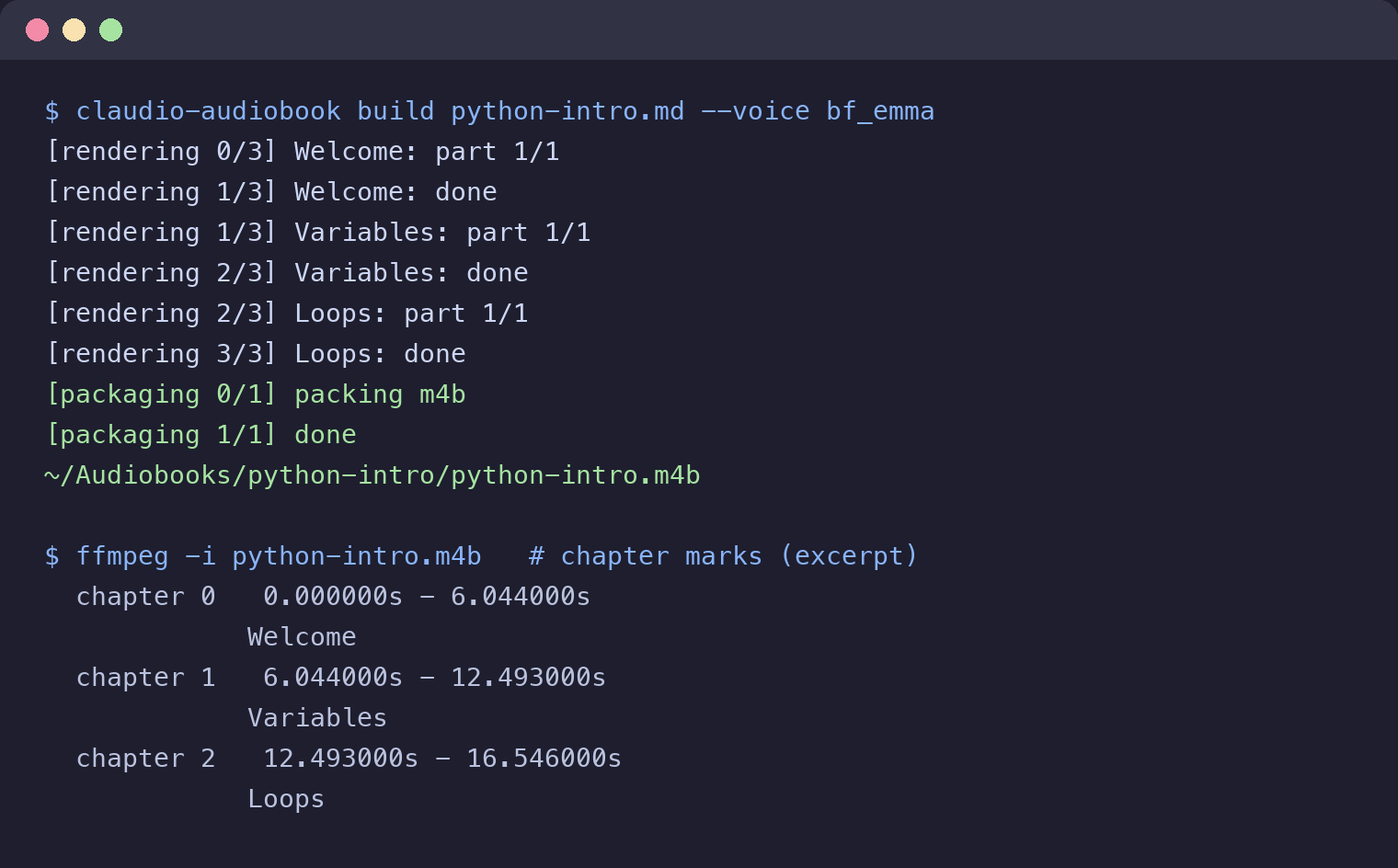
A real run (from docs/samples/python-intro.md): three chapters in, one .m4b
with chapter marks out.
No Claude needed for text you already have:
uvx --from git+https://github.com/restante/claudio_audiobook \
  claudio-audiobook build book.md --voice bf_emma --speed 0.95
Preview before rendering. This is real output:
$ claudio-audiobook build course.md --dry-run
  1  01-welcome.wav                                 ~  0.1 min
  2  02-variables.wav                               ~  0.1 min
  3  03-loops.wav                                   ~  0.1 min
3 chapters, about 0.0 h of audio
Chapters start at # headings (or lines like Chapter 3); a file without headings is cut into parts.
Interrupted? Run it again: finished chapters are kept, and only chapters whose text or settings changed are redone.
Play it anywhere: chapters, tags and cover art
The default output is an M4B, the standard audiobook file: AAC audio with chapter marks, the tags players use to file it under Audiobooks (title, author, narrator, genre "Audiobook"), and a cover.
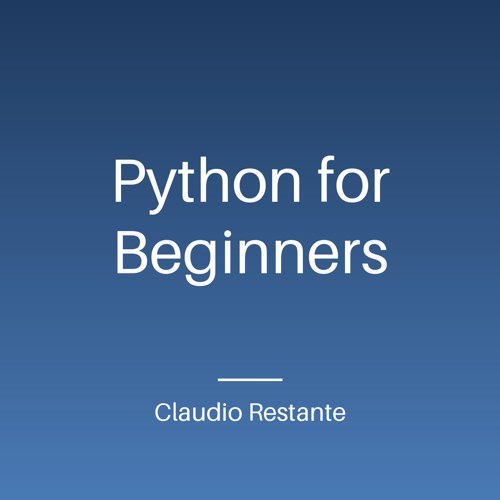
- Cover art is made for you, locally. Ask the AI for a look ("a dark green cover"): it picks the colours and
passes them as
cover_colors. Or give your own picture: "use ~/Pictures/cover.png" (--cover). Acover.jpgorcover.pngyou drop in the book's folder is used too.--cover noneskips it. - Author and narrator come from the chat ("by Ada Lovelace") or the
--authorflag. Set a default author once in the Desktop extension settings. - The generated cover uses the built-in Latin font: titles in Chinese, Japanese or Korean show empty boxes, so give those books their own cover image.
Import it into:
| Where | How |
|---|---|
| Apple Books (Mac, iPhone, iPad) | drag the .m4b onto Books, or share it from Files |
| BookPlayer (iOS, chapters tested), Audiobookshelf, Plex | add it to the library folder or import it |
| Voice, Smart AudioBook Player, Listen (Android) | open the file or copy it to your audiobooks folder |
| VLC, Foobar2000 | plays it. VLC for iOS did not show the chapter list in testing, so use BookPlayer or Apple Books for chapters |
Choose --format mp3 for players that don't read M4B (some car stereos). Audible and Kindle use closed formats
and cannot import it.
54 voices, 9 languages
American English: af_heart, af_bella, af_nova, am_adam, am_michael, ...
British English:  bf_emma, bf_isabella, bm_george, bm_lewis, ...
Italian:          if_sara, im_nicola
Spanish:          ef_dora, em_alex          French: ff_siwis
Hindi, Japanese, Brazilian Portuguese, Mandarin Chinese ...
Blend two voices into a new one: --voice af_heart:0.6,bf_emma:0.4. List them all with claudio-audiobook voices.
Every setting
Available as MCP tool arguments, CLI flags, and (for the first five, and the author) defaults in the Desktop settings or the
CLAUDIO_AUDIOBOOK_* environment variables.
| Setting | CLI flag | Values | Default |
|---|---|---|---|
| voice | --voice |
a name (af_heart, bf_emma, im_nicola, … 54 voices, 9 languages) or a blend af_heart:0.6,af_sky:0.4 |
af_heart |
| speed | --speed |
0.5 to 2.0 | 1.0 |
| language | --lang |
espeak code, e.g. de; lets a voice read another language with an accent |
the voice's own |
| model | --model |
full (best) or lite (92 MB, faster) |
full |
| format | --format |
m4b (chapters), mp3, wav |
m4b |
| sentence pause | --sentence-pause |
0 to 5 seconds | 0.25 |
| clause pause | --clause-pause |
0 to 5 seconds (after commas, colons) | 0.1 |
| chapter pause | --chapter-pause |
0 to 30 seconds | 1.5 |
| trim | --no-trim |
cut silence at sentence ends, or keep it | trim |
| author | --author |
shown by players as the author | CLAUDIO_AUDIOBOOK_AUTHOR, else none |
| narrator | --narrator |
shown as the narrator | Kokoro (<voice>) |
| cover | --cover |
.jpg/.png path, none, or leave out to generate a title cover |
generated |
| cover colours | --cover-colors |
#top,#bottom for the generated cover |
picked from the title |
| output folder | -o / output_dir |
any folder | ~/Audiobooks/<title> |
--dry-run shows the chapters and the estimated length without rendering. --force redoes everything.
claudio-audiobook doctor checks the install.
How it works
 "create a python course"
          │
          ▼
   Claude writes spoken-style markdown   ← the skill / prompt teaches it to write for the ear
          │
          ▼
   MCP server: make_audiobook            ← runs as a detached job; survives a restart of Claude
          │
          ▼
   Kokoro (ONNX) renders each chapter    ← local, resumable, voice blends, pauses
          │
          ▼
   ffmpeg packs .m4b with chapter marks  ← bundled, nothing to install
Four MCP tools (make_audiobook, audiobook_status, list_voices, setup_check), a write_audiobook prompt
and an audiobook skill. Works with any MCP client that can run a local stdio server.
Privacy
The only network use is the one-time download of the Kokoro model from its GitHub release, checked against a SHA-256 sum. Your text and audio never leave your machine. No telemetry, no accounts.
FAQ
Does it cost anything? No. Claude itself is whatever plan you already have; the voice is free and local.
How good is the voice? Judge for yourself: listen to the sample. Kokoro is among the best small open TTS models, but it is not a human narrator. Expect clean, natural reading with occasional odd stress on unusual names.
Does it need a GPU? No. It runs on CPU.
Windows / Linux? The code is cross-platform and CI runs the tests. macOS is the tested path for Claude Desktop; Windows is not yet tested end to end. Reports welcome.
Can I use a different voice model? Point CLAUDIO_AUDIOBOOK_MODEL_FILE and CLAUDIO_AUDIOBOOK_VOICES_FILE at
your own copy of the Kokoro files.
Contributing
Issues and PRs welcome, especially: Windows testing, new languages, and sample audiobooks. See
CLAUDE.md for architecture and rules.
uv venv --python 3.12 && uv pip install -e ".[dev]" && .venv/bin/pytest
If this saved you a subscription, a ⭐ helps others find it.
MIT. Voices by Kokoro via kokoro-onnx.
1 maintainer

Metadata
1 maintainer
Release files for claudio-audiobook 0.1.2
For a detailed explanation of source distributions (sdists) and built distributions (wheels), please see the package formats documentation.
Source distribution (sdist)
| File | Size | Uploaded | |
|---|---|---|---|
| claudio_audiobook-0.1.2.tar.gz | 38.4 kB | Details |
Built distribution (wheel)
| File | Interpreter | ABI | Platform | Reset |
|---|---|---|---|---|
| claudio_audiobook-0.1.2-py3-none-any.whl | Python 3 | none | any | Details |
Total release size: 76.0 kB
Release files / claudio_audiobook-0.1.2.tar.gz
| Download URL | claudio_audiobook-0.1.2.tar.gz |
|---|---|
| Size | 38.4 kB |
| Tags | Source |
|
SHA-256 checksum How to use checksums |
23784ded66ba4550c28e009a01d37b3c2d5ccd889ea9484669bd38813aeb18ab
|
|
BLAKE2b-256 checksum How to use checksums |
1ff6928a042ec417f7c07ce94550479c125f89bf835503873cf98d052d239ee0
|
| Upload date | |
|
Uploaded using Trusted Publishing? What is trusted publishing? |
Yes |
| Uploaded via |
twine/7.0.0 CPython/3.13.14
|
Provenance
Provenance describes where a file came from. On PyPI, provenance is shared via attestations, which provide a verifiable record of the build or publishing details. View details, limitations and caveats.


PyPI Publish Attestation
PyPI verified that this artifact, at this checksum, originated from the publisher listed below.
Signed by GitHub Actions, verified by PyPI on Oct 15, 2026.
Transparency logRelease files / claudio_audiobook-0.1.2-py3-none-any.whl
| Download URL | claudio_audiobook-0.1.2-py3-none-any.whl |
|---|---|
| Size | 37.6 kB |
| Tags | Python 3 |
|
SHA-256 checksum How to use checksums |
ebdef29cb85f5f8d6154020e518f9fc2f15bc7d036d21b544be0bac07d550a24
|
|
BLAKE2b-256 checksum How to use checksums |
fe5cd911ab7e1110f7c3cf5957a4fcc34df25913bb85c4de8813fd530a3fd442
|
| Upload date | |
|
Uploaded using Trusted Publishing? What is trusted publishing? |
Yes |
| Uploaded via |
twine/7.0.0 CPython/3.13.14
|
Provenance
Provenance describes where a file came from. On PyPI, provenance is shared via attestations, which provide a verifiable record of the build or publishing details. View details, limitations and caveats.
PyPI Publish Attestation
PyPI verified that this artifact, at this checksum, originated from the publisher listed below.
Signed by GitHub Actions, verified by PyPI on Oct 15, 2026.
Transparency log













