
ClearML MCP Server
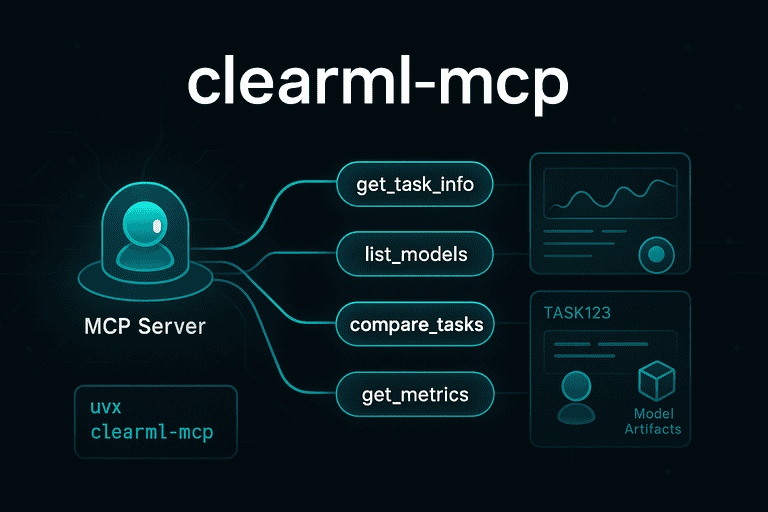



A lightweight Model Context Protocol (MCP) server that enables AI assistants to interact with ClearML experiments, models, and projects. Get comprehensive ML experiment context and analysis directly in your AI conversations.
✨ Features
- 🔍 Experiment Discovery: Find and analyze ML experiments across projects
- 📊 Performance Analysis: Compare model metrics and training progress
- 📈 Real-time Metrics: Access training scalars, validation curves, and convergence analysis
- 🏷️ Smart Search: Filter tasks by name, tags, status, and custom queries
- 📦 Artifact Management: Retrieve model files, datasets, and experiment outputs
- 🌐 Cross-platform: Works with all major AI assistants and code editors
📋 Requirements
- uv (installation guide) for
uvxcommand - ClearML account with valid API credentials in
~/.clearml/clearml.conf
🚀 Quick Start
Prerequisites
You need a configured ClearML environment with your credentials in ~/.clearml/clearml.conf:
[api]
api_server = https://api.clear.ml
web_server = https://app.clear.ml
files_server = https://files.clear.ml
credentials {
    "access_key": "your-access-key",
    "secret_key": "your-secret-key"
}
Get your credentials from ClearML Settings.
Installation
# Install from PyPI
pip install clearml-mcp

# Or run directly with uvx (no installation needed)
uvx clearml-mcp
🔌 Integrations
🤖 Claude Desktop
Add to your Claude Desktop configuration:
macOS: ~/Library/Application Support/Claude/claude_desktop_config.json
Windows: %APPDATA%/Claude/claude_desktop_config.json
{
  "mcpServers": {
    "clearml": {
      "command": "uvx",
      "args": ["clearml-mcp"]
    }
  }
}
Alternative with pip installation:
{
  "mcpServers": {
    "clearml": {
      "command": "python",
      "args": ["-m", "clearml_mcp.clearml_mcp"]
    }
  }
}
⚡ Cursor
Add to your Cursor settings (Ctrl/Cmd + , → Search "MCP"):
{
  "mcp.servers": {
    "clearml": {
      "command": "uvx",
      "args": ["clearml-mcp"]
    }
  }
}
Or add to .cursorrules in your project:
When analyzing ML experiments or asking about model performance, use the clearml MCP server to access experiment data, metrics, and artifacts.
🔥 Continue
Add to your Continue configuration (~/.continue/config.json):
{
  "mcpServers": {
    "clearml": {
      "command": "uvx",
      "args": ["clearml-mcp"]
    }
  }
}
🦾 Cody
Add to your Cody settings:
{
  "cody.experimental.mcp": {
    "servers": {
      "clearml": {
        "command": "uvx",
        "args": ["clearml-mcp"]
      }
    }
  }
}
🧠 Other AI Assistants
For any MCP-compatible AI assistant, use this configuration:
{
  "mcpServers": {
    "clearml": {
      "command": "uvx",
      "args": ["clearml-mcp"]
    }
  }
}
Compatible with:
- Zed Editor
- OpenHands
- Roo-Cline
- Any MCP-enabled application
🛠️ Available Tools
The ClearML MCP server provides 14 comprehensive tools for ML experiment analysis:
📊 Task Operations
get_task_info- Get detailed task information, parameters, and statuslist_tasks- List tasks with advanced filtering (project, status, tags, user)get_task_parameters- Retrieve hyperparameters and configurationget_task_metrics- Access training metrics, scalars, and plotsget_task_artifacts- Get artifacts, model files, and outputs
🤖 Model Operations
get_model_info- Get model metadata and configuration detailslist_models- Browse available models with filteringget_model_artifacts- Access model files and download URLs
📁 Project Operations
list_projects- Discover available ClearML projectsget_project_stats- Get project statistics and task summariesfind_project_by_pattern- Find projects matching name patternsfind_experiment_in_project- Find specific experiments within projects
🔍 Analysis Tools
compare_tasks- Compare multiple tasks by specific metricssearch_tasks- Advanced search by name, tags, comments, and more
💡 Usage Examples
Demo

Once configured, you can ask your AI assistant questions like:
- "Show me the latest experiments in the 'computer-vision' project"
- "Compare the accuracy metrics between tasks task-123 and task-456"
- "What are the hyperparameters for the best performing model?"
- "Find all failed experiments from last week"
- "Get the training curves for my latest BERT fine-tuning"
🏗️ Development
Setup
# Clone and setup with UV
git clone https://github.com/prassanna-ravishankar/clearml-mcp.git
cd clearml-mcp
uv sync

# Run locally
uv run python -m clearml_mcp.clearml_mcp
Available Commands
# Run tests with coverage
uv run task coverage

# Lint and format
uv run task lint
uv run task format

# Type checking
uv run task type

# Run examples
uv run task consolidated-debug  # Full ML debugging demo
uv run task example-simple      # Basic integration
uv run task find-experiments    # Discover real experiments
Testing with MCP Inspector
# Test the MCP server directly
npx @modelcontextprotocol/inspector uvx clearml-mcp
🚨 Troubleshooting
Connection Issues
"No ClearML projects accessible"
- Verify your
~/.clearml/clearml.confcredentials - Test with:
python -c "from clearml import Task; print(Task.get_projects())" - Check network access to your ClearML server
Module not found errors
- Try
bunx clearml-mcpinstead ofuvx clearml-mcp - Or use direct Python:
python -m clearml_mcp.clearml_mcp
Performance Issues
Large dataset queries
- Use filters in
list_tasksto limit results - Specify
project_nameto narrow scope - Use
task_statusfilters (completed,running,failed)
Slow metric retrieval
- Request specific metrics instead of all metrics
- Use
compare_taskswith metric names for focused analysis
🤝 Contributing
Contributions welcome! This project uses:
- UV for dependency management
- Ruff for linting and formatting
- Pytest for testing with 69% coverage
- GitHub Actions for CI/CD
See our testing philosophy and linting approach for development guidelines.
📄 License
MIT License - see LICENSE for details.
🔗 Links
- PyPI: clearml-mcp
- ClearML: clear.ml
- Model Context Protocol: MCP Specification
Created by Prass, The Nomadic Coder
1 maintainer

Metadata
1 maintainer
Release files for clearml-mcp 0.3.0
For a detailed explanation of source distributions (sdists) and built distributions (wheels), please see the package formats documentation.
Source distribution (sdist)
| File | Size | Uploaded | |
|---|---|---|---|
| clearml_mcp-0.3.0.tar.gz | 193.3 kB | Details |
Built distribution (wheel)
| File | Interpreter | ABI | Platform | Reset |
|---|---|---|---|---|
| clearml_mcp-0.3.0-py3-none-any.whl | Python 3 | none | any | Details |
Total release size: 202.1 kB
Release files / clearml_mcp-0.3.0.tar.gz
| Download URL | clearml_mcp-0.3.0.tar.gz |
|---|---|
| Size | 193.3 kB |
| Tags | Source |
|
SHA-256 checksum How to use checksums |
9cf8d1f37713b4779102e8f80137c299fc0ae73cd5b98c31d7621f50a8856d24
|
|
BLAKE2b-256 checksum How to use checksums |
8b0c7f9f453cb17a569807af44ad498840e8a67d4756c8ecdfdb3b827b431398
|
| Upload date | |
|
Uploaded using Trusted Publishing? What is trusted publishing? |
No |
| Uploaded via |
uv/0.6.5
|
Release files / clearml_mcp-0.3.0-py3-none-any.whl
| Download URL | clearml_mcp-0.3.0-py3-none-any.whl |
|---|---|
| Size | 8.8 kB |
| Tags | Python 3 |
|
SHA-256 checksum How to use checksums |
13e4ac09016fcaaa83fbd5df85a1096b2b270c812459fecd7afaed80d64a7ddf
|
|
BLAKE2b-256 checksum How to use checksums |
df5045de7a09bf336f3b7caf844d4a5dc472fa72775898d27cd5ba9684bb864d
|
| Upload date | |
|
Uploaded using Trusted Publishing? What is trusted publishing? |
No |
| Uploaded via |
uv/0.6.5
|













