

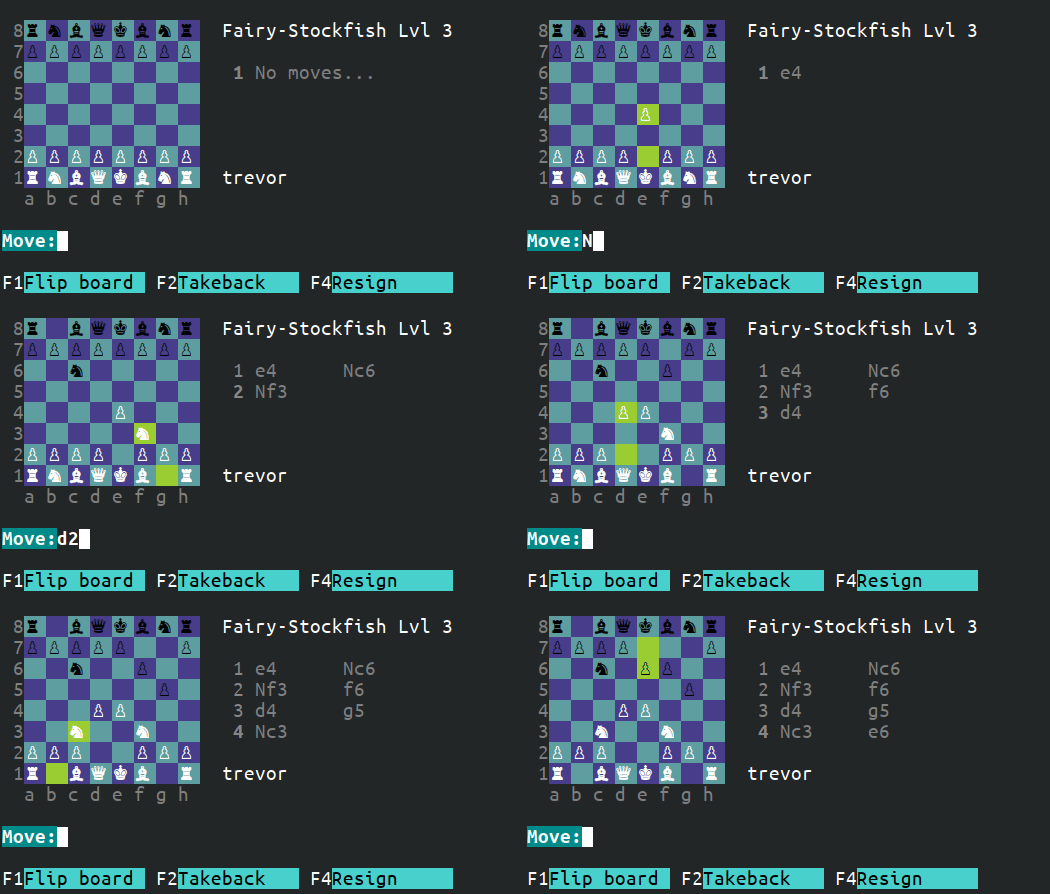
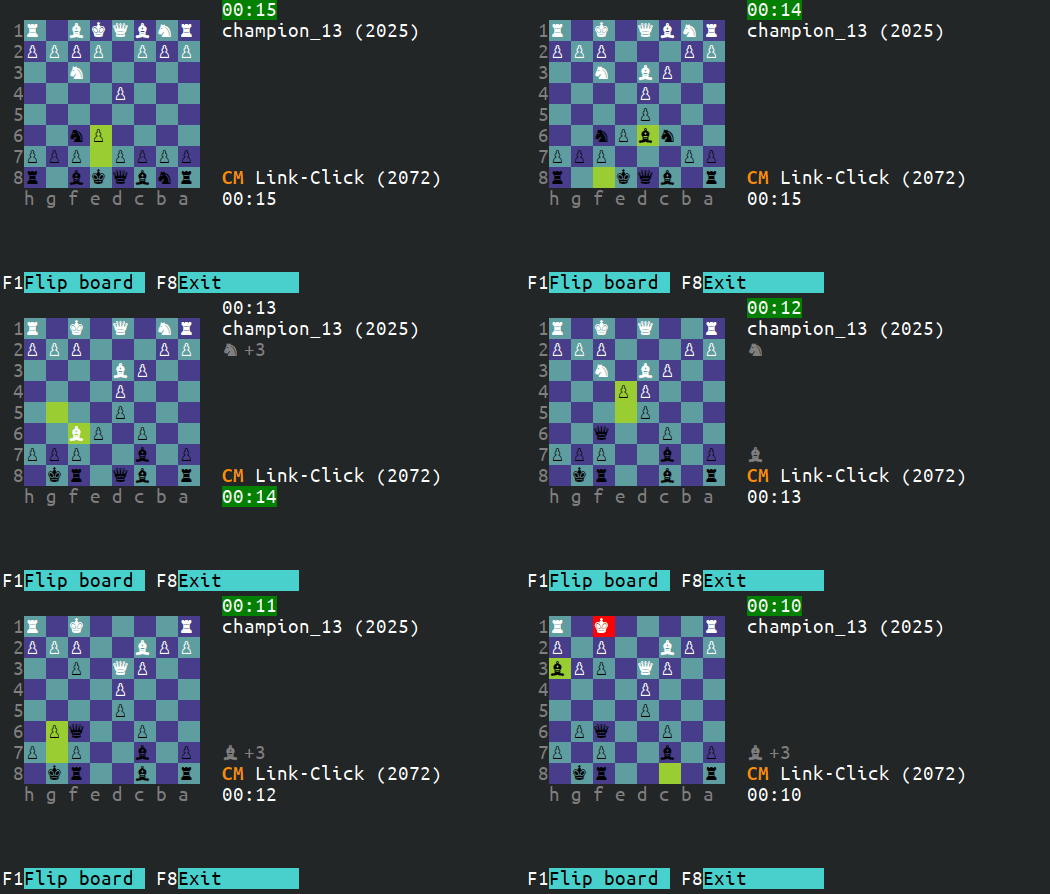
A highly customizable way to play chess in your terminal. Supports playing online (via Lichess.org) and offline against the Fairy-Stockfish engine. All Lichess variants are supported.



Main Features
- Play online using your Lichess.org account
- Play offline against the Fairy-Stockfish engine
- Supports playing all Lichess variants
- Theme the chess board and pieces to the colors of your choice
- Theme UI components to the colors of your choice
- Supports making moves in UCI, SAN, or LAN
- Play blindfold chess
- Watch Lichess TV
Getting started
- Open your terminal and run
pip install cli-chess - Type
cli-chessto start - Use your keyboard arrows, tab, or click to navigate the menus. Multi-value menu options (e.g. changing the variant) can be cycled by pressing the spacebar, enter, or by clicking on the value.
Playing Online
In order to play online using your Lichess account, you will need to create an API token for cli-chess to authenticate with. Follow the steps below to create the token and register it with cli-chess. Generally, these steps will only need to be run once as cli-chess will remember the API token.
- Open your browser and login to your Lichess account
- Click here to create a Lichess API token for cli-chess to authenticate with (NOTE: Do not uncheck any of the token permissions as these are required by cli-chess)
- Click "Create"
- Highlight and copy the token
- Run cli-chess using the following command:
cli-chess --token ****(replace *'s with your API token)
Custom styling
Nearly every component of cli-chess can be styled by overriding parts of the
default style elements
in the custom_style.py file. This file will be located at $HOME/.config/cli-chess/ for Linux and macOS and
$APPDATA/cli-chess/ for Windows.
Colors are expected to be HTML color names (e.g. seagreen)
or HTML hex colors (e.g. #2E8B57). The display of selected
colors is dependent on the terminal supporting true colors and the Terminal Color Depth option in cli-chess program
settings being set to True Colors. If the terminal does not support true colors, the colors selected will be mapped
to the closest supported color.
Restarting cli-chess, or pressing Ctrl+R on any screen will force a style refresh. If this custom style sheet is
invalid in any way, the default cli-chess style will be applied. This file must be kept in dictionary format.
Example custom_style.py to override board and piece colors:
{
    "light-square": "bg:wheat",
    "light-square.light-piece": "fg:white",
    "light-square.dark-piece": "fg:black",

    "dark-square": "bg:#2E8B57",
    "dark-square.light-piece": "fg:white",
    "dark-square.dark-piece": "fg:black",

    "last-move": "bg:slateblue",
    "last-move.light-piece": "fg:white",
    "last-move.dark-piece": "fg:black",

    "in-check": "bg:#FFA500",
    "in-check.light-piece": "fg:white",
    "in-check.dark-piece": "fg:black"
}
Questions
1. How do I make a move?
Moves are case-sensitive and must be made in SAN, LAN, or UCI. Moves cannot be made using the mouse.
Pawn promotions must specify the promotion piece type (e.g. e8=Q or e7e8q).
Moves that are ambiguous must specify the from square when using SAN (e.g. Ncd6).
To drop a piece in Crazyhouse, use the @ symbol (e.g. Q@g4).
While in game, you can press "F5" to toggle a notation cheat sheet.
If you need more information on move notation, see Appendix C of FIDE Laws of Chess.
2. How do I increase the size of the board?
The only way to increase the size of the board is to increase the size of the
font you're using. Many terminals also support Ctrl + to increase the terminal size.
3. The board or chess pieces aren't aligned or displaying properly, how can I fix this?
As cli-chess is a terminal-based program, it has been designed to be used
with a monospace type font. A monospace font should always be used in order for
character alignment to be consistent. The display of cli-chess can change drastically
depending on the font being used, so it's important to choose a font that works best
for your terminal and display preferences. The fonts that I have found to work best with
cli-chess for piece alignment are Ubuntu Mono, MS Gothic, and NSimSun.
4. What operating systems are supported?
Linux, Windows, and macOS. Development is mainly focused and will be prioritized for Linux as it's readily available for me to test on. Regardless of operating system, please report any issues found and I will do my best to support.
5. Can I use a different chess engine?
Playing offline vs the computer is currently only directly compatible with the Fairy-Stockfish engine. For simplicity, the Fairy-Stockfish binaries come pre-built with cli-chess for Linux, Windows, and macOS (x86-64 (and arm64 for macOS) architecture).
1 maintainer

Download files
Download the file for your platform. If you're not sure which to choose, learn more about installing packages.
Source Distribution
Built Distribution
Filter files by name, interpreter, ABI, and platform.
If you're not sure about the file name format, learn more about wheel file names.
Copy a direct link to the current filters
File details
Details for the file cli_chess-1.6.0.tar.gz.
File metadata
- Download URL: cli_chess-1.6.0.tar.gz
- Upload date:
- Size: 1.9 MB
- Tags: Source
- Uploaded using Trusted Publishing? No
- Uploaded via:
twine/6.2.0 CPython/3.9.25
File hashes
| Algorithm | Hash digest | |
|---|---|---|
| SHA256 |
2787831162ae888e30973071e5d8930e416825fde527aee396e4b5cc6467d39c
|
|
| MD5 |
0d1271c6edb78c31a22df573647a2c60
|
|
| BLAKE2b-256 |
f09819dc615238551fd59cc22727f33958b0ca3de237276c6241c51e0e30fb1a
|
File details
Details for the file cli_chess-1.6.0-py3-none-any.whl.
File metadata
- Download URL: cli_chess-1.6.0-py3-none-any.whl
- Upload date:
- Size: 1.9 MB
- Tags: Python 3
- Uploaded using Trusted Publishing? No
- Uploaded via:
twine/6.2.0 CPython/3.9.25
File hashes
| Algorithm | Hash digest | |
|---|---|---|
| SHA256 |
9bc5118eb561ef963acfc234cdde14831b0a584b3167dad5ebb37af26a8b4362
|
|
| MD5 |
dfdc8d05f0a3b55cffe18a4e40128af2
|
|
| BLAKE2b-256 |
05133a6f5270e1b2469054088f2191886d4dba0bb2539286c0efc598a0d3f005
|














