
Generate Unix commands in the terminal

Project description
Cliff: Generate Unix Commands in the Terminal



Cliff (Command Line InterFace Friend) is an AI assistant that helps you come up with Unix commands. Given an objective (for example, "kill the process running on port 8080"), Cliff will generate a command that does the objective and add it to your paste buffer for you to easily paste into your terminal.
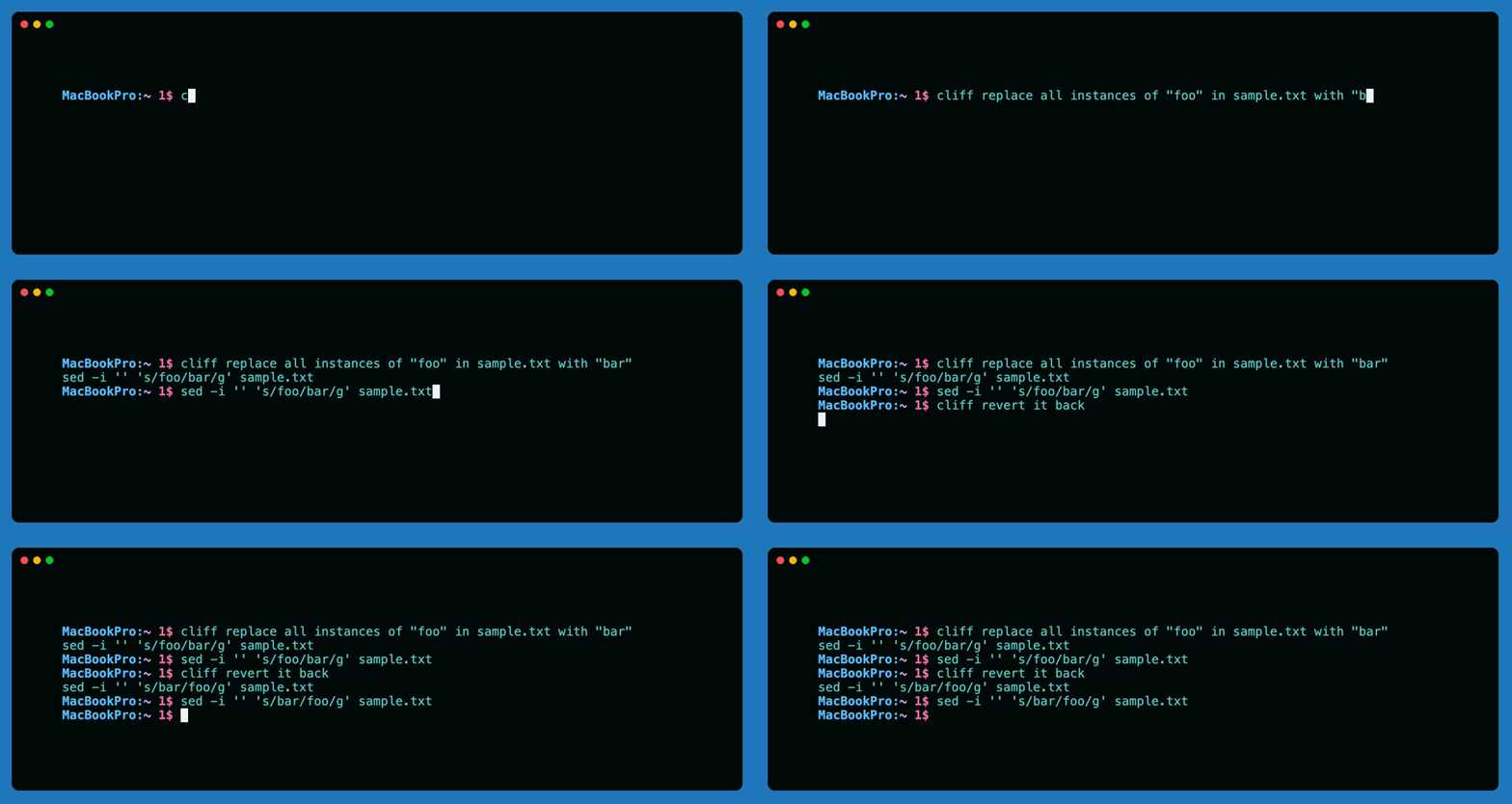
Cliff is compatible with LLMs from OpenAI, Anthropic, etc. as well as local models running with Ollama.
Why?
It's annoying having to open the browser when I forget how to do something in the terminal.
Requirements
- At least one of the following:
- A Unix-like operating system
- Python >= 3.9
Installation
You can install Cliff with homebrew:
brew install pkelaita/tap/cliff
Or with pip:
pip install cliff-cli
If installing with pip, it's recommended to use pipx or another isolated environment manager since Cliff is a globally-installed application.
Configuration
If you'd like to use models from an API-based provider, add its credentials as follows:
cliff --config add [provider] [api key]
The provider can be any of openai, anthropic, google, cohere, groq, replicate, mistral, or cerebras.
Otherwise if you want to use a local model, add it like this:
cliff --config add ollama [model]
For the full list of supported models and providers, see Cliff's Supported Models.
Configuration tips
- In order to use local models, make sure you have Ollama installed and running and have the model loaded (their docs).
- If you add multiple models, you can set your default model with:
cliff --config default-model [model].
For a full overview of the configuration system, run cliff --config help.
Usage
Get started by running cliff with an objective.
cliff kill the process running on port 8080
Cliff will automatically add the command to your paste buffer, so no need to copy-paste it.
If needed (i.e., to avoid escaping special characters), you can use quotes.
cliff "kill the process that's running on port 8080"
If you want to specify which model to use, you can do so with the --model or -m flag.
cliff --model gpt-4o kill the process running on port 8080
To view the man page, run cliff with no arguments.
Chat Memory
By default, Cliff has chat memory enabled with a sliding window size of 10 turns. You can view your memory with cliff --memory show and clear it with cliff --memory clear.
If you'd like to change the window size, run cliff --config memory-window [new size]. If you want to disable memory, just set the window size to 0.
Command Notepad
Cliff's chat memory does not have access to command outputs, but you can optionally share them with Cliff to help it debug and improve its responses via its command notepad.
- To run a command and store its output for Cliff, run
cliff --notepad run [command]. - To view your command notepad, run
cliff --notepad show, and to clear it, runcliff --notepad clear. -ncan be used as an alias for--notepad.
Tip: You'll usually have to put quotes around your command if it contains special characters – e.g., cliff --notepad run "ps ax | head -n 10" – for Cliff to properly capture and execute it.
Other Useful Features
- The default generation timeout is 20 seconds. You can change it by running
cliff --config timeout [new timeout]. - To view your configuration, run
cliff --config show. - You can run
cliff --clearas a shortcut to clear both Cliff's chat memory and command notepad.
That's it! It's pretty simple which is the point.
Planned Features
- Regular updates with new models, etc.
- UX improvements: cosmetic updates, model aliases, etc.
- Not sure what else this thing really needs, but open to suggestions!
Release history Release notifications | RSS feed


Download files
Download the file for your platform. If you're not sure which to choose, learn more about installing packages.
Source Distribution
Built Distribution
Filter files by name, interpreter, ABI, and platform.
If you're not sure about the file name format, learn more about wheel file names.
Copy a direct link to the current filters
File details
Details for the file cliff_cli-0.2.2.tar.gz.
File metadata
- Download URL: cliff_cli-0.2.2.tar.gz
- Upload date:
- Size: 31.2 kB
- Tags: Source
- Uploaded using Trusted Publishing? No
- Uploaded via: twine/6.1.0 CPython/3.13.2
File hashes
| Algorithm | Hash digest | |
|---|---|---|
| SHA256 |
167805f0e8dd6a8b96181654a3f7c347728c0ce8acead17c532fc04adfc8c5bc
|
|
| MD5 |
39f62476326cb72f18dec410457502ba
|
|
| BLAKE2b-256 |
37294d2208603f685ad94e1686ad0340883f823647cec6240047ee03b13d511a
|
File details
Details for the file cliff_cli-0.2.2-py3-none-any.whl.
File metadata
- Download URL: cliff_cli-0.2.2-py3-none-any.whl
- Upload date:
- Size: 23.0 kB
- Tags: Python 3
- Uploaded using Trusted Publishing? No
- Uploaded via: twine/6.1.0 CPython/3.13.2
File hashes
| Algorithm | Hash digest | |
|---|---|---|
| SHA256 |
63458b6c4be08445bf3b2f1956ad97a257b6961c9352af956002239c64e25d53
|
|
| MD5 |
fa5fb65ca93c80c2d1d44ec01f15b8cd
|
|
| BLAKE2b-256 |
700f2883a2999a8245dd80271647151ab14fa719d1cadc62f6db1b252a092084
|






