
A tool that combines LLMs with climate data to provide localized insights for decision-making in agriculture, urban planning, disaster management, and policy development.

Project description
ClimSight
ClimSight is an advanced tool that integrates Large Language Models (LLMs) with climate data to provide localized climate insights for decision-making. ClimSight transforms complex climate data into actionable insights for agriculture, urban planning, disaster management, and policy development.
The target audience includes researchers, providers of climate services, policymakers, agricultural planners, urban developers, and other stakeholders who require detailed climate information to support decision-making. ClimSight is designed to democratize access to climate data, empowering users with insights relevant to their specific contexts.
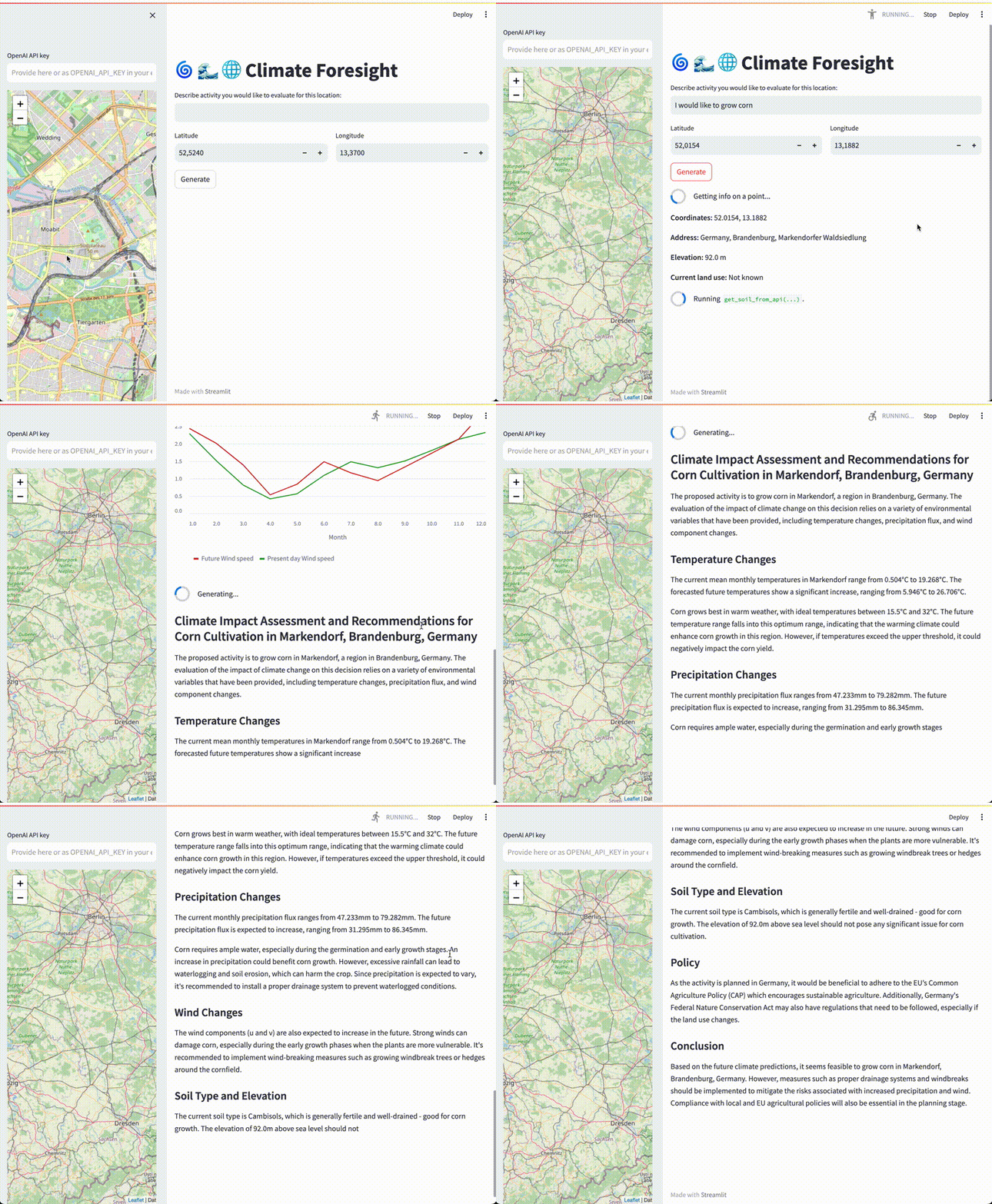
ClimSight distinguishes itself through several key advancements:
- Integration of LLMs: ClimSight leverages state-of-the-art LLMs to interpret complex climate-related queries, synthesizing information from diverse data sources.
- Multi-Source Data Integration: Unlike conventional systems that rely solely on structured climate data, ClimSight integrates information from multiple sources.
- Evidence-Based Approach: ClimSight ensures contextually accurate answers by retrieving relevant knowledge from scientific reports, IPCC documents, and geographical databases.
- Modular Architecture: Specialized components handle distinct tasks, such as data retrieval, contextual understanding, and result synthesis, leading to more accurate outputs.
- Real-World Applications: ClimSight is validated through practical examples, such as assessing climate risks for specific agricultural activities and urban planning scenarios.
Installation Options
You can use ClimSight in three ways:
- Run a pre-built Docker container (simplest approach)
- Build and run a Docker container from source
- Install the Python package (via pip or conda/mamba)
Using ClimSight requires an OpenAI API key unless using the skipLLMCall mode for testing. The API key is only needed when running the application, not during installation.
1. Running with Docker (Pre-built Container)
The simplest way to get started is with our pre-built Docker container:
# Make sure your OpenAI API key is set as an environment variable
export OPENAI_API_KEY="your-api-key-here"

# Pull and run the container
docker pull koldunovn/climsight:stable
docker run -p 8501:8501 -e OPENAI_API_KEY=$OPENAI_API_KEY koldunovn/climsight:stable
Then open http://localhost:8501/ in your browser.
2. Building and Running from Source with Docker
If you prefer to build from the latest source:
# Clone the repository
git clone https://github.com/CliDyn/climsight.git
cd climsight

# Download required data
python download_data.py

# Build and run the container
docker build -t climsight .
docker run -p 8501:8501 -e OPENAI_API_KEY=$OPENAI_API_KEY climsight
Visit http://localhost:8501/ in your browser once the container is running.
For testing without OpenAI API calls:
docker run -p 8501:8501 -e STREAMLIT_ARGS="skipLLMCall" climsight
3. Python Package Installation
Option A: Building from source with conda/mamba
# Clone the repository
git clone https://github.com/CliDyn/climsight.git
cd climsight

# Create and activate the environment
mamba env create -f environment.yml
conda activate climsight

# Download required data
python download_data.py
Option B: Using pip
It's recommended to create a virtual environment to avoid dependency conflicts:
# Option 1: Install from source
git clone https://github.com/CliDyn/climsight.git
cd climsight

# Create and activate a virtual environment
python -m venv venv
source venv/bin/activate  # On Windows: venv\Scripts\activate

# Install ClimSight
pip install -e .
python download_data.py
Or if you prefer to set up without cloning the repository:
# Option 2: Install from PyPI
# Create and activate a virtual environment
python -m venv climsight_env
source climsight_env/bin/activate  # On Windows: climsight_env\Scripts\activate

# Install the package
pip install climsight

# Create a directory for data
mkdir -p climsight
cd climsight

# Download necessary configuration files
wget https://raw.githubusercontent.com/CliDyn/climsight/main/data_sources.yml
wget https://raw.githubusercontent.com/CliDyn/climsight/main/download_data.py
wget https://raw.githubusercontent.com/CliDyn/climsight/main/config.yml

# Download the required data (about 8 GB)
python download_data.py
Configuration
ClimSight will automatically use a config.yml file from the current directory. You can modify this file to customize settings:
# Key settings you can modify in config.yml:
# - LLM model (gpt-4, ...)
# - Climate data sources
# - RAG database configuration
# - Agent parameters
Running ClimSight
If installed with conda/mamba from source:
# Run from the repository root
streamlit run src/climsight/climsight.py
If installed with pip:
# Make sure you're in the directory with your data and config
climsight
You can optionally set your OpenAI API key as an environment variable:
export OPENAI_API_KEY="your-api-key-here"
Otherwise, you can enter your API key directly in the browser interface when prompted.
Testing without an OpenAI API key:
# From source:
streamlit run src/climsight/climsight.py skipLLMCall

# Or if installed with pip:
climsight skipLLMCall
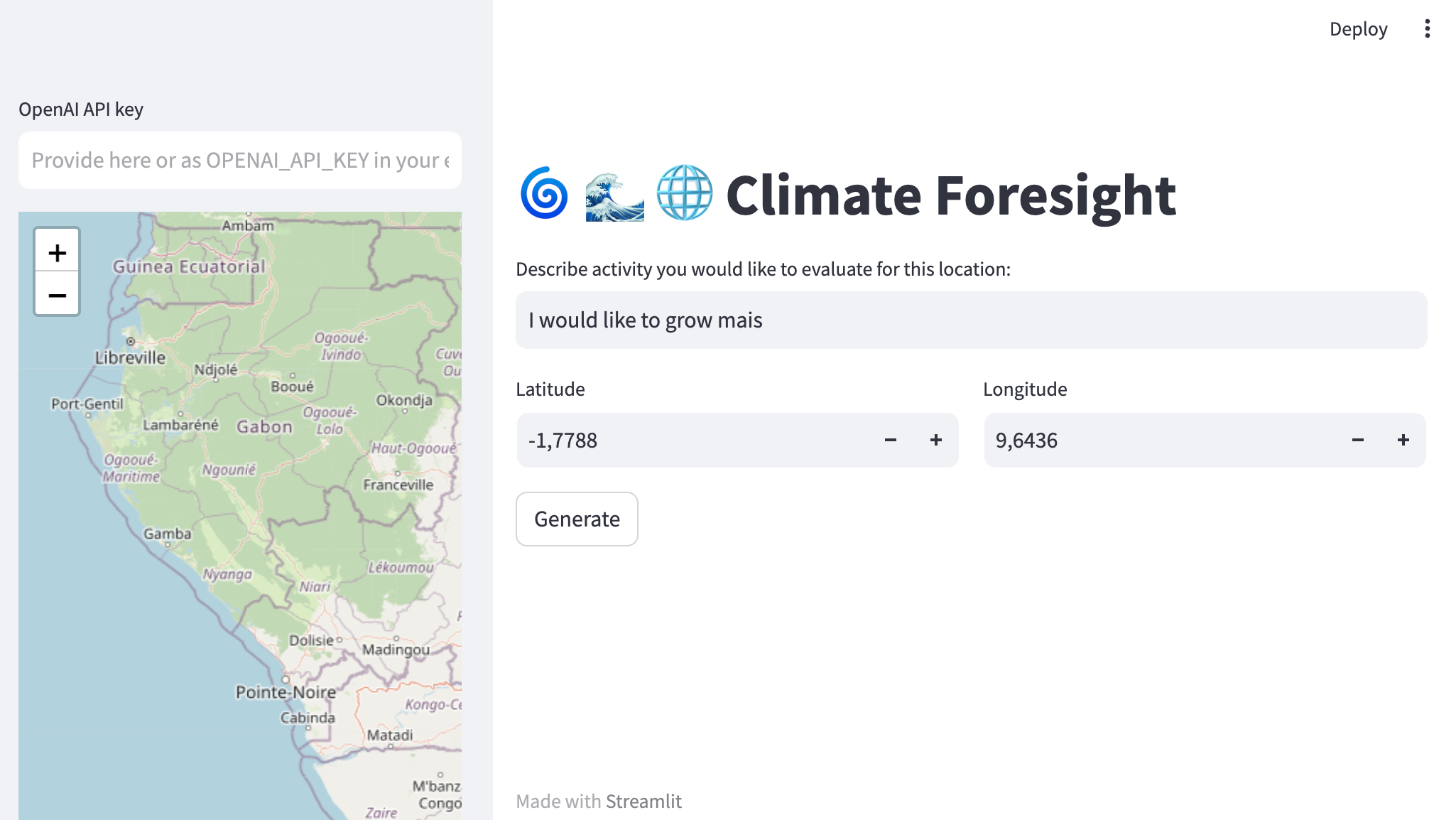
The application will open in your browser automatically. Just type your climate-related questions and press "Generate" to get insights.
Citation
If you use or refer to ClimSight in your work, please cite:
Koldunov, N., Jung, T. Local climate services for all, courtesy of large language models. Commun Earth Environ 5, 13 (2024). https://doi.org/10.1038/s43247-023-01199-1
Release history Release notifications | RSS feed


Download files
Download the file for your platform. If you're not sure which to choose, learn more about installing packages.
Source Distribution
Built Distribution
Filter files by name, interpreter, ABI, and platform.
If you're not sure about the file name format, learn more about wheel file names.
Copy a direct link to the current filters
File details
Details for the file climsight-1.0.0.tar.gz.
File metadata
- Download URL: climsight-1.0.0.tar.gz
- Upload date:
- Size: 66.8 kB
- Tags: Source
- Uploaded using Trusted Publishing? No
- Uploaded via: twine/6.1.0 CPython/3.13.2
File hashes
| Algorithm | Hash digest | |
|---|---|---|
| SHA256 |
38fb7d2066bebbcb94fb739d10c5bc51dcee8a624ef8ff8977a724508c78e1c8
|
|
| MD5 |
9cedfbcb2e8e2a33aefa8bcccdf94c77
|
|
| BLAKE2b-256 |
317e37042d1f0b70caf1d0a64e037044cc3571aa0d8f6523d11b9261ec94470b
|
File details
Details for the file climsight-1.0.0-py3-none-any.whl.
File metadata
- Download URL: climsight-1.0.0-py3-none-any.whl
- Upload date:
- Size: 71.1 kB
- Tags: Python 3
- Uploaded using Trusted Publishing? No
- Uploaded via: twine/6.1.0 CPython/3.13.2
File hashes
| Algorithm | Hash digest | |
|---|---|---|
| SHA256 |
31ea23524074c900d913693c11709da2bcf3b3f9bcf587b27c6eefae37effac6
|
|
| MD5 |
e3e6f3f5f4eecb36f6c77b6bc02bdb0d
|
|
| BLAKE2b-256 |
db1e71e3597451fd1aab7a6eab2c1ca4c2a1f3cacf07c32b61883414331bafdc
|






