
Single-stream live player with rolling buffer, clipping, and recording

Project description
Clippiti
Cross-platforms livestream player with clipping and recording.
Clippiti is a PyQt6 desktop app that opens live streams via Streamlink, keeps a rolling local buffer, and lets you take snapshots or save both live and past moments as clips.
Features
- Live stream playback via Streamlink + mpv
- Rolling HLS buffer pipeline (Streamlink -> ffmpeg)
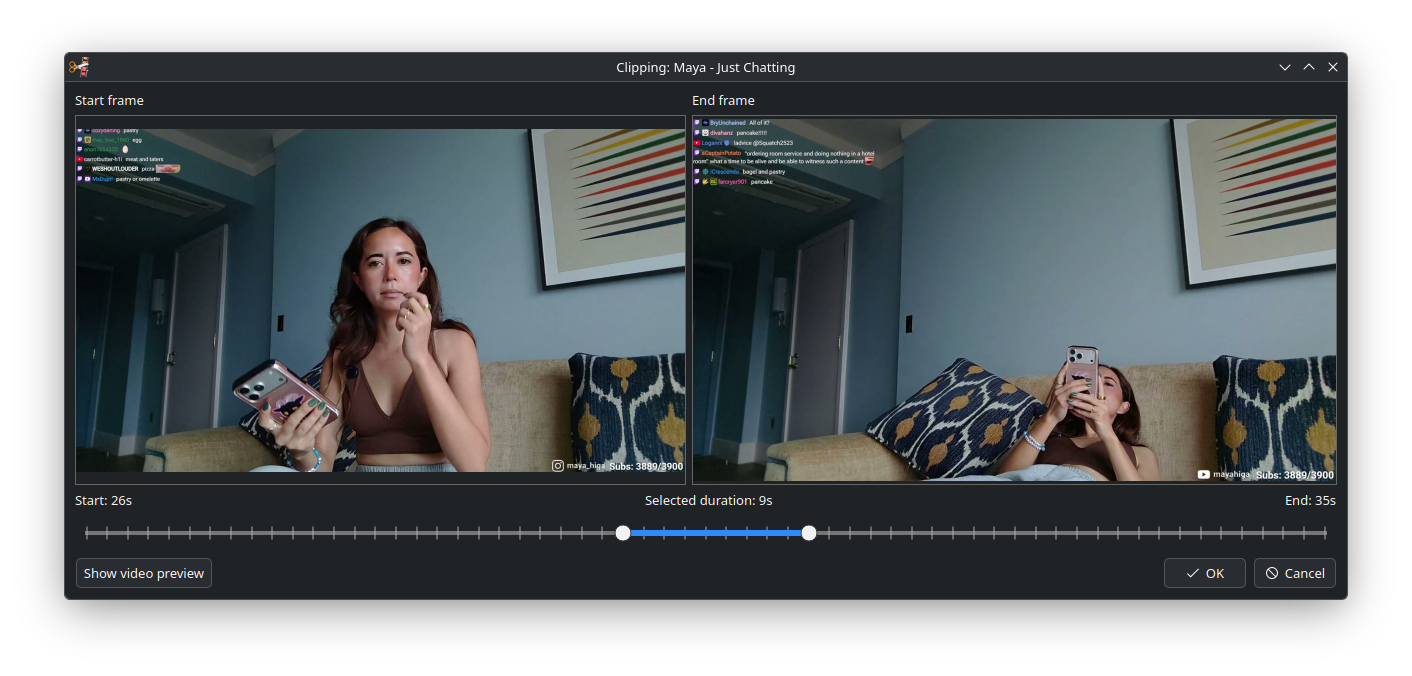
- Clip export from buffered timeline
- Recording with optional auto-remux to MP4
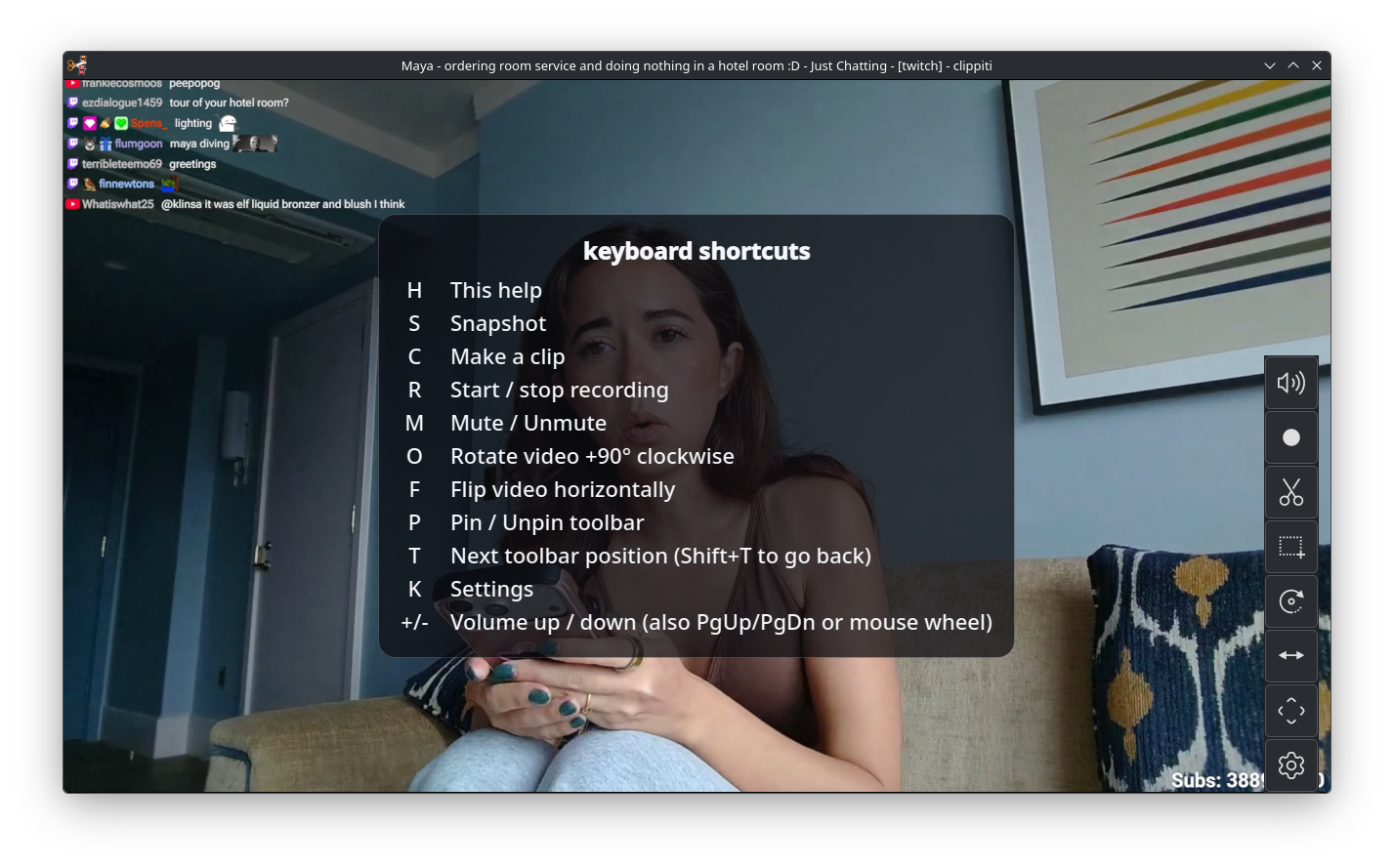
- Floating controls, keyboard shortcuts, and OSD feedback
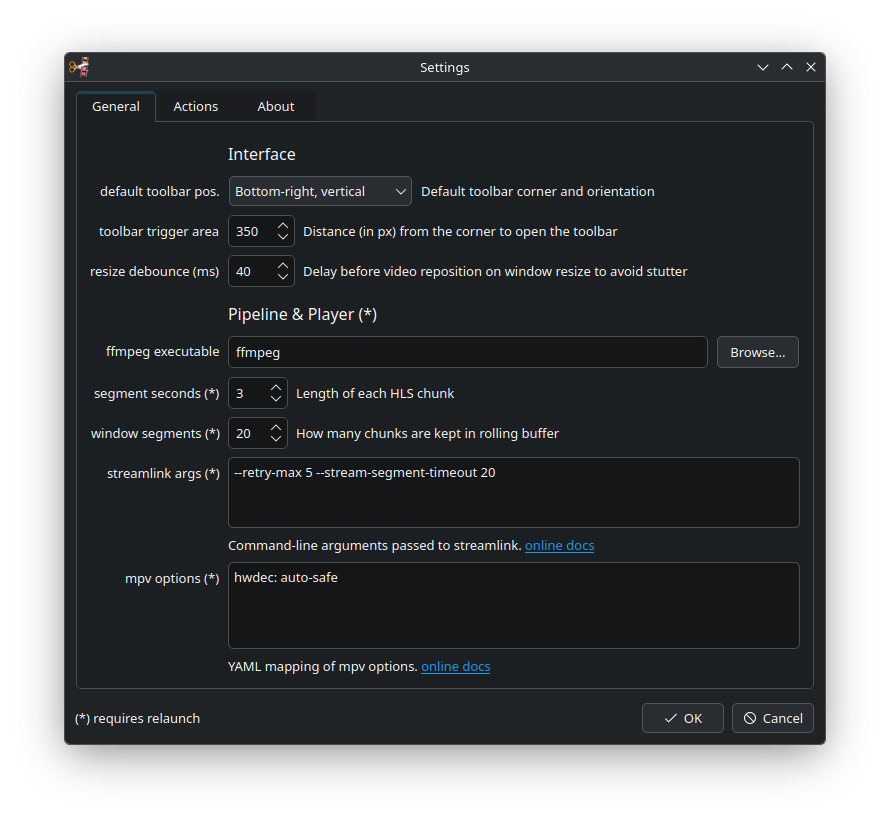
- YAML config with runtime-editable settings dialog
- CLI overrides for Streamlink and mpv options
Supported OS: Linux, Windows, macOS
Requirements
- Python 3.12+
- Desktop environment that supports PyQt6 apps
Non-Python dependencies
Clippiti requires these external tools at runtime:
mpv/libmpv(used bypython-mpvfor playback)ffmpeg
streamlink is installed from Python packaging (clippiti-player dependency), so you do not need to install a system streamlink package.
Install them with your OS package manager.
Linux:
# Ubuntu / Debian
sudo apt install mpv libmpv2 ffmpeg

# Fedora
sudo dnf install mpv mpv-libs ffmpeg

# Arch Linux
sudo pacman -S mpv ffmpeg
macOS:
brew install mpv ffmpeg
Windows (PowerShell, using Scoop):
scoop install mpv ffmpeg
Verify they are available in PATH:
mpv --version
ffmpeg -version
Verify Python-installed Streamlink version from the same environment used to run Clippiti:
python -m streamlink --version
Install
From PyPI (recommended):
pip install clippiti-player
or with pipx:
pipx install clippiti-player
Run:
clippiti <url> <quality>
Install from source (development)
git clone <your-repo-url>
cd clippiti
python3 -m venv .venv
source .venv/bin/activate
pip install -r requirements.txt
pip install -e .
Alternative without editable install:
PYTHONPATH=src ./.venv/bin/python -m clippiti <url> <quality>
Command-line options
positional:
  url                      Stream URL to open
  quality                  Desired stream quality

optional:
  --sl TEXT                Pass-through Streamlink arguments string
  --mpv TEXT               Additional mpv options (YAML or key=value)
  --config PATH            Path to config YAML file
  --workdir PATH           Path to runtime working directory
  --verbose                Enable verbose startup logs
Example:
clippiti https://www.twitch.tv/example_channel best --sl "--retry-max 5" --mpv "vf=hflip"
Companion App: Lurkiti
If you want a tray app that monitors your favorite livestreams and opens them directly in your player, check out my Lurkiti.
Lurkiti is a lightweight desktop companion for stream monitoring and quick one-click launch into Clippiti or any other Streamlink supported media player.
Configuration
Clippiti stores configuration in YAML.
Resolution order:
--config <path>if provided- User config location (
clippiti.yaml) if it exists <workdir>/config.yamlif it exists- Fallback to
<workdir>/config.yaml(or./clippiti.yamlif no workdir)
User config location (clippiti.yaml) is typically:
- Linux:
~/.config/clippiti.yaml - Windows:
%APPDATA%\clippiti.yaml - macOS:
~/Library/Application Support/clippiti.yaml
Default workdir is:
/tmp/clippiti
Development
Install dev/test deps (already included in requirements.txt):
source .venv/bin/activate
pip install -r requirements.txt
Run tests:
PYTHONPATH=src ./.venv/bin/python -m pytest -q
Documentation
Troubleshooting
- Stream metadata probe fails:
- Verify URL is online/public
- Verify
streamlinkis installed and runnable
- Playback pipeline does not start:
- Verify
ffmpegis installed and reachable - Use
--verboseto inspect startup logs
- Verify
- mpv/video issues:
- Verify
python-mpvis installed - Try with simpler
--mpvoptions first
- Verify
License
MIT License - see LICENSE if present in this repository.
Acknowledgments
- Streamlink
- ffmpeg
- PyQt6
- python-mpv
Screenshots
Release history Release notifications | RSS feed


Download files
Download the file for your platform. If you're not sure which to choose, learn more about installing packages.
Source Distribution
Built Distribution
Filter files by name, interpreter, ABI, and platform.
If you're not sure about the file name format, learn more about wheel file names.
Copy a direct link to the current filters
File details
Details for the file clippiti_player-0.1.10.tar.gz.
File metadata
- Download URL: clippiti_player-0.1.10.tar.gz
- Upload date:
- Size: 2.3 MB
- Tags: Source
- Uploaded using Trusted Publishing? Yes
- Uploaded via: twine/6.1.0 CPython/3.13.12
File hashes
| Algorithm | Hash digest | |
|---|---|---|
| SHA256 |
5dac20364b68537ec931fcec311f047d4207b2f85a5126aa72db97ea1d7119c7
|
|
| MD5 |
2b7c02e824724369ee3fd0b16610af07
|
|
| BLAKE2b-256 |
96f8b8f11291c4a76320c874ec51443da00d2ce2574f92e7413d39ddb0d07d79
|
Provenance
The following attestation bundles were made for clippiti_player-0.1.10.tar.gz:
Publisher:
publish.yml on tarzasai/clippiti
-
Statement:
-
Statement type:
https://in-toto.io/Statement/v1 -
Predicate type:
https://docs.pypi.org/attestations/publish/v1 -
Subject name:
clippiti_player-0.1.10.tar.gz -
Subject digest:
5dac20364b68537ec931fcec311f047d4207b2f85a5126aa72db97ea1d7119c7 - Sigstore transparency entry: 1959511391
- Sigstore integration time:
-
Permalink:
tarzasai/clippiti@4b1564f64df47a8a191c327d42cc5e37d683adbb -
Branch / Tag:
refs/tags/v0.1.10 - Owner: https://github.com/tarzasai
-
Access:
public
-
Token Issuer:
https://token.actions.githubusercontent.com -
Runner Environment:
github-hosted -
Publication workflow:
publish.yml@4b1564f64df47a8a191c327d42cc5e37d683adbb -
Trigger Event:
push
-
Statement type:
File details
Details for the file clippiti_player-0.1.10-py3-none-any.whl.
File metadata
- Download URL: clippiti_player-0.1.10-py3-none-any.whl
- Upload date:
- Size: 171.0 kB
- Tags: Python 3
- Uploaded using Trusted Publishing? Yes
- Uploaded via: twine/6.1.0 CPython/3.13.12
File hashes
| Algorithm | Hash digest | |
|---|---|---|
| SHA256 |
875be745f69ae1204f9bbf372f774811ae89ce521583082df57c467e60b0ac98
|
|
| MD5 |
2de0f84b27a4c9bfc7ba4e0b599ee25a
|
|
| BLAKE2b-256 |
5cf11ec3f4e64e19ed959881920932d31349aba6cb45855388255aff079a79dd
|
Provenance
The following attestation bundles were made for clippiti_player-0.1.10-py3-none-any.whl:
Publisher:
publish.yml on tarzasai/clippiti
-
Statement:
-
Statement type:
https://in-toto.io/Statement/v1 -
Predicate type:
https://docs.pypi.org/attestations/publish/v1 -
Subject name:
clippiti_player-0.1.10-py3-none-any.whl -
Subject digest:
875be745f69ae1204f9bbf372f774811ae89ce521583082df57c467e60b0ac98 - Sigstore transparency entry: 1959511539
- Sigstore integration time:
-
Permalink:
tarzasai/clippiti@4b1564f64df47a8a191c327d42cc5e37d683adbb -
Branch / Tag:
refs/tags/v0.1.10 - Owner: https://github.com/tarzasai
-
Access:
public
-
Token Issuer:
https://token.actions.githubusercontent.com -
Runner Environment:
github-hosted -
Publication workflow:
publish.yml@4b1564f64df47a8a191c327d42cc5e37d683adbb -
Trigger Event:
push
-
Statement type:






