
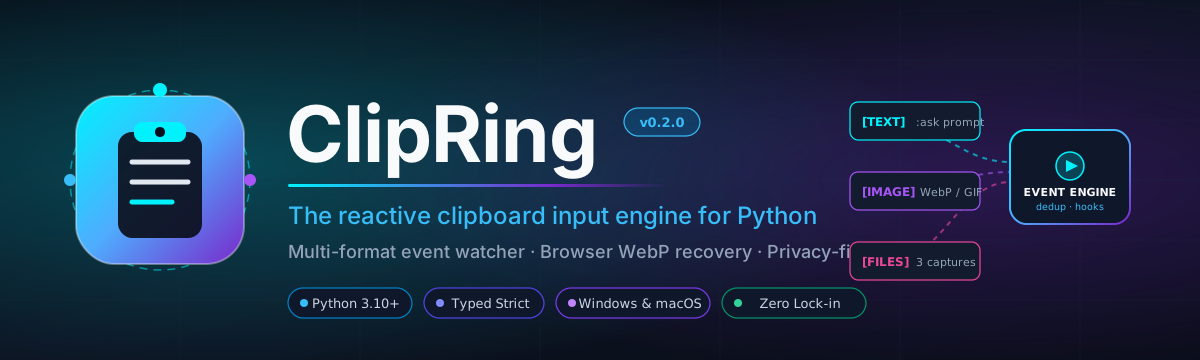
ClipRing
A modern cross-platform clipboard input engine, multi-format event watcher, and automated image extractor for Python.




Quickstart · Features · Architecture · CLI · AutoSaver · Security · Docs
ClipRing transforms your computer clipboard into an asynchronous, reactive input mechanism.
Instead of treating the clipboard as a passive text container, ClipRing provides an event-driven engine that captures text, rich HTML, screenshots, animated GIFs, raw bitmaps, and copied files. It features deep browser WebP recovery, instant image persistence with perceptual hash deduplication, privacy-first credential sanitization, paced typewriter feedback, and an optional AI copilot bridge.
Engineered with native backends for Windows, macOS, and Linux.
What You Get
| Component | Responsibility | Import / Command | Requires LLM? |
|---|---|---|---|
| Core Clipboard | Typed, cross-platform clipboard reader/writer for text, images, HTML, and files. | clipring.Clipboard |
No |
| Event Engine | Non-blocking clipboard watcher with content fingerprinting, debounce, and decorators. | clipring.ClipboardWatcher |
No |
| AutoSaver Daemon | Background daemon extracting images and browser WebPs directly to disk with deduplication. | clipring.AutoSaverclipring autosaver |
No |
| Processors | Privacy sanitizer (masking API keys), ring buffer history, and paced typewriter echo. | clipring.Sanitizerclipring.HistoryBuffer |
No |
| CLI & Web UI | Stream clipboard events in the terminal or launch the cyberpunk web dashboard. | clipring watchclipring ui |
No |
| AI Bridge (Optional) | Model-agnostic copilot executing vision and text prompts from copied snippets. | clipring.ai.bridge.LLMBridge |
Yes (Bring your own key) |
Each layer is completely decoupled. The core toolkit imports in milliseconds and pulls zero heavy AI dependencies.
Installation
pip install clipring
Or with uv:
uv add clipring
Optional Extras
- AI Copilot (OpenAI / Vision):
pip install "clipring[ai]"
- Development & Testing Suite:
pip install "clipring[dev]"
Quickstart
1. Basic Clipboard I/O
from clipring import Clipboard

cb = Clipboard()

# Push text
cb.write("Hello from ClipRing!")

# Read an atomic snapshot
item = cb.read()
print(f"Detected: {item.content_type.value}")
print(f"Summary: {item.summary()}")
2. Event-Driven Watcher
Turn your clipboard into a reactive stream using simple decorators:
from clipring import ClipboardWatcher
from clipring.core.models import ClipboardItem

watcher = ClipboardWatcher(poll_interval=0.5)

@watcher.on_text()
def handle_text(item: ClipboardItem):
    print(f"Text copied ({len(item.text)} chars): {item.text[:50]}...")

@watcher.on_image
def handle_image(item: ClipboardItem):
    print(f"Image captured! [{item.image.format} {item.image.dimensions[0]}x{item.image.dimensions[1]}]")

@watcher.on_command(prefix=":")
def handle_command(item: ClipboardItem):
    print(f"Command trigger intercepted: {item.text}")

# Start the event loop
watcher.run()
Key Features
Browser WebP Recovery & AutoSaver
Modern web browsers (Chrome, Edge, Brave) frequently copy animated stickers, Discord memes, or images by packaging them into HTML clipboard data containing base64 WebP payloads rather than raw GIF bitmaps. Standard clipboard tools lose the animation or save a static thumbnail.
ClipRing solves this by deeply parsing the HTML clipboard payload, recovering the original raw WebP bitstream, and optionally converting animated WebPs into standards-compliant animated GIFs:
from clipring import AutoSaver, ClipboardWatcher

# Automatically persist every copied image or screenshot to disk
saver = AutoSaver(
    save_dir="~/Pictures/ClipRing",
    convert_webp_to_gif=True,   # Reconstructs animated WebP as animated GIF
    notify_on_save=True,        # Shows native OS desktop balloon/notification
)

watcher = ClipboardWatcher(poll_interval=0.5)
saver.attach_to_watcher(watcher)
watcher.run()
Privacy Sanitization
Clipboards often hold sensitive data such as API tokens, JWTs, private keys, or passwords. ClipRing provides a built-in Sanitizer that prevents accidental leakage into logs, terminals, or history:
from clipring import Sanitizer

sanitizer = Sanitizer()

raw = "My OpenAI secret is sk-proj-1234567890abcdef1234567890 and AWS is AKIAIOSFODNN7EXAMPLE"
safe = sanitizer.sanitize(raw)
print(safe)
# Output: "My OpenAI secret is [REDACTED_OPENAI_KEY] and AWS is [REDACTED_AWS_KEY]"
Paced Typewriter Echo
Simulate progressive typing into the clipboard in word-aligned chunks with configurable timing:
from clipring import TypewriterEcho

echo = TypewriterEcho(delay=0.3)
echo.echo("A long text string that needs to be delivered in segments...")
Optional AI Copilot Bridge
ClipRing allows triggering LLM completions and vision analysis directly from copied snippets or your latest screenshot:
from clipring.ai.bridge import LLMBridge

# Requires: pip install clipring[ai]
bridge = LLMBridge(model="gpt-4o")

# Query text
answer = bridge.ask("Explain the difference between threading and multiprocessing.")

# Query the most recent screenshot automatically
vision_answer = bridge.ask_latest_screenshot("What compiler error is shown here?")
CLI Reference
ClipRing includes a command-line interface under clipring (and short alias clip):
# Display platform diagnostics and resolved paths
clipring info

# Inspect current clipboard content
clipring read
clipring read --json
clipring read --raw

# Write text to clipboard
clipring write "Text pushed from shell"

# Live terminal monitor streaming clipboard events
clipring watch --interval 0.5

# Run the headless image AutoSaver daemon
clipring autosaver --dir ~/Pictures/Captures --gif

# Launch the interactive Cyberpunk Web Dashboard
clipring ui --port 8844
Cyberpunk Web Dashboard
Launch the interactive local dashboard to inspect live clipboard telemetry, tokens, and format recovery in real time:
Architecture
flowchart TD
    CLI["<b>Layer 5 · CLI & UI</b><br/>clipring watch · autosaver · read · write · history · ui"]
    AI["<b>Layer 4 · Optional AI Bridge</b><br/>Prompt presets · Vision extraction · Square-bracket parsing"]
    PROC["<b>Layer 3 · Processors & Feedback</b><br/>AutoSaver · HistoryBuffer · Sanitizer · TypewriterEcho · Notifier"]
    ENG["<b>Layer 2 · Event Engine</b><br/>ClipboardWatcher · HookRouter · Fingerprinting · Debounce"]
    CORE["<b>Layer 1 · Core OS Abstraction</b><br/>WindowsBackend · DarwinBackend (macOS) · LinuxBackend · Formats"]

    CLI --> ENG
    CLI --> PROC
    AI --> ENG
    PROC --> ENG
    ENG --> CORE
    AI -.-> PROC

    EXT(["Optional: openai / anthropic"]) -.-> AI
    OS(["Windows Win32 / macOS AppKit+pbpaste / Linux xclip"]) -.-> CORE

    classDef high fill:#ede9fe,stroke:#6d28d9,color:#3b0764
    classDef mid fill:#e0f2fe,stroke:#0369a1,color:#0c4a6e
    classDef low fill:#f1f5f9,stroke:#94a3b8,color:#334155,stroke-dasharray:4 3
    class CLI,AI high
    class PROC,ENG mid
    class CORE,EXT,OS low
Security & Privacy
- Local by Default: ClipRing executes entirely locally on your workstation. No clipboard data is transmitted across networks unless you explicitly configure an AI provider or custom webhook.
- Credential Redaction: The built-in
Sanitizerscans for common secret patterns (OpenAI, Anthropic, GitHub, AWS, JWTs) and masks them before logging or history retention. - No Unsafe Execution: ClipRing processes text and binary image data safely without evaluating code or invoking arbitrary shell scripts from clipboard payloads.
Contributing
We welcome contributions, issues, and feature suggestions! Check out CONTRIBUTING.md to get started with development and testing.
# Run test suite
pytest

# Type check
mypy src/clipring
License
Distributed under the MIT License. Copyright (c) 2026 Guan Zheng Huang / CoronRing.
1 maintainer

Release files for clipring 0.2.0
For a detailed explanation of source distributions (sdists) and built distributions (wheels), please see the package formats documentation.
Source distribution (sdist)
| File | Size | Uploaded | |
|---|---|---|---|
| clipring-0.2.0.tar.gz | 860.1 kB | Details |
Built distribution (wheel)
| File | Interpreter | ABI | Platform | Reset |
|---|---|---|---|---|
| clipring-0.2.0-py3-none-any.whl | Python 3 | none | any | Details |
Total release size: 906.3 kB
Release files / clipring-0.2.0.tar.gz
| Download URL | clipring-0.2.0.tar.gz |
|---|---|
| Size | 860.1 kB |
| Tags | Source |
|
SHA-256 checksum How to use checksums |
e1ac16a90515212c6bace3348b1c3f431f498aa2bcc97eee5d2c4e39cfbebfcc
|
|
BLAKE2b-256 checksum How to use checksums |
6622b51c13866b6fc88b80e656b27bbe1292d290e20a07a7393584d4e4bc809e
|
| Upload date | |
|
Uploaded using Trusted Publishing? What is trusted publishing? |
Yes |
| Uploaded via |
twine/7.0.0 CPython/3.13.14
|
Provenance
Provenance describes where a file came from. On PyPI, provenance is shared via attestations, which provide a verifiable record of the build or publishing details. View details, limitations and caveats.


PyPI Publish Attestation
PyPI verified that this artifact, at this checksum, originated from the publisher listed below.
Signed by GitHub Actions, verified by PyPI on Sep 9, 2026.
Transparency logRelease files / clipring-0.2.0-py3-none-any.whl
| Download URL | clipring-0.2.0-py3-none-any.whl |
|---|---|
| Size | 46.2 kB |
| Tags | Python 3 |
|
SHA-256 checksum How to use checksums |
8560ef90083c1caed482a43514d84b5c6184c10c5cace577b4708e9cefc3f5d3
|
|
BLAKE2b-256 checksum How to use checksums |
ba8c0127d04664b3ed73cbc3e6c1e6ac840299df7caa3e289480e9fcc7381097
|
| Upload date | |
|
Uploaded using Trusted Publishing? What is trusted publishing? |
Yes |
| Uploaded via |
twine/7.0.0 CPython/3.13.14
|
Provenance
Provenance describes where a file came from. On PyPI, provenance is shared via attestations, which provide a verifiable record of the build or publishing details. View details, limitations and caveats.
PyPI Publish Attestation
PyPI verified that this artifact, at this checksum, originated from the publisher listed below.
Signed by GitHub Actions, verified by PyPI on Sep 9, 2026.
Transparency log












