
Cloudflare Error Page Generator
📢 Update (2025/12/09): All icons used in the error page have been fully redrawn as vector assets. These icons along with the stylesheet are also inlined into a single file of the error page, eliminating any need of hosting additional resources, and ensuring better experience for you and your end users.
What does this project do?
This project creates customized error pages that mimics the well-known Cloudflare error page. You can also embed it into your website.
Online Editor
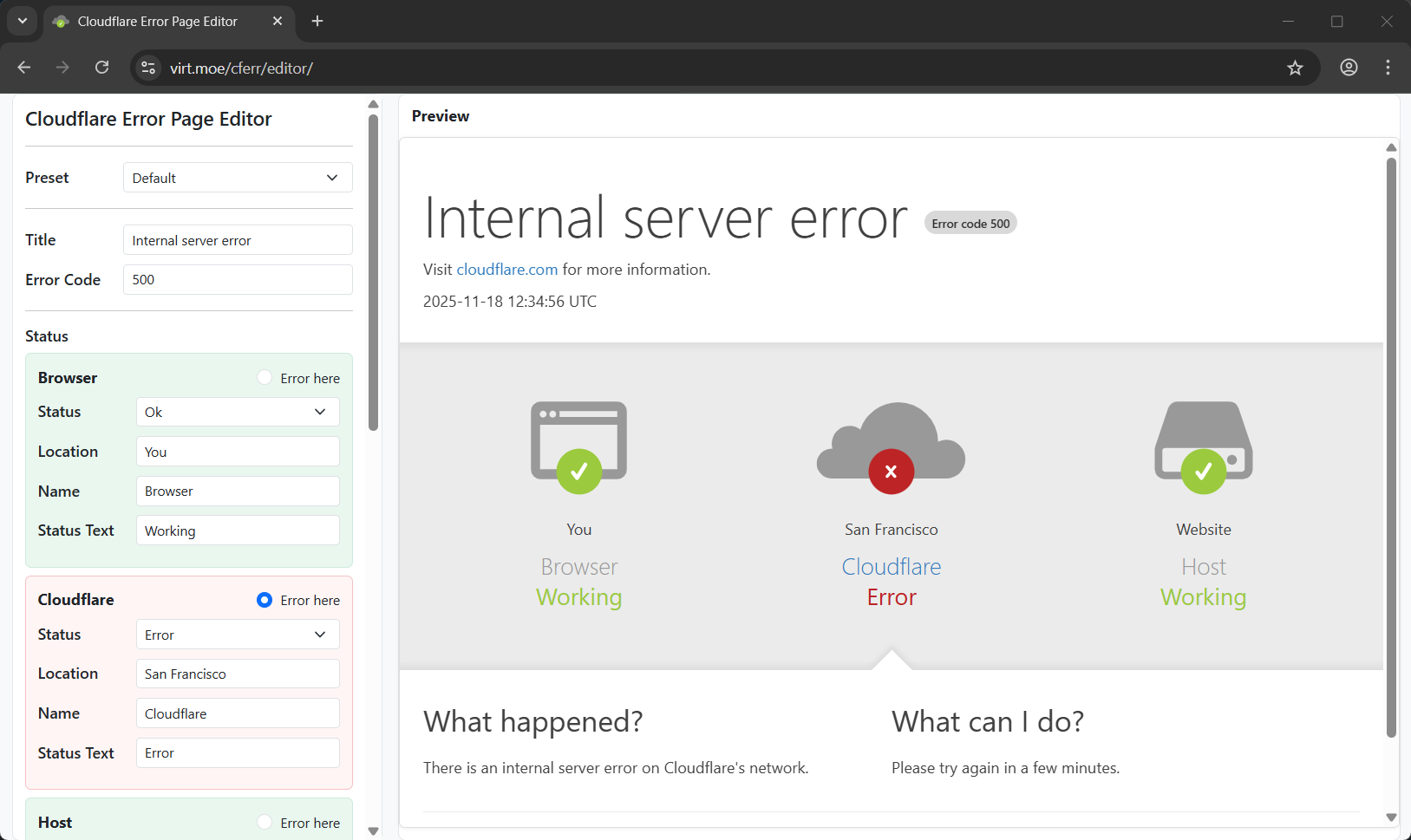
Here's an online editor to create customized error pages. Try it out here.
Quickstart for Programmers
Python
Install cloudflare-error-page with pip.
# Install from PyPI
pip install cloudflare-error-page

# Or, install the latest version from this repo
pip install git+https://github.com/donlon/cloudflare-error-page.git
Then you can generate an error page using the render function. (example.py)
import webbrowser
from cloudflare_error_page import render as render_cf_error_page

# This function renders an error page based on the input parameters
error_page = render_cf_error_page({
    # Browser status is ok
    'browser_status': {
        "status": 'ok',
    },
    # Cloudflare status is error
    'cloudflare_status': {
        "status": 'error',
        "status_text": 'Error',
    },
    # Host status is also ok
    'host_status': {
        "status": 'ok',
        "location": 'example.com',
    },
    # can be 'browser', 'cloudflare', or 'host'
    'error_source': 'cloudflare',

    # Texts shown in the bottom of the page
    'what_happened': '<p>There is an internal server error on Cloudflare\'s network.</p>',
    'what_can_i_do': '<p>Please try again in a few minutes.</p>',
})

with open('error.html', 'w') as f:
    f.write(error_page)

webbrowser.open('error.html')
You can also see live demo here.
A demo server using Flask is also available in flask_demo.py.
Node.js/NPM
A Node.js package is available in nodejs folder. However currently it supports only Node.js but not web browsers, and we plan to refactor it into a shared package, so it can work in both environments.
(Thanks @junduck for creating this.)
PHP
/* Coming soon! */
More Examples
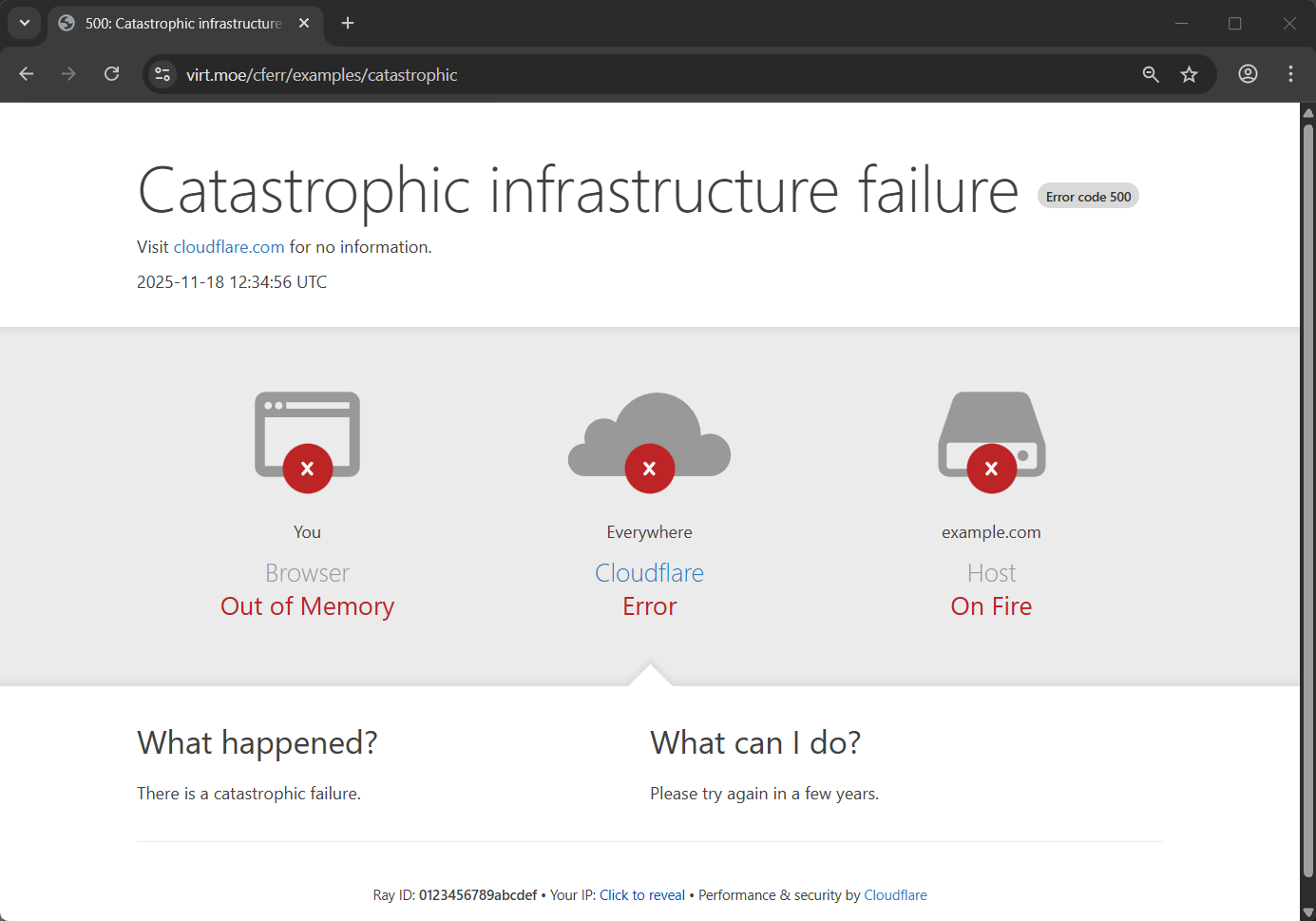
Catastrophic infrastructure failure
params = {
    "title": "Catastrophic infrastructure failure",
    "more_information": {
        "for": "no information",
    },
    "browser_status": {
        "status": "error",
        "status_text": "Out of Memory",
    },
    "cloudflare_status": {
        "status": "error",
        "location": "Everywhere",
        "status_text": "Error",
    },
    "host_status": {
        "status": "error",
        "location": "example.com",
        "status_text": "On Fire",
    },
    "error_source": "cloudflare",
    "what_happened": "<p>There is a catastrophic failure.</p>",
    "what_can_i_do": "<p>Please try again in a few years.</p>",
}
Web server is working
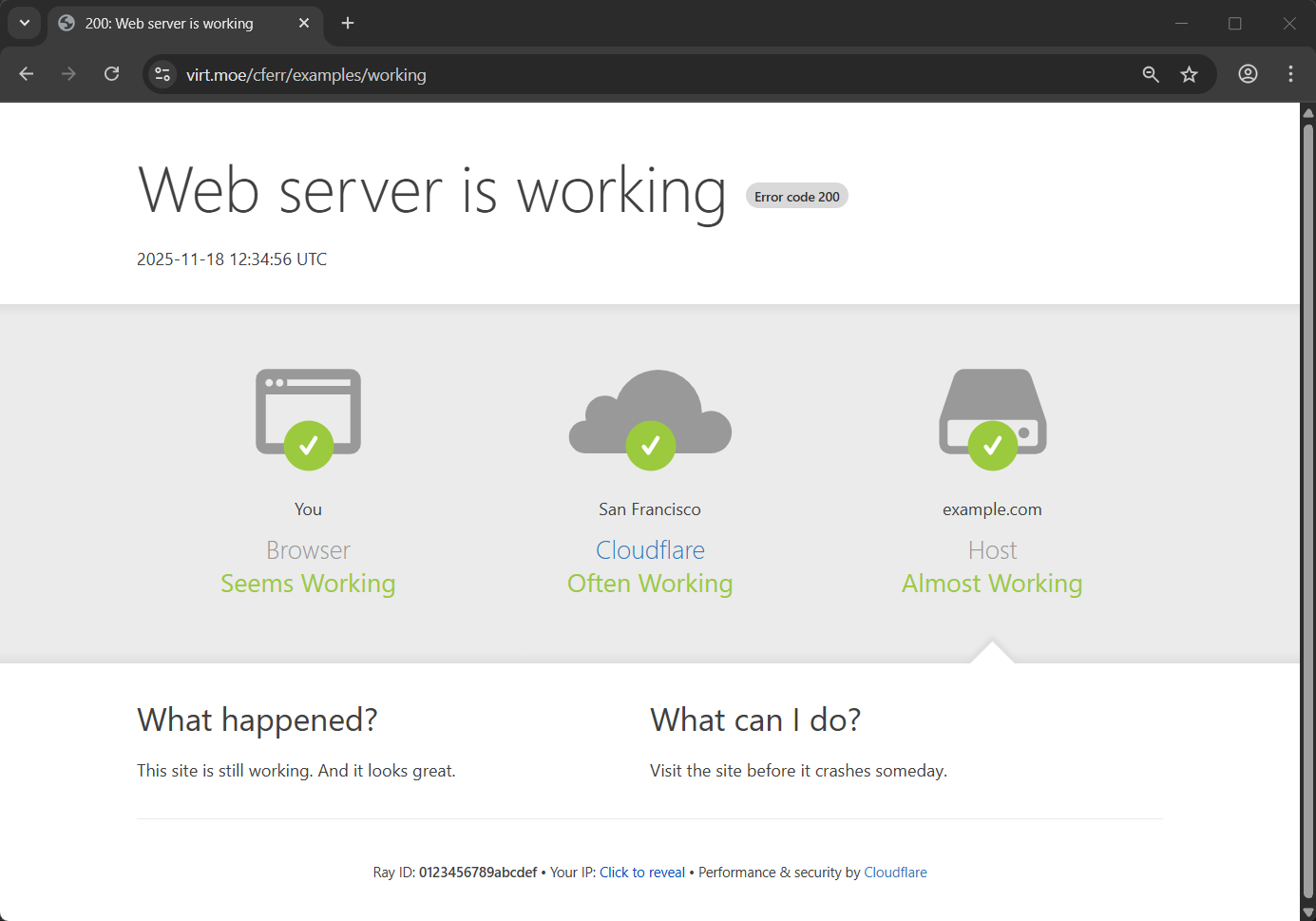
params = {
    "title": "Web server is working",
    "error_code": "200",
    "more_information": {
        "hidden": True,
    },
    "browser_status": {
        "status": "ok",
        "status_text": "Seems Working",
    },
    "cloudflare_status": {
        "status": "ok",
        "status_text": "Often Working",
    },
    "host_status": {
        "status": "ok",
        "location": "example.com",
        "status_text": "Almost Working",
    },
    "error_source": "host",
    "what_happened": "<p>This site is still working. And it looks great.</p>",
    "what_can_i_do": "<p>Visit the site before it crashes someday.</p>",
}
FAQ
How to show real user IP / Cloudflare Ray ID / data center location in the error page so that it looks more realistic?
Ray ID and user IP field in the error page can be set by ray_id and client_ip properties in the params argument passed to the render function. The real Cloudflare Ray ID and the data center location of current request can be extracted from the Cf-Ray request header (e.g. Cf-Ray: 230b030023ae2822-SJC). Detailed description of this header can be found at Cloudflare documentation.
To lookup the city name of the data center corresponding to the three letter code in the header, you can use a location list from here
The demo server runs in our website did handle these. Take a look at this file for reference.
See also
-
cloudflare-error-page-3th.pages.dev
Error page of every HTTP status code (reload to show random page).
-
React reimplementation of the original page, and can be deployed directly to Cloudflare Pages.
Full Parameter Reference
{
    "html_title": "cloudflare.com | 500: Internal server error",
    "title": "Internal server error",
    "error_code": "500",
    "time": "2025-11-18 12:34:56 UTC",  // Current UTC time will be shown if empty

    // Configuration of "Visit ... for more information" line
    "more_information": {
        "hidden": false,
        "text": "cloudflare.com",
        "link": "https://www.cloudflare.com/",
        "for": "more information",
    },

    // Configuration of the Browser/Cloudflare/Host status
    "browser_status": {
        "status": "ok", // "ok" or "error"
        "location": "You",
        "name": "Browser",
        "status_text": "Working",
        "status_text_color": "#9bca3e",
    },
    "cloudflare_status": {
        "status": "error",
        "location": "Cloud",
        "name": "Cloudflare",
        "status_text": "Error",
        "status_text_color": "#bd2426",
    },
    "host_status": {
        "status": "ok",
        "location": "Website",
        "name": "Host",
        "status_text": "Working",
        "status_text_color": "#9bca3e",
    },
    // Position of the error indicator, can be "browser", "cloudflare", or "host"
    "error_source": "host",

    "what_happened": "<p>There is an internal server error on Cloudflare's network.</p>",
    "what_can_i_do": "<p>Please try again in a few minutes.</p>",

    "ray_id": '0123456789abcdef',  // Random hex string will be shown if empty
    "client_ip": '1.1.1.1',

    // Configuration of 'Performance & security by ...' in the footer
    "perf_sec_by": {
        "text": "Cloudflare",
        "link": "https://www.cloudflare.com/",
    },
}
1 maintainer

Metadata
1 maintainer
Release files for cloudflare-error-page 0.2.0
For a detailed explanation of source distributions (sdists) and built distributions (wheels), please see the package formats documentation.
Built distribution (wheel)
| File | Interpreter | ABI | Platform | Actions Reset |
|---|---|---|---|---|
| cloudflare_error_page-0.2.0-py3-none-any.whl | Python 3 | none | any | Details for cloudflare_error_page-0.2.0-py3-none-any.whl |
Release files / cloudflare_error_page-0.2.0-py3-none-any.whl
| Download URL | cloudflare_error_page-0.2.0-py3-none-any.whl |
|---|---|
| Size | 12.1 kB |
| Tags | Python 3 |
|
SHA-256 checksum How to use checksums |
350f7c3e0f8aadb7886e7107cd67e8c3857cd483c42ce057488ee54423077afb
|
|
BLAKE2b-256 checksum How to use checksums |
d794546e56ce8f93fb86d7e4896dd628fcf8a4a6055fe4ab52fe4f2af0dfd20f
|
| Upload date | |
|
Uploaded using Trusted Publishing? What is trusted publishing? |
No |
| Uploaded via |
twine/6.2.0 CPython/3.13.2
|
Security for cloudflare-error-page 0.2.0
Provenance
Provenance describes where a file came from. On PyPI, provenance is shared via attestations, which provide a verifiable record of the build or publishing details. View details, limitations and caveats.
No provenance found
None of the files in this release were uploaded with provenance metadata.
A note on package security
PyPI is a repository for distributing packages, not a service for auditing them. While third-party security researchers and our staff do their best to detect and remove malicious packages, PyPI cannot guarantee the quality, security or suitability of any given package.
To learn more about protecting yourself from malicious actors, visit our package security documentation.














