
cm-rgb



Control your Wraith Prism RGB on Linux, Mac OS and Windows
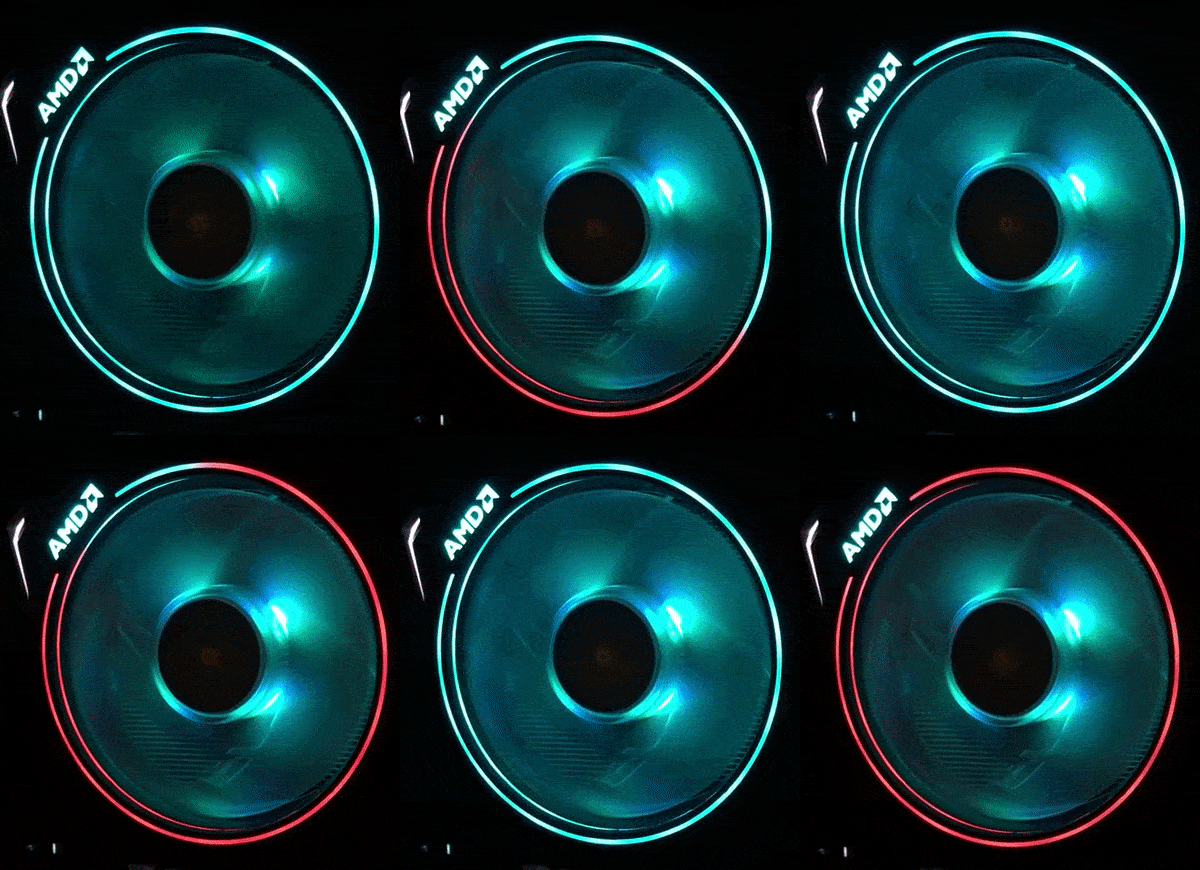
cm-rgb-monitor showing realtime cpu utilization.
Installation
Make sure you have dev libraries for hidapi.
Ubuntu
sudo apt-get install python-dev libusb-1.0-0-dev libudev-dev
Other distros
It's possible you already have what it takes to install pip package so try that.
If you have any problems regarding hidapi installation see: https://github.com/trezor/cython-hidapi
Your issue may already have a solution there.
If you still have a problem please create an issue :)
Finally
Now you can install pip package.
pip install cm-rgb
Configuration
Script must have access to USB device to function properly. It would be wise not to run this as root.
It's now possible to add udev rule by running:
cm-rgb-cli add-udev-rule
It may be required to reload udev for changes to take effect.
Now you should be able to run cm-rgb-cli without sudo.
Usage
Included there is a sample script that allows for displaying cpu utilization with ring LED's.
cm-rgb-monitor --cpu-color=#FFA500 --bg-color=#00FFFF
The monitoring script can also display sensor values (e.g. CPU temperature) using the fan color.
cm-rgb-monitor --cpu-color=#FFA500 --bg-color=#00FFFF --show-sensor --low-color=#00FF00 --high-color=#FF0000
Requires lm-sensor installed and configured and a python wrapper for it called pysensors.
Example of CLI usage
cm-rgb-cli set logo --mode=breathe --color=#00ff00 --speed=3 --brightness=5 fan --mode=breathe --color=#0000ff --speed=4 --brightness=1 ring --mode=swirl --color=#ff0000 --speed=1 --brightness=1
In order to make settings persistent append save
cm-rgb-cli set logo --mode=breathe --color=#00ff00 --speed=3 --brightness=5 fan --mode=breathe --color=#0000ff --speed=4 --brightness=1 ring --mode=swirl --color=#ff0000 --speed=1 –brightness=1 save
You can also restore previously saved settings by running
cm-rgb-cli restore
If LED lights disgust you, use this to turn them off.
cm-rgb-cli set logo --mode=off save
Check help for details on each command
cm-rgb-cli set logo --help
Much more flexibility is achievable by using the library directly instead of CLI. All of the 15 LED’s on the ring are available to mess with.
Licence
MIT
See LICENCE file for details
1 maintainer

Metadata
1 maintainer
Release files for cm-rgb 0.2.0
For a detailed explanation of source distributions (sdists) and built distributions (wheels), please see the package formats documentation.
Built distribution (wheel)
| File | Interpreter | ABI | Platform | Reset |
|---|---|---|---|---|
| cm_rgb-0.2.0-py3-none-any.whl | Python 3 | none | any | Details |
Release files / cm_rgb-0.2.0-py3-none-any.whl
| Download URL | cm_rgb-0.2.0-py3-none-any.whl |
|---|---|
| Size | 8.4 kB |
| Tags | Python 3 |
|
SHA-256 checksum How to use checksums |
f26d49945f55e609eeeb3d273feec68dc527d421aeccb29a7501c17207d98483
|
|
BLAKE2b-256 checksum How to use checksums |
1fbe63c5520c20103b898ac85540daf6254b4ba231d5f04a681013eaeedfb55b
|
| Upload date | |
|
Uploaded using Trusted Publishing? What is trusted publishing? |
No |
| Uploaded via |
twine/3.1.1 pkginfo/1.5.0.1 requests/2.23.0 setuptools/46.1.3 requests-toolbelt/0.9.1 tqdm/4.41.0 CPython/3.8.2
|
Security for cm-rgb 0.2.0
Provenance
Provenance describes where a file came from. On PyPI, provenance is shared via attestations, which provide a verifiable record of the build or publishing details. View details, limitations and caveats.
No provenance found
None of the files in this release were uploaded with provenance metadata.
A note on package security
PyPI is a repository for distributing packages, not a service for auditing them. While third-party security researchers and our staff do their best to detect and remove malicious packages, PyPI cannot guarantee the quality, security or suitability of any given package.
To learn more about protecting yourself from malicious actors, visit our package security documentation.














