
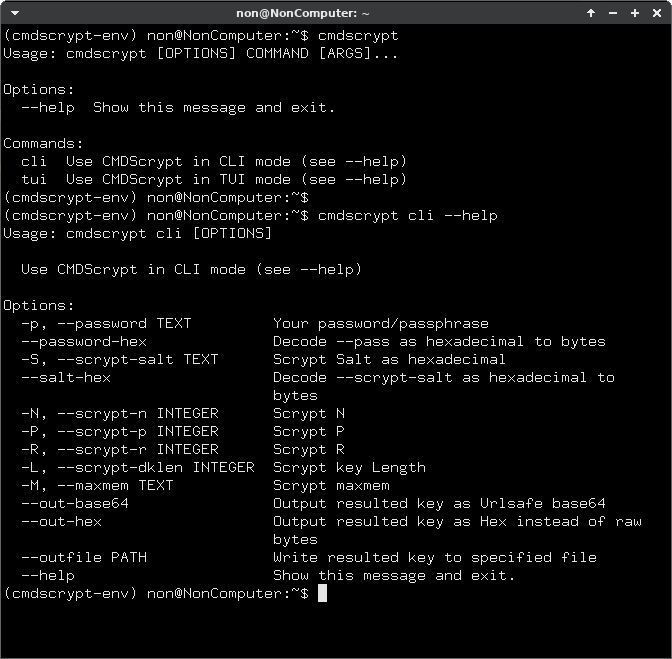

Release files for cmdscrypt 2.0
For a detailed explanation of source distributions (sdists) and built distributions (wheels), please see the package formats documentation.
Source distribution (sdist)
| File | Size | Uploaded | |
|---|---|---|---|
| cmdscrypt-2.0.tar.gz | 3.0 kB | Details |
Built distribution (wheel)
| File | Interpreter | ABI | Platform | Reset |
|---|---|---|---|---|
| cmdscrypt-2.0-py3-none-any.whl | Python 3 | none | any | Details |
Total release size: 6.4 kB
Release files / cmdscrypt-2.0.tar.gz
| Download URL | cmdscrypt-2.0.tar.gz |
|---|---|
| Size | 3.0 kB |
| Tags | Source |
|
SHA-256 checksum How to use checksums |
9b19aa0cb6bddd022f34b55f29fd04bcb2899b5cc1f3448abc2acdcabfadda37
|
|
BLAKE2b-256 checksum How to use checksums |
dd5d2300882bc415dfab3958072b9ccffc2f5d08af645e145f5f8a79ad722c1c
|
| Upload date | |
|
Uploaded using Trusted Publishing? What is trusted publishing? |
No |
| Uploaded via |
twine/4.0.2 CPython/3.11.2
|
Release files / cmdscrypt-2.0-py3-none-any.whl
| Download URL | cmdscrypt-2.0-py3-none-any.whl |
|---|---|
| Size | 3.3 kB |
| Tags | Python 3 |
|
SHA-256 checksum How to use checksums |
afbf635f47d1cded17b8ce0a1c006dbcc13efb61e1c41ecc41e8c6695ec29f7c
|
|
BLAKE2b-256 checksum How to use checksums |
bc9f6c65555b13ab4e881d13534a1f42053af83acf4ad392f5d353c0189e3750
|
| Upload date | |
|
Uploaded using Trusted Publishing? What is trusted publishing? |
No |
| Uploaded via |
twine/4.0.2 CPython/3.11.2
|














