
sees
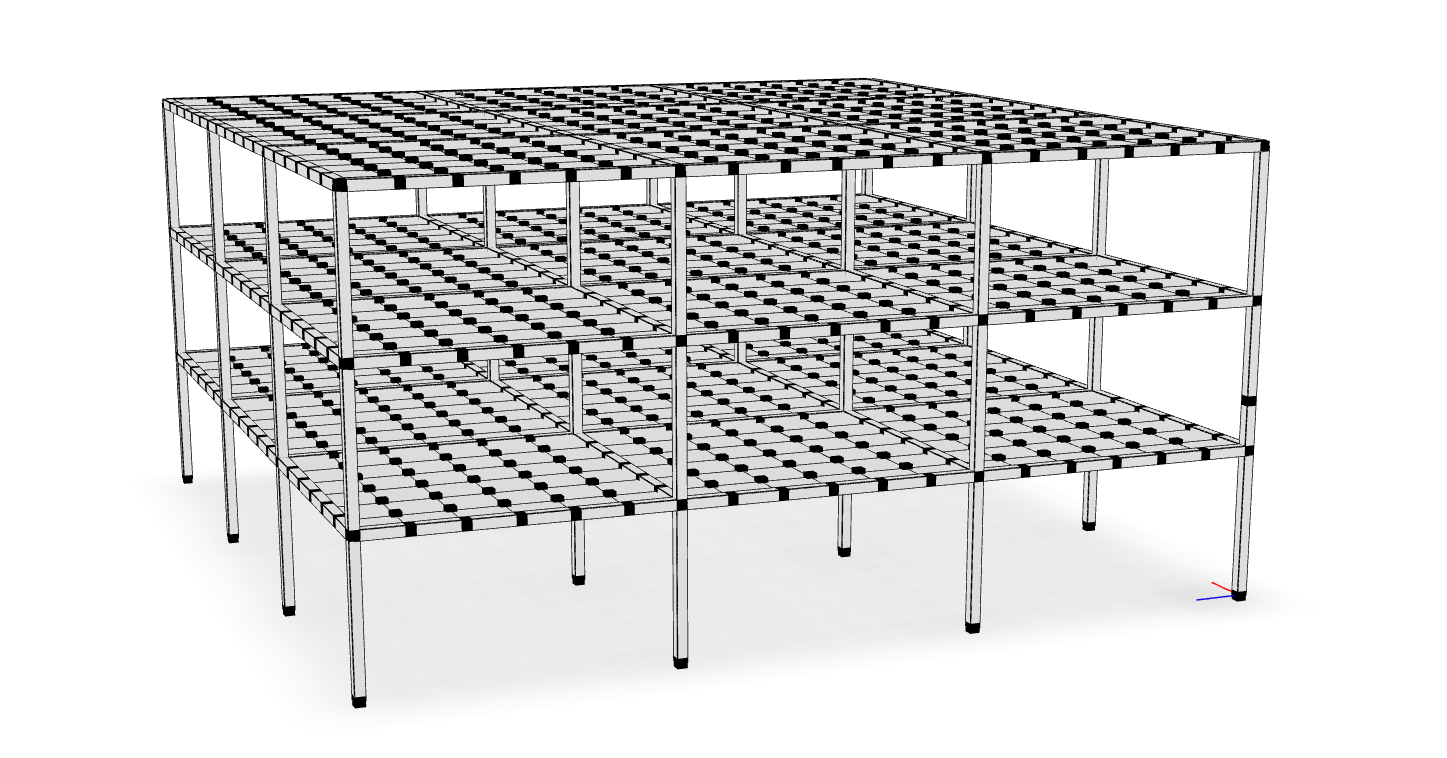
Highly efficient and portable finite element visualization framework


sees is a finite element rendering library that leverages modern
web technologies to produce sharable, efficient, and beautiful renderings.
Documentation is currently under development.
Features
-
Render frames with extruded cross sections
-
Detailed section rendering
-
A wide selection of rendering backends and output file types, including optimized 3D web formats like
.glb. -
Correctly render models that treat both
yorzas the vertical coordinate.
Command Line Interface
To create a rendering, execute the following command from the anaconda prompt (after activating the appropriate environment):
python -m sees model.json -o model.html
where model.json is a JSON file generated from executing the following OpenSees command:
print -JSON model.json
If you omit the -o <file.html> portion, it will plot immediately in a new
window. You can also use a .png extension to save a static image file, as
opposed to the interactive html.
Note Printing depends on the JSON output of a model. Several materials and elements in the OpenSeesPy and upstream OpenSees implementations do not correctly print to JSON. For the most reliable results, use the
openseespackage.
By default, the rendering treats the $y$ coordinate as vertical.
In order to manually control this behavior, pass the option
--vert 3 to render model $z$ vertically, or --vert 2 to render model $y$ vertically.
If the opensees package is installed,
you can directly render a Tcl script without first printing to JSON,
by just passing a Tcl script instead of the JSON file:
python -m sees model.tcl -o model.html
To plot an elevation (elev) plan (plan) or section (sect) view, run:
python -m sees model.json --view elev
and add -o <file.extension> as appropriate.
To see the help page run
python -m sees --help
Related Links
See also
The sees packages was used to generate figures for the following publications:
- On nonlinear geometric transformations of finite elements doi: 10.1002/nme.7506
Support

|

|

|
1 maintainer

Metadata
1 maintainer
Release files for cnvr 0.0.0
For a detailed explanation of source distributions (sdists) and built distributions (wheels), please see the package formats documentation.
Source distribution (sdist)
| File | Size | Uploaded | Provenance | |
|---|---|---|---|---|
| cnvr-0.0.0.tar.gz | 14.1 kB | Without provenance | Details |
Built distribution (wheel)
| File | Interpreter | ABI | Platform | Reset |
|---|---|---|---|---|
| cnvr-0.0.0-py3-none-any.whl | Python 3 | none | any | Details |
Total release size: 24.7 kB
Release files / cnvr-0.0.0.tar.gz
| Download URL | cnvr-0.0.0.tar.gz |
|---|---|
| Size | 14.1 kB |
| Tags | Source |
|
SHA-256 checksum How to use checksums |
01f1d8cf457f3b1ec62fd57956c2217fe784824ec57793e026e814e536408022
|
|
BLAKE2b-256 checksum How to use checksums |
f515d9c6a55efd7faf1e673950d4629264f7a4f393201e123161210fc07b1ee6
|
| Upload date | |
|
Uploaded using Trusted Publishing? What is trusted publishing? |
No |
| Uploaded via |
twine/4.0.2 CPython/3.9.16
|
Release files / cnvr-0.0.0-py3-none-any.whl
| Download URL | cnvr-0.0.0-py3-none-any.whl |
|---|---|
| Size | 10.6 kB |
| Tags | Python 3 |
|
SHA-256 checksum How to use checksums |
74652d300206cb9d1facd57d44d3e27b1c9b608ca3b4a8200ffe0f2741cc5e3a
|
|
BLAKE2b-256 checksum How to use checksums |
957c2d11a8e9ff08b2ef585ce72693a86f2057075b482e3e611f0f44835f012a
|
| Upload date | |
|
Uploaded using Trusted Publishing? What is trusted publishing? |
No |
| Uploaded via |
twine/4.0.2 CPython/3.9.16
|
Security for cnvr 0.0.0
Provenance
Provenance describes where a file came from. On PyPI, provenance is shared via attestations, which provide a verifiable record of the build or publishing details. View details, limitations and caveats.
No provenance found
None of the files in this release were uploaded with provenance metadata.
A note on package security
PyPI is a repository for distributing packages, not a service for auditing them. While third-party security researchers and our staff do their best to detect and remove malicious packages, PyPI cannot guarantee the quality, security or suitability of any given package.
To learn more about protecting yourself from malicious actors, visit our package security documentation.













