
Code Analysis Application (coala)


Project description

coala: Linting and fixing code for all languages
coala provides a unified command-line interface for linting and fixing all your code, regardless of the programming languages you use.
With coala, users can create rules and standards to be followed in the source code. coala has an user-friendly interface that is completely customizable. It can be used in any environment and is completely modular.
coala has a set of official bears (plugins) for several languages, including popular languages such as C/C++, Python, JavaScript, CSS, Java and many more, in addition to some generic language independent algorithms. To learn more about the different languages supported and the bears themselves, click here.
To see what coala can do for your language, run:
$ coala --show-bears --filter-by-language Python





Features
Out-of-the-box support for various popular languages, such as C/C++, Python, Javascript, CSS, Java and many others with built-in check routines.
User-friendly interfaces such as JSON, interactive CLI or any custom format.
Plugins for gedit, Sublime Text, Atom, Vim and Emacs.
Optimized performace with multi-threading to parallelize the routines - can complete a 26000 line python repository in less than 3 seconds.
File caching support - run only on changed files.
Installation
To install the latest stable version run:
$ pip3 install coalaMake sure you have Python >= 3.4 and pip >= 6 installed.

To install the latest development version run:
$ pip3 install coala --preThe latest code from the master branch is automatically deployed as the development version in PyPI.
To also install all bears for coala at once run:
$ pip3 install coala-bearsYou can also use cib (coala Installs Bears), which is an experimental bear manager that lets you install, upgrade, uninstall, check dependencies, etc. for bears. To install it, run:
$ pip3 install cibFor usage instructions, consult this link.



Usage
There are two options to run coala:
using a .coafile, a project specific configuration file that will store all your settings for coala
using command-line arguments
Using a .coafile
A sample .coafile will look something like this:
[Spacing]
files = src/**/*.py
bears = SpaceConsistencyBear
use_spaces = True
The files key tells coala which files to lint - here we’re linting all python files inside the src/ directory by using a glob expression.
The bears key specifies which bears (plugins) you want to use. We support a huge number of languages and you can find the whole list here. If you don’t find your language there, we’ve got some bears that work for all languages. Or you can file an issue and we would create a bear for you!
use_spaces enforces spaces over tabs in the codebase. use_spaces is a setting for the SpaceConsistencyBear.
[Spacing] is a section. Sections are executed in the order you define them.
Store the file in the project’s root directory and run coala:
$ coalaPlease read our coafile specification to learn more.
Using command-line arguments
However, if you don’t want to save your settings, you can also run coala with command line arguments:
$ coala --files=setup.py --bears=SpaceConsistencyBear -S use_spaces=TrueNote that this command does the same thing as having a coafile and running coala. The advantage of having a coafile is that you don’t need to enter the settings as arguments everytime.
To get the complete list of arguments and their meaning, run:
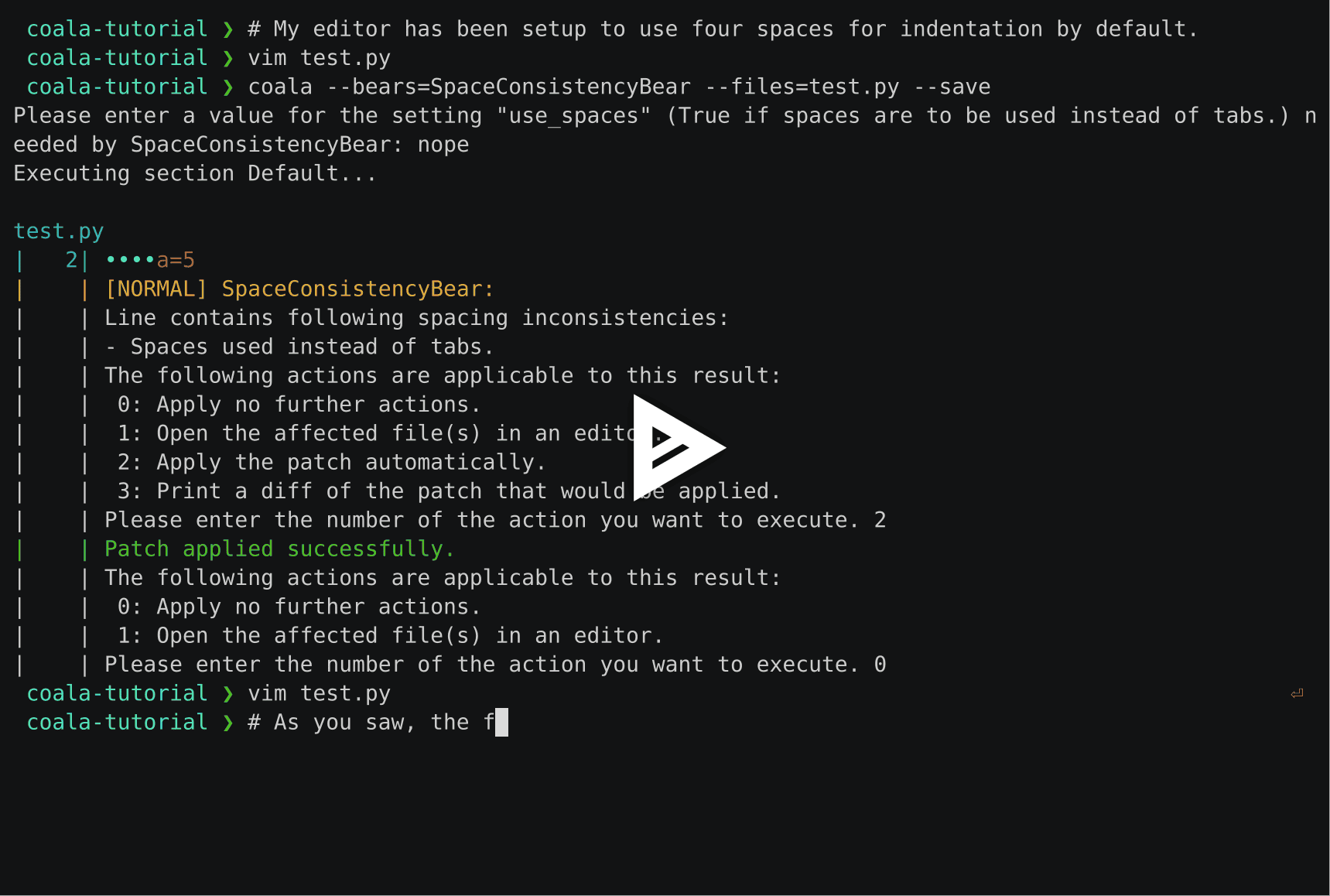
$ coala --helpYou can find a quick demo of coala here:
Awards

Getting Involved
If you would like to be a part of the coala community, you can check out our Getting In Touch page or ask us at our active Gitter channel, where we have maintainers from all over the world. We appreciate any help!
We also have a newcomer guide to help you get started by fixing an issue yourself! If you get stuck anywhere or need some help, feel free to contact us on Gitter or drop a mail at our newcomer mailing list.

Support
Feel free to contact us at our Gitter channel, we’d be happy to help!
You can also drop an email at our mailing list.
License

Release history Release notifications | RSS feed


Download files
Download the file for your platform. If you're not sure which to choose, learn more about installing packages.
Source Distribution
Built Distribution
Filter files by name, interpreter, ABI, and platform.
If you're not sure about the file name format, learn more about wheel file names.
Copy a direct link to the current filters
File details
Details for the file coala-0.9.1.tar.gz.
File metadata
- Download URL: coala-0.9.1.tar.gz
- Upload date:
- Size: 1.1 MB
- Tags: Source
- Uploaded using Trusted Publishing? No
File hashes
| Algorithm | Hash digest | |
|---|---|---|
| SHA256 |
ba25aabce76cc84a6fe779ab1fb830e92e96d044cbdf1eebe941b18521887a71
|
|
| MD5 |
57e280a7b1b16b611cfa349ec90d8da9
|
|
| BLAKE2b-256 |
f8bcf2ba72ad32df739b07cbedf1358896fae4ae0ab12daae1160831e2767fae
|
File details
Details for the file coala-0.9.1-py34.py35.py36-none-any.whl.
File metadata
- Download URL: coala-0.9.1-py34.py35.py36-none-any.whl
- Upload date:
- Size: 179.7 kB
- Tags: Python 3.4, Python 3.5, Python 3.6
- Uploaded using Trusted Publishing? No
File hashes
| Algorithm | Hash digest | |
|---|---|---|
| SHA256 |
012fba9c45b4825da615ca0722567c3118e3a18dd62001f712428c10820e82d7
|
|
| MD5 |
55e61db5b20665b4e6610628fa2f8a9d
|
|
| BLAKE2b-256 |
d888ed0442c01249d67fd8a401fc8f3210b7c0d656f4f4161099a48c7ff1a428
|






