
cocobrown
Compiler-Inspired 2D & 3D Mathematical & Algorithmic Animation Engine
Zero LaTeX · Zero FFmpeg Required · Pure-Rust Timeline IR & Media Pipeline · CPU + Vello 2D GPU + Filament PBR 3D · Live Hot-Reload







English | 简体中文
2D Showcase · 3D PBR Showcase · 3-Min Benchmark vs. Manim · Quick Start · Usage Guide (USAGE.md) · Architecture (DESIGN.md) · Roadmap (ROADMAP.md)
Showcase
All four 1080p acts and the animated 24fps preview below are compiled directly from the single-file demo.py — zero LaTeX, zero FFmpeg required:

| Act 1: Glowing SymPy Calculus, Gradients & Camera2D | Act 2: Graph, BinaryTree, Array & Syntax-Highlighted CodeBlock |
|---|---|
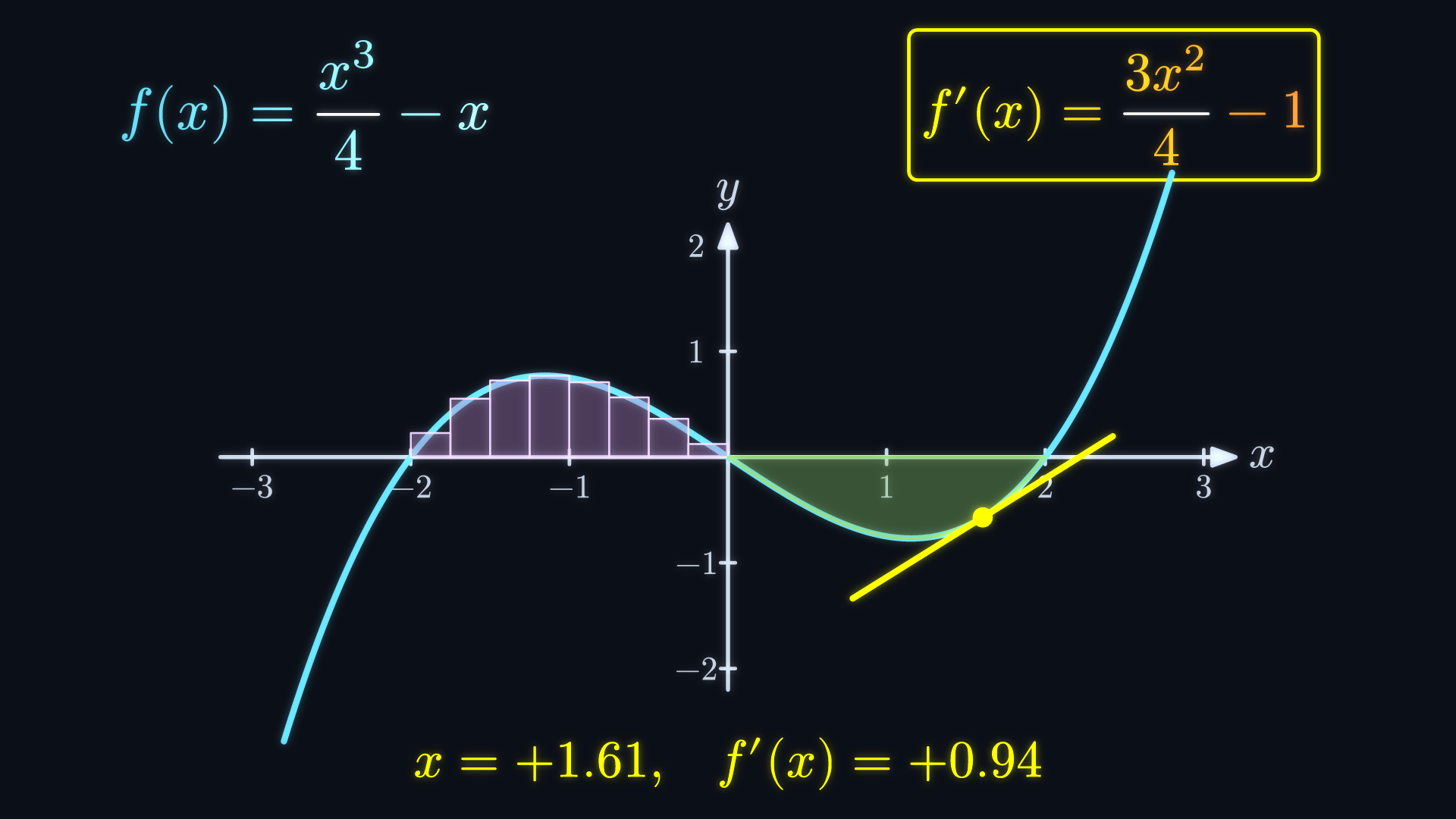 |
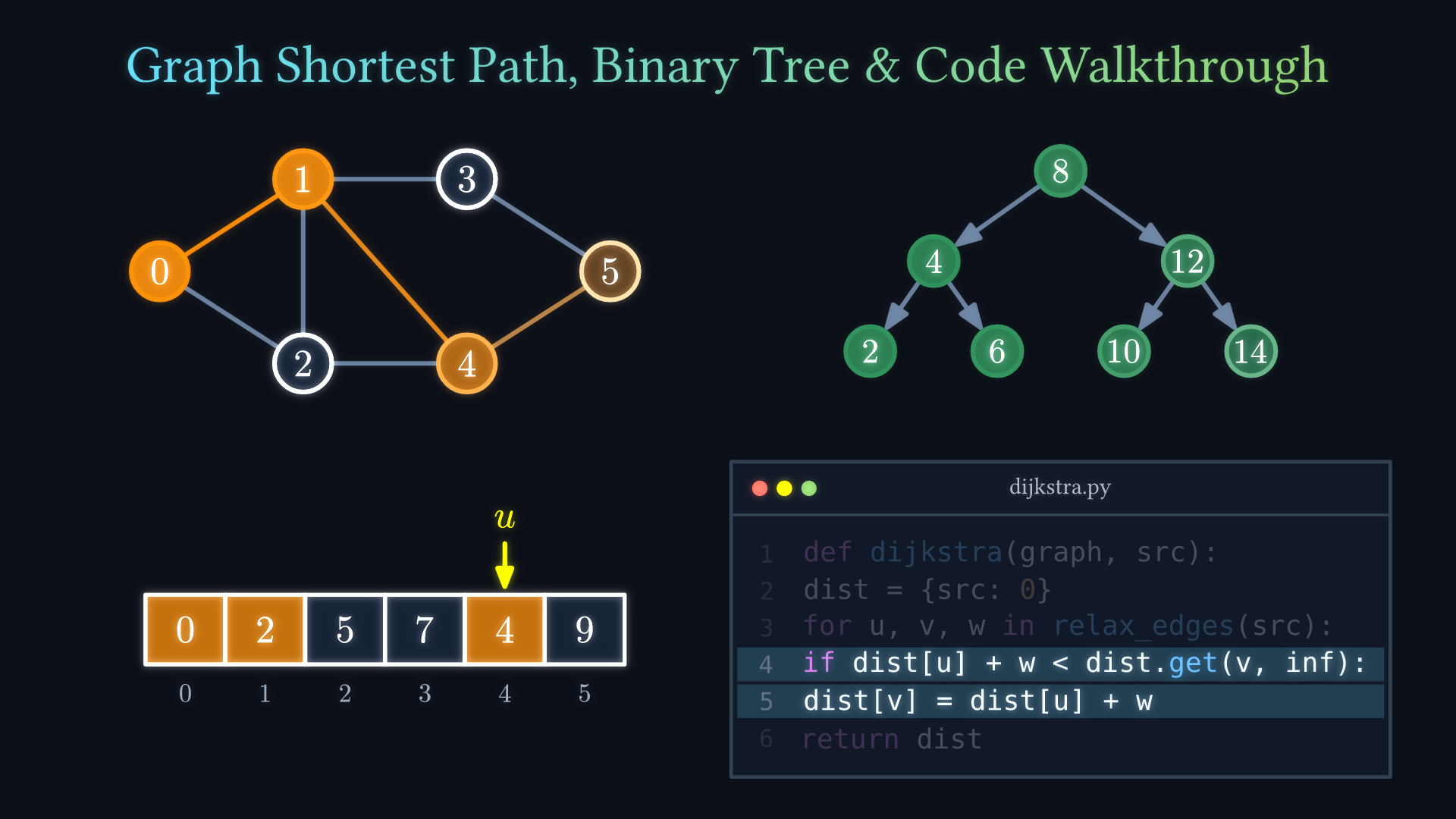 |
| Act 3: 2D Linear Algebra Shear, Vector Field & Matrix | Act 4: Native Vector SVG & Animated ClipPath Spotlight |
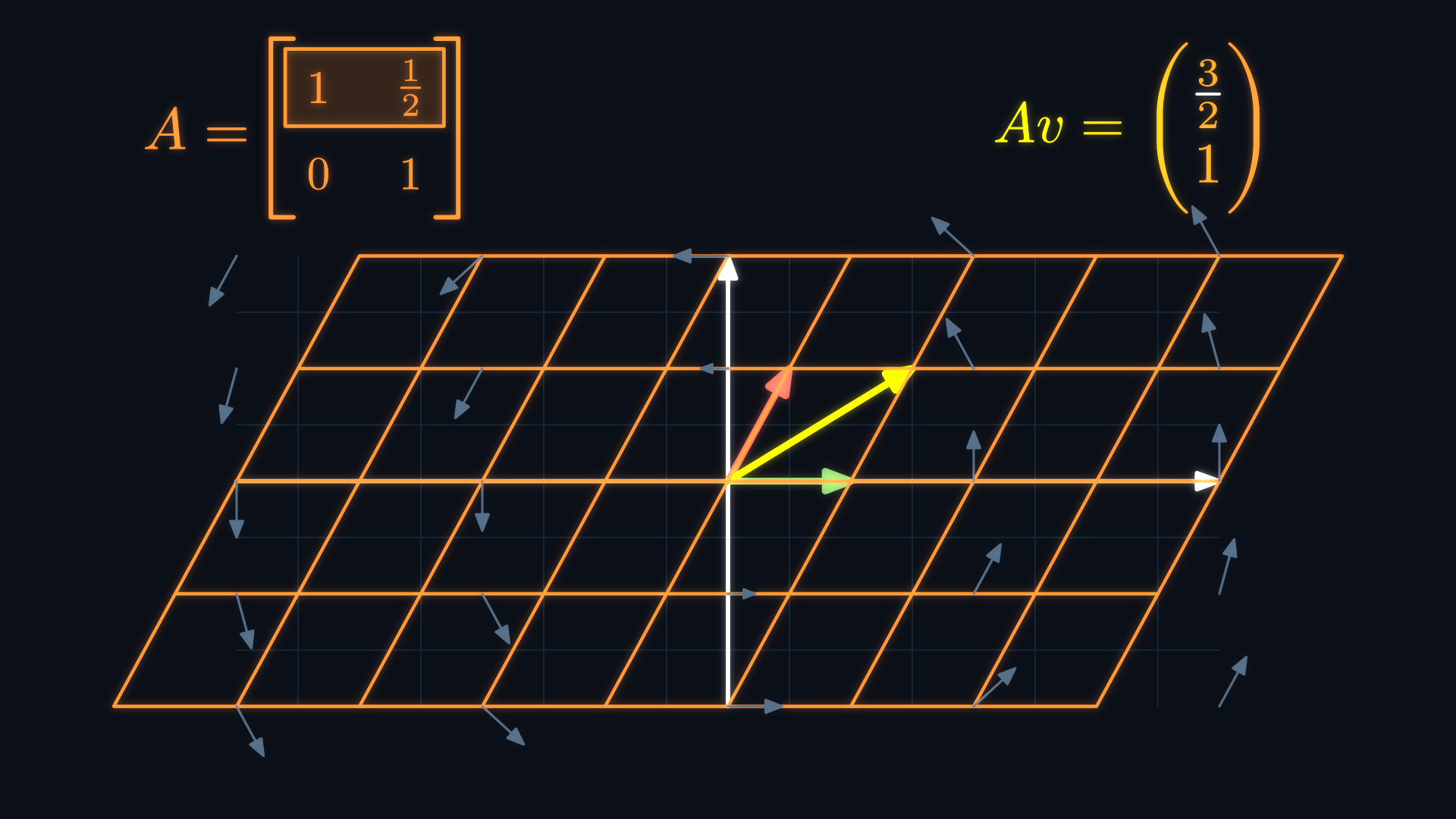 |
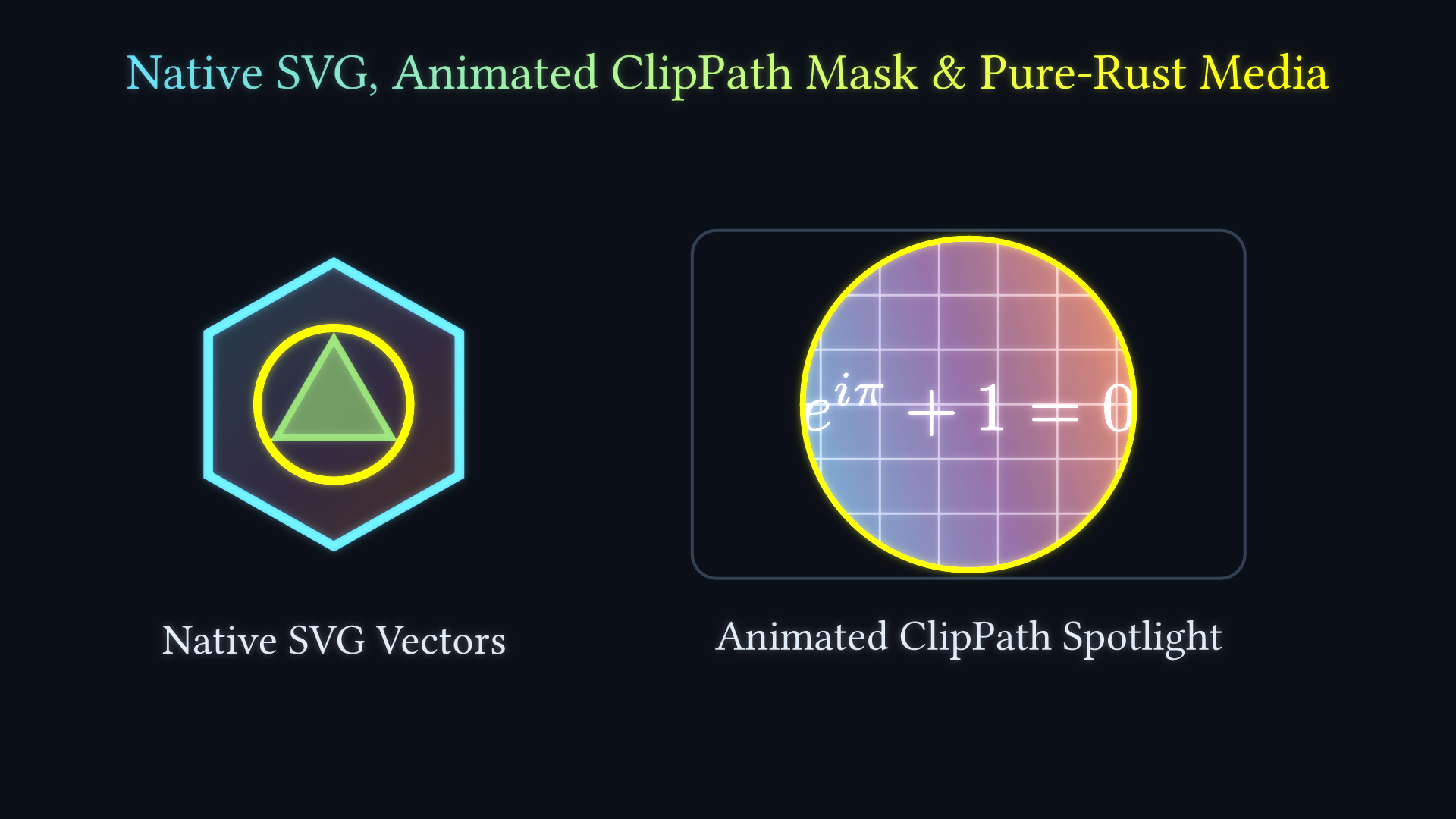 |
Run the full 2D showcase locally to generate demo.mp4 (auto-prefers system FFmpeg when available, seamlessly falling back to built-in pure-Rust H.264/MP4) or inspect it interactively:
python demo.py
# Or launch the persistent GPU live-preview window (editing demo.py hot-reloads in place)
cocobrown preview demo.py
3D PBR Showcase
cocobrown v0.5.0 ships with an independent Google Filament v1.81.0 PBR 3D engine (Scene3D, Mat, Anim3D) featuring AgX / PBR Neutral tone mapping, PCSS+CSM soft shadows, GTAO, SSR, HDR Bloom, GPU morph targets, analytic math surfaces, refractive glass, 3D extruded Typst typography, and crisp 2D HUD compositing — rendered directly from examples/showcase_3d_5s.py:

# Render the 5-second 1080p60 Cinema PBR showcase locally
python examples/showcase_3d_5s.py
3-Minute Benchmark: cocobrown vs. Manim
To measure real-world long-form production performance (not a toy 3-second clip), we built an apples-to-apples 180.0-second (3-minute, 5,400-frame @ 1920×1080, 30fps) complex 2D mathematical animation across 6 dense acts (80.6% continuous active motion, 19.4% teaching pauses, 580 timeline segments, peak 103 simultaneously animated entities):
- Act 1 (0–30s): Cubic calculus (
Axes, Riemann sum, integral area, sliding tangent + live numeric readout) - Act 2 (30–60s): Reactive
sin(kx)wave sweep + Fourier square-waveS₁ → S₃ → S₅ → S₉morphs +Brace - Act 3 (60–90s):
NumberPlane, 25-arrow vector field, shear & rotation grid/basis transformations - Act 4 (90–120s): 8-node
Graphshortest-path animation + 7-nodeBinaryTreeinorder traversal - Act 5 (120–150s): 6-cell sorting
Array+ pointer swaps, 3×3Matrixhighlights &TransformMatchingTex - Act 6 (150–180s): 12-shape geometry grid, 2D camera pan/zoom choreography, hero morphs & finale equation
Measured Wall-Clock Results (1920×1080 @ 30fps, 180.0s / 5,400 frames)
| Mode / Configuration | Total Wall Time | Effective Throughput | Video Size | Speedup vs. Manim |
|---|---|---|---|---|
| Manim CE 0.22.1 — Cold render (fresh media dir, MiKTeX + Cairo + FFmpeg) | 145.47 s (2m 25s) | 37.1 fps | 7.24 MB | 1.00× (cold baseline) |
| cocobrown — CPU + Built-in Pure-Rust MP4 (zero FFmpeg, cold) | 56.47 s | 95.6 fps | 26.62 MB | 2.58× |
cocobrown — CPU (tiny-skia + rayon) + FFmpeg libx264 (cold) |
21.40 s (build: 0.21 s) | 252.4 fps | 8.47 MB | 6.80× |
cocobrown — GPU (vello + wgpu) + FFmpeg libx264 (cold) |
15.24 s (build: 0.13 s) | 354.4 fps | 8.12 MB | 9.55× |
| Manim CE 0.22.1 — Incremental 1-edit (change final 2s formula, Manim cache ON) | 51.86 s | 104.1 fps | 7.26 MB | 1.00× (inc. baseline) |
cocobrown — Incremental 1-edit (SHA-256 pure-Rust cache, 446/483 segs reused, 61 frames rendered) |
3.00 s | 1,797.3 fps | 45.69 MB | 17.3× (48.5× vs. Manim cold) |
Hardware & Transparency Notes: Measured on Windows 11 ARM64 · Qualcomm Snapdragon X Plus X1P64100 (10-core Oryon CPU) + Qualcomm Adreno X1-85 GPU.
cocobrownran as a native--releasewin_arm64extension (Python 3.13 ARM64);Manim CE 0.22.1ran on Python 3.12win_amd64(Windows Prism emulation, asmanimpangodoes not publish Windows ARM64 wheels) with MiKTeX (latex+dvisvgm) andffmpeg. Both produced verified180.00sH.264.mp4videos. Reproduce locally:python benchmarks/run_benchmark.py --size 1920x1080 --fps 30Full scripts & raw JSON: benchmarks/bench_scene_cocobrown.py, benchmarks/bench_scene_manim.py, benchmarks/run_benchmark.py, benchmarks/results_3min.json.
Highlights
- Native 3D PBR Rendering Engine (
v0.5.0, Google Filament v1.81.0):- Independent
Scene3D,Mat,Anim3DAPI: 6 curated stage presets (studio,dark_neon,paper_light,blueprint,dramatic,transparent), 3 quality tiers (draft,standard,cinema), 13 PBR materials (lacquer, metal, anodized, velvet, refractive glass, emissive, hologram, analytic math-surface grid/contours, shadow catcher), AgX / PBR Neutral tone mapping, PCSS+CSM soft shadows, GTAO, SSR, Bloom, DoF, and height fog. - 3D Math Geometry & 2D/Typst Fusion: Parametric & SymPy heightfield surfaces with GPU
MorphTargettransitions, 3D tube curves, marching-cubes isosurfaces, instanced vector fields, 3D extruded Typst typography (extrude_tex), billboardtex3d, 2D-to-3Dcard_from_2d, crisp 2Ds.hudoverlays, and a native 60fps interactive 3D preview window.
- Independent
- Zero External Dependencies Out of the Box:
- Zero LaTeX / Zero TeX Live: Embeds
typst 0.15+ compact New Computer Modern Math fonts, walkingFrameItemtrees and extractingskrifaoutlines directly intokurbo::BezPathwith fullGlyph.spanpreservation (Write, sub-expression coloring,TransformMatchingTex). - Smart FFmpeg-First + Zero-FFmpeg Pure-Rust Fallback: Default
encoder="auto"automatically discovers a usable systemffmpeg(checkingPATHand standard WinGet/Scoop/Homebrew/Linux install paths) for peaklibx264/HW encoding throughput & compact MP4s — and seamlessly falls back to built-in pure-Rust H.264/AAC MP4 (rusty_h264-encoder+muxide+rusty_aac) whenffmpegis not installed. Animated GIF (gif), multi-format audio decoding/mixing (symphoniafor WAV/MP3/OGG/FLAC/AAC), and SHA-256 incremental caching all work out of the box with zero external dependencies, whileencoder="builtin"forces pure-Rust andencoder="ffmpeg"unlocks transparent VP9.webm& 10-bit alpha ProRes 4444.mov.
- Zero LaTeX / Zero TeX Live: Embeds
- Pure-Data Compile-Time
TimelineIR: Python scripts declare entities, layouts, and choreography during build time (~0.2seven for a 3-minute scene). Afterfinish(),cocobrownreleases the Python GIL and renders with zero per-frame Python callbacks. - Audio & Voiceover Timeline Synchronization: Schedule SFX/BGM via
s.add_sound(...)(gain, fade-in/out, trim) or align animations automatically to narration clips viawith s.voiceover("narration.wav") as dur:. Audio tracks are hashed independently from video segments — re-recording voiceover re-renders 0 video frames. - Rich CS, Math & Presentation Widgets:
- Graphs & Data Structures:
Graph,DiGraph,BinaryTree(deterministic spring/circular/grid/tree layouts, shortest-path & traversal animations),Array+ArrayPointer,Stack,Queue. - Presentation Widgets:
Matrix(auto-fitted brackets, row/col/entry highlights, elementary row/col swaps),Table, andCodeBlock(pure-Python multi-language syntax highlighting +highlight_line/focus_lines). - Cartesian & SymPy Bridge (
cocobrown[sympy]):NumberLine,Axes,NumberPlane, automatic asymptote splitting, exact analytic derivatives/Taylor series, 2D vector fields, 2×2 matrix transforms, and automaticTrackerreactivity.
- Graphs & Data Structures:
- Cinema, Assets & Compositing:
- Raster Images & Vector SVG:
s.image(...)(PNG/JPEG/RGBA deduplicated in.timelinev4) ands.svg(...)(native vector paths viausvgwith Y-up flip, gradients, strokes, andDraw/Writesupport). - ClipPath Masking:
entity.clip_to(mask)with parent-inherited hierarchical masks, animated mask invalidation, and exact CPU (tiny-skia::Mask) / GPU (vello::push_clip_layer) parity. - 2D Camera & Follow:
Camera2Dpan/zoom/roll,CameraFocus,CameraReset, ands.camera_follow/s.start_camera_followtracking moving entities. - Gradients, Dual-Lobe HDR Bloom & Persistent GPU Live Preview:
LinearGradient,RadialGradient, optionals.bloom(...), andcocobrown previewzero-readbackwinit + wgpu + vellowindow with millisecond IPC hot-reload preserving the playhead.
- Raster Images & Vector SVG:
Architecture
Python Modular API (colors · anim · camera · entity · scene · coords · graph · structures · widgets · audio · assets · symbolic)
  │  build time (~0.2s): cursor choreography, auto-layout, lambdify & Tracker/CameraFollow baking
  ▼
Pure-Data Timeline IR (Camera2D + Bloom + AudioClips + SoA SceneArena + ResourceTable[Geom/Morph/Image] + Tracks)
  │  static validation: overlap conflict detection, parent/clip acyclicity
  ▼
Compile-Time Optimizer (RenderPlan)
  │  O(n log n) sweep-line → static-segment 1-frame reuse + static bg/fg layer cache + SHA-256 segment hashes
  ├───────────────────────────────┬───────────────────────────────┐
  ▼                               ▼                               ▼
CPU Backend (tiny-skia)     GPU Backend (vello + wgpu)     Live Preview (winit + wgpu)
rayon frame parallelism     3-slot async readback ring     zero-readback swapchain + IPC hot-reload
  └───────────────┬───────────────┘
                  ▼  (optional dual-lobe HDR Glow / Bloom + symphonia/rusty_aac audio mix)
Modular Media Subsystem (crates/cocobrown-core/src/media/)
  ├─ System FFmpeg (Auto-Preferred for MP4 when found): libx264 · NVENC/VideoToolbox/QSV/AMF · WebM Alpha · ProRes 4444 MOV
  └─ Built-in Pure-Rust (Auto-Fallback for MP4, Default for GIF/Audio/PNG): rusty_h264 + muxide + rusty_aac · gif · PNG Sequence
Installation
From PyPI
pip install cocobrown
# Optional: enable the SymPy symbolic math bridge
pip install "cocobrown[sympy]"
Requirements
- Python ≥ 3.9 (
abi3stable ABI wheel) - Zero external binaries required for default MP4, GIF, AAC audio muxing, PNG sequences, or GPU live preview
- FFmpeg (optional) on
PATHonly if you wantlibx264/hardware encoders, transparent.webm, or ProRes 4444.mov - Rust stable toolchain +
maturinwhen building from source
Build from Source
# 1. Create a virtual environment and install build/test tools
uv venv
uv pip install maturin pytest

# 2. Build and install the Rust core + Python extension (--release for full throughput)
maturin develop --release

# 3. Optional: enable the SymPy symbolic math bridge
uv pip install sympy
Verify installation:
cocobrown --version
python -c "import cocobrown as cb; print(cb.__version__, 'gpu:', cb.gpu_available())"
Quick Start
Create a glowing, camera-directed SymPy calculus animation with native Typst math, gradient typography, voiceover sync, and zero-FFmpeg MP4 export in ~25 lines:
import sympy as sp
import cocobrown as cb

x = sp.Symbol("x")
f = sp.Rational(1, 4) * x**3 - x

s = cb.Scene(size=(1280, 720), fps=60.0, background="#0B0F17")
s.bloom(intensity=0.45, threshold=0.50, radius=10)

ax = s.axes(x_range=(-3, 3, 1), y_range=(-2, 2, 1), x_label="$x$", y_label="$y$")
curve = ax.plot(f, color=cb.BLUE, width=0.055)
formula = (
    s.tex(f"$ f(x) = {cb.sympy_to_typst(f, wrap=False)} $", size=0.75)
    .fill(cb.LinearGradient([cb.BLUE, cb.YELLOW]))
    .to_corner(cb.UL, buff=0.45)
)

x0 = s.tracker(-2.0)
tangent = ax.tangent_line(f, x0, color=cb.YELLOW)  # exact analytic derivative + reactive baking

s.play(cb.par([cb.FadeIn(ax), cb.Write(formula), cb.Draw(curve)]), dur=1.0)
s.play(cb.ShowPassingFlash(curve, color=cb.YELLOW), dur=0.7)
s.play(cb.FadeIn(tangent), dur=0.35)
s.play(cb.par([x0.to(2.0), cb.CameraZoomTo(1.15)]), dur=2.0, ease=cb.Ease.IN_OUT)
s.play(cb.CameraReset(), dur=0.6)
s.wait(0.6)

# Default encoder="auto" uses system FFmpeg when available, else built-in pure-Rust MP4!
stats = s.bake("hello_cocobrown.mp4", quality="fast")
print(stats)
CLI Tools
# 1. Launch persistent GPU preview window with live hot-reload (preserves playhead)
cocobrown preview demo.py

# 2. Bake MP4 / GIF (auto-prefers system FFmpeg when installed, pure-Rust fallback otherwise) or pick encoder explicitly
cocobrown bake demo.py -o demo.mp4 --quality fast --cache-dir .cocobrown_cache
cocobrown bake demo.py -o demo_x264.mp4 --encoder ffmpeg --codec auto --backend auto
cocobrown bake demo.py -o demo.gif --encoder builtin
cocobrown bake demo.py -o overlay.mov --encoder ffmpeg
cocobrown bake demo.py -o frames_out --format png

# 3. Run pre-render static IR diagnostics (static reuse ratio, peak complexity, bandwidth)
cocobrown diagnose demo.py
Preview controls: Space Play/Pause · ← / → Step 1 frame · Home / End Jump to start/end · R Restart · Click/Drag scrub bar for 60fps seeking · Q / Esc Quit.
Documentation
- README.zh-CN.md — 简体中文版项目说明。
- USAGE.md | USAGE.zh-CN.md — Complete
v0.5.0API & feature guide (English / 简体中文). - DESIGN.md — Architecture whitepaper (Timeline IR, BlendMode, static layer caching, GPU async readback ring, and engineering trade-offs).
- ROADMAP.md — Milestone progression (
v0.0.1→v0.5.0, incl. the optional 3D extension). - third_party/filament/README.md — Prebuilt & custom Google Filament SDK setup (including the fast Ninja trimmed static build script build-ninja.bat for Windows ARM64 / x64).
3D Backend (cocobrown-3d-gpu) & Acknowledgements
cocobrown v0.5.0 ships with the Google Filament v1.81.0 PBR 3D backend (cocobrown-3d-gpu, Vulkan on Windows/Linux and Metal on macOS) integrated directly into the native abi3 wheels (linux-x86_64, windows-x64, windows-arm64, macos-arm64).
For Windows ARM64 source builds (not yet merged into upstream Filament), copy third_party/filament/scripts/build-ninja.bat into the community-patched Windows ARM64 fork nithin-aashik-mcw/filament and run build\windows\build-ninja.bat release arm64 md core (see third_party/filament/README.md for full steps and the Qualcomm Adreno VK_LOADER_DRIVERS_DISABLE=*dzn* note).
Acknowledgements: Many thanks to nithin-aashik-mcw for providing and maintaining the Windows ARM64 port of Google Filament!
License
Licensed under the Apache License, Version 2.0 — Copyright 2026 choroship357.
1 maintainer

Metadata
1 maintainer
Release files for cocobrown 0.5.0
For a detailed explanation of source distributions (sdists) and built distributions (wheels), please see the package formats documentation.
Source distribution (sdist)
| File | Size | Uploaded | Provenance | Actions |
|---|---|---|---|---|
| cocobrown-0.5.0.tar.gz | 1.7 MB | Without provenance | Details for cocobrown-0.5.0.tar.gz |
Built distributions (wheels)
| File | Actions Reset | |||
|---|---|---|---|---|
| cocobrown-0.5.0-cp39-abi3-win_arm64.whl | CPython 3.9 | abi3 | Windows ARM64 | Details for cocobrown-0.5.0-cp39-abi3-win_arm64.whl |
| cocobrown-0.5.0-cp39-abi3-win_amd64.whl | CPython 3.9 | abi3 | Windows x86-64 | Details for cocobrown-0.5.0-cp39-abi3-win_amd64.whl |
| cocobrown-0.5.0-cp39-abi3-manylinux_2_35_x86_64.whl | CPython 3.9 | abi3 | Linux glibc 2.35+ x86-64 | Details for cocobrown-0.5.0-cp39-abi3-manylinux_2_35_x86_64.whl |
| cocobrown-0.5.0-cp39-abi3-macosx_11_0_arm64.whl | CPython 3.9 | abi3 | macOS 11.0+ ARM64 | Details for cocobrown-0.5.0-cp39-abi3-macosx_11_0_arm64.whl |
Total release size: 118.7 MB
Release files / cocobrown-0.5.0.tar.gz
| Download URL | cocobrown-0.5.0.tar.gz |
|---|---|
| Size | 1.7 MB |
| Tags | Source |
|
SHA-256 checksum How to use checksums |
fd3795c491f75032b70d1db83bba4fe6562ce78c08a928eac5f9df724c72f4b3
|
|
BLAKE2b-256 checksum How to use checksums |
f3ca2877cc6c931b288d760c20a3686caa6ef1f136c8a7b184e870e144eb177e
|
| Upload date | |
|
Uploaded using Trusted Publishing? What is trusted publishing? |
No |
| Uploaded via |
uv/0.12.8 {"installer":{"name":"uv","version":"0.12.8","subcommand":["publish"]},"python":null,"implementation":{"name":null,"version":null},"distro":null,"system":{"name":null,"release":null},"cpu":null,"openssl_version":null,"setuptools_version":null,"rustc_version":null,"ci":null}
|
Release files / cocobrown-0.5.0-cp39-abi3-win_arm64.whl
| Download URL | cocobrown-0.5.0-cp39-abi3-win_arm64.whl |
|---|---|
| Size | 28.4 MB |
| Tags | CPython 3.9 Windows ARM64 abi3 |
|
SHA-256 checksum How to use checksums |
aacb113b884cd297d666057483bfa3b4f8731e2bebad724f9075b6194a65ae2c
|
|
BLAKE2b-256 checksum How to use checksums |
bfe4b0faeb280d044ee854ed11240ada071487a02993ef14f4d2f2fcec3f2141
|
| Upload date | |
|
Uploaded using Trusted Publishing? What is trusted publishing? |
No |
| Uploaded via |
uv/0.12.8 {"installer":{"name":"uv","version":"0.12.8","subcommand":["publish"]},"python":null,"implementation":{"name":null,"version":null},"distro":null,"system":{"name":null,"release":null},"cpu":null,"openssl_version":null,"setuptools_version":null,"rustc_version":null,"ci":null}
|
Release files / cocobrown-0.5.0-cp39-abi3-win_amd64.whl
| Download URL | cocobrown-0.5.0-cp39-abi3-win_amd64.whl |
|---|---|
| Size | 30.3 MB |
| Tags | CPython 3.9 Windows x86-64 abi3 |
|
SHA-256 checksum How to use checksums |
da17fa2689b1b72a7a042a64405116e97149407ab6cb64ce4971c8cafea79fa4
|
|
BLAKE2b-256 checksum How to use checksums |
fc796c49fcfd1b72254bf11740c0ca9ba7f2cd28cb7ad63ee76fd2d34de9d278
|
| Upload date | |
|
Uploaded using Trusted Publishing? What is trusted publishing? |
No |
| Uploaded via |
uv/0.12.8 {"installer":{"name":"uv","version":"0.12.8","subcommand":["publish"]},"python":null,"implementation":{"name":null,"version":null},"distro":null,"system":{"name":null,"release":null},"cpu":null,"openssl_version":null,"setuptools_version":null,"rustc_version":null,"ci":null}
|
Release files / cocobrown-0.5.0-cp39-abi3-manylinux_2_35_x86_64.whl
| Download URL | cocobrown-0.5.0-cp39-abi3-manylinux_2_35_x86_64.whl |
|---|---|
| Size | 30.5 MB |
| Tags | CPython 3.9 Linux glibc 2.35+ x86-64 abi3 |
|
SHA-256 checksum How to use checksums |
d52898a2577f0157ff7e73d42ae2f1c7c19388f2f71c5b8c3a36998ab24808e5
|
|
BLAKE2b-256 checksum How to use checksums |
4cfb30dfac6fba09eff1037bc0456ed9a97eb9408f0afd4cbe5ba1cade2dbc60
|
| Upload date | |
|
Uploaded using Trusted Publishing? What is trusted publishing? |
No |
| Uploaded via |
uv/0.12.8 {"installer":{"name":"uv","version":"0.12.8","subcommand":["publish"]},"python":null,"implementation":{"name":null,"version":null},"distro":null,"system":{"name":null,"release":null},"cpu":null,"openssl_version":null,"setuptools_version":null,"rustc_version":null,"ci":null}
|
Release files / cocobrown-0.5.0-cp39-abi3-macosx_11_0_arm64.whl
| Download URL | cocobrown-0.5.0-cp39-abi3-macosx_11_0_arm64.whl |
|---|---|
| Size | 27.8 MB |
| Tags | CPython 3.9 abi3 macOS 11.0+ ARM64 |
|
SHA-256 checksum How to use checksums |
1aca4fc7666a2ea817698299b5e65ed7badc41ad710230bf1ab1e368f81845fb
|
|
BLAKE2b-256 checksum How to use checksums |
a5f695c6312ceeff6f2b0ec816c8400a87e93277ea2f55a836dc6352135564a6
|
| Upload date | |
|
Uploaded using Trusted Publishing? What is trusted publishing? |
No |
| Uploaded via |
uv/0.12.8 {"installer":{"name":"uv","version":"0.12.8","subcommand":["publish"]},"python":null,"implementation":{"name":null,"version":null},"distro":null,"system":{"name":null,"release":null},"cpu":null,"openssl_version":null,"setuptools_version":null,"rustc_version":null,"ci":null}
|
Security for cocobrown 0.5.0
Provenance
Provenance describes where a file came from. On PyPI, provenance is shared via attestations, which provide a verifiable record of the build or publishing details. View details, limitations and caveats.
No provenance found
None of the files in this release were uploaded with provenance metadata.
A note on package security
PyPI is a repository for distributing packages, not a service for auditing them. While third-party security researchers and our staff do their best to detect and remove malicious packages, PyPI cannot guarantee the quality, security or suitability of any given package.
To learn more about protecting yourself from malicious actors, visit our package security documentation.














