
Codeforces CLI [WORK IN PROGRESS]
A simple command line tool to move your competitive programming workflow to your terminal.
How to install?
1. Install using pip
$ pip install -U codeforces
$ cf --help
2. Install from source (using uv)
$ git clone https://github.com/Nirlep5252/codeforces-cli
$ cd ./codeforces-cli
$ uv sync
$ uv run cf --help
Note: Chrome browser is required for authentication.
Python 3.9 through 3.14 are supported. Newer versions probably work but are untested, and the CLI warns you when it sees one.
Authentication Note
Due to Cloudflare protection on Codeforces, authentication requires opening a browser window once. When you run cf config or first use cf submit, a browser will open for you to login. After successful login, your session is saved and subsequent commands will work without opening the browser again (until the session expires).
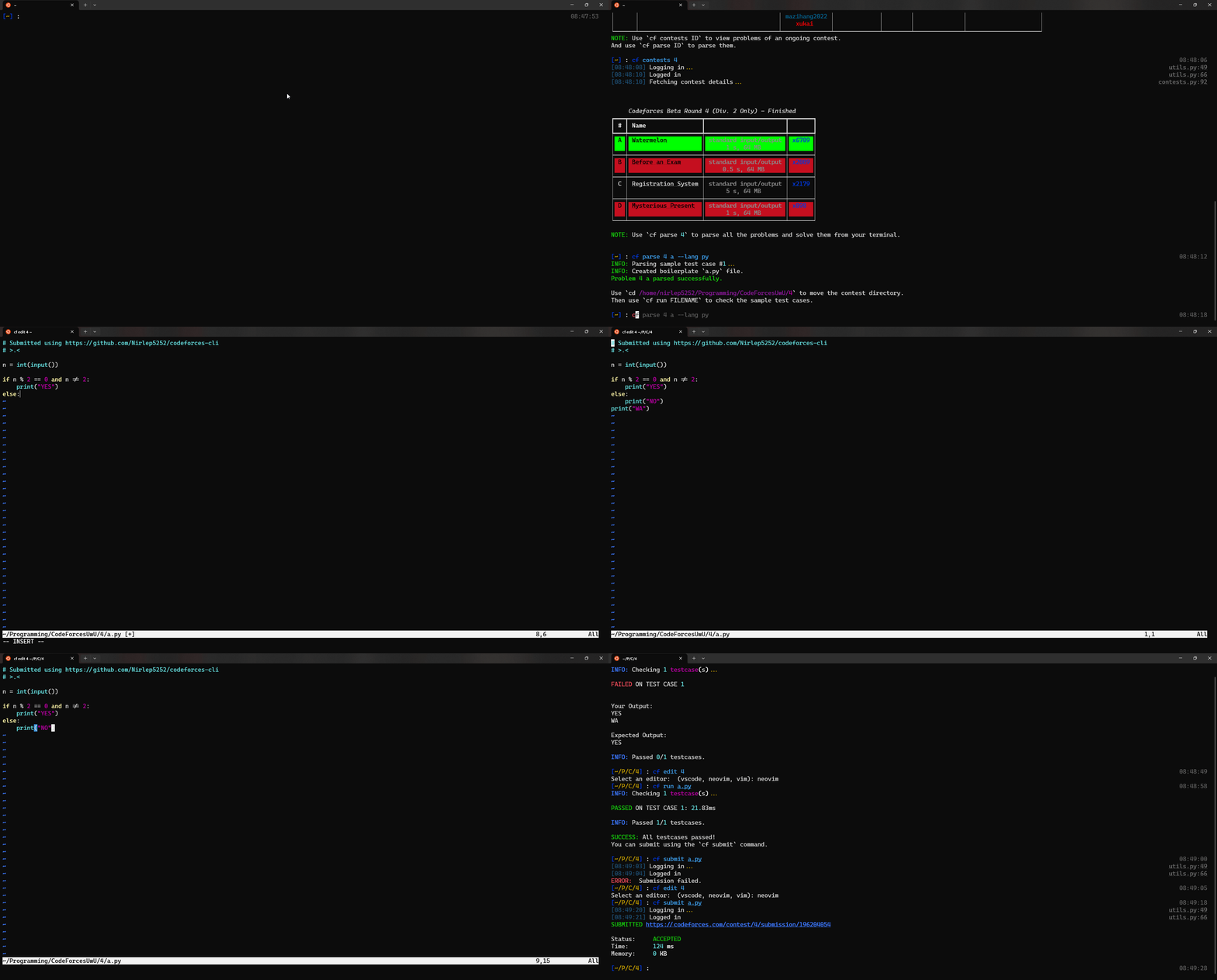
Current commands:
cf config - save your username and problems-directory (opens browser for login)
cf contests - list all the current or upcoming contests
cf contests {ID} - view all the problems of an ongoing contest
cf parse {Contest ID} {Problem ID | Optional} {--lang | Optional} - parse the problem and its test cases
cf run {FILE} - check the test cases for the current problem (works based on current directory)
cf submit {FILE} - submit the problem (requires config) (works based on current directory)
cf unsolved - return the list of all your unsolved problems
cf edit {CONTEST ID} - open the contest folder in the editor of choice (only 3 supported so far)
TODO commands:
cf standings {Contest ID | Optional} - show all the standings of an ongoing of finished contests
cf suggest - suggest a problem based on your current rating
TODO features:
- Support all languages in run
- A problem recommendation system, maybe?
1 maintainer

Metadata
1 maintainer
Release files for codeforces 0.1.2
For a detailed explanation of source distributions (sdists) and built distributions (wheels), please see the package formats documentation.
Source distribution (sdist)
| File | Size | Uploaded | |
|---|---|---|---|
| codeforces-0.1.2.tar.gz | 11.5 kB | Details |
Built distribution (wheel)
| File | Interpreter | ABI | Platform | Reset |
|---|---|---|---|---|
| codeforces-0.1.2-py3-none-any.whl | Python 3 | none | any | Details |
Total release size: 27.6 kB
Release files / codeforces-0.1.2.tar.gz
| Download URL | codeforces-0.1.2.tar.gz |
|---|---|
| Size | 11.5 kB |
| Tags | Source |
|
SHA-256 checksum How to use checksums |
6c9e6824604519273997570931552b58252059819b845b2fa08367721a7461a8
|
|
BLAKE2b-256 checksum How to use checksums |
212ca0c7e174d491d19404a0cdf9ca4ab6d09f84f76fdead1705a62f6e4fb8df
|
| Upload date | |
|
Uploaded using Trusted Publishing? What is trusted publishing? |
Yes |
| Uploaded via |
uv/0.12.13 {"installer":{"name":"uv","version":"0.12.13","subcommand":["publish"]},"python":null,"implementation":{"name":null,"version":null},"distro":{"name":"Ubuntu","version":"24.04","id":"noble","libc":null},"system":{"name":null,"release":null},"cpu":null,"openssl_version":null,"setuptools_version":null,"rustc_version":null,"ci":true}
|
Release files / codeforces-0.1.2-py3-none-any.whl
| Download URL | codeforces-0.1.2-py3-none-any.whl |
|---|---|
| Size | 16.1 kB |
| Tags | Python 3 |
|
SHA-256 checksum How to use checksums |
546011a6c8be94eabd6ab91fc1b2779cdddfdac9dabd59e478d47119822f6d6a
|
|
BLAKE2b-256 checksum How to use checksums |
d696eedc9799c2bb66db8ee61ed88618c7d4d06028abbf1146cbbce1759ce674
|
| Upload date | |
|
Uploaded using Trusted Publishing? What is trusted publishing? |
Yes |
| Uploaded via |
uv/0.12.13 {"installer":{"name":"uv","version":"0.12.13","subcommand":["publish"]},"python":null,"implementation":{"name":null,"version":null},"distro":{"name":"Ubuntu","version":"24.04","id":"noble","libc":null},"system":{"name":null,"release":null},"cpu":null,"openssl_version":null,"setuptools_version":null,"rustc_version":null,"ci":true}
|














