
Open-source CLI for building and querying local codebase knowledge graphs

Project description
Codegenome
Turn your codebase into a living knowledge graph. An MCP server using tree-sitter to stream high-fidelity architectural context to Cursor and Claude.



🌐 The Connectome of Code: Mapping the Digital Brain
Your codebase isn't a static document—it's an evolving digital brain. Standard context tools dump flat, truncated text files into your LLM window, causing massive token bloat and architectural hallucinations.
Codegenome treats code like a living connectome. By running localized, incremental tree-sitter passes and tracking changes in SQLite, it monitors your repository's structural neuroplasticity in real time—without dragging down system performance.
⚡ Watch your connectome grow as your agent codes
As your AI agent (Cursor, Claude Desktop, or custom MCP clients) generates new modules, refactors functions, or shifts dependencies, Codegenome maps out those structural relationships instantly. It exposes high-fidelity intelligence directly to your editor via the Model Context Protocol (MCP), allowing AI agents to reason about your entire system architecture with surgical precision. Use it headless in CI, on servers, or locally—no complex IDE wrappers required.
✨ What Codegenome Can Do
🧠 Codebase Intelligence & Graph Building
Codegenome deeply understands your code. It parses your source files, incrementally builds a knowledge graph, and outputs structured intelligence. Whether you're querying for dependencies or analyzing churn, Codegenome provides the structural truth of your codebase.
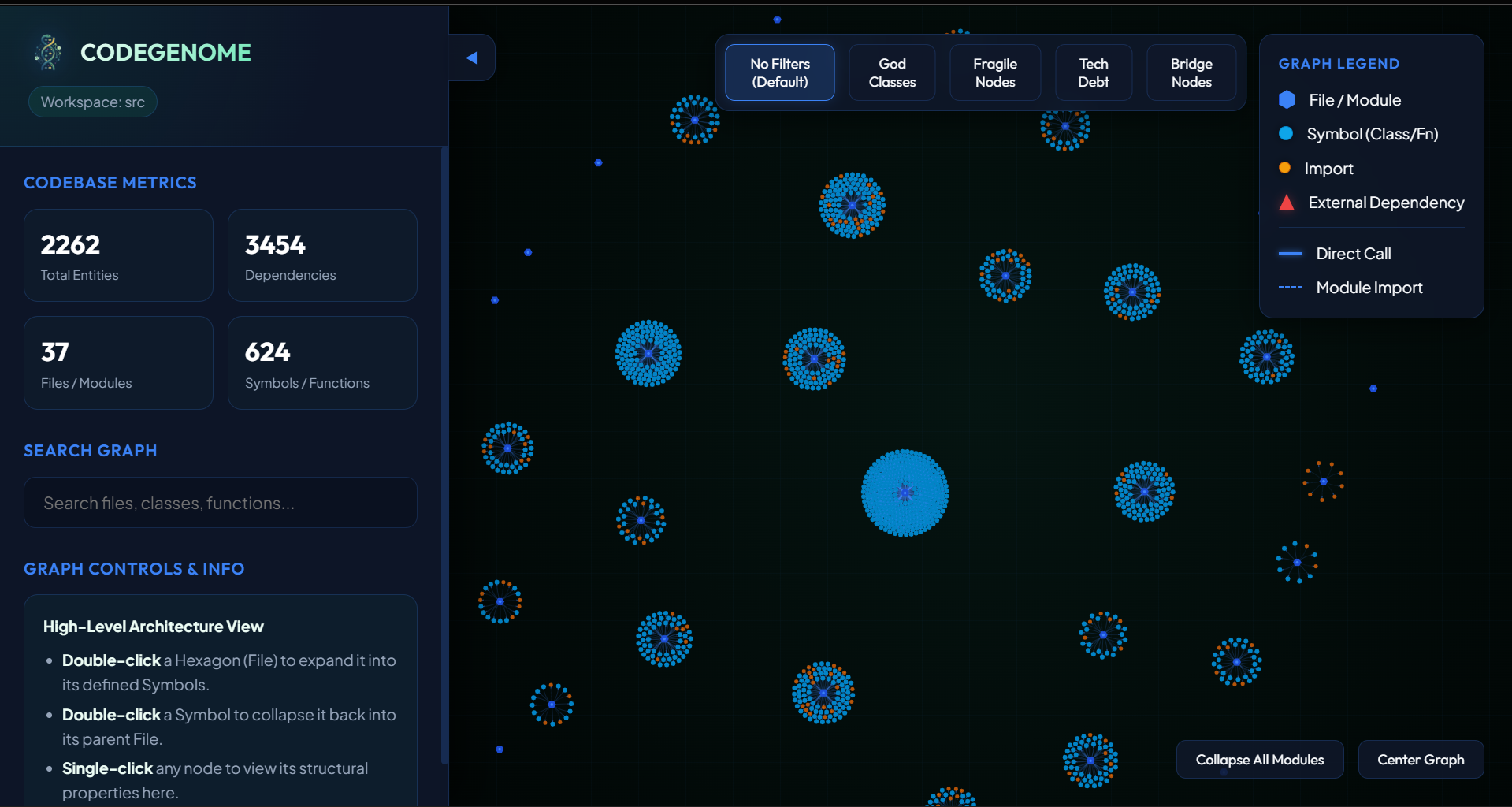
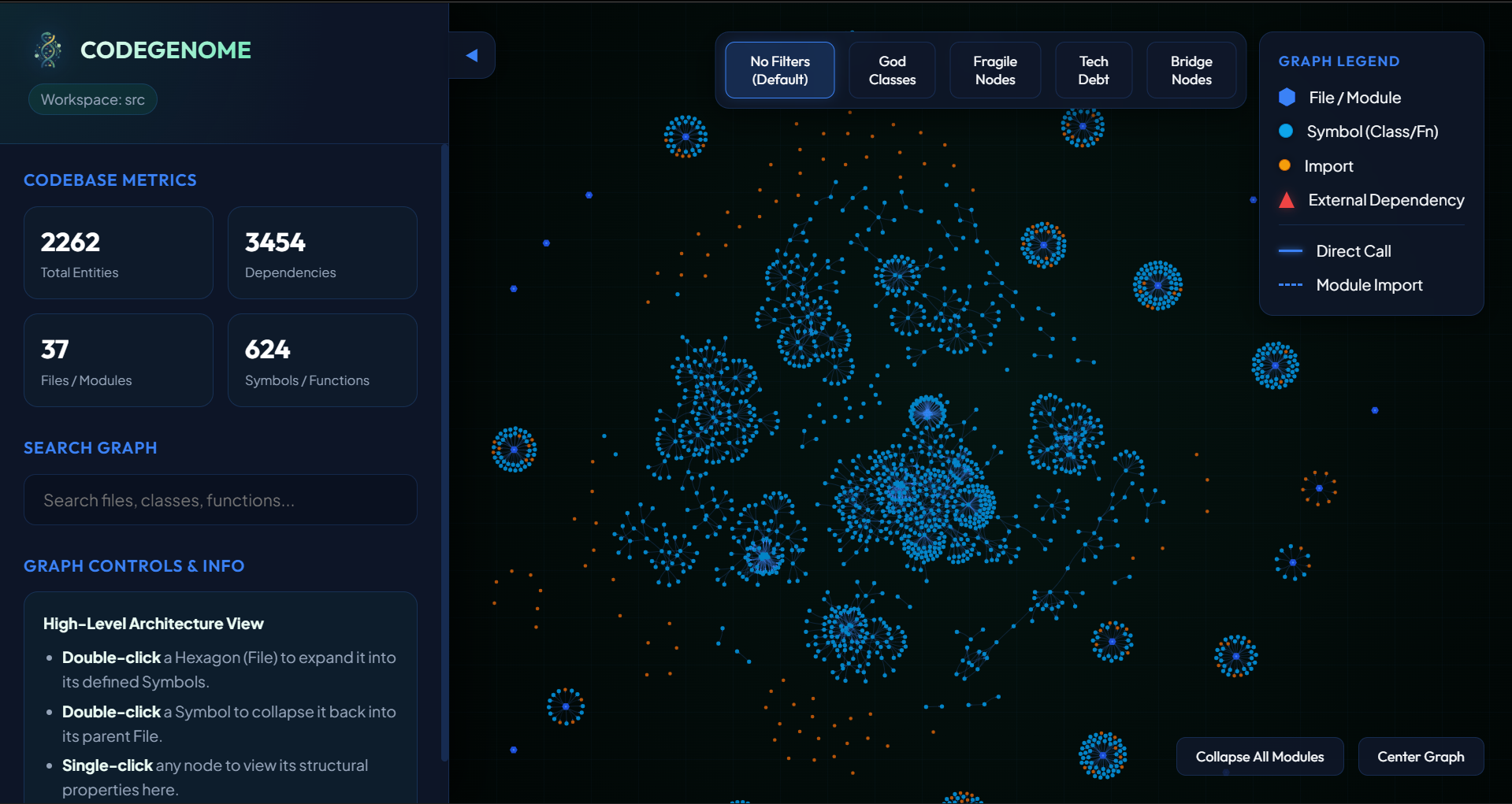
⚡ Live Graph Visualization & Watch Mode
Keep your codebase intelligence fresh in real-time. As you write code, Codegenome watches your workspace and automatically updates the graph, so your agents and queries are never out of sync.
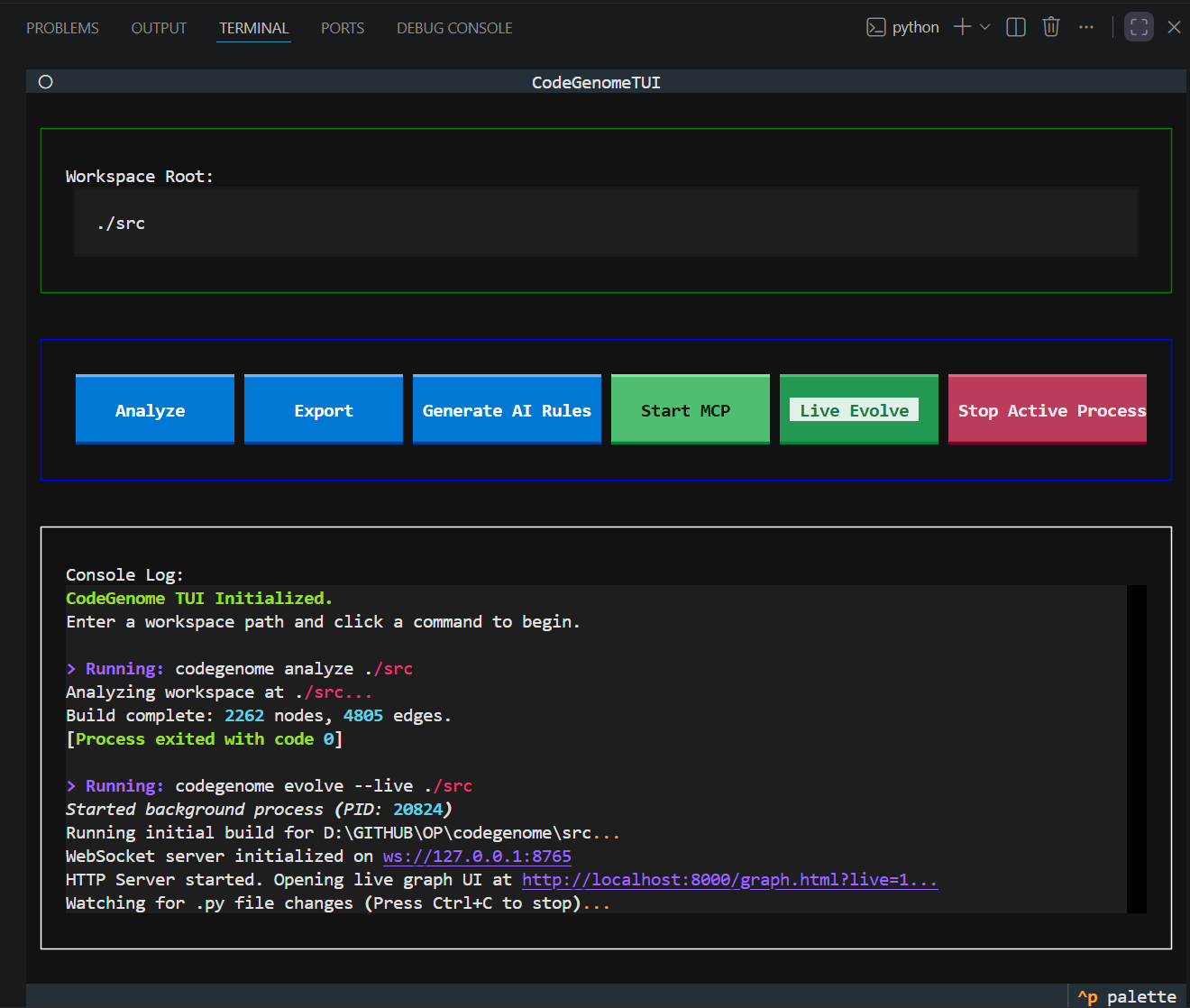
🖥️ Rich Terminal User Interface (TUI)
Interact with your codebase's architecture and timeline effortlessly through our built-in terminal UI. Explore connections and insights without ever leaving your terminal. For the best and most intuitive user experience (UX), we highly recommend using the TUI.
To launch the TUI, simply run:
codegenome tui
🤖 Seamless AI Agent Integration via MCP
Codegenome doesn't just build graphs; it acts as an intelligence server for your AI agents (Cursor, Claude, Copilot, etc.). Via HTTP or stdio transport, it serves as a high-fidelity context provider.
📤 Versatile Exports
Need your graph in a different format? Codegenome seamlessly exports to:
- JSON
- HTML & Markdown
- GraphML
- Cypher (for Neo4j)
- Obsidian (for personal knowledge bases)
Use codegenome export --format <name> for json, html, cypher, and obsidian. Additional formats are available through the legacy CLI.
🚀 Quick Start
Get up and running in seconds.
# Install via pip
pip install codegenome

# Build your first graph in any project directory
cd /path/to/your/project
codegenome analyze .

# Export your graph
codegenome export --format obsidian --path .

# Run in watch mode with live graph web UI
codegenome evolve --live .

# Share the live graph with other devices on your LAN (v0.1.4+)
codegenome evolve --live --lan .
Note: For detailed CLI reference, installation guides, and MCP setup, see our comprehensive Documentation.
🛠️ Troubleshooting
1. "No graph found" or Missing Database
Symptom: When attempting to run the MCP server (codegenome mcp-start) or export the graph (codegenome export), you receive an error that no graph was found or .genome/watcher.db does not exist.
Solution: Codegenome needs to build its initial knowledge graph database before it can be served or exported. Always run codegenome analyze . in your workspace first to generate the graph.
2. "unrecognized arguments" CLI Error
Symptom: You try to run commands and receive an unrecognized arguments error (e.g., mixing --workspace flags with export subcommands).
Solution: The unified CLI (codegenome) uses modern subcommands (e.g., codegenome analyze ., codegenome mcp-start, codegenome tui). If you are following older documentation that uses flags like --workspace . --build, you must invoke the Python module directly using python -m codegenome --workspace . --build. Avoid mixing the modular subcommands with the legacy flag-based CLI.
📚 Documentation
| Doc | Description |
|---|---|
| 📖 CLI reference | Subcommands, legacy flags, workflows |
| ⚙️ Installation | pip, venv, MCP setup |
| 🔌 MCP integration | Server modes and client installer |
| 🧩 Extensions | Cursor rules and Copilot templates |
| 🤝 Contributing | Development setup, tests, pull requests |
⚖️ License
Codegenome is open-source software licensed under the MIT License.



Download files
Download the file for your platform. If you're not sure which to choose, learn more about installing packages.
Source Distribution
Built Distribution
Filter files by name, interpreter, ABI, and platform.
If you're not sure about the file name format, learn more about wheel file names.
Copy a direct link to the current filters
File details
Details for the file codegenome-0.1.4.tar.gz.
File metadata
- Download URL: codegenome-0.1.4.tar.gz
- Upload date:
- Size: 546.1 kB
- Tags: Source
- Uploaded using Trusted Publishing? No
- Uploaded via: twine/6.2.0 CPython/3.14.3
File hashes
| Algorithm | Hash digest | |
|---|---|---|
| SHA256 |
ca72d611a62e63016a8b1a0760545fe171d8b583436dff5ff08bad6ac33119e0
|
|
| MD5 |
be8fd60dde328ec14782a9db683c67b2
|
|
| BLAKE2b-256 |
d9a36e7a8731d2b318576dedd2d97a15b2339623c0e94c6d2b711d36c51b20d4
|
File details
Details for the file codegenome-0.1.4-py3-none-any.whl.
File metadata
- Download URL: codegenome-0.1.4-py3-none-any.whl
- Upload date:
- Size: 532.7 kB
- Tags: Python 3
- Uploaded using Trusted Publishing? No
- Uploaded via: twine/6.2.0 CPython/3.14.3
File hashes
| Algorithm | Hash digest | |
|---|---|---|
| SHA256 |
cbb8cf91703c9da457394931ded161a79897a77489888e8f0af2fbc6200dcdd5
|
|
| MD5 |
2d2cfddfa4d943a02cdbefad38f7ded1
|
|
| BLAKE2b-256 |
109f6000ec24271e88d3437b74e20f72c52a7506bbdb8805929b7a8d8b6eac8d
|






