Turn any codebase into an interactive knowledge graph, a readable docs wiki, or a dependency map for AI agents — pure Python, single self-contained files, no server.

Project description
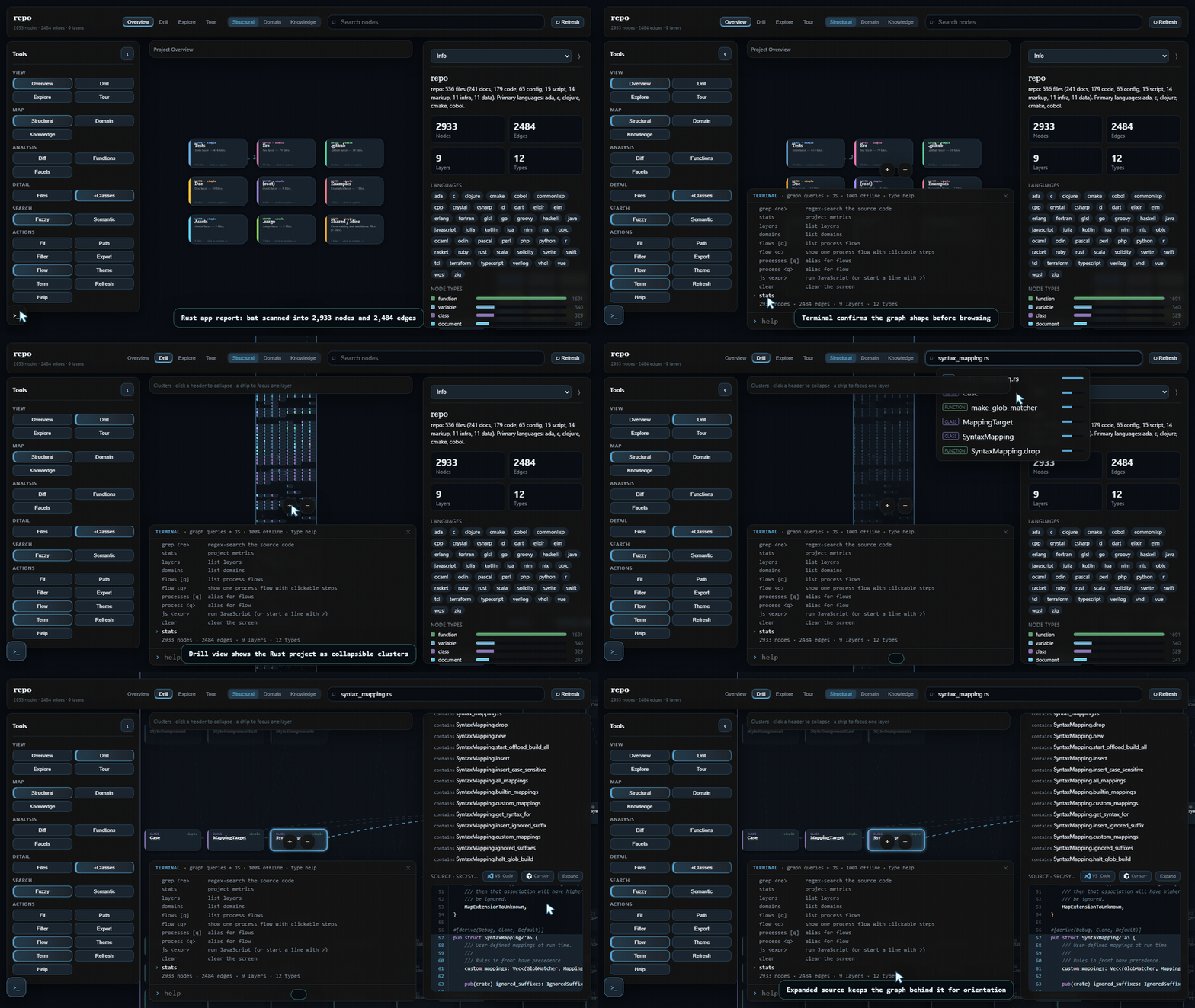
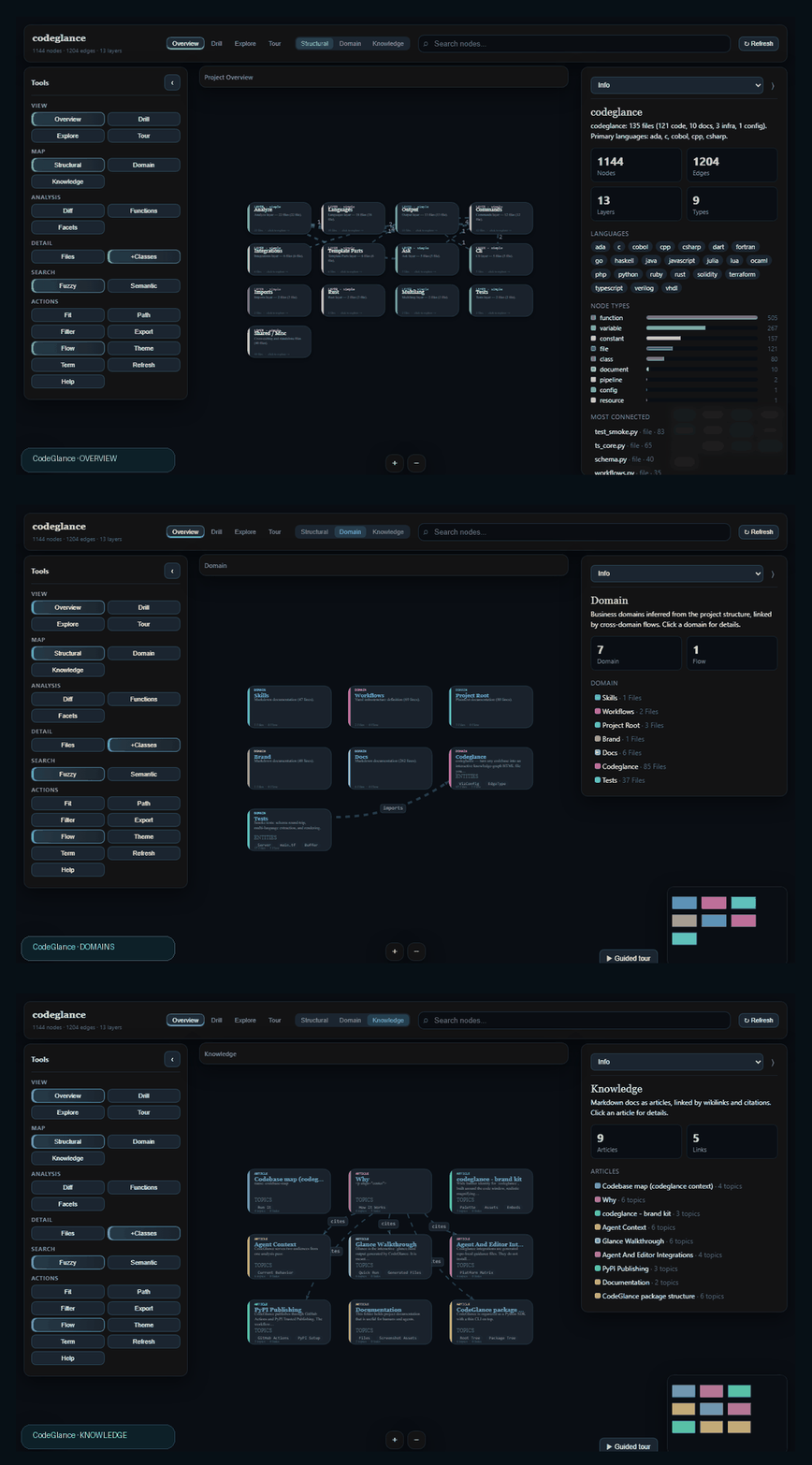




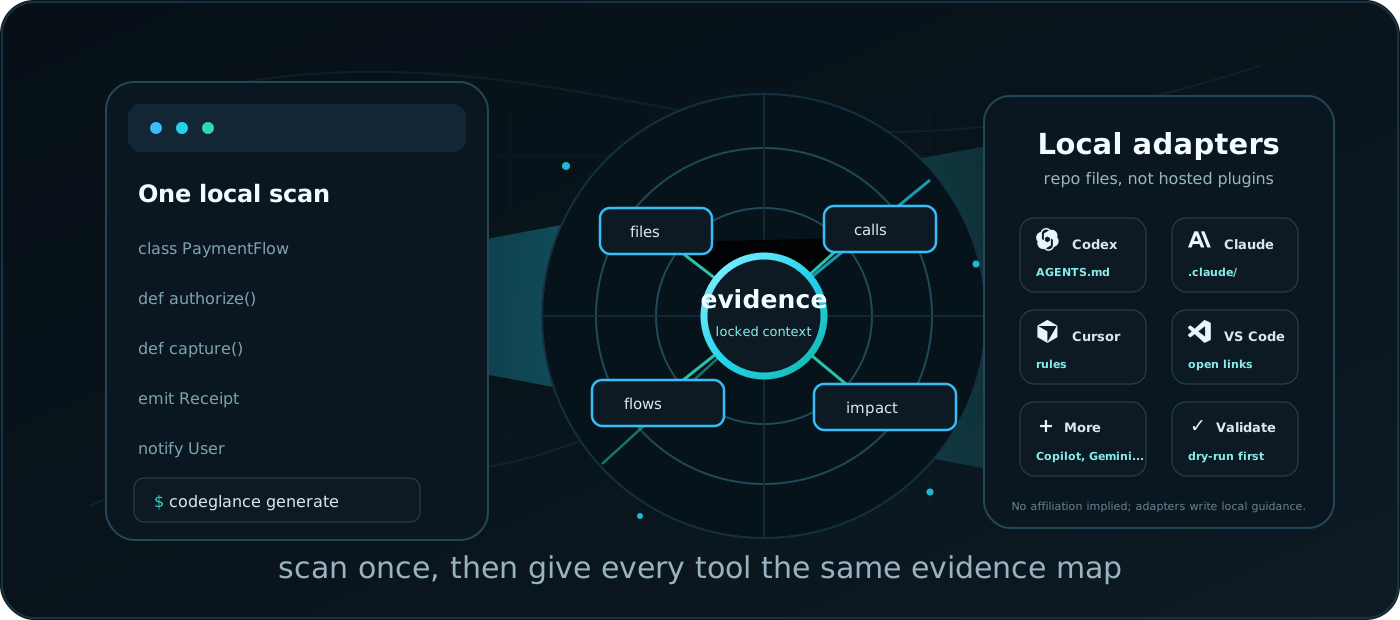
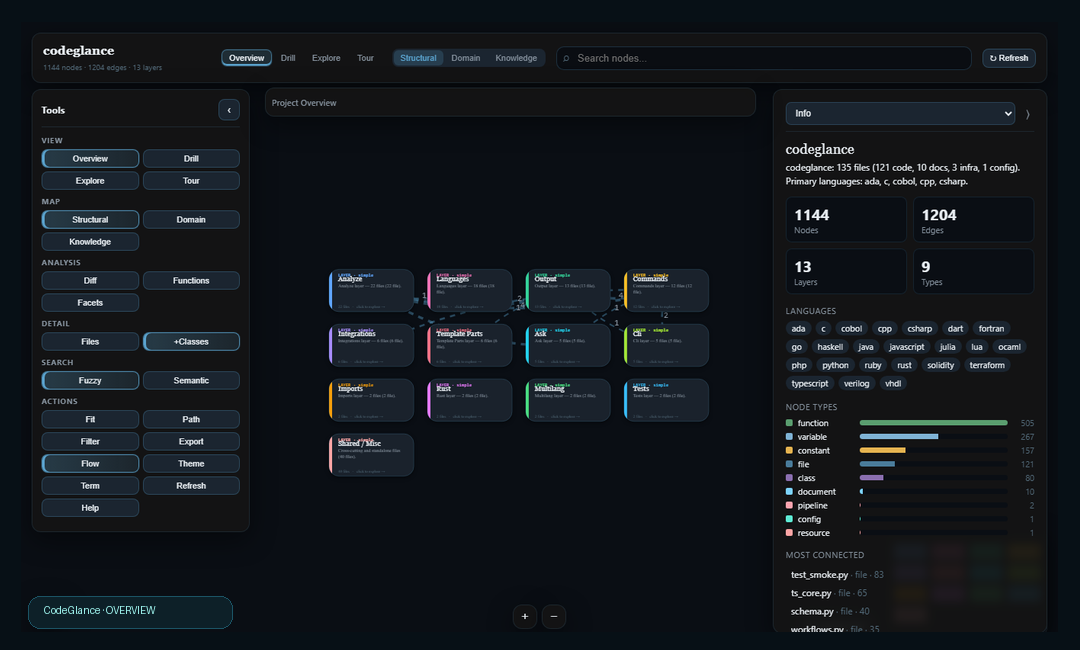
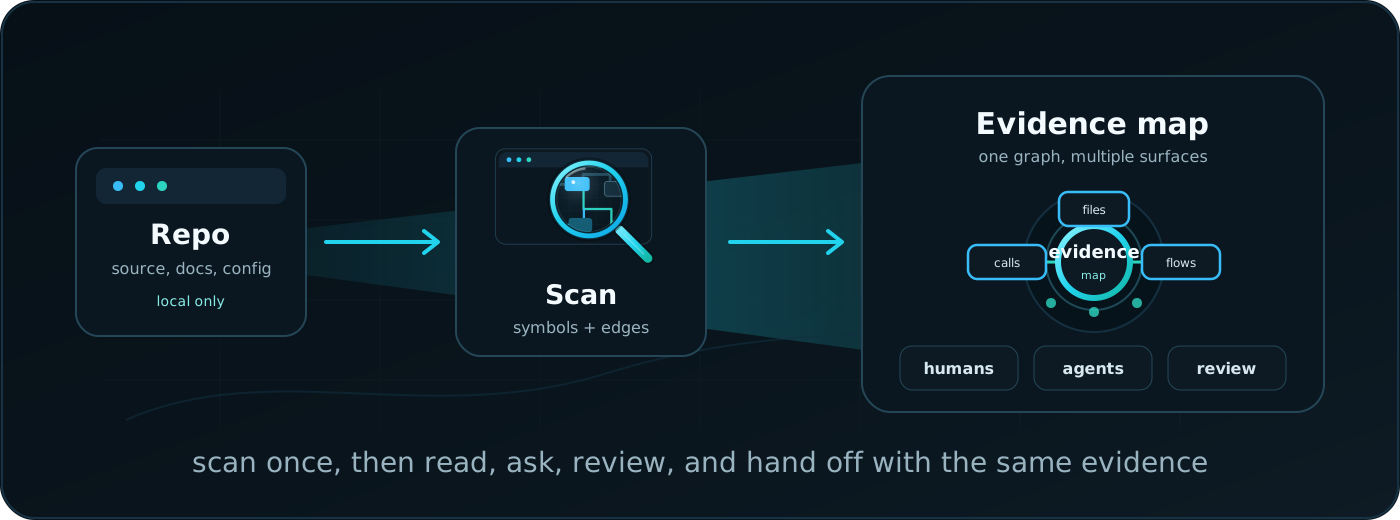
codeglance turns a repository into a visual map, a readable wiki, and compact AI context files.
By default, it runs locally, writes deterministic artifacts, and gives humans and coding agents the
same evidence before anyone starts editing source.
Map first. Source last.
pip install codeglance
codeglance init
codeglance generate . --out .codeglance/outputs --profile all
codeglance serve . --dir .codeglance/outputs --watch
Default runs use no Node, no npm, and no hosted service. Python CLI in, static files out.
Why
New repo, inherited repo, huge repo: the failure mode is usually the same. You open files too early, miss the dependency shape, and hand an AI agent a pile of source with no reading order.
Codeglance gives you a repo memory layer:
| Need | Codeglance output |
|---|---|
| See the system shape | Interactive glance.html graph with layers, domains, dependencies, search, focus, paths, and export. |
| Read the project like docs | Generated wiki.html with overview, architecture, domains, file reference, and reading order. |
| Give agents compact context | llms.txt, agent.md, and knowledge-graph.toon for low-token handoffs. |
| Plan a change | impact.md, review.md, changed-file overlays, and dependency hotspots. |
| Browse locally | codeglance serve hosts generated artifacts; bind --host 0.0.0.0 for phone access on the same network. |
| Bring tools along | Local guidance files for agent/editor workflows. No plugin install, network call, or hosted runtime required. |
How It Works
Hippocampus Context
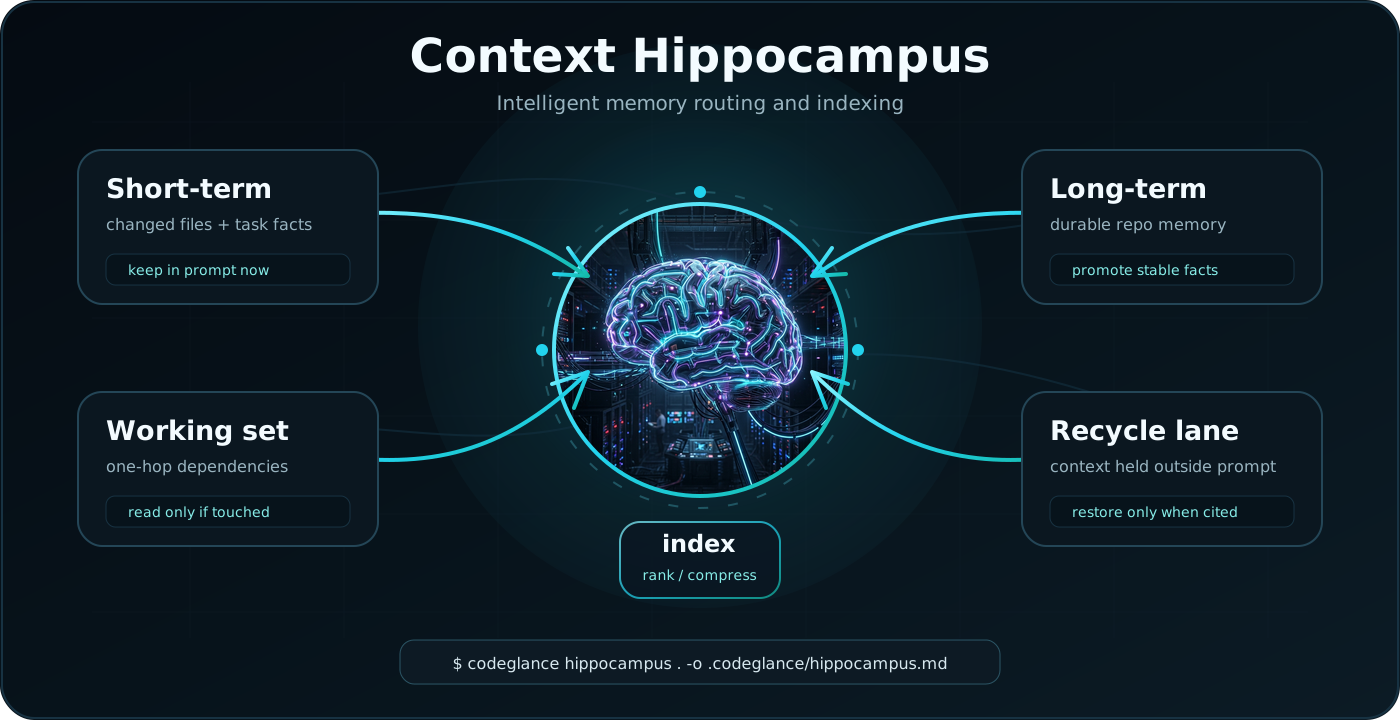
codeglance hippocampus turns the graph into a memory budget for long agent sessions. It keeps
changed files and task facts in short-term memory, promotes reusable architecture into long-term
memory, and moves low-signal files into a recycle lane until the graph pulls them back.
| Lane | What it saves |
|---|---|
| Short-term | The few files and facts that must stay in the prompt right now. |
| Working set | One-hop dependencies that explain the task without reading the whole repo. |
| Long-term | Stable architecture facts that can be reused across sessions. |
| Recycle lane | Low-signal context kept out of the prompt until evidence cites it again. |
Quick Start
Generate the legacy single-graph view:
codeglance init
codeglance .
That writes:
.codeglance/knowledge-graph.json
.codeglance/knowledge-graph.html
.codeglance/meta.json
That path is useful for a quick one-off graph. For the current full local dashboard, generate the output bundle:
codeglance generate . --out .codeglance/outputs --profile all
codeglance serve . --dir .codeglance/outputs --host 0.0.0.0 --watch
Open the printed URL on your desktop or phone on the same Wi-Fi. --watch regenerates the bundle
when files change and quietly marks the glance.html Refresh button when newer output is available.
Command Map
| Command | Use it when you want to |
|---|---|
codeglance . |
Analyze a project and write the primary interactive graph. |
codeglance wiki . -o .codeglance/wiki.html |
Generate a readable architecture/wiki document. |
codeglance context . --mode agent -o AGENTS.md |
Create a small agent handoff file. |
codeglance context . --mode full -o .codeglance/context.md |
Create fuller repo context with dependencies and symbols. |
codeglance explain src/app.py |
Explain one file or symbol. |
codeglance ask "Where should I start?" . |
Ask a repo question and get cited graph evidence. |
codeglance processes . |
Generate a domain/process map from the analyzed graph. |
codeglance hippocampus . |
Generate a context memory budget with short-term, working, long-term, and recycle lanes. |
codeglance onboard . |
Generate a first-day walkthrough. |
codeglance impact . |
Build a changed-file impact report. |
codeglance review . |
Check graph/output quality before sharing. |
codeglance generate . --profile all |
Produce the full local output folder from one analysis pass. |
codeglance serve . --watch |
Browse outputs locally and refresh as files change. |
Output Profiles
| Profile | Best for | Includes |
|---|---|---|
minimal |
Fast default handoff | index.html, llms.txt, glance.html, agent.md, schema, TOON, graph JSON, metadata. |
human |
People reviewing a repo | Visual graph, wiki, process map, hippocampus context, onboarding, impact docs, review docs, metadata. |
agent |
Coding-agent context | Compact agent context, process map, hippocampus memory budget, onboarding, impact docs, review docs, graph data. |
all |
Full local bundle | Every generated artifact. |
Frequently generated files:
| File | Profile | Audience | Purpose |
|---|---|---|---|
index.html |
minimal, human, all |
human | Clickable output-folder landing page. |
glance.html |
minimal, human, all |
human | Interactive visual codebase map. |
llms.txt |
minimal, human, agent, all |
agent | Small read-first entrypoint with artifact order and usage rules. |
agent.md |
minimal, agent, all |
agent | Compact, low-token repo handoff. |
knowledge-graph.toon |
minimal, agent, all |
agent | Compact graph context for prompts. |
knowledge-graph.json |
minimal, human, agent, all |
tool | Canonical structured graph for parsing and re-rendering. |
llm-context.schema.json |
minimal, agent, all |
agent/tool | Machine-readable contract for generated artifacts. |
meta.json |
minimal, human, agent, all |
human/tool | Version, commit, analyzed file count, and analysis metadata. |
Human, agent, and full profiles add the heavier review artifacts:
| File | Profile | Purpose |
|---|---|---|
wiki.html |
human, all |
Readable project wiki. |
processes.md |
human, agent, all |
Domain/process map inferred from the graph. |
processes.json |
agent, all |
Structured process map for tools. |
context.md |
all |
Fuller markdown repo context. |
graph.static.html |
all |
Zero-JavaScript static graph render. |
hippocampus.md |
human, agent, all |
Context memory budget for long agent sessions. |
onboarding.md |
human, agent, all |
First-day reading path. |
impact.md |
human, agent, all |
Changed-file impact report. |
review.md |
human, agent, all |
Share-readiness and graph quality checks. |
Interactive Graph
The default HTML graph is a self-contained canvas app. It opens directly from disk or through
codeglance serve.
| Area | Built in |
|---|---|
| Navigation | Zoom, pan, focus mode, path finding, guided tour, search, filters. |
| Views | Structural graph, domain/process view, knowledge view, file tree. |
| Inspector | Source snippets, highlighted symbols, dependencies, used-by links, editor links. |
| Output | Export PNG, SVG, or JSON. |
| Devices | Desktop layout plus mobile bottom sheets, safe-area handling, tap/pan/pinch gestures. |
| Local workflow | Watch mode marks refresh quietly; no forced reloads or pop-up banners. |
Large repositories can produce large self-contained HTML because the graph data is embedded into
the file. For browser-friendly output, keep generated, vendored, and bulky public assets out of the
scan with .gitignore or .codeglance/.codeglanceignore.
Agent and Editor Adapters
Codeglance writes repo-local guidance files that point tools to the same generated artifacts. It does not install official plugins, publish marketplace packages, call tool APIs, or imply affiliation. Project credit uses non-personal metadata: CodeGlance Contributor, with AI assistance from Claude and Codex.
| Target | Generated guidance |
|---|---|
| Codex | AGENTS.md, .agents/skills/codeglance/SKILL.md |
| Claude Code | .claude/skills/codeglance/SKILL.md, .claude/commands/codeglance.md |
| Cursor | .cursor/rules/codeglance.mdc |
| Windsurf | .windsurf/rules/codeglance.md |
| GitHub Copilot | .github/copilot-instructions.md |
| Gemini CLI | GEMINI.md |
| Cline | .clinerules/codeglance.md |
| Roo Code | .roo/rules/codeglance.md |
| Aider | .aider/codeglance.md |
| Continue | .continue/rules/codeglance.md |
| Augment Code | .augment-guidelines |
| Zed | .rules |
codeglance init --agents default
codeglance init --agents all --dry-run
codeglance init --agents codex,cursor,copilot --marketplace-manifests
codeglance init --list-agents

codeglance agents list
codeglance agents plan . --platform codex,cursor --marketplace-manifests
codeglance agents install . --platform cursor --dry-run
codeglance agents validate . --platform codex,cursor
Optional marketplace manifests are local JSON descriptors under .codeglance/marketplace/; they are
not published or uploaded. No affiliation, endorsement, or partnership is implied with any named
third-party tool.
Analysis
The default path is deterministic and offline:
| Capability | How |
|---|---|
| Python symbols/imports | Standard-library ast. |
| Other languages | Bundled tree-sitter grammars through tree-sitter-language-pack. |
| Dependencies | Import/reference resolution where local resolution is available. |
| Layers/domains | Inferred from graph structure and path conventions. |
| Summaries/tours | Deterministic fallbacks, with optional LLM enrichment. |
| Incremental runs | .codeglance/fingerprints.json keeps unchanged file summaries and marks changed files. |
| Ignore rules | Built-in defaults plus .gitignore and .codeglance/.codeglanceignore. |
Optional LLM enrichment:
ANTHROPIC_API_KEY=... codeglance . --llm
The package works without an API key.
Language Coverage
Python is first-class. Tree-sitter coverage adds broad symbol extraction across common, systems, and older languages:
| Family | Examples |
|---|---|
| Web/app | JavaScript, TypeScript/TSX, PHP, Ruby, Dart |
| Backend/systems | Go, Rust, Java, C#, C, C++, Kotlin, Swift, Scala |
| Infrastructure | Terraform/HCL resources, modules, variables, outputs, dependency references |
| Data/ops | PowerShell, shell, Lua, Julia |
| Legacy/specialized | VHDL, Verilog, COBOL, Fortran, Ada, Haskell, OCaml, Erlang, Elixir, Clojure, Common Lisp, Scheme, Racket, Gleam |
Recognized docs, config, data, and source files appear as file-level nodes with summaries. Unknown extensions and very large files are skipped by the scanner.
Python API
from codeglance.api import analyze_project, generate_bundle, render_html
from codeglance.models import KnowledgeGraph

graph: KnowledgeGraph = analyze_project(".")
html = render_html(graph, ".")
generate_bundle(".", ".codeglance/outputs")
The older codeglance.schema imports still work, but new integrations should prefer
codeglance.models and codeglance.api.
Schema
The graph is plain JSON:
{
  "version": "1.0.0",
  "project": {},
  "nodes": [],
  "edges": [],
  "layers": [],
  "tour": []
}
You can diff it, inspect it, or render it again:
codeglance render .codeglance/knowledge-graph.json -o graph.html
codeglance render .codeglance/knowledge-graph.json --static -o graph.static.html
Project Structure
codeglance/
├── brand/                  # banner, logo, favicon, README visuals, social-card SVGs
├── docs/                   # structure, agent-context, integrations, release notes
├── src/codeglance/
│   ├── ask/                # graph-evidence retrieval for repo questions
│   ├── analyze/            # scanners, language registry, symbol extraction, layers, tours
│   ├── cli/                # console entrypoint and argparse parser
│   ├── commands/           # CLI command handlers
│   ├── integrations/       # repo-local agent/editor guidance files
│   ├── models/             # public model facade: KnowledgeGraph, Node, Edge, Layer
│   ├── output/             # generated bundles, llms.txt, TOON, schema, index
│   ├── processes/          # domain/process map extraction
│   ├── render/             # interactive HTML, static HTML, wiki, and agent context renderers
│   ├── services/           # reusable workflows used by API and CLI
│   ├── api.py              # public Python SDK surface
│   ├── graph.py            # analysis orchestration
│   ├── schema.py           # canonical graph dataclasses and JSON schema behavior
│   ├── scan.py             # file discovery, language/framework detection
│   └── serve.py            # local output browser
├── tests/
├── pyproject.toml
└── README.md
Documentation Map
| File | Purpose |
|---|---|
docs/STRUCTURE.md |
Package layout, module responsibilities, SDK imports, generated output layout. |
docs/AGENT_CONTEXT.md |
Agent reading protocol and generated context strategy. |
docs/GLANCE_WALKTHROUGH.md |
Walkthrough for glance.html, generated files, mobile behavior, screenshots, and review flow. |
docs/INTEGRATIONS.md |
Agent/editor matrix, safety rules, generated files, validation behavior. |
docs/PUBLISHING.md |
GitHub Actions and PyPI Trusted Publishing release flow. |
Status
Current package version: 0.0.4.
Before publishing a PyPI release, update the version in pyproject.toml,
src/codeglance/__init__.py, this README badge, and the brand badge text, then restore a PyPI badge
after the package page exists. Publishing automation lives in docs/PUBLISHING.md.
Static preview: brand/codeglance-ui-preview.png
Release history Release notifications | RSS feed


Download files
Download the file for your platform. If you're not sure which to choose, learn more about installing packages.
Source Distribution
Built Distribution
Filter files by name, interpreter, ABI, and platform.
If you're not sure about the file name format, learn more about wheel file names.
Copy a direct link to the current filters
File details
Details for the file codeglance-0.0.4.tar.gz.
File metadata
- Download URL: codeglance-0.0.4.tar.gz
- Upload date:
- Size: 2.4 MB
- Tags: Source
- Uploaded using Trusted Publishing? Yes
- Uploaded via: twine/6.1.0 CPython/3.13.12
File hashes
| Algorithm | Hash digest | |
|---|---|---|
| SHA256 |
01003861e7c6c274cac406cc79bb0d9a772952c52978810e8ab53527fef2a3bd
|
|
| MD5 |
7888dc1b6aaec3742093bd394980c1b3
|
|
| BLAKE2b-256 |
535c19066632d6e2916435ba33492288bc9d2ade0f17c7fd59fe520b3f342636
|
Provenance
The following attestation bundles were made for codeglance-0.0.4.tar.gz:
Publisher:
release.yml on joselrnz/CodeGlance
-
Statement:
-
Statement type:
https://in-toto.io/Statement/v1 -
Predicate type:
https://docs.pypi.org/attestations/publish/v1 -
Subject name:
codeglance-0.0.4.tar.gz -
Subject digest:
01003861e7c6c274cac406cc79bb0d9a772952c52978810e8ab53527fef2a3bd - Sigstore transparency entry: 1820318307
- Sigstore integration time:
-
Permalink:
joselrnz/CodeGlance@8427296a8f18b38a45250acf8cd66107e794bda0 -
Branch / Tag:
refs/tags/v0.0.4 - Owner: https://github.com/joselrnz
-
Access:
public
-
Token Issuer:
https://token.actions.githubusercontent.com -
Runner Environment:
github-hosted -
Publication workflow:
release.yml@8427296a8f18b38a45250acf8cd66107e794bda0 -
Trigger Event:
push
-
Statement type:
File details
Details for the file codeglance-0.0.4-py3-none-any.whl.
File metadata
- Download URL: codeglance-0.0.4-py3-none-any.whl
- Upload date:
- Size: 229.1 kB
- Tags: Python 3
- Uploaded using Trusted Publishing? Yes
- Uploaded via: twine/6.1.0 CPython/3.13.12
File hashes
| Algorithm | Hash digest | |
|---|---|---|
| SHA256 |
aea263cf5a129fc8164bf3837180e050815d13a9867fd136e6fbed277094c23f
|
|
| MD5 |
6d34e81e22dc2193d5dcb8aef89be4e8
|
|
| BLAKE2b-256 |
b0a76281dc689d5828f69479ef900565387f1c7a16e93792fc4b37515f90ea18
|
Provenance
The following attestation bundles were made for codeglance-0.0.4-py3-none-any.whl:
Publisher:
release.yml on joselrnz/CodeGlance
-
Statement:
-
Statement type:
https://in-toto.io/Statement/v1 -
Predicate type:
https://docs.pypi.org/attestations/publish/v1 -
Subject name:
codeglance-0.0.4-py3-none-any.whl -
Subject digest:
aea263cf5a129fc8164bf3837180e050815d13a9867fd136e6fbed277094c23f - Sigstore transparency entry: 1820318453
- Sigstore integration time:
-
Permalink:
joselrnz/CodeGlance@8427296a8f18b38a45250acf8cd66107e794bda0 -
Branch / Tag:
refs/tags/v0.0.4 - Owner: https://github.com/joselrnz
-
Access:
public
-
Token Issuer:
https://token.actions.githubusercontent.com -
Runner Environment:
github-hosted -
Publication workflow:
release.yml@8427296a8f18b38a45250acf8cd66107e794bda0 -
Trigger Event:
push
-
Statement type: