
Stop re-explaining your project to AI agents every session. Codevira gives Claude Code, Cursor, Windsurf, and Antigravity shared persistent memory of your codebase — locally, no signup, MIT-licensed. One install configures every AI tool.

Project description
Codevira
One memory layer for every AI coding tool you use. Switch between Claude Code, Cursor, Windsurf, and Antigravity without losing context, decisions, or progress.




Built for solo developers working on local projects with AI agents. Codevira gives every AI tool you use access to the same persistent project memory — so you stop re-explaining your codebase every session, stop losing carefully-made decisions, and stop burning tokens on re-discovery.
Works with: Claude Code · Claude Desktop · Cursor · Windsurf · Google Antigravity · OpenAI Codex · GitHub Copilot · Continue.dev · Aider · any MCP-compatible AI tool
What you get
- 🧠 One brain across every AI tool. A decision you log in Claude Code shows up in Cursor. Style preferences learned in one session enforce in the next. No per-tool re-onboarding.
- 🛡️ Active guardrails, not passive notes. Codevira intercepts every AI tool call (
Edit,Write, prompt submit, session start). Decisions you markdo_not_revertblock silent regressions. Out-of-scope edits get warned. The AI literally cannot undo your protected choices without surfacing the conflict to you first. - ⚡ Zero-friction setup.
pipx install codevira && codevira setup— auto-detects every AI tool you have and configures all of them. No JSON to hand-edit, no per-IDE script, no team server to spin up. - 🔒 Local-first, MIT-licensed. Your decisions, code graph, and learned preferences live in
~/.codevira/on your machine. No cloud, no account, no telemetry, no SaaS. - 📊 Honest measurement.
codevira insightsshows which past decisions held up vs got reverted across your real git history.codevira budgetreports per-session AI token spend. You can audit what the memory layer is actually costing and earning.
The Problem (Four Pains Codevira Solves)
If you code with AI agents on a project longer than a week, you've felt all of these:
1. Re-explaining your codebase every session
Every new chat starts from zero. The AI doesn't know your architecture, your conventions, your "we don't do it that way" decisions. You waste the first 10 minutes (and thousands of tokens) catching it up — only to do it again tomorrow.
2. AI undoing your careful decisions
Last week you debugged a tricky retry policy for 3 hours. Today's AI session refactors it to a simpler version because it has no idea why the complexity exists. Now it's broken again.
3. Cross-tool amnesia
You started planning in Claude Code. Switched to Cursor for autocomplete. Opened Antigravity to run tests. Three different agents, three different blind copies of your project state. Nothing carries over.
4. Token budget burned on re-discovery
Your AI agent reads the same 12 files every session before doing any actual work. You're paying API costs for the same lookups, over and over.
Codevira is a persistent memory layer that fixes all four — for every AI tool, on every project, on your local machine.
What's new in v2.0
30-second demo: docs/demo/codevira-demo.mp4
v2.0 ships 10 AI-guardian capabilities that work together as a single engine intercepting every AI tool call (Edit, Write, prompt submit, session start). They turn the persistent memory layer from passive (the AI looks things up) into active (codevira protects you when the AI is about to do something inconsistent with your project's history).
| # | Hero | What it does | Trigger |
|---|---|---|---|
| 4 | Blast-Radius Veto | Block edits to files with N+ callers without explicit acknowledgment | before Edit/Write |
| 1 | Decision Lock | Refuse edits to files marked do_not_revert |
before Edit/Write |
| 2 | Anti-Regression Memory | Block edits that re-introduce previously-fixed bugs | before Edit/Write |
| 3 | Scope Contract Lock (off-by-default) | Refuse edits to files outside what your prompt asked for | prompt → enforce on Edit |
| 5 | Cross-Session Consistency | Inject related past decisions when you submit a prompt | prompt submit |
| 9 | Proactive Intent Inference | Pre-fetch fixes/decisions/blast-radius for the AI's first turn | prompt submit |
| 6 | Token Budget Live View | Track AI token spend per session; codevira budget shows breakdown |
every tool call |
| 7 | Live Style Enforcement | Warn on snake_case/camelCase/quote-style violations vs your project's preferences | after Edit/Write |
| 10 | AI Promotion Score | Auto-score decisions by outcome history; codevira insights weekly digest |
session start |
| 8 | Decision Replay | Browse decision timeline as terminal / markdown / HTML; MCP resource for Claude Desktop; codevira replay CLI |
on demand |
All 10 work behind the scenes by default. No new vocabulary to learn.
v2.0 CLI surface
codevira setup        # one-prompt setup; replaces `register`
codevira doctor       # health check with ✓/⚠/✗ + exact fix commands
codevira agents       # regen per-IDE nudge files (CLAUDE.md, AGENTS.md, etc.)
codevira hooks install  # install Claude Code lifecycle hooks
codevira budget       # token-spend per session  (Hero 6)
codevira insights     # stable / reverted decisions  (Hero 10)
codevira replay       # browse decision timeline  (Hero 8)
For the honest "vs Mem0 / claude-mem / MemPalace" comparison see docs/vs-other-memory-tools.md.
How It Works
Codevira is a Model Context Protocol server that runs locally and gives any AI tool a structured, queryable memory of your codebase:
| Capability | What it means for you |
|---|---|
| Zero-config setup | pipx install codevira && codevira setup — that's it. No prompts, no JSON editing. Auto-detects every installed AI tool and configures all of them |
| Cross-tool continuity | One get_session_context() call brings any AI agent up to speed in ~800 tokens — works identically in Claude Code, Cursor, Windsurf, Antigravity |
| Decision protection | do_not_revert flags + searchable decision log stop AI agents from undoing past architectural choices |
| Context graph | Every source file has a node: role, rules, dependencies, stability, blast radius. AI calls get_node(path) instead of re-reading the file |
| Function-level call graph | get_impact(file) answers "what breaks if I change this?" before the AI modifies anything |
| Semantic code search | Natural-language search across your codebase (search_codebase("auth flow")) |
| Roadmap + changesets | Multi-file work tracked atomically; sessions resume cleanly after interruption |
| Adaptive learning | Tracks which past decisions panned out — gives confidence scores and surfaces patterns |
| Cross-project memory | Learned preferences sync across all your local projects via ~/.codevira/global.db |
| Auto-init on first call | No codevira init needed — first MCP tool call triggers background project setup |
Token-efficient by design
Codevira is built around the principle that AI agent context windows are precious. Tools return summaries by default with opt-in full data:
get_node(path)— ~100 tokens by default (counts + flags). Passfull=truefor the entire rules array.get_impact(path)— 10 affected files. Passsummary_only=truefor just counts (~80 tokens) before deciding to dig deeper.search_codebase(query)— file/symbol pointers only. Passinclude_content=trueto inline source.search_decisions(query)— 5 truncated matches. Passfull=truefor verbatim text.
The agent always asks for what it needs, in the size it needs.
Quick Start — three commands
# 1. Install
pipx install codevira

# 2. Connect every AI tool you have (idempotent — safe to re-run)
codevira setup

# 3. (Optional) Verify the install
codevira doctor
That's it. Open any project in your AI tool — codevira auto-initializes on
the first MCP tool call. No per-project codevira init needed.
Try it. Ask your AI agent: "Use get_session_context to brief me on this project."
You'll get a structured project state in one tool call instead of the AI
re-reading docs.
What codevira setup actually does
The one command above replaces what used to take 5+ steps in v1.x:
- Detects every installed AI tool — Claude Code, Claude Desktop, Cursor, Windsurf, Antigravity, Codex CLI, GitHub Copilot, Continue.dev, Aider.
- Injects MCP server config into each tool's config file (per-IDE schema handled automatically — no JSON to hand-edit).
- Writes per-IDE nudge files so each AI tool knows codevira exists:
CLAUDE.md,AGENTS.md,.cursor/rules/codevira.mdc,.windsurfrules,GEMINI.md,.github/copilot-instructions.md— only for IDEs you actually have installed. - Installs Claude Code lifecycle hooks (
SessionStart,PreToolUse,PostToolUse,UserPromptSubmit,Stop) — turns codevira from passive memory into the active guardian that intercepts every AI tool call.
Use --dry-run to preview without writing anything. Use --ide=claude to
limit to one tool. Use -y to skip the confirmation prompt (handy in scripts).
Already on v1.x?
pipx install --upgrade codevira then codevira setup. Three default
behaviors changed (all opt-out-able for legacy compatibility) — see
MIGRATING.md for the full upgrade guide. No data loss; your
existing ~/.codevira/global.db migrates safely.
What codevira doctor reports
14 health checks in one run, each with a concrete fix_command for any
WARN or FAIL. Read-only — never modifies anything. Use it whenever
something feels off.
$ codevira doctor
Codevira health check
────────────────────────────────────────────────────────────
✓  python_version         Python 3.13 (≥ 3.10 required)
✓  codevira_data_dir      /Users/you/.codevira exists and is writable
✓  graph_db               graph.db has all 4 expected tables
✓  global_db              /Users/you/.codevira/global.db opens cleanly
✓  detected_ides          5 AI tool(s) detected
✓  claude_mcp_visibility  codevira visible to Claude Code (✓ Connected)
✓  ghost_projects         12 project(s) tracked — none are ghost dirs
... (and 7 more checks)
────────────────────────────────────────────────────────────
summary: 14 pass · 0 warn · 0 fail
Daily-use commands you'll actually run
| Command | What it does |
|---|---|
codevira setup |
Re-sync IDE configs (after installing a new AI tool, etc.) |
codevira doctor |
Health check |
codevira projects |
List every project codevira knows about on this machine |
codevira projects --ghosts-only |
Find half-initialised project dirs |
codevira clean --ghosts |
Remove ghost dirs (preserves real ones) |
codevira insights |
Stable + reverted decisions across past sessions |
codevira replay |
Decisions timeline (terminal / markdown / html output) |
codevira budget |
Per-session token usage |
codevira hooks list |
Show installed Claude Code lifecycle hooks |
Run codevira --help for the full subcommand list.
Customizing what's indexed
By default codevira indexes every common source / config / docs extension
(~75 total: .py, .ts, .go, .yaml, .md, .html, .sql, .proto,
…). For most projects this is what you want. To narrow or widen:
# Interactive picker — shows discovered dirs + extensions with file counts
codevira configure

# Non-interactive (CI / scripts)
codevira configure --dirs src,packages,apps --extensions .py,.ts --no-reindex

# Restore legacy single-language behavior on init
codevira init --single-language
After changing watched directories, restart your AI tool — running watchers snapshot the dir set at boot.
Reducing per-prompt context overhead
Codevira's Cross-Session Consistency policy injects ~1 KB of relevant prior
decisions into each UserPromptSubmit event. To disable per-project:
# .codevira/config.yaml
project:
  cross_session_mode: off          # disable injection entirely
  cross_session_max_inject: 2      # OR keep it but cap at 2 entries (default 5)
Or system-wide via env: export CODEVIRA_CROSS_SESSION_MODE=off.
Uninstall
See Uninstall / Reset below for the full set of
options (--all, --dry-run, --orphans, --ghosts, --legacy).
Quick path:
codevira clean              # remove ~/.codevira/, IDE configs, services
codevira hooks uninstall    # remove Claude Code lifecycle hook scripts
pipx uninstall codevira     # remove the binary
Manual installation — only if codevira setup doesn't detect your tool
Codevira supports two transports. Use the right one for your client:
| Client | Transport | Config file |
|---|---|---|
| Claude Desktop (app) | stdio | ~/Library/Application Support/Claude/claude_desktop_config.json |
| Claude Code (CLI) | stdio | ~/.claude.json (user scope — mcpServers section) |
| Cursor | stdio | ~/.cursor/mcp.json |
| Windsurf | stdio | ~/.codeium/windsurf/mcp_config.json |
| Google Antigravity | stdio | ~/.gemini/antigravity/mcp_config.json |
Stdio transport — Claude Desktop, Cursor, Windsurf (.claude/settings.json / .cursor/mcp.json / .windsurf/mcp.json):
{
  "mcpServers": {
    "codevira": {
      "command": "codevira",
      "args": [],
      "cwd": "/path/to/your-project"
    }
  }
}
Claude Desktop (~/Library/Application Support/Claude/claude_desktop_config.json):
{
  "mcpServers": {
    "codevira": {
      "command": "/path/to/codevira",
      "args": ["--project-dir", "/path/to/your-project"]
    }
  }
}
Tip: find the full binary path with
which codevira
HTTP/HTTPS transport — Preview only. The HTTP server binds to one project at startup and cannot switch contexts per request. Multi-project HTTPS is still on the roadmap (see ROADMAP.md). For multi-project work today, use stdio via codevira setup (above) — setup is the v2.0 successor to the now-deprecated codevira register.
First start the HTTP server in a terminal:
codevira serve --port 7007 --project-dir /path/to/your-project
# For HTTPS (required by some clients):
codevira serve --https --port 7443 --project-dir /path/to/your-project
Then register the URL:
{
  "mcpServers": {
    "codevira": {
      "url": "https://localhost:7443/mcp"
    }
  }
}
HTTPS note: Claude Code uses Node.js, which requires a trusted CA for HTTPS. Run once to trust the mkcert CA:
brew install mkcert && mkcert -install
launchctl setenv NODE_EXTRA_CA_CERTS "$(mkcert -CAROOT)/rootCA.pem"
echo 'export NODE_EXTRA_CA_CERTS="$(mkcert -CAROOT)/rootCA.pem"' >> ~/.zshrc
Then restart Claude Code.
Auto-start on login (macOS):
codevira serve --install-service    # start server automatically on login
codevira serve --uninstall-service  # remove auto-start
Google Antigravity (~/.gemini/antigravity/mcp_config.json):
{
  "mcpServers": {
    "codevira": {
      "$typeName": "exa.cascade_plugins_pb.CascadePluginCommandTemplate",
      "command": "codevira",
      "args": []
    }
  }
}
Codevira data layout (v1.6)
~/.codevira/                         <- global Codevira home
├── global.db                        <- cross-project intelligence
├── projects/
│   └── <project-key>/               <- per-project data (keyed by path)
│       ├── config.yaml
│       ├── metadata.json
│       ├── graph/
│       │   ├── graph.db
│       │   └── changesets/
│       ├── codeindex/               <- semantic search (optional)
│       └── logs/
└── certs/                           <- HTTPS certs (if using --https)
Legacy
.codevira/directories inside project repos are auto-migrated to centralized storage on first server start.
Configuration
Each project has a config.yaml at ~/.codevira/projects/<project-key>/config.yaml. It's auto-generated on first use with sensible defaults, but you can edit it to customize what Codevira indexes:
project:
  name: my-project
  language: python
  collection_name: my_project
  # Which directories to scan for source files
  watched_dirs:
    - src
    - tests
    - scripts
  # Which file extensions count as "source" for indexing + change detection
  file_extensions:
    - .py
    - .ts
    - .tsx
  # Directories to skip even if inside watched_dirs
  skip_dirs:
    - node_modules
    - .venv
    - __pycache__
    - dist
    - build
logs:
  # 0 = keep sessions/decisions forever (default).
  # Only set > 0 if you have privacy reasons to time-bound history.
  retention_days: 0
Common gotchas:
-
file_extensionsmust be a proper YAML list — each extension on its own line. This is wrong:file_extensions: - .py, .md, .html # ❌ one item containing commas, not three extensions
This is correct:
file_extensions:
  - .py
  - .md
  - .html
Or inline:
file_extensions: [.py, .md, .html]
-
file_extensionsis intended for source code (Python, TypeScript, Go, Rust, etc.). Codevira uses tree-sitter AST parsing — putting.mdor.htmlhere may produce malformed graph nodes since tree-sitter parsers for those languages are different. -
Files are only scanned if they live inside
watched_dirs. Adding an extension alone isn't enough — make sure the directory is listed too.
After editing the config, run codevira index --full to rebuild the graph from scratch, or codevira index for incremental changes.
Uninstall / Reset
codevira clean              # remove global data + IDE configs + launchd service
codevira clean --all        # also remove per-project artifacts
codevira clean --dry-run    # preview what would be removed
How It Works
Setup Flow
flowchart LR

A["pipx install codevira"] --> B["codevira setup"]
B --> C["Open project in\nClaude Code / Cursor /\nWindsurf / Antigravity"]
C --> D["First MCP tool call\ntriggers auto-init"]
D --> E["✓ Config written\n✓ Graph built\n✓ Roadmap created\n✓ Ready"]
Agent Session Lifecycle
flowchart TB

Start([Start Session])

subgraph "Orientation (single call)"
A["get_session_context()\nroadmap + changesets +\ndecisions + global intelligence"]
end

subgraph "Work"
B[get_node / get_impact\nbefore touching files]
C[Plan + Implement + Test]
D[refresh_index\nafter changes]
end

subgraph "Session End"
E[update_node — record changes]
F[write_session_log — decisions]
G[update_next_action — handoff]
end

Start --> A
A --> B
B --> C
C --> D
D --> E
E --> F
F --> G
Architecture
flowchart TB

A[Source Code\n15+ languages]

subgraph "Indexing Pipeline"
B[Tree-sitter AST Parser]
C[Function / Class / Call Extraction]
D[Background File Watcher\nauto-reindex on save]
end

subgraph "Centralized Storage — ~/.codevira/"
E[(Context Graph + Call Graph\nSQLite DB)]
F[(Semantic Index\nChromaDB — optional)]
G[(Global Memory\ncross-project intelligence)]
H[(Session Logs + Decisions\nsearchable history)]
end

subgraph "Adaptive Learning"
I[Outcome Tracking]
J[Rule Inference]
K[Preference Learning]
end

subgraph "MCP Server"
L[36 Tools + 5 Prompts\nstdio or HTTP transport]
end

M[AI Coding Agent\nClaude Code · Cursor · Windsurf · Antigravity]

A --> B
B --> C
C --> E
C --> F
D --> B

E --> L
F --> L
G --> L
H --> L

I --> G
J --> G
K --> G

E --> I

L --> M
Session Protocol
Every agent session follows a simple protocol. Set it up once in your agent's system prompt — then your agents handle the rest.
Session start (mandatory):
list_open_changesets()      -> resume any unfinished work first
get_roadmap()               -> current phase, next action
search_decisions("topic")   -> check what's already been decided
get_node("src/service.py")  -> read rules before touching a file
get_impact("src/service.py") -> check blast radius
Session end (mandatory):
complete_changeset(id, decisions=[...])
update_node(file_path, changes)
update_next_action("what the next agent should do")
write_session_log(...)
This loop keeps every session fast, focused, and resumable.
MCP Tools + 5 Prompts
23 tools exposed to AI agents (token-optimized, summary-first). The remaining 12 tools are admin/dashboard tools that work via dispatch but aren't advertised in list_tools() — humans access them via the CLI or via specific MCP prompts. Tools marked (admin) below.
Graph Tools
| Tool | Description |
|---|---|
get_node(file_path, full?) |
Summary by default (counts + flags); full=true for rules/dependencies arrays |
get_impact(file_path, summary_only?) |
Blast radius — summary_only=true returns just counts (~80 tokens) |
update_node(file_path, changes) |
Append rules, connections, key_functions |
query_graph(file_path, symbol?, query_type) |
Function-level: callers, callees, tests, dependents, symbols |
list_nodes(...) (admin) |
Bulk node listing — agents should use targeted queries instead |
add_node(...) (admin) |
Register a new file (auto-generated by refresh_graph) |
refresh_graph(file_paths?) (admin) |
Auto-generate stubs (background/automatic) |
refresh_index(file_paths?) (admin) |
Background reindex (fire-and-forget) |
export_graph(format, scope?) (admin) |
Mermaid/DOT export — large dump |
get_graph_diff(base_ref?, head_ref?) (admin) |
PR review — use review_changes prompt |
analyze_changes(base_ref?, head_ref?) (admin) |
Risk scoring — use pre_commit_check prompt |
find_hotspots(threshold?) (admin) |
Complexity dashboard |
Roadmap Tools
| Tool | Description |
|---|---|
get_roadmap() |
Current phase, next action, open changesets |
get_phase(number) |
Full details of any phase by number |
update_next_action(text) |
Set what the next agent should do |
update_phase_status(status) |
Mark phase in_progress / blocked |
add_phase(phase, name, description, ...) |
Queue new upcoming work |
complete_phase(number, key_decisions) |
Mark done, auto-advance to next |
defer_phase(number, reason) |
Move a phase to the deferred list |
get_full_roadmap(include_decisions?) (admin) |
Full history with all decisions inline |
Changeset Tools
| Tool | Description |
|---|---|
list_open_changesets() |
All in-progress changesets |
start_changeset(id, description, files) |
Open a multi-file changeset |
complete_changeset(id, decisions) |
Close and record decisions |
update_changeset_progress(id, last_file, blocker?) |
Mid-session checkpoint |
Search Tools
| Tool | Description |
|---|---|
search_codebase(query, limit?, include_content?) |
Semantic search — pointers only by default |
search_decisions(query, limit?, full?) |
Past decisions (default 5, truncated context) |
get_history(file_path, limit?, full?) |
Recent decisions touching a file (default 5) |
write_session_log(...) |
Write structured session record |
Adaptive Learning Tools
| Tool | Description |
|---|---|
get_session_context() |
THE main "catch me up" call — start every session here (~800 tokens) |
get_decision_confidence(file_path?, pattern?) |
Outcome-based reliability scores |
get_preferences(category?) (admin) |
Already in get_session_context |
get_learned_rules(file_path?, category?) (admin) |
Already in get_session_context |
get_project_maturity() (admin) |
Dashboard metric — use architecture_overview prompt |
Code Reader Tools
| Tool | Description |
|---|---|
get_signature(file_path) |
All public symbols, signatures, line numbers (Python, TypeScript, Go, Rust) |
get_code(file_path, symbol) |
Full source of one function or class |
Playbook Tool
| Tool | Description |
|---|---|
get_playbook(task_type) |
Curated rules for: add_tool, add_service, add_schema, debug_pipeline, commit, write_test |
MCP Workflow Prompts (v1.5)
| Prompt | Description |
|---|---|
review_changes |
Staged diff + blast radius + risk score |
debug_issue |
Symptom -> affected files -> call chain -> hypothesis |
onboard_session |
Full project context catch-up for new sessions |
pre_commit_check |
Test coverage gaps + high-risk functions before commit |
architecture_overview |
Module map + hotspots + dependency summary |
Language Support
| Feature | Python | TypeScript | Go | Rust | 12+ Others |
|---|---|---|---|---|---|
| Context graph + blast radius | Y | Y | Y | Y | Y |
| Semantic code search | Y | Y | Y | Y | Y |
| Function-level call graph | Y | Y | Y | Y | |
get_signature / get_code |
Y | Y | Y | Y | |
| AST-based chunking | Y | Y | Y | Y | |
| Auto-generated graph stubs | Y | Y | Y | Y | |
| Roadmap + changesets | Y | Y | Y | Y | Y |
| Session logs + decision search | Y | Y | Y | Y | Y |
Supported languages: Python, TypeScript, JavaScript, Go, Rust, Java, Kotlin, C#, Ruby, PHP, C, C++, Swift, Solidity, Vue.
Requirements
- Python 3.10+
- ~500MB install (includes ChromaDB + sentence-transformers for semantic search)
- ~90MB model download on first
search_codebase()call
pip install codevira includes the full toolkit out of the box — graph, roadmap, changesets, code reader, learning, call graph, and semantic search.
Minimal install (no semantic search)
If you want to skip the ML stack and use only graph-based tools (semantic search disabled), install without the search deps:
pip install codevira --no-deps
pip install pyyaml mcp watchdog tree-sitter tree-sitter-language-pack rich uvicorn starlette pathspec
The search_codebase tool will be hidden from your AI agent; all other tools work normally.
Background
Want to understand the full story behind why this was built, the design decisions, what didn't work, and how it compares to other tools in the ecosystem?
Read the full write-up: How We Built Persistent Memory for AI Coding Agents
Honest token-cost positioning
The "92% reduction" number was measured for structural orientation queries
(reading a get_node summary vs. reading the full source file) on a Python codebase
with well-populated graph nodes. It's not a per-session, per-prompt, or
per-conversation savings number — and the gross savings always need to be
weighed against codevira's own per-prompt context-injection cost
(~1 KB on every UserPromptSubmit when relevant prior decisions exist) and
one-time setup cost (recording the decisions in the first place).
For short-to-medium sessions, expect rough neutrality on token cost. The real wins are over weeks of work on the same project (cross-session decision queries amortize the setup cost) and in automation and cross-tool continuity (decisions recorded in Claude Code are visible in Cursor / Windsurf / next session without you doing anything).
To minimise the per-prompt overhead, set
project: { cross_session_mode: off } in .codevira/config.yaml, or export
CODEVIRA_CROSS_SESSION_MODE=off in your shell. The injection is opt-out, not
on-by-default-with-no-escape.
Contributing
Contributions are welcome. Read CONTRIBUTING.md for the full guide.
Reporting a bug? Open a bug report Requesting a feature? Open a feature request Found a security issue? Read SECURITY.md — please don't use public issues for vulnerabilities.
Testing a release candidate locally? See docs/local-pypi-https.md for setting up a Docker-based HTTPS PyPI registry that mirrors the real PyPI install flow without touching public PyPI.
FAQ
Common questions about setup, usage, architecture, and troubleshooting — see FAQ.md.
Roadmap
See what's built, what's next, and the long-term vision — see ROADMAP.md.
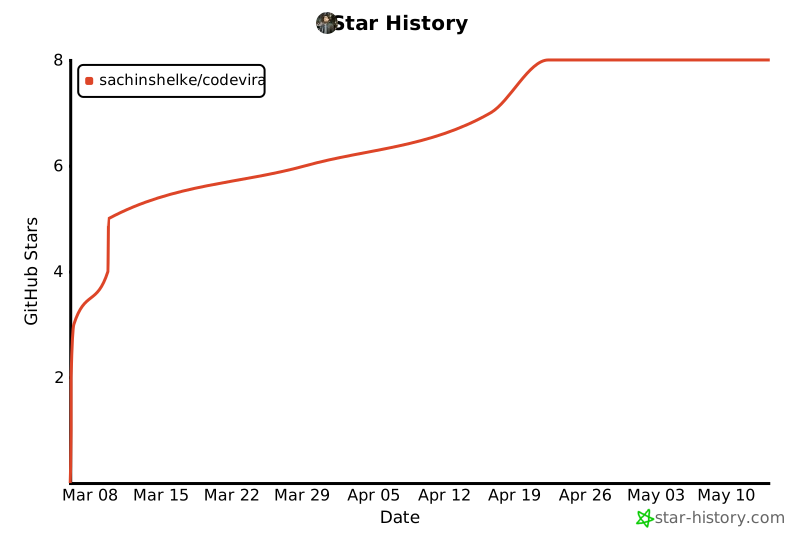
Star History
If Codevira saves you tokens or sanity, a star helps other developers find it. Tracking growth keeps me focused on what's working.
License
MIT — free to use, modify, and distribute.
Release history Release notifications | RSS feed


Download files
Download the file for your platform. If you're not sure which to choose, learn more about installing packages.
Source Distribution
Built Distribution
Filter files by name, interpreter, ABI, and platform.
If you're not sure about the file name format, learn more about wheel file names.
Copy a direct link to the current filters
File details
Details for the file codevira-2.0.0.tar.gz.
File metadata
- Download URL: codevira-2.0.0.tar.gz
- Upload date:
- Size: 745.8 kB
- Tags: Source
- Uploaded using Trusted Publishing? No
- Uploaded via: twine/6.2.0 CPython/3.13.7
File hashes
| Algorithm | Hash digest | |
|---|---|---|
| SHA256 |
a4b54fa1f7847faadfc1764323e5add36d8071bf20c2b5d83eec9f6500c64c20
|
|
| MD5 |
e3ecb119f58ce749cb9a5855aa10d258
|
|
| BLAKE2b-256 |
08786b9d4c875336456d9371f04e31573015aa27290e8628f7c88e24d5f7f262
|
File details
Details for the file codevira-2.0.0-py3-none-any.whl.
File metadata
- Download URL: codevira-2.0.0-py3-none-any.whl
- Upload date:
- Size: 368.0 kB
- Tags: Python 3
- Uploaded using Trusted Publishing? No
- Uploaded via: twine/6.2.0 CPython/3.13.7
File hashes
| Algorithm | Hash digest | |
|---|---|---|
| SHA256 |
4d24d54795335df9979035ae0cea7dfa884b788c21862fa3821e9413e76141d2
|
|
| MD5 |
0954865d45dfc8f6681903faf46be58c
|
|
| BLAKE2b-256 |
23c6066bf65660c9eb109b8ab13a25958b695e99150afb7ed6d6bcc8b0f2d15a
|






