
Codex SOCKS Manager
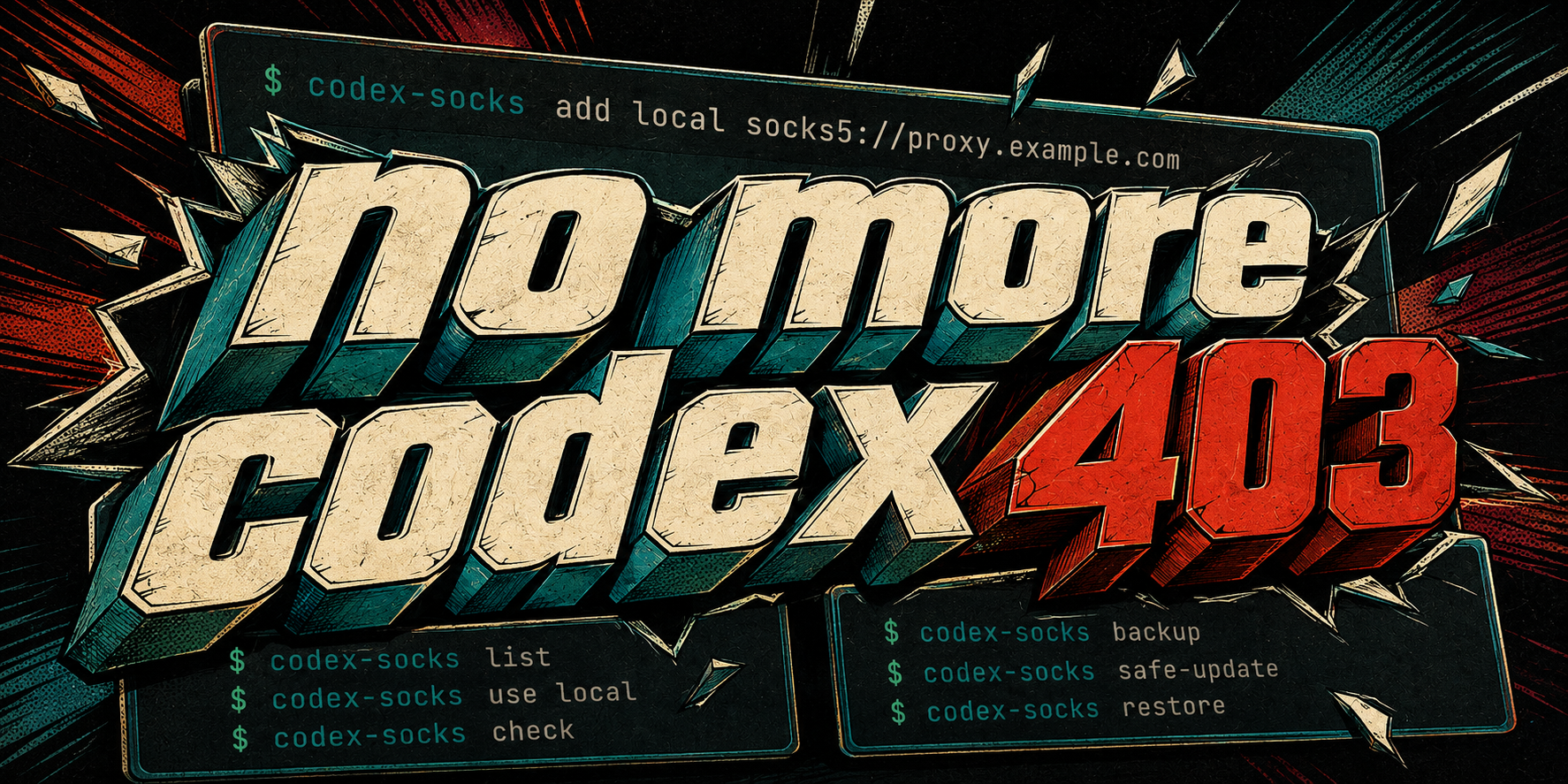
no more codex 403
Codex SOCKS Manager keeps proxy profiles, Codex app-server restarts, dual-client launch scope, diagnostics, and update recovery in one Linux tool. It can launch Codex CLI or Claude Code CLI with an explicit proxy environment. Use the dependency-free CLI in scripts or install the optional Textual interface for day-to-day management.
It fixes proxy transport problems. It cannot grant account access, enable an unsupported region, change workspace permissions, or bypass a remote ACL. The slogan is a goal, not a promise that every 403 is fixable.
At a glance
| Area | What the manager does |
|---|---|
| Profiles | Stores named socks5h://, socks5://, http://, and https:// endpoints. |
| Apply and rollback | Exports upper- and lowercase proxy variables, restarts matching current-user app-server roles, validates with Doctor, and restores the previous selection when validation fails. |
| Diagnostics | Summarizes HTTPS, WebSocket, app-server, and proxy-environment checks without treating them as proof of account authorization. |
| Client scope | Separates inherited variables, managed launch values, target bypass prediction, and unverified HTTP/WSS/MCP coverage for Codex and Claude. |
| Maintenance | Installs or repairs the managed launcher, creates snapshots, restores the proxy layer, migrates old profiles, and protects codex update with recovery. |
| Interfaces | Provides 17 bilingual CLI commands plus an optional five-page Textual TUI. Machine-readable reports have explicit schemas. |
An ordinary export ALL_PROXY=... is fine for one shell. This project is for setups that also need named endpoints, app-server lifecycle handling, validation, and a recovery path after Codex updates.
Install
Requirements: Linux, Python 3.10+ with venv/pip support, and an existing Codex CLI installation. Claude launch support additionally requires claude on PATH. Profile switching and check require a Codex version with doctor --json; safe-update also requires codex update.
GitHub Release installer
The recommended installer downloads the latest wheel from GitHub Releases, verifies its SHA-256, creates a versioned private environment, runs preflight checks, and only then switches the command entry points.
curl -fsSL https://github.com/UMRzcz-831/codex-socks-manager/releases/latest/download/install.sh | sh -s -- --with-tui
Omit --with-tui for the dependency-free CLI. The installer follows GitHub's latest release by default; append --version v0.4.0 to pin this release. Set PYTHON=/path/to/python3 when /usr/bin/python3 is not the interpreter you want. This one-liner trusts the installer delivered by GitHub over HTTPS; the installer still verifies the downloaded wheel against the release's SHA-256 manifest.
Each run builds a new environment under ~/.local/share/codex-socks-manager/venvs/. A download, checksum, dependency, or preflight failure leaves the old entry points intact. Existing profiles, private bootstrap backups, and previous environments are retained. Keep --with-tui on upgrades; omitting it intentionally switches to a new CLI-only environment.
PyPI with pipx
pipx owns the Python environment in this installation mode:
# Lightweight CLI
pipx install codex-socks-manager

# Or CLI + TUI
pipx install 'codex-socks-manager[tui]'

# Run once after either installation
codex-socks install
Use pipx upgrade codex-socks-manager for later manager releases. Unlike the GitHub installer, pipx does not keep the project's versioned fallback environments.
Install from source
git clone https://github.com/UMRzcz-831/codex-socks-manager.git
cd codex-socks-manager
./scripts/install.sh --with-tui
Omit --with-tui for the lightweight source installation. A normal pip reinstall does not remove extras already present, so use a fresh environment when you need a strictly lightweight pip setup.
All three routes eventually install ~/.local/bin/codex as a managed launcher after finding the real standalone, npm, or pnpm Codex executable. Back up a custom launcher first.
First profile
Use the hidden prompt for a URL that contains credentials:
codex-socks add office
codex-socks list
codex-socks use office
codex-socks check
Passing a URL directly is convenient for a credential-free local proxy:
codex-socks add local socks5://127.0.0.1:1080
Command-line URLs may remain in shell history or process arguments. list masks usernames and passwords but still prints hosts and ports. Review its output before sharing it.
Applying a profile restarts matching app-server roles and can interrupt the current Codex session. The manager does not start an app-server that was not already running. off also validates; if direct connectivity fails, it restores the previous selection.
Codex and Claude launch scope
Claude starts in inherit mode until you select an HTTP/HTTPS profile. Claude Code does not support SOCKS proxies, so the manager rejects a SOCKS profile before launch. Codex keeps the existing active-profile behavior.
codex-socks policy set --client claude --mode profile --profile office
codex-socks bypass add --client claude api.deepseek.example
codex-socks scope --client claude --target https://api.deepseek.example --json
codex-socks run --client claude -- --debug
scope is read-only and does not initialize storage or test the network. It labels model HTTP, WebSocket, remote HTTP/WS MCP, local stdio MCP, and official connectors separately. configured_not_verified means the launch environment contains proxy variables; it does not prove the client, MCP implementation, official connector, or remote service used that route. Local stdio MCP communication itself uses pipes, while network calls made by that server may inherit or override the environment. Official/cloud connectors can use provider-managed paths outside the local proxy.
run replaces the manager process and affects only the new client process and descendants. It does not modify the parent shell, other terminals, or existing sessions. One-time --profile, --inherit, and --off options override the saved policy. off removes proxy variables from the new process; client settings or transparent system networking may still supply another route.
Textual interface
Run codex-socks in an interactive terminal after installing the TUI edition, or use codex-socks tui explicitly.
| Page | Available work |
|---|---|
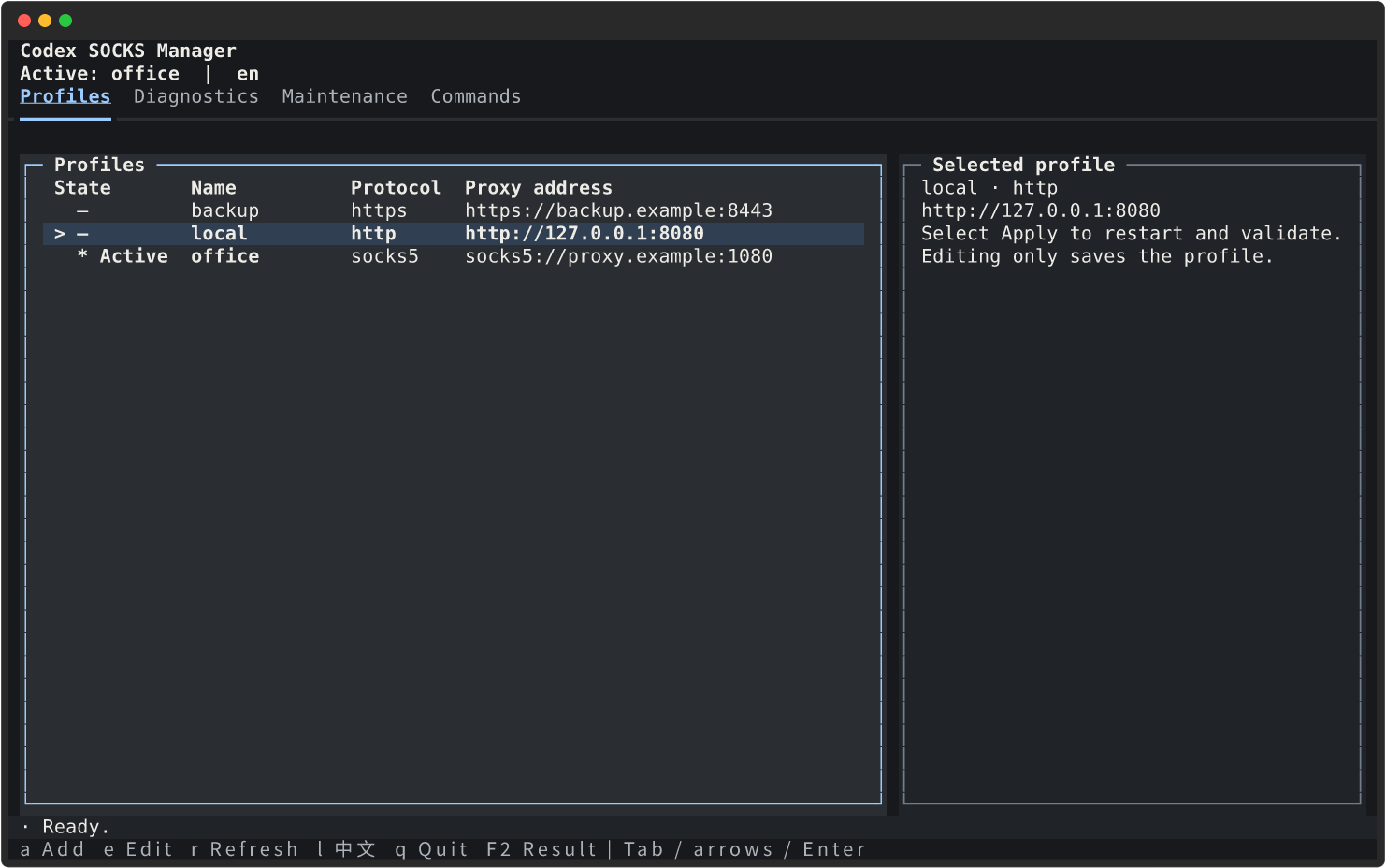
| Profiles | Add, edit, delete, apply, or turn off a profile. > marks the cursor; * marks the active selection. Editing saves without applying. |
| Diagnostics | Run Doctor on demand and inspect HTTPS, WSS, app-server, and proxy-environment results. Old results are marked stale after local changes. |
| Scope | Compare inherited and launch variables for Codex or Claude, predict an optional target's bypass path, and inspect transport coverage without claiming connectivity. |
| Maintenance | Repair the launcher, create a backup, select or enter a restore snapshot, run a safe update, or migrate legacy files. |
| Commands | Filter the bilingual command table and read parameters, examples, and behavior notes. |
The graphite theme uses warm-white text, ice-blue focus, and orange or red only for warnings and errors. At 100 columns or wider, the main list and details use an approximately 65/35 split. Narrower terminals stack the panels; 80×24 is the supported compact size.
Use the mouse, Tab, arrows, Enter, Page Up, and Page Down. Shortcuts are a add, e edit, r refresh, l language, q quit, and F2 full operation result. Letter shortcuts are inactive while typing. Actions that restart processes or replace data require confirmation. Duplicate submission and normal exit are blocked until an operation and any rollback finish.
Browse screenshots for every page, both languages, and both terminal sizes. They were rendered from the real Textual app with disposable fake profiles; no live diagnostic or proxy operation was used.
codex-socks tui --lang zh-CN
codex-socks --lang en list
CODEX_SOCKS_LANG=zh-CN codex-socks
--lang works before or after a subcommand. Selection order is the explicit option, CODEX_SOCKS_LANG, then LC_ALL / LC_MESSAGES / LANG. Chinese locales select simplified Chinese; everything else falls back to English. A language change inside the TUI lasts for that session.
Without Textual and Rich, a bare interactive invocation prints help and returns 0; explicit tui explains how to install it and returns 2. In a non-interactive terminal or with TERM=dumb, bare invocation also prints help while explicit tui returns 2. CLI tables never emit ANSI. NO_COLOR keeps the TUI usable because text and symbols also identify state.
Command reference
| Command | Behavior | Example |
|---|---|---|
add NAME [URL] |
Create a validated profile; omit URL for hidden input. | codex-socks add office |
use NAME |
Apply a profile, restart matching app-server roles, and validate. | codex-socks use office |
list [--json] |
Show the four-column profile table or stable JSON. | codex-socks list --json |
edit NAME |
Edit through $EDITOR using a 0600 temporary file; save without applying. |
EDITOR=vi codex-socks edit office |
del NAME [--force] |
Delete a profile; an active profile requires a validated switch to off. | codex-socks del office --force |
off |
Clear managed proxy variables, restart matching roles, and validate direct access. | codex-socks off |
check |
Print the Doctor summary as JSON; return 1 when unhealthy. | codex-socks check |
scope --client … |
Show inherited/launch variables and unverified transport coverage; optionally predict a target route. | codex-socks scope --client claude --json |
policy set --client … |
Save a managed launch policy. | codex-socks policy set --client claude --mode profile --profile office |
bypass {add,remove,list} --client … |
Manage per-client NO_PROXY host rules. |
codex-socks bypass add --client claude api.deepseek.example |
run --client … |
Replace the current process with a scoped Codex or Claude CLI. | codex-socks run --client claude |
install |
Find Codex and install or repair the managed launcher. | codex-socks install |
backup |
Create a local snapshot, including Codex configuration when present. | codex-socks backup |
restore [SNAPSHOT] |
Restore the proxy layer; default to the latest known-good snapshot. | codex-socks restore /path/to/snapshot |
safe-update |
Snapshot, run codex update, repair the launcher, restart, and validate. |
codex-socks safe-update |
migrate-legacy [--jp PATH] [--us PATH] |
Import old JP/US environment files without sourcing shell. | codex-socks migrate-legacy --jp /path/to/jp.env --us /path/to/us.env |
tui |
Open the optional interactive manager. | codex-socks tui |
Run codex-socks -h for this table in the terminal and codex-socks COMMAND -h for detailed parameters, examples, and boundaries. codex-proxy-guard remains a compatible entry point for backup, check, restore, and safe-update.
Diagnostics and 403 boundaries
codex-socks check returns https, wss, app_server, proxy_env, overall ok, and a category. The 403 classification uses keywords from Doctor output. Values such as authorization and proxy_transport are diagnostic hints, not verdicts. A healthy transport check does not audit every file permission, child-process environment, connector, account, or workspace.
For a codex_apps or MCP connector, follow Doctor with a read-only request that your account is authorized to make. Keep raw responses and diagnostics private if they contain identifiers or credentials.
OpenAI publishes an API-supported countries and territories list, not a separate unsupported list. When checked on 2026-09-07, Mainland China, Hong Kong, Macao, Iran, North Korea, Russia, Belarus, Cuba, and Venezuela were absent. This is a dated inference from the API list, not a complete official blacklist or a statement about every Codex/ChatGPT sign-in path. OpenAI warns that access from unsupported locations may lead to an account block or suspension. A proxy does not change service eligibility.
Updates and recovery
codex-socks check
codex-socks backup
codex-socks safe-update

# Restore the latest known-good snapshot:
codex-socks restore
safe-update takes a proxy-layer snapshot, asks the configured real Codex executable to update, repairs the launcher, restarts app-server, and runs Doctor. On failure it attempts snapshot recovery and reports whether rollback succeeded. Recovery keeps the installed Codex binary version; it does not downgrade the binary.
restore first creates a pre-restore snapshot. It restores manager settings, client policies, profiles, and the saved launcher while retaining the current Codex binary path. Profiles absent from the selected snapshot leave active storage but remain in the pre-restore snapshot. backup saves ~/.codex/config.toml when present; restore does not write that Codex configuration back automatically. A known-good label does not itself run a health check.
Storage and migration
| Data | Default location |
|---|---|
| Settings and profiles | ~/.config/codex-socks-manager/ |
| Snapshots and state | ~/.local/state/codex-socks-manager/ |
| Versioned installer environments | ~/.local/share/codex-socks-manager/ |
| Commands and managed Codex launcher | ~/.local/bin/ |
XDG_CONFIG_HOME, XDG_STATE_HOME, and the installer's XDG_DATA_HOME override these roots. Sensitive directories use 0700; settings and profile files use 0600. Credentials remain plaintext on the local machine, including inside snapshots.
codex-socks backup
codex-socks migrate-legacy \
  --jp ~/.config/openai-proxy/jp.env \
  --us ~/.config/openai-proxy/us.env
With neither path, migration uses those two defaults. Re-importing identical data is safe; conflicting same-name profiles are rejected. Migration does not change the active selection.
Never publish real proxy URLs, host details, credentials, snapshots, Doctor output, or runtime logs in Git, Issues, CI output, or release assets. The repository's ignore rules and heuristic scanner help, but they do not replace review of the staged diff.
Development
See AGENTS.md for project-specific guidance, SECURITY.md for vulnerability reports, and the release checklist for GitHub/PyPI publishing.
python3 -m venv .venv
.venv/bin/python -m pip install -e '.[test,tui]'
git config core.hooksPath .githooks

.venv/bin/python -m pytest
.venv/bin/python -m compileall -q src tests
python3 scripts/check-secrets.py
shellcheck .githooks/pre-commit scripts/install.sh scripts/install-release.sh
CI runs Python 3.10 and 3.12 in separate CLI-only and TUI jobs. The offline installer integration test also needs a local wheel directory through CODEX_SOCKS_TEST_WHEELHOUSE; without it, that one test is skipped.
Licensed under MIT. See LICENSE.
1 maintainer

Metadata
1 maintainer
Release files for codex-socks-manager 0.4.0
For a detailed explanation of source distributions (sdists) and built distributions (wheels), please see the package formats documentation.
Source distribution (sdist)
| File | Size | Uploaded | |
|---|---|---|---|
| codex_socks_manager-0.4.0.tar.gz | 64.6 kB | Details |
Built distribution (wheel)
| File | Interpreter | ABI | Platform | Reset |
|---|---|---|---|---|
| codex_socks_manager-0.4.0-py3-none-any.whl | Python 3 | none | any | Details |
Total release size: 118.6 kB
Release files / codex_socks_manager-0.4.0.tar.gz
| Download URL | codex_socks_manager-0.4.0.tar.gz |
|---|---|
| Size | 64.6 kB |
| Tags | Source |
|
SHA-256 checksum How to use checksums |
4deb7c8fea2c29778141e54ac86fb37485df1a8f6491f90bcc4a5dc21af7c925
|
|
BLAKE2b-256 checksum How to use checksums |
f3578104c7230806e3a0d636d4cc24002ef35542ca10bac674b824ffb09540b4
|
| Upload date | |
|
Uploaded using Trusted Publishing? What is trusted publishing? |
Yes |
| Uploaded via |
twine/7.0.0 CPython/3.13.14
|
Provenance
Provenance describes where a file came from. On PyPI, provenance is shared via attestations, which provide a verifiable record of the build or publishing details. View details, limitations and caveats.


PyPI Publish Attestation
PyPI verified that this artifact, at this checksum, originated from the publisher listed below.
Signed by GitHub Actions, verified by PyPI on Sep 20, 2026.
Transparency logRelease files / codex_socks_manager-0.4.0-py3-none-any.whl
| Download URL | codex_socks_manager-0.4.0-py3-none-any.whl |
|---|---|
| Size | 54.0 kB |
| Tags | Python 3 |
|
SHA-256 checksum How to use checksums |
c835354f1bc16b8f6a80d33b6867ce532e0769a85b523643fdb9d8daa3304090
|
|
BLAKE2b-256 checksum How to use checksums |
b206afc72c607bc454e9fb7967f1cab595eccb071656bc456dd802804306348f
|
| Upload date | |
|
Uploaded using Trusted Publishing? What is trusted publishing? |
Yes |
| Uploaded via |
twine/7.0.0 CPython/3.13.14
|
Provenance
Provenance describes where a file came from. On PyPI, provenance is shared via attestations, which provide a verifiable record of the build or publishing details. View details, limitations and caveats.
PyPI Publish Attestation
PyPI verified that this artifact, at this checksum, originated from the publisher listed below.
Signed by GitHub Actions, verified by PyPI on Sep 20, 2026.
Transparency log













