
📊 codex-usage
Your Codex plan limits — right from your terminal.





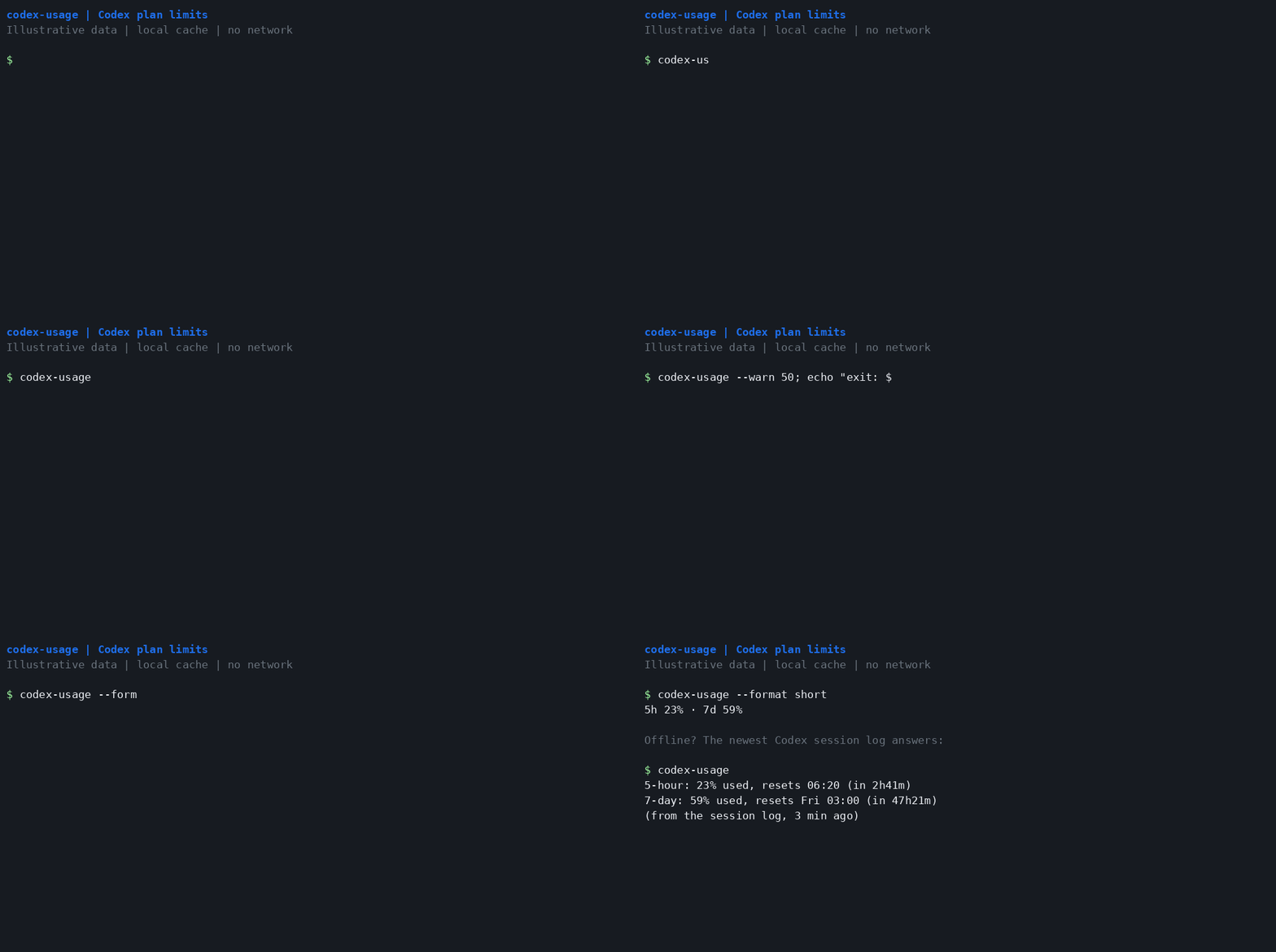
Codex shows your plan limits only in the interactive /status screen.
codex-usage gives you plan usage from the shell — for scripts, hooks, and
AI agents deciding when to back off. It uses the Codex login already on your
machine.
The 5-hour window appears when your plan has one and the usage source reports it. Some plans have weekly limits only.
Install codex-usage-limits from PyPI. The command is codex-usage.
$ codex-usage
7-day: 59% used, resets Sun 03:00 (in 12h29m)
✨ Features
- Usage windows — 5-hour and weekly usage when available, additional limits, and local reset times.
- 🚦 Thresholds for scripts —
--warn [N]checks any usage window.--warn-7d [N]checks the main weekly window. Both exit 1 at or above N%. - 📊 Extra detail —
--allshows limit status, code-review usage, and the plan and credits when available. - 📜 Session logs — a local fallback when the endpoint and its saved answer are unavailable.
- 🧾 Plain, JSON, or short — readable in a terminal and easy to use from scripts.
- 🌍 Cross-platform — macOS, Linux, and Windows with Python 3.9+.
- 🔋 Zero dependencies — pure Python standard library.
- 🔒 Local & private — reads your existing login and sends the token only to ChatGPT.
🚀 Quickstart
pip install codex-usage-limits
codex-usage
Sign in with ChatGPT using codex login on this machine first. Open codex if
the access token needs to refresh.
🧑💻 Usage
| Command | What it does |
|---|---|
codex-usage |
Available usage windows and their reset times |
codex-usage --json |
Raw usage JSON with identity fields removed (alias for --format json) |
codex-usage --warn [N] |
Exit 1 when any usage window reaches N% (default 70) |
codex-usage --warn-7d [N] |
Exit 1 at or above N% of the main 7-day window (default 70) |
codex-usage --all |
Add per-limit details and the account summary in plain format |
codex-usage --format {plain,json,short} |
Choose output format (default plain) |
codex-usage -v, --verbose |
Print credential and usage sources and the plan, when available, to stderr |
codex-usage -V, --version |
Print the version |
codex-usage -h, --help |
Show help |
Flags combine. For example, run codex-usage --format short --warn 70 --warn-7d 90.
--json and --format set the same option, and the last one wins. --all adds
detail in plain format.
📊 Example --all output
5-hour: 23% used, resets 14:00 (in 2h41m)
7-day: 59% used, resets Sun 03:00 (in 15h41m)
limit          window   percent  status     reset
------------------------------------------------------------------------------
codex          5-hour       23%  allowed    resets 14:00 (in 2h41m)
codex          7-day        59%  allowed    resets Sun 03:00 (in 15h41m)
code review    7-day         4%  allowed    resets Sun 03:00 (in 15h41m)
plan pro · credits 0 · reset credits 2 available
Detail fields depend on the account and endpoint response. With a session-log
answer, the CLI adds (details not available from the session-log source).
🤖 Using it from scripts and agents
codex-usage --warn 70 || echo "back off"
codex-usage --warn 70 --warn-7d 90 --format short
codex-usage --json
The usual output is printed even when a threshold trips. Exit codes are 0
for success, 1 when a threshold trips or no source answers, and 2 for an
argument error. Thresholds are inclusive, so --warn exits 1 at exactly 70%.
Missing or null windows are skipped. --warn includes additional usage limits,
and --warn-7d checks only the main 7-day window. Code-review limits appear
under --all.
📜 Codex session logs
Codex records rate-limit snapshots in ~/.codex/sessions/YYYY/MM/DD/rollout-*.jsonl
while you use it. When the endpoint and saved answer are unavailable, the CLI
reads the last Codex rate-limit snapshot from the newest session log. It uses
the event time to show the age and leaves out windows whose reset time has passed.
$ codex-usage
5-hour: 23% used, resets 14:00 (in 2h41m)
7-day: 59% used, resets Sun 03:00 (in 15h41m)
(from the session log, 3 min ago)
With --format short, a session-log answer includes the model when available.
gpt-6.2-sol · 5h 23% · 7d 59%
🤔 How it works
Sources are tried in this order.
last-usage.jsonif less than 5 minutes old.- One live
GET https://chatgpt.com/backend-api/wham/usage, saved on success. last-usage.jsonif less than 60 minutes old.- The newest Codex session log if its selected usage event is less than 60 minutes old.
The cache and logs live in ~/.codex, or CODEX_HOME when set. Cache writes
are atomic. Cached answers at least a minute old show their source and age, for
example (from the endpoint, 3 min ago). Session-log answers always show their
age in plain output. If every source fails, the distinct reasons appear once
each on stderr.
Five-minute reuse avoids repeating requests. The single request times out after 15 seconds and the CLI never polls or retries.
🔍 Where credentials live (per OS)
The CLI looks for credentials in this order.
CODEX_ACCESS_TOKENenvironment override, used as-is. SetCODEX_ACCOUNT_IDto override the account ID from the token.- The
auth.jsoncredentials file. - macOS Keychain service
Codex Auth, read withsecurity find-generic-password -s "Codex Auth" -wwhen the file is missing.
| OS | Credentials file |
|---|---|
| macOS / Linux | ~/.codex/auth.json |
| Windows | %USERPROFILE%\.codex\auth.json |
CODEX_HOME changes the credentials, cache, and session-log paths. The token is
tokens.access_token. If the token has expired, open codex so it refreshes.
For the protocol and a recipe to rebuild the tool, see docs/HOW_THIS_WAS_BUILT.md.
🔒 Privacy & security
- Reads existing credentials and session logs. Codex handles token refresh.
- Sends the token only to
chatgpt.com, with the usage request. - Removes
email,user_id, andaccount_idbefore writing the cache or printing JSON. - Keeps tokens, request headers, and identities out of errors and verbose output.
- No telemetry or third-party calls.
⚠️ Good to know
- The usage endpoint is undocumented. Codex itself calls it, and the format may change.
- API-key logins have no ChatGPT plan limits. Use
codex loginto sign in with ChatGPT. - Session logs update only while Codex runs. Old readings and reset windows age out.
- Plans differ. Some report a 5-hour and a weekly window, while others report only the weekly window.
🛠️ Install options
pip install codex-usage-limits        # from PyPI
pipx install codex-usage-limits       # isolated command installation
pip install .                        # from a local clone
Requires Python 3.9+. The PyPI distribution is codex-usage-limits because
codex-usage is taken on PyPI. The command and GitHub repo are codex-usage,
and the import package is codex_usage.
🤝 Contributing
Issues and PRs are welcome. After installing the local project with pip install -e .,
run the tests with:
pip install pytest && pytest -q
Tests use temporary config directories and mocked HTTP. They never contact the endpoint or read your real credentials.
Regenerate the demo with python3 docs/record_demo.py after installing
agg and the DejaVu Sans Mono font. The
recorder runs the CLI against an illustrative cache and session log with network
access disabled; it needs no credentials. The README embeds the resulting docs/demo.gif.
📄 License
MIT — do whatever you like.
1 maintainer

Metadata
1 maintainer
Release files for codex-usage-limits 0.1.0
For a detailed explanation of source distributions (sdists) and built distributions (wheels), please see the package formats documentation.
Source distribution (sdist)
| File | Size | Uploaded | Provenance | Actions |
|---|---|---|---|---|
| codex_usage_limits-0.1.0.tar.gz | 23.2 kB | Without provenance | Details for codex_usage_limits-0.1.0.tar.gz |
Built distribution (wheel)
| File | Interpreter | ABI | Platform | Actions Reset |
|---|---|---|---|---|
| codex_usage_limits-0.1.0-py3-none-any.whl | Python 3 | none | any | Details for codex_usage_limits-0.1.0-py3-none-any.whl |
Total release size: 37.4 kB
Release files / codex_usage_limits-0.1.0.tar.gz
| Download URL | codex_usage_limits-0.1.0.tar.gz |
|---|---|
| Size | 23.2 kB |
| Tags | Source |
|
SHA-256 checksum How to use checksums |
087755d88fae253753edd76a258604f1d883ed427ef5bdf529e119fbd5a02157
|
|
BLAKE2b-256 checksum How to use checksums |
0bd968670e53be593e4a73d484e594db406404ec3ea575745453c58d9e44b177
|
| Upload date | |
|
Uploaded using Trusted Publishing? What is trusted publishing? |
No |
| Uploaded via |
twine/7.0.0 CPython/3.12.9
|
Release files / codex_usage_limits-0.1.0-py3-none-any.whl
| Download URL | codex_usage_limits-0.1.0-py3-none-any.whl |
|---|---|
| Size | 14.2 kB |
| Tags | Python 3 |
|
SHA-256 checksum How to use checksums |
b844b812d58b1baa23b2151bccc64d26c132a4f32f54bffa8a19533b255dea86
|
|
BLAKE2b-256 checksum How to use checksums |
57670245edbaba4813a67f8482b5dcab57093de3bf7b3de16701d6cc7729308c
|
| Upload date | |
|
Uploaded using Trusted Publishing? What is trusted publishing? |
No |
| Uploaded via |
twine/7.0.0 CPython/3.12.9
|
Security for codex-usage-limits 0.1.0
Provenance
Provenance describes where a file came from. On PyPI, provenance is shared via attestations, which provide a verifiable record of the build or publishing details. View details, limitations and caveats.
No provenance found
None of the files in this release were uploaded with provenance metadata.
A note on package security
PyPI is a repository for distributing packages, not a service for auditing them. While third-party security researchers and our staff do their best to detect and remove malicious packages, PyPI cannot guarantee the quality, security or suitability of any given package.
To learn more about protecting yourself from malicious actors, visit our package security documentation.













