
Multi-level code structure explorer — interactive drill-down HTML visualizations

Project description
Codezoom
Multi-level code structure explorer — interactive drill-down HTML visualizations.
Codezoom generates a standalone HTML file that lets you explore a project's structure at multiple levels of detail. Click any node to drill down; use breadcrumb navigation to go back up.
What it visualizes
| Level | Python | Java | Rust |
|---|---|---|---|
| 1. External dependencies | Direct and transitive packages from pyproject.toml + uv.lock |
Direct and transitive Maven dependencies from pom.xml (requires jgo) |
Direct and transitive crates via cargo metadata |
| 2. Package/module hierarchy | Sub-packages and modules via pydeps (with file-tree fallback) — includes inter-module imports | Package tree via jdeps — includes inter-package dependencies and class-level call graphs |
Module tree via rustdoc JSON — includes inter-module import edges |
| 3. Module/class internals | Functions and classes extracted from AST — shows visibility (public/private based on naming) | Classes, interfaces, enums, and nested classes extracted from compiled bytecode via javap — shows visibility (public/protected/private/package) |
Structs, enums, traits, and functions extracted from rustdoc JSON — shows visibility (public/pub(crate)/private) |
| 4. Class/method internals | Methods and their call relationships extracted from AST | Methods with parameter signatures and call relationships extracted from bytecode | Methods with call relationships extracted from source via tree-sitter (requires codezoom[rust]) |
Examples
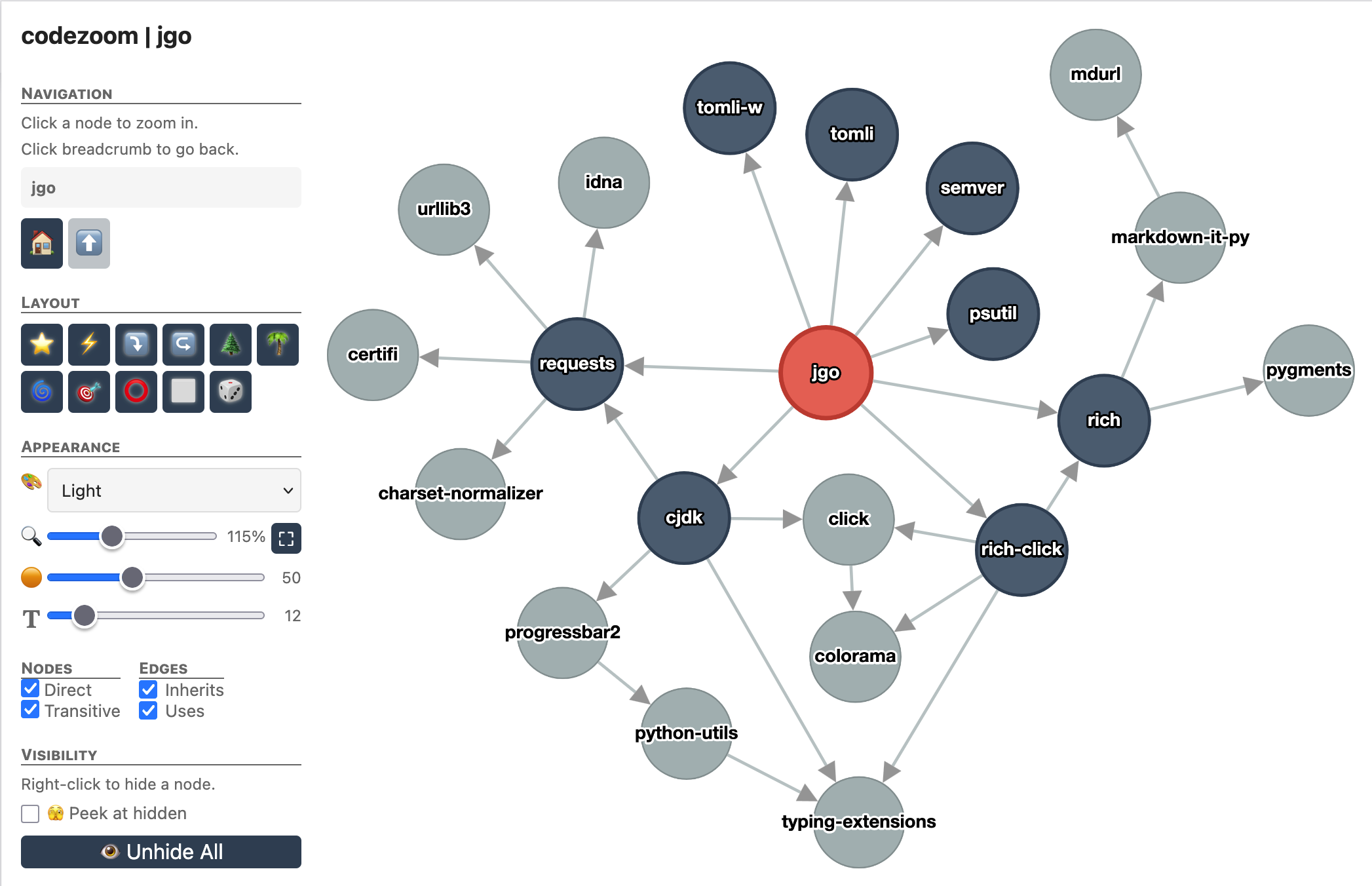 External dependencies (Python) |
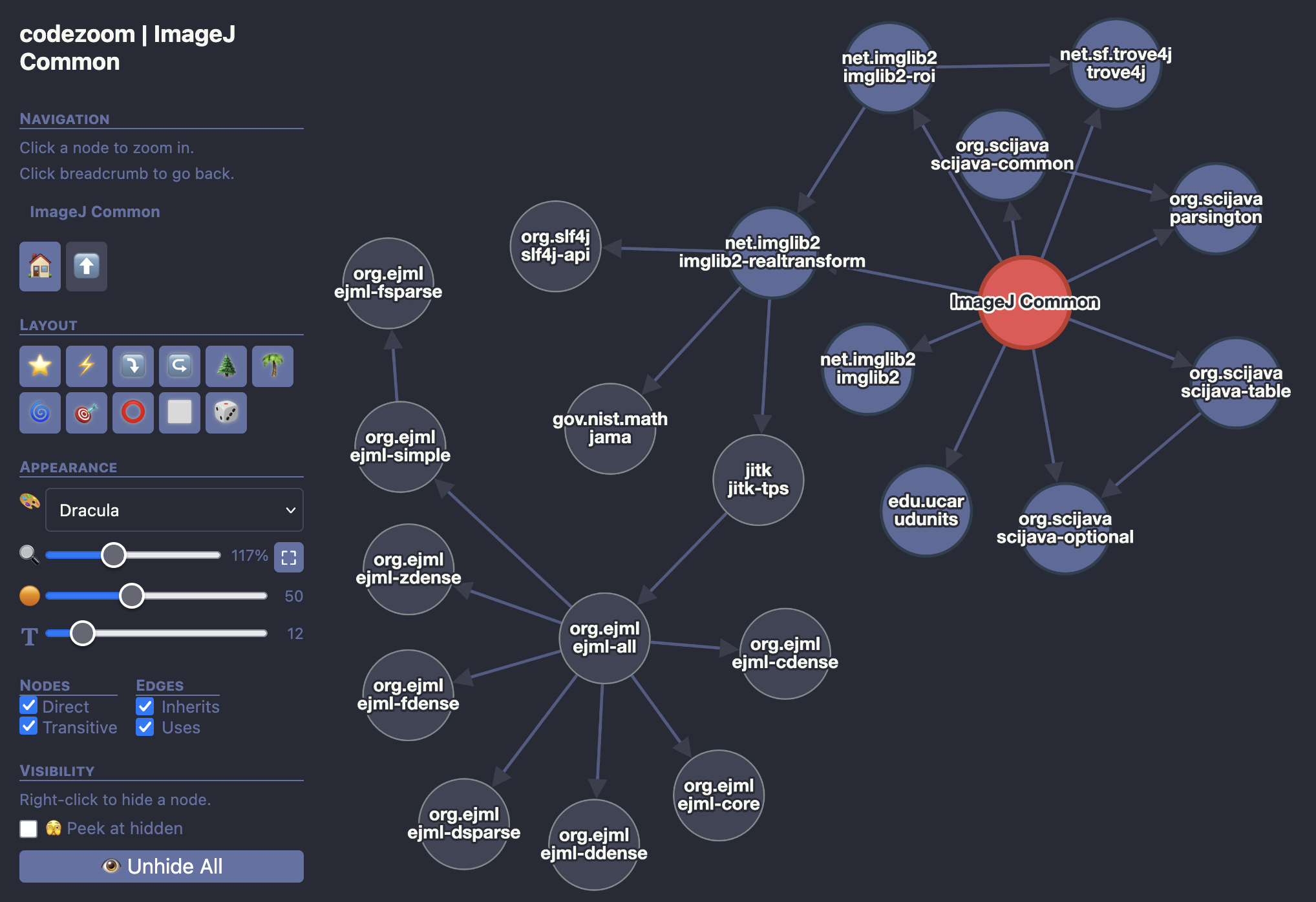 External dependencies (Java) |
|
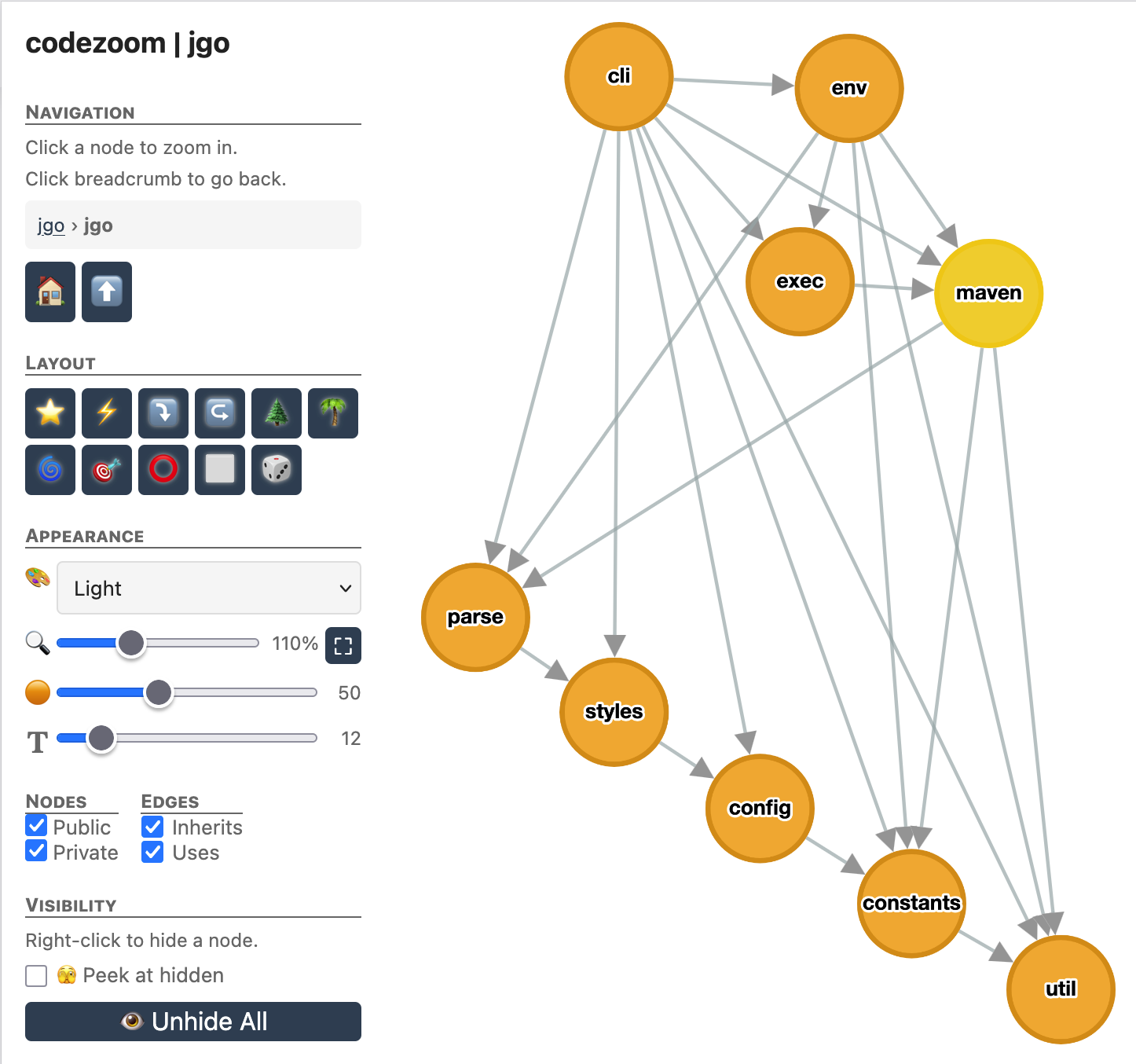 Project submodules |
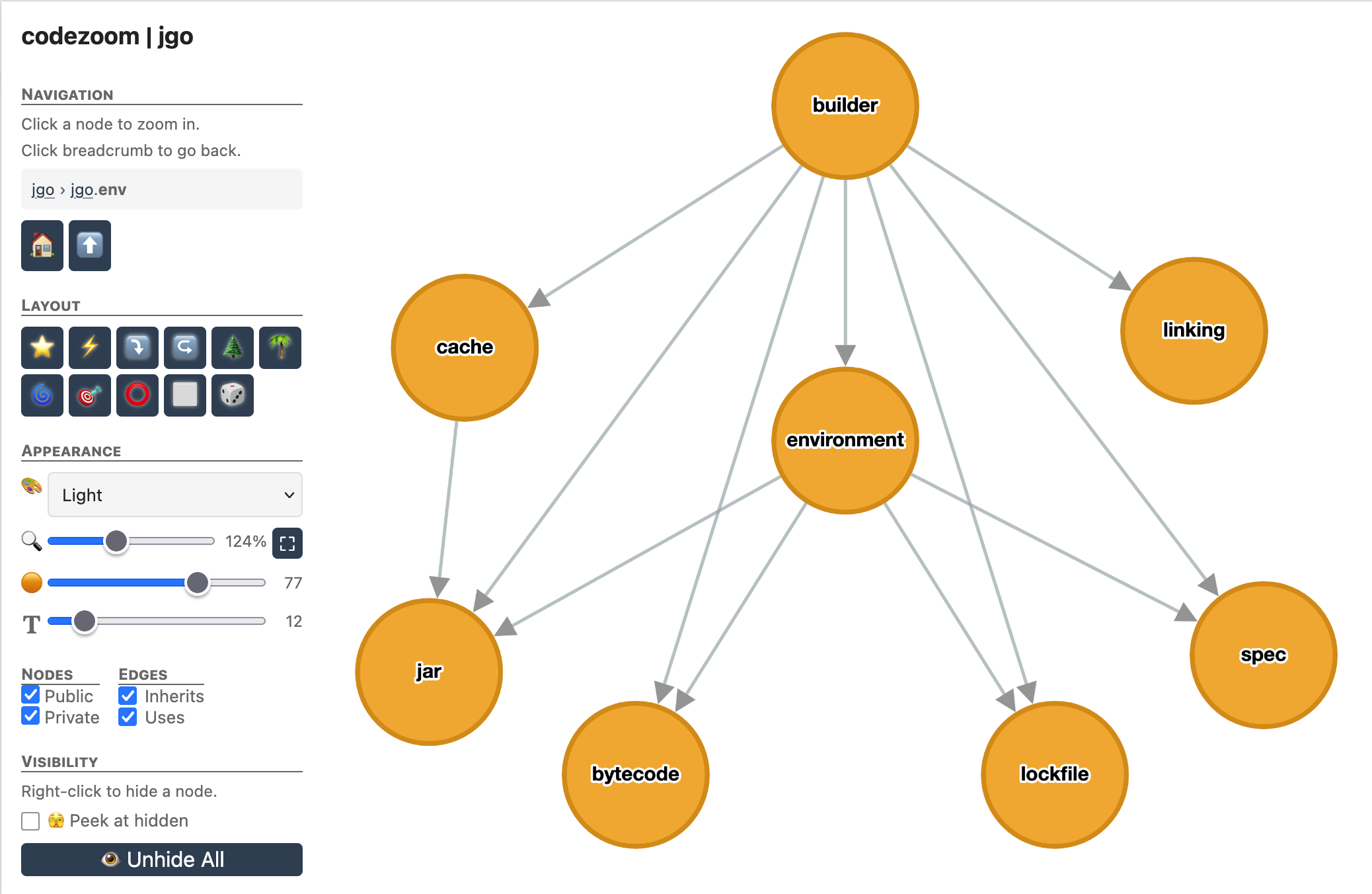 A submodule's children |
|
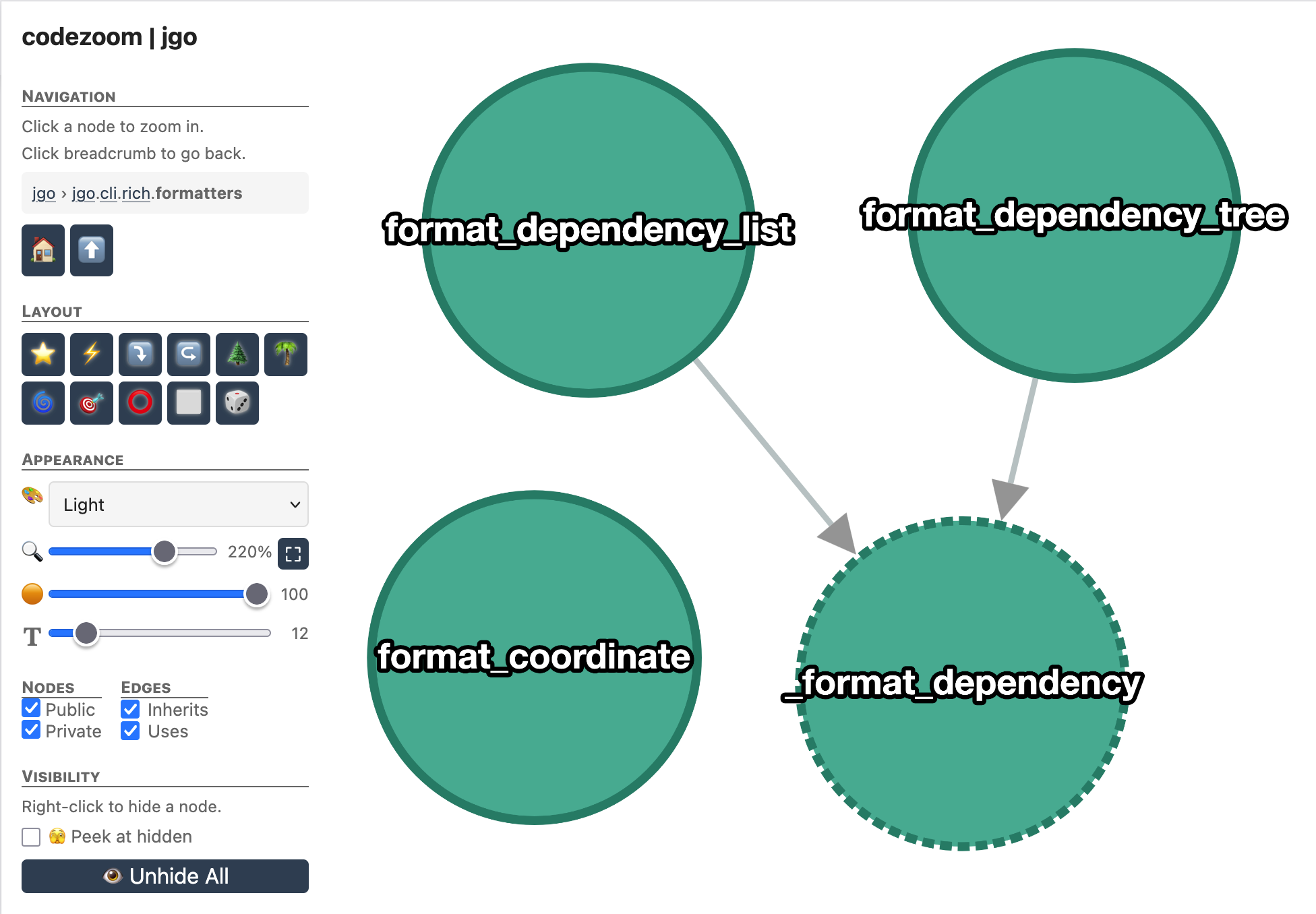 Single-file view (Python) |
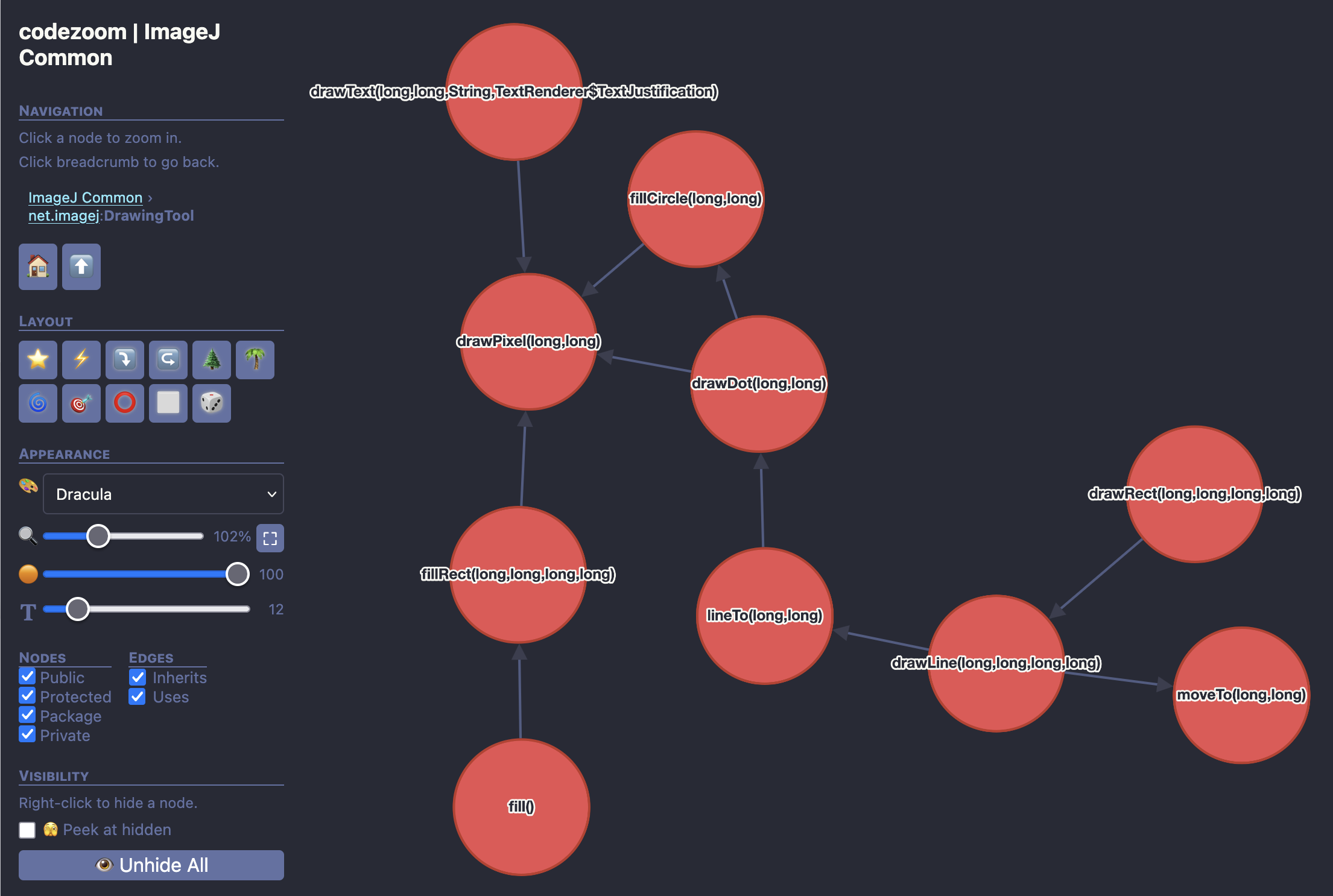 Single-file view (Java) |
Installation
Installing codezoom with uv
uv tool install codezoom
Installing codezoom with pip
pip install codezoom
Installing codezoom from source
git clone https://github.com/apposed/codezoom
uv tool install --with-editable codezoom codezoom
When installed in this fashion, changes to the codezoom source code will be immediately reflected when running codezoom from the command line.
Using codezoom as a dependency
uv add codezoom
or
pixi add --pypi codezoom
Not sure which to use? Read this.
Usage
Basic usage (auto-detects Python, Java, or Rust):
codezoom /path/to/project                     # auto-detect, output to codezoom.html
codezoom /path/to/project -o output.html      # custom output path
codezoom /path/to/project --name "My Project" # custom display name
codezoom /path/to/project --open              # open in browser after generating
Python projects
# Basic usage - requires pyproject.toml
codezoom /path/to/python/project

# For richer module analysis, install the python extra
pip install codezoom[python]
codezoom /path/to/python/project --open
Java projects
# Compile the project first
cd /path/to/java/project
mvn compile

# Generate visualization (basic - no Maven dependencies)
codezoom . --open

# For full dependency analysis, install jgo
pip install codezoom[java]
codezoom . --open
Rust projects
# cargo metadata is used automatically if cargo is in PATH
codezoom /path/to/rust/project

# For call graph extraction, install the rust extra
pip install codezoom[rust]
codezoom /path/to/rust/project --open
Note: module hierarchy and symbol extraction require the Rust nightly toolchain:
rustup toolchain install nightly
Also works as a module:
python -m codezoom /path/to/project
Requirements
Core
- Python 3.11+
- No mandatory runtime dependencies beyond the standard library
For Python projects
- Optional: pydeps for richer module-level
import analysis (falls back to file-tree scanning without it)
pip install codezoom[python]
For Java projects
- JDK (not just JRE) — provides
jdepsandjavapfor package/class analysis - Compiled code — run
mvn compilebefore analyzing - Optional:
jgofor Maven dependency extractionpip install codezoom[java]
For Rust projects
- cargo — for dependency extraction via
cargo metadata - Rust nightly toolchain — for module hierarchy and symbol extraction
rustup toolchain install nightly
- Optional: tree-sitter for call graph extraction
pip install codezoom[rust]
Per-project configuration
Projects can include a .codezoom.toml or a [tool.codezoom] section in
pyproject.toml:
[tool.codezoom]
exclude = ["tests", "docs", "__pycache__"]
The exclude list is passed to pydeps via -xx to omit modules from the
hierarchy.
Language support
Python
- Detection: Presence of
pyproject.toml - Project layouts: Both
src/layout and flat layout - Dependencies: Extracted from
pyproject.tomlanduv.lock - Hierarchy: Module tree via
pydeps(falls back to file tree) - Symbols: Functions, classes, and methods via AST parsing
- Call graphs: Method calls extracted from AST
- Visibility: Public/private based on Python naming conventions (
_private,__dunder__) - Configuration: Via
.codezoom.tomlor[tool.codezoom]inpyproject.toml
Java
- Detection: Presence of
pom.xmlorbuild.gradle.ktsorbuild.gradle - Prerequisites:
- JDK installed (for
jdepsandjavap) - Project compiled (
mvn compileor./gradlew build) pip install codezoom[java]for dependency extraction
- JDK installed (for
- Dependencies: Maven dependencies via
jgo(direct + transitive with scope filtering) - Hierarchy: Package tree via
jdepswith inter-package dependencies - Class dependencies: Class-to-class and class-to-package relationships via
javap - Symbols: Classes, interfaces, enums, nested classes via bytecode analysis
- Call graphs: Method invocations extracted from bytecode
- Visibility: Full Java visibility (public, protected, private, package-private)
- Limitations: Bridge methods are filtered out; requires compiled
.classfiles
Rust
- Detection: Presence of
Cargo.toml - Prerequisites:
cargoinstalled (for dependency extraction)- Rust nightly toolchain for module hierarchy and symbols:
rustup toolchain install nightly pip install codezoom[rust]for call graph extraction
- Dependencies: Crate dependencies via
cargo metadata(direct + transitive, normal deps only) - Hierarchy: Module tree via
rustdocJSON — includes inter-module import edges - Symbols: Structs, enums, traits, and functions extracted from rustdoc JSON
- Call graphs: Method invocations extracted from source via tree-sitter
- Visibility: public, pub(crate)/pub(super), private
License
UNLICENSE - All copyright disclaimed.


Download files
Download the file for your platform. If you're not sure which to choose, learn more about installing packages.
Source Distribution
Built Distribution
Filter files by name, interpreter, ABI, and platform.
If you're not sure about the file name format, learn more about wheel file names.
Copy a direct link to the current filters
File details
Details for the file codezoom-2.3.1.tar.gz.
File metadata
- Download URL: codezoom-2.3.1.tar.gz
- Upload date:
- Size: 70.3 kB
- Tags: Source
- Uploaded using Trusted Publishing? No
- Uploaded via: twine/6.1.0 CPython/3.9.22
File hashes
| Algorithm | Hash digest | |
|---|---|---|
| SHA256 |
bddfa9ac29f421f2d438ac84d1a34550e32ac289788c353d7e6ac5ce3b74fc2b
|
|
| MD5 |
822ea398927de9f6c38f35be59effc0f
|
|
| BLAKE2b-256 |
63fdb6f060126a40bdaeeeffa81febf516300d333ae14dffbca4eec5b5870d7b
|
File details
Details for the file codezoom-2.3.1-py3-none-any.whl.
File metadata
- Download URL: codezoom-2.3.1-py3-none-any.whl
- Upload date:
- Size: 81.6 kB
- Tags: Python 3
- Uploaded using Trusted Publishing? No
- Uploaded via: twine/6.1.0 CPython/3.9.22
File hashes
| Algorithm | Hash digest | |
|---|---|---|
| SHA256 |
cfdd4c850f0fa4815072bb6cc42cd147ae4f233e54d6c9c5779e59982a3f68b5
|
|
| MD5 |
1973b160452a3e26ee975170fa52980c
|
|
| BLAKE2b-256 |
34c6dc104a110cfa33878f8c57f0ad9e8185699258fea957d2354699d2f5ebaa
|






