
AI Agent for Codebase Documentation & Auditing

Project description
🦅 CodiLay
The Living Reference for Your Codebase — An AI agent that traces the "wires" of your project to build, update, and chat with your documentation.


CodiLay is not just a static documentation generator; it's an agentic documentary researcher. It reads your code, understands module connections via The Wire Model, and maintains a persistent, searchable knowledge base that you can browse via a Web UI or talk to through an interactive Chat.
🎥 Demo
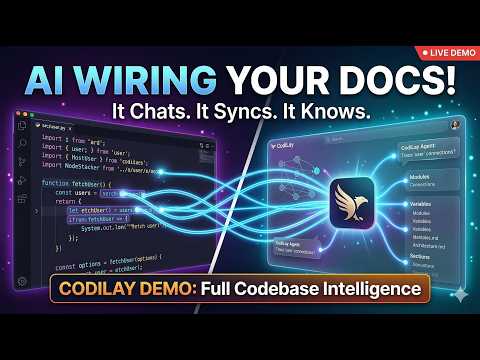
🚀 Experience CodiLay
1. Installation
Install from PyPI (Recommended)
# Basic installation
pip install codilay

# Install with all features (Web UI + Watch mode)
pip install "codilay[all]"

# For a global CLI installation (recommended)
pipx install codilay
Install from Source
# Clone the repository
git clone https://github.com/HarmanPreet-Singh-XYT/codilay.git
cd codilay

# Install with Web UI support
pip install -e ".[serve]"

# Install with Watch mode support
pip install -e ".[watch]"

# Install everything (Web UI + Watch mode)
pip install -e ".[all]"
2. First-Time Setup
Forget about exporting API keys every time. Run the setup wizard to securely store your keys.
codilay setup
Running codilay with no arguments opens the Interactive Control Center, a premium terminal-based dashboard that lets you manage projects, configurations, and audits without memorizing flags.
🛠 Features
🎮 Interactive Control Center (Terminal Dashboard)
Why use flags when you can have a full-blown dashboard in your terminal?
- Project Switcher: Quickly jump between documented codebases.
- Provider Wizard: Configure keys and models with real-time validation.
- Live Monitoring: Track active scans and resource usage.
- Audit Console: Launch security and architecture scans from a central menu.
- History Browser: View past conversations and export logs.
🧠 The Wire Model
CodiLay treats every import, function call, and variable reference as a Wire.
- Open Wires: Unresolved references that the agent is "hunting" for.
- Closed Wires: Successfully traced connections that form segments of the dependency graph.
⚡️ Smart Triage
Before burning tokens, CodiLay performs a high-speed Triage Phase. It classifies files into:
- Core: Full architectural analysis and documentation.
- Skim: Metadata and signatures only (saves tokens on simple utilities).
- Skip: Ignores boilerplate, generated code, and platform-specific noise.
🔄 Git-Aware Incremental Updates
CodiLay is repo-aware. If you've only changed 2 files in a 500-file project, codilay . will:
- Detect the delta via Git.
- Invalidate only the affected documentation sections.
- Re-open wires related to the changed code.
- Re-calculate the local impact to keep your
CODEBASE.mdcurrent.
💬 Interactive Chat & Memory
Ask questions about your codebase using codilay chat ..
- RAG + Deep Search: It uses your documentation for fast answers but can "escalate" to reading source code for implementation details.
- Memory: The agent remembers your preferences and facts about the codebase across sessions.
- Promote to Doc: Found a great explanation in chat? Use
/promoteto turn the AI's answer into a permanent section of your documentation.
codilay serve .
- Layer 1: The Reader: High-fidelity rendering of your sections and graph.
- Layer 2: The Chatbot: Quick Q&A from documented context.
- Layer 3: The Deep Agent: Reaches into source code to verify facts.
- Layer 4: Audit Lab: Browse past audit reports and run new ones directly from the web interface.
👁 Watch Mode & Real-time Progress
Run CodiLay in the background and automatically update documentation when files change.
- Debounced Watcher: Uses filesystem events (via watchdog) to auto-update on save.
- Real-time Progress Display: High-resolution progress bars for file processing, triage, and LLM calls.
- Eager Resolution: Wires are closed the moment a file is processed, giving you instant graph feedback.
# Watch the current directory, auto-update on save
codilay watch .

# Custom debounce delay (5 seconds)
codilay watch . --debounce 5

# Verbose output for debugging
codilay watch . -v
🧩 IDE Integration (VSCode Extension)
A VSCode extension that surfaces documentation inline alongside the file you're editing. Features include:
- Sidebar tree view of all documented sections
- Webview panel showing full documentation for the active file
- Inline decorations highlighting documented symbols
- Quick commands for asking questions, viewing the graph, and searching conversations
Install from vscode-extension/ directory — see the extension README for details.
🤖 Interactive AI Context Export
Export your documentation in a precise, token-efficient format tailored for LLM context windows. CodiLay supports LLM-guided customization, allowing you to describe exactly what you need in natural language.
💬 Interactive Mode
Launch a conversational interface to define your export specification. The agent will translate your needs into a spec, estimate tokens, and show you a plan before committing.
codilay export . --interactive
⚡️ Query Mode
Provide a natural language description directly from the CLI for a one-shot export.
# Just the file structure and linkage
codilay export . --query "file structure and linkage only" -o structure.md

# API surface and schemas
codilay export . --query "just the API endpoints and their schemas" -o api.md
📋 Preset Mode
Use pre-configured templates or your own custom presets for common tasks.
# List available presets (structure, api-surface, onboarding, etc.)
codilay export . --list-presets

# Use the 'architecture' preset
codilay export . --preset architecture -o context.md
✂️ Implementation Stripping
When using interactive or query modes, CodiLay can automatically strip implementation details (function bodies, internal logic) while keeping signatures and documentation headers, drastically reducing token usage without losing architectural context.
📊 Documentation Diff
See a section-by-section changelog of what shifted in your documentation between runs. Unlike codilay diff (which shows git-level file changes), diff-doc compares the actual documentation content.
# Show what changed in the docs since the last run
codilay diff-doc .

# Output as JSON for programmatic use
codilay diff-doc . --json-output
Snapshots are saved automatically after every codilay run, so diffs are always available.
📝 Diff-Run — Document Changes Only
Generate focused documentation for code changes since a specific boundary instead of analyzing the entire codebase. Perfect for feature branches, pull requests, and incremental updates.
Boundary Types:
- Commit hash:
--since abc123f - Git tag:
--since v2.1.0 - Date:
--since 2024-03-01(YYYY-MM-DD format) - Branch:
--since-branch main(uses merge-base for comparison)
Examples:
# Document changes since a specific commit
codilay diff-run . --since abc123f

# Document all changes since a release tag
codilay diff-run . --since v2.1.0

# Document changes since last month
codilay diff-run . --since 2024-03-01

# Document changes on a feature branch (vs main)
codilay diff-run . --since-branch main

# Update CODEBASE.md with change analysis
codilay diff-run . --since-branch main --update-doc
What You Get:
- Change Summary: AI-generated overview of what changed and why it matters
- Added/Modified/Deleted Files: Detailed impact analysis for each change
- Wire Impact Report: Dependencies introduced, satisfied, or broken
- Affected Documentation Sections: Which existing docs may need updating
- Commit Context: All commits included in the diff for reference
The report is saved as CHANGES_{boundary_type}_{timestamp}.md in your codilay output directory, making it easy to track documentation changes alongside code changes.
🎯 Triage Tuning
Flag incorrect triage decisions to improve future runs. Corrections are stored per-project and automatically applied during the triage phase of subsequent runs.
# Flag a file that was skimmed but should be core
codilay triage-feedback add . src/auth/handler.py skim core -r "Contains critical auth logic"

# Flag a pattern (glob-based)
codilay triage-feedback add . "tests/**" core skip --pattern -r "Tests should be skipped"

# List all stored feedback
codilay triage-feedback list .

# Set a hint for a project type
codilay triage-feedback hint . react "Treat all hooks/ files as core"

# Remove feedback for a specific file
codilay triage-feedback remove . src/auth/handler.py

# Clear all feedback
codilay triage-feedback clear . --yes
🔍 Graph Filters
Filter the dependency graph by wire type, file layer, module, or connection count. Essential for reducing noise on large repositories.
# Show only import-type wires
codilay graph . --wire-type import

# Filter to a specific directory layer
codilay graph . --layer src/api

# Show only nodes with 3+ connections, outgoing edges only
codilay graph . --min-connections 3 --direction outgoing

# Combine filters, exclude tests
codilay graph . -w import -l src/core -x "tests/**"

# List available filter values for a project
codilay graph . --list-filters

# Output as JSON
codilay graph . --json-output
🧠 Team Memory
A shared knowledge base for teams working on the same project. Record facts, architectural decisions, coding conventions, and file annotations — all stored per-project and surfaced to the AI during documentation and chat.
# Add a team member
codilay team add-user . alice --display-name "Alice Chen"

# Record a fact
codilay team add-fact . "We use Celery for async tasks" -c architecture -a alice -t backend -t infra

# Vote on a fact
codilay team vote . <fact-id> up

# Record an architectural decision
codilay team add-decision . "Use PostgreSQL over MySQL" "Better JSON support, needed for our schema" -a alice -f src/db/

# Add a coding convention
codilay team add-convention . "Error Handling" "All API endpoints must return structured error responses" -e '{"error": "message", "code": 400}' -a alice

# Annotate a specific file
codilay team annotate . src/api/routes.py "This file is getting too large, plan to split by domain" -a alice -l 1-50

# List everything
codilay team facts .                   # All facts
codilay team facts . -c architecture   # Facts by category
codilay team decisions .               # All decisions
codilay team decisions . -s active     # Active decisions only
codilay team conventions .             # All conventions
codilay team annotations .             # All annotations
codilay team annotations . -f src/api/routes.py  # Per-file
codilay team users .                   # All members
🔎 Conversation Search
Full-text search across all past chat conversations — not just the current session. Uses an inverted index with TF-IDF scoring for fast, relevant results.
# Search all conversations
codilay search . "authentication flow"

# Top 5 results, assistant messages only
codilay search . "error handling" --top 5 --role assistant

# Search within a specific conversation
codilay search . "database migration" -c <conversation-id>

# Rebuild the index (after manual edits to chat files)
codilay search . "query" --rebuild
📅 Scheduled Re-runs
Automatically trigger documentation updates on a cron schedule or when new commits land on a branch. Runs as a background daemon with PID file management.
# Update docs every day at 2am
codilay schedule set . --cron "0 2 * * *"

# Update on every new commit to main
codilay schedule set . --on-commit --branch main

# Combine: cron + commit triggers
codilay schedule set . --cron "0 2 * * *" --on-commit

# Check current schedule
codilay schedule status .

# Start the scheduler (foreground)
codilay schedule start .

# Start with verbose logging
codilay schedule start . -v

# Stop a running scheduler
codilay schedule stop .

# Disable the schedule
codilay schedule disable .
🛡️ System Audits (Architecture & Security)
Run AI-powered audits against your architecture, security, performance, and code quality. Passive mode uses existing context (fast), while active mode deeply inspects files (thorough).
CodiLay supports 60+ different audit types, including:
- Security: XSS, Auth flows, Secrets, Crypto, Container/Cloud security, Pentest.
- Architecture: Scalability, Caching, DB Efficiency, API Boundaries.
- Quality: Readability, Chaos Engineering, Reliability, SEO.
- Compliance: GDPR, License violations, Data Governance.
# Run a passive security audit
codilay audit . --type security --mode passive

# Run an active architecture audit
codilay audit . --type architecture --mode active
Audits can be managed and viewed from the CLI, the Interactive Menu, or the Web UI.
⌨️ CLI Reference
| Command | Action |
|---|---|
codilay |
Launch the Interactive Control Center |
codilay . |
Document the current directory (incremental) |
codilay chat . |
Start a Chat session about the project |
codilay serve . |
Launch the Web UI |
codilay status . |
Show documentation coverage and stale sections |
codilay diff . |
See what changed in files since the last run |
codilay diff-run . |
Document changes only (since commit/tag/date/branch) |
codilay setup |
Configure default provider, model, and API keys |
codilay keys |
Manage stored API keys |
codilay clean . |
Wipe all generated artifacts |
codilay watch . |
Watch for file changes, auto-update docs |
codilay export . |
Export docs (Interactive, Query, or Preset modes) |
codilay diff-doc . |
Show section-level documentation diff between runs |
codilay triage-feedback |
Manage triage corrections (add/list/hint/clear/remove) |
codilay graph . |
View and filter the dependency graph |
codilay team |
Manage shared team knowledge (facts/decisions/conventions) |
codilay search . "query" |
Full-text search across all past conversations |
codilay schedule |
Configure and run scheduled doc updates (set/start/stop) |
codilay audit . |
Run automated codebase audits (60+ types) |
⚙️ Project Configuration
Place a codilay.config.json in your root for project-specific behavior:
{
  "ignore": ["dist/**", "**/tests/**"],
  "notes": "This is a React/Next.js frontend using Tailwind.",
  "instructions": "Focus on data-fetching patterns and state management.",
  "entryHint": "src/main.py",
  "llm": {
    "provider": "anthropic",
    "model": "claude-3-5-sonnet-latest",
    "baseUrl": "https://api.anthropic.com",
    "maxTokensPerCall": 4096
  },
  "triage": {
    "mode": "smart",
    "includeTests": false,
    "forceInclude": ["critical_logic/*.py"],
    "forceSkip": ["legacy_v1/*.js"]
  },
  "chunking": {
    "tokenThreshold": 6000,
    "maxChunkTokens": 4000,
    "overlapRatio": 0.10
  },
  "parallel": {
    "enabled": true,
    "maxWorkers": 4
  }
}
📋 Configuration Fields
| Category | Key | Type | Description |
|---|---|---|---|
| General | ignore |
List[str] |
Glob patterns for files/folders to exclude from scans. |
notes |
str |
High-level project context provided to the AI. | |
instructions |
str |
Specific documentation style or domain instructions. | |
entryHint |
str |
Point to the main entry file to help trace wires. | |
skipGenerated |
List[str] |
Optional override for default generated/lock file ignores. | |
| LLM | provider |
str |
AI provider (e.g., anthropic, openai, google, ollama). |
model |
str |
Model identifier (e.g., claude-3-5-sonnet-latest). |
|
baseUrl |
str |
Custom API base URL (useful for local models or proxies). | |
maxTokensPerCall |
int |
Maximum output tokens per individual agent call. | |
| Triage | mode |
str |
Default classification strategy (smart, core, skim, skip). |
includeTests |
bool |
Whether to process test files (defaults to false). |
|
forceInclude |
List[str] |
Patterns to always treat as Core documentation. | |
forceSkip |
List[str] |
Patterns to always ignore. | |
| Chunking | tokenThreshold |
int |
Files larger than this (in tokens) are split into chunks. |
maxChunkTokens |
int |
Target token count for each detail chunk. | |
overlapRatio |
float |
Contextual overlap between chunks (e.g. 0.10 for 10%). |
|
| Parallel | enabled |
bool |
Enable/disable concurrent processing of files within the same tier. |
maxWorkers |
int |
Max number of concurrent LLM calls. |
🌍 Multi-Provider Support
CodiLay is provider-agnostic. Power it with:
- Cloud: Anthropic (Sonnet/Haiku), OpenAI (GPT-4o), Google Gemini.
- Local: Ollama, Groq, Llama Cloud.
- Specialty: DeepSeek, Mistral.
- Custom: Any OpenAI-compatible endpoint.
📂 Project Structure
src/codilay/
├── cli.py              # Command parsing & Interactive Menu
├── scanner.py          # Git-aware file walking
├── triage.py           # AI-powered file categorization
├── processor.py        # The Agent Loop & Large file chunking
├── wire_manager.py     # Linkage & Dependency resolution
├── docstore.py         # Living CODEBASE.md management
├── chatstore.py        # Persistent memory & Chat history
├── server.py           # FastAPI Intelligence Server (Web UI + API)
├── watcher.py          # File system watcher (watch mode)
├── exporter.py         # AI-friendly doc export (markdown/xml/json)
├── export_spec.py      # Export specification schema & presets
├── interactive_export.py # LLM conversation handler for exports
├── doc_differ.py       # Section-level doc diffing & version snapshots
├── diff_analyzer.py    # Git diff extraction & boundary resolution (diff-run)
├── change_report.py    # Change report generation (diff-run)
├── triage_feedback.py  # Triage correction store & feedback loop
├── graph_filter.py     # Dependency graph filtering engine
├── team_memory.py      # Shared team knowledge base
├── search.py           # Full-text conversation search (inverted index)
├── scheduler.py        # Cron & commit-based auto re-runs
└── web/                # Premium Glassmorphic Frontend

vscode-extension/       # VSCode extension for inline doc surfacing
├── package.json
├── tsconfig.json
└── src/extension.ts
🤝 Contributing
We love contributors! Trace your own wires into the project by checking out CONTRIBUTING.md.
- Fork the repo.
- Install dev deps:
pip install -e ".[all,dev]" - Test:
pytest - Submit a PR.
📜 License
Distributed under the MIT License. See LICENSE for details.
Generated by CodiLay — Documenting the future, one wire at a time.


Download files
Download the file for your platform. If you're not sure which to choose, learn more about installing packages.
Source Distribution
Built Distribution
Filter files by name, interpreter, ABI, and platform.
If you're not sure about the file name format, learn more about wheel file names.
Copy a direct link to the current filters
File details
Details for the file codilay-0.1.4.tar.gz.
File metadata
- Download URL: codilay-0.1.4.tar.gz
- Upload date:
- Size: 246.0 kB
- Tags: Source
- Uploaded using Trusted Publishing? No
- Uploaded via: twine/6.2.0 CPython/3.11.15
File hashes
| Algorithm | Hash digest | |
|---|---|---|
| SHA256 |
0cbc9717a0893b10a312d20ccb628b09826cc2d855bd6a8aa86918cd24adc9a2
|
|
| MD5 |
495e9b5f35a69b0e1d02da767c6b77ba
|
|
| BLAKE2b-256 |
54810c518f8d5840881c7e852a25a33c3c9447a701767ef40d34fb79969490b5
|
File details
Details for the file codilay-0.1.4-py3-none-any.whl.
File metadata
- Download URL: codilay-0.1.4-py3-none-any.whl
- Upload date:
- Size: 212.9 kB
- Tags: Python 3
- Uploaded using Trusted Publishing? No
- Uploaded via: twine/6.2.0 CPython/3.11.15
File hashes
| Algorithm | Hash digest | |
|---|---|---|
| SHA256 |
1300bcb1419f86c2ae17095cbdd98e6b45aff6ad8927ce4e86072ae075fe57df
|
|
| MD5 |
6b9da03106fe2ce0cdd390345390bd1c
|
|
| BLAKE2b-256 |
6aefb8d528442a812985bbba182debbf43ec7fa61d991710c8d70e3f5d577a70
|






