VCR / time-travel replay for Claude Code and Codex — deterministic offline agent testing
Verified details
These details have been verified by PyPIProject links
GitHub Statistics
Maintainers

Project description




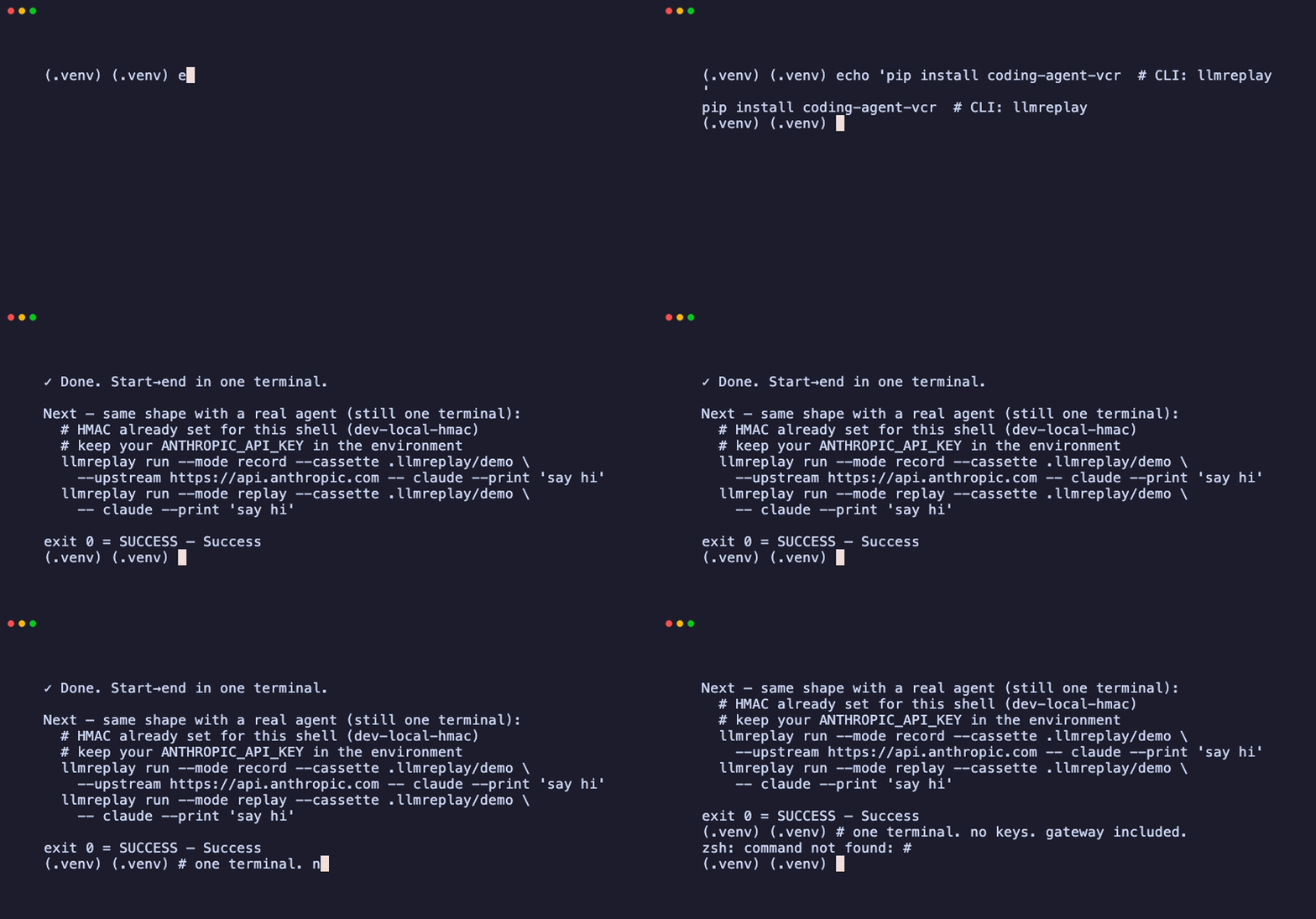
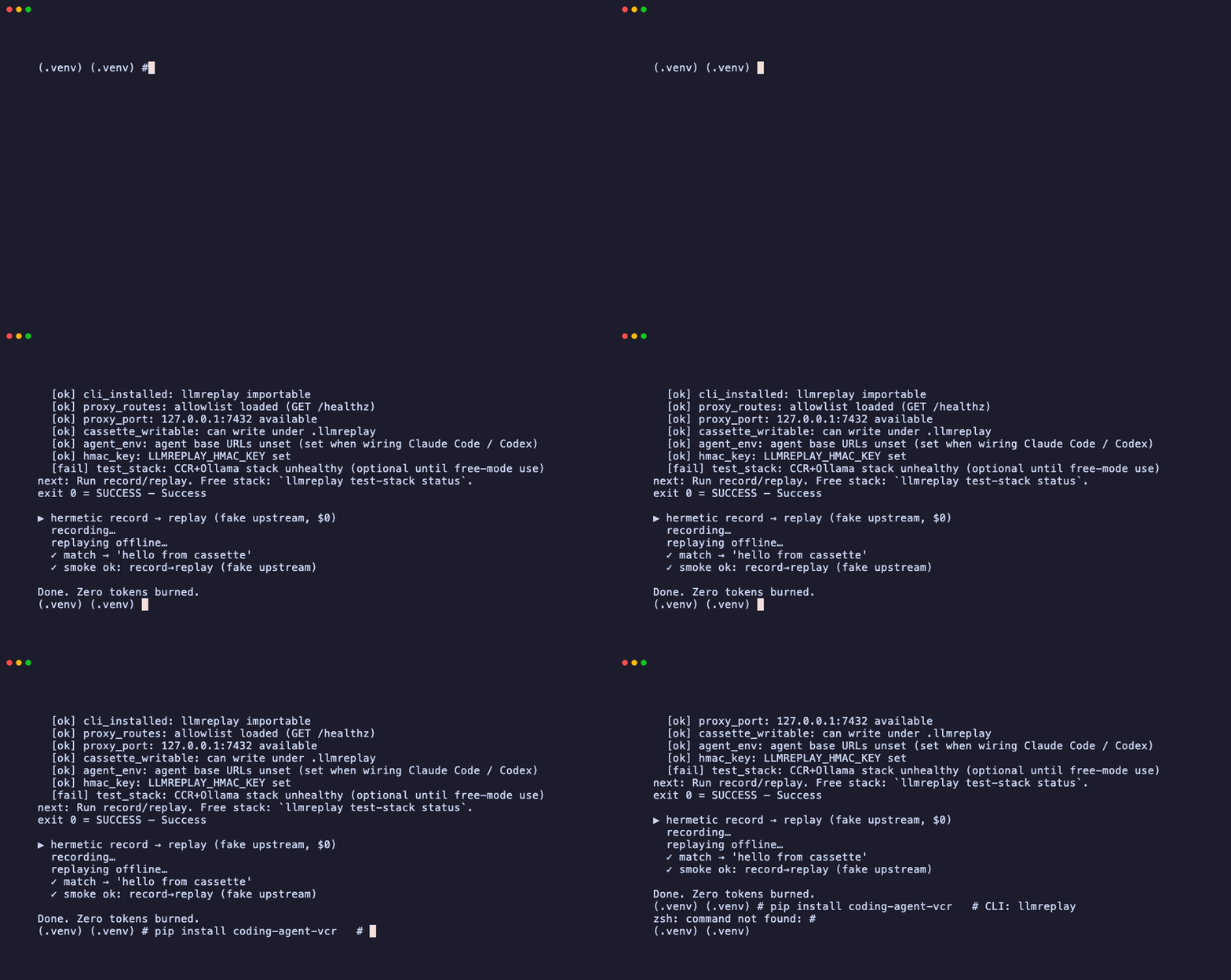
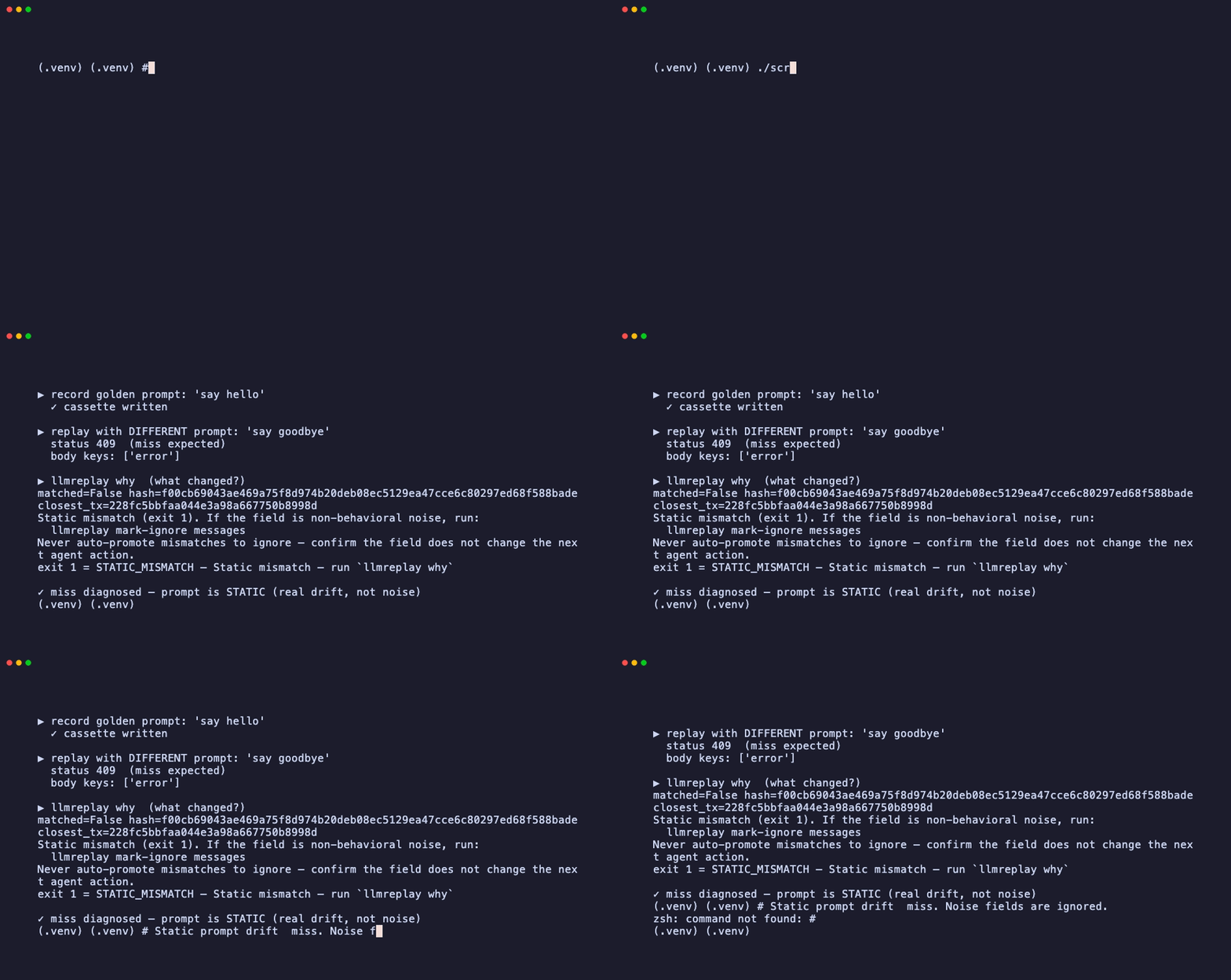
record → replay · miss → why · 5-minute demo script
Status: Early alpha — what works and what doesn't
The problem
Coding agents (Claude Code, Codex, etc.) are nondeterministic black boxes. When they break, you can't reproduce it. When they work, you can't prove it'll work again.
                    ┌─────────────────────────┐
  The agent loop:   │  Prompt → LLM → Tools   │──── costs $$$
                    │      ↓          ↓       │──── nondeterministic
                    │  Prompt → LLM → Tools   │──── can't replay
                    │      ↓          ↓       │──── CI needs API keys
                    │  Prompt → LLM → Done    │──── flaky tests
                    └─────────────────────────┘
LLMReplay fixes this by recording the LLM traffic once, then replaying it from disk:
flowchart LR
    A["Agent"] -->|"record"| P["LLMReplay\nProxy"]
    P -->|"forward"| L["Real LLM"]
    P -->|"save"| C["Cassette\n(scrubbed)"]

    A2["Agent"] -->|"replay"| P2["LLMReplay\nProxy"]
    P2 -->|"SHA-256\nmatch"| C2["Cassette"]
    P2 -.->|"no network\nneeded"| X["Offline"]
Get started in 30 seconds
One terminal. No CCR. No free keys. No second window.
pip install coding-agent-vcr
llmreplay demo
demo starts a stub gateway + the proxy, records one turn, replays it offline, and prints the commands for a real agent. HMAC is set for you if missing.
Note: CLI / import =
llmreplay. PyPI name =coding-agent-vcr.
Real agent (still one terminal)
llmreplay run is the gateway — it starts the proxy, runs your agent, then tears down.
# keep ANTHROPIC_API_KEY in your env (forwarded upstream)
# local HMAC defaults to dev-local-hmac if unset

# Record (proxy = gateway — starts, runs child, tears down)
llmreplay run --mode record --cassette .llmreplay/demo \
  --upstream https://api.anthropic.com \
  -- claude --print "say hi"

# Replay offline
llmreplay run --mode replay --cassette .llmreplay/demo \
  -- claude --print "say hi"

# CI check
llmreplay replay --check --cassette .llmreplay/demo
Miss? → llmreplay why --cassette .llmreplay/demo --request .llmreplay/demo/requests/<tx-id>.json
Full walkthrough: docs/quickstart.md.
How it works
Every field in an LLM request/response is classified into one of four categories:
  ┌─────────────────────────────────────────────────────────────────┐
  │                    Field Classification                         │
  │                                                                 │
  │  ┌──────────┐   Must match. Drives agent behavior.             │
  │  │  STATIC  │   model, messages, tools, tool_choice            │
  │  └──────────┘                                                   │
  │  ┌──────────┐   Noise. Stripped before hashing.                 │
  │  │  IGNORE  │   timestamp, request_id, trace_id                │
  │  └──────────┘                                                   │
  │  ┌──────────┐   Secrets → HMAC placeholders before disk.       │
  │  │   SCRUB  │   API keys, tokens, passwords                    │
  │  └──────────┘                                                   │
  │  ┌──────────┐   Always hit the real endpoint for this step.    │
  │  │   LIVE   │   mark-live Bash, mark-live __llm__              │
  │  └──────────┘                                                   │
  └─────────────────────────────────────────────────────────────────┘
The match pipeline:
flowchart LR
    R["Raw\nRequest"] --> C["Canonicalize\n(JCS)"]
    C --> I["Strip\nIgnored"]
    I --> S["Scrub\nSecrets"]
    S --> T["Sort\nTool Blocks"]
    T --> H["SHA-256\nHash"]
    H --> K["Match\nKey"]
Normative rules: SPEC.md | Architecture: DESIGN.md
Why LLMReplay
| Without LLMReplay | With LLMReplay | |
|---|---|---|
| Flaky tool order | Re-run and hope | Sorted canonically, deterministic match |
| Prompt regressions | Unnoticed until prod | Golden cassettes catch diffs in CI |
| CI needs API keys | Expensive, slow, brittle | Fully offline replay from fixtures |
| Can't reproduce bugs | "Works on my machine" | Fork cassette at turn N, tweak, replay |
| Test isolation | Mock everything by hand | Record real traffic, replay hermetically |
Observability shows what happened.
LLMReplay decides what must match and re-executes the trajectory.
Integrations
| Platform | Quick start |
|---|---|
| Claude Code |
llmreplay run --mode record -- claude --print "hi"
|
| Codex |
llmreplay run --mode record -- codex --prompt "hi"
|
| pytest |
@pytest.mark.llmreplay(cassette=".llmreplay/cassette")
async def test_agent(llmreplay_cassette):
    resp = await llmreplay_cassette.post("/v1/messages", json={...})
|
| GitHub Actions | |
| Any agent |
Set |
Use as a library
from llmreplay import ReplayTransport
import httpx
from pathlib import Path

transport = ReplayTransport(cassette_dir=Path(".llmreplay/cassette"))
async with httpx.AsyncClient(transport=transport, base_url="http://llmreplay") as client:
    resp = await client.post("/v1/messages", json={...})
    assert resp.status_code == 200
Full API: docs/reference/library.md
Hermetic smoke test
git clone https://github.com/dmallya93/llmreplay.git && cd llmreplay
pip install -e ".[dev]"
export LLMREPLAY_HMAC_KEY=dev-local-hmac
./scripts/smoke.sh
# ✓ smoke ok: record→replay (fake upstream)
No Ollama, no paid APIs, no network — pure in-process replay.
Learn
| Tutorials | Start here — first cassette → miss → CI → pytest → fork |
| Demo (5 min) | Scripted walkthrough for talks / lunch-and-learns |
| Case studies | When it pays off — CI cost, pytest mocks, turn-7 bugs |
| Share / launch | Paste-ready Show HN + Awesome PR copy |
Documentation
| Getting started | Quickstart · Tutorials · Demo · Case studies · Alpha limitations |
| Reference | CLI · Library API · SPEC |
| Integrations | Claude Code · Codex · pytest |
| Operations | CI · Portable cassettes · Troubleshooting |
| Security | Threat model · SECURITY.md |
| Optional | Free test-stack (CCR+Ollama, $0 local LLM) |
| Contributing | CONTRIBUTING.md · Publishing |
Apache-2.0 · LICENSE
Made for developers who are tired of "it worked when I ran it"
Project details
Verified details
These details have been verified by PyPIProject links
GitHub Statistics
Maintainers
Release history Release notifications | RSS feed


Download files
Download the file for your platform. If you're not sure which to choose, learn more about installing packages.
Source Distribution
Built Distribution
Filter files by name, interpreter, ABI, and platform.
If you're not sure about the file name format, learn more about wheel file names.
Copy a direct link to the current filters
File details
Details for the file coding_agent_vcr-0.2.1.tar.gz.
File metadata
- Download URL: coding_agent_vcr-0.2.1.tar.gz
- Upload date:
- Size: 89.1 kB
- Tags: Source
- Uploaded using Trusted Publishing? Yes
- Uploaded via: twine/7.0.0 CPython/3.13.14
File hashes
| Algorithm | Hash digest | |
|---|---|---|
| SHA256 |
9c983e7c0e6b8acffbb6e856d50cd3cf7d4636769fdf12ec4241ec32326948a0
|
|
| MD5 |
7e3cee1dc246df50c84ad970761ebf26
|
|
| BLAKE2b-256 |
6b84dc0d0f5040f2b51418f7f45093747ac509ad87520da48429354940daae9c
|
Provenance
The following attestation bundles were made for coding_agent_vcr-0.2.1.tar.gz:
Publisher:
publish.yml on dmallya93/llmreplay
-
Statement:
-
Statement type:
https://in-toto.io/Statement/v1 -
Predicate type:
https://docs.pypi.org/attestations/publish/v1 -
Subject name:
coding_agent_vcr-0.2.1.tar.gz -
Subject digest:
9c983e7c0e6b8acffbb6e856d50cd3cf7d4636769fdf12ec4241ec32326948a0 - Sigstore transparency entry: 2339136898
- Sigstore integration time:
-
Permalink:
dmallya93/llmreplay@04ec2ea6aa99d33d9f692910e705f1bffaf3923c -
Branch / Tag:
refs/heads/main - Owner: https://github.com/dmallya93
-
Access:
public
-
Token Issuer:
https://token.actions.githubusercontent.com -
Runner Environment:
github-hosted -
Publication workflow:
publish.yml@04ec2ea6aa99d33d9f692910e705f1bffaf3923c -
Trigger Event:
workflow_dispatch
-
Statement type:
File details
Details for the file coding_agent_vcr-0.2.1-py3-none-any.whl.
File metadata
- Download URL: coding_agent_vcr-0.2.1-py3-none-any.whl
- Upload date:
- Size: 82.7 kB
- Tags: Python 3
- Uploaded using Trusted Publishing? Yes
- Uploaded via: twine/7.0.0 CPython/3.13.14
File hashes
| Algorithm | Hash digest | |
|---|---|---|
| SHA256 |
406509455133559cdd2ac1f1246de37c32f7cf5e0aa46d3fd3a1b8bc6e50e3a9
|
|
| MD5 |
aee3df31751531aba7bd7e3de813a118
|
|
| BLAKE2b-256 |
99997ec521770ae1e206f2f6384da1e441fed207dbe8a84d5b7dffce88a5c432
|
Provenance
The following attestation bundles were made for coding_agent_vcr-0.2.1-py3-none-any.whl:
Publisher:
publish.yml on dmallya93/llmreplay
-
Statement:
-
Statement type:
https://in-toto.io/Statement/v1 -
Predicate type:
https://docs.pypi.org/attestations/publish/v1 -
Subject name:
coding_agent_vcr-0.2.1-py3-none-any.whl -
Subject digest:
406509455133559cdd2ac1f1246de37c32f7cf5e0aa46d3fd3a1b8bc6e50e3a9 - Sigstore transparency entry: 2339136908
- Sigstore integration time:
-
Permalink:
dmallya93/llmreplay@04ec2ea6aa99d33d9f692910e705f1bffaf3923c -
Branch / Tag:
refs/heads/main - Owner: https://github.com/dmallya93
-
Access:
public
-
Token Issuer:
https://token.actions.githubusercontent.com -
Runner Environment:
github-hosted -
Publication workflow:
publish.yml@04ec2ea6aa99d33d9f692910e705f1bffaf3923c -
Trigger Event:
workflow_dispatch
-
Statement type: